„Adobe“
Produktai
„Acrobat“
Creative Cloud
„Creative Suite“
„Digital Marketing Suite“
„Digital Publishing Suite“
„Elements“
„Photoshop“
Touch Apps
Daugiau produktų
Sprendimai
Skaitmeninė rinkodara
Skaitmeninė medija
Švietimas
Finansinės paslaugos
Valdžia
Internetinės patirties valdymas
Daugiau sprendimų
Mokymasis Pagalba Atsisiuntimai Bendrovė
Pirkti
Namams asmeniniams poreikiams, namų biurui
Licencijavimo programos įmonėms, švietimo ir valdžios įstaigoms
Kiti įsigijimo būdai
Ieškoti
 
Informacija Užsiregistruoti
Sveiki atvykę, Mano vežimėlis Mano siuntos Mano parama
Mano paskyra
Išsiregistruoti
Kodėl užsiregistruoti? Užsiregistruokite, kad galėtumėte tvarkyti savo paskyrą ir galėtumėte atsisiųsti bandomąsias produktų versijas, pratęsti produktų galiojimą, prieitumėte prie bendruomenės sričių ir pan.
Adobe
Produktai Skyriai Pirkti   Ieškoti  
Sprendimai Įmonė
Pagalba Mokymasis
Užsiregistruoti Išsiregistruoti Mano siunta Mano parama
Date Date
Qty:
Subtotal
Checkout
„Adobe Acrobat“ /

Why choose Acrobat?

  • Get more from Acrobat Dynamic PDF
  • Share documents with anyone
  • Create richer PDF files
  • Promote visual fidelity
  • Integrate with other applications
  • Keep sensitive information private
  • Future-proof document archives

Why choose Acrobat®? Because sharing business-critical information means more than simply creating a PDF file. It means persuading bosses, partners, colleagues, and customers with a game-changing digital document that blows them away. That’s what we mean by Acrobat Dynamic PDF — all the capabilities Adobe® Acrobat X software gives you to enrich your files and presentations with audio and video that anyone can view and comment on using free Adobe Reader software.

kevin_lynch-marquee
Į viršų

Get more from Acrobat Dynamic PDF

Designed to meet the needs of today's fast-paced, interconnected world, Acrobat Dynamic PDF enables you to work better with people inside and outside your organization. Combining the power of Acrobat desktop software with online services at Acrobat.com, Adobe provides simple-to-use solutions that help you deliver your best work, every day — all with the reliability, visual fidelity, and control you expect from Adobe.

Using the next generation of PDF technology, you can:

  • Easily manage shared reviews and solicit, collect, and aggregate team feedback.
  • Share files freely because anyone with Adobe Reader can open, view, and comment on documents.
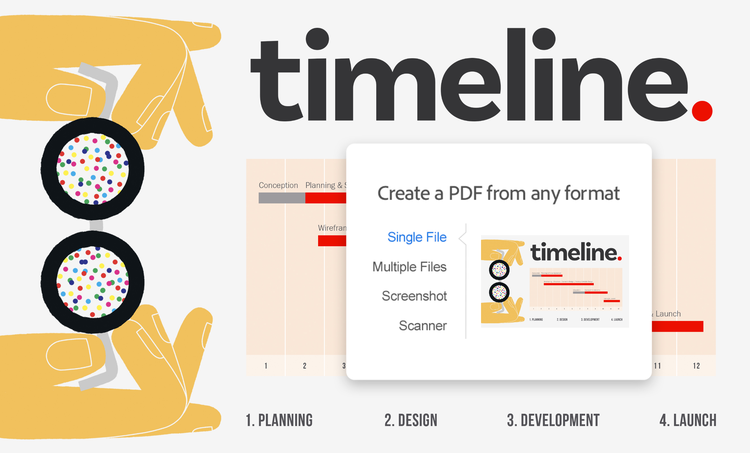
  • Organize content from a variety of sources, including emails, presentations, and images, and package multiple file types into an elegant, easy-to-use PDF Portfolio.
  • Quickly create engaging presentations by embedding audio and video into your documents.
  • Share and store groups of files online at Acrobat.com, and track team members’ access to documents.

Acrobat X is designed to help people collaborate across organizations and time zones. Communicate ideas more effectively using rich documents that anyone can view and interact with. Speed up decision-making among extended teams, for shorter cycle times and faster time to market.

Į viršų

Share documents with anyone

Invented by Adobe Systems and perfected over 17 years, Portable Document Format PDF is the global standard for capturing and reviewing rich information from almost any application on any computer system and sharing it with virtually anyone, anywhere.

Open access: Anyone with Adobe Reader – already installed on more than 90% of Internet-connected PCs – can view and comment on all kinds of information, including images, documents, 3D and geospatial data, and audio and video files.

Standards-compliant: Acrobat complies with the ISO 32000 standard, so it creates PDF files that can be opened with today’s viewing – and tomorrow's – viewing technology.

Multiplatform: You can view and print PDF files on virtually any platform, including Windows®, Mac OS, and mobile platforms such as Android™.

Accessible: PDF documents work with assistive technology to help make information accessible to people with disabilities.

Į viršų

Create richer PDF files

Only Acrobat Dynamic PDF provides the power to combine, organize, and share documents, complex images, audio files, and even video more securely in a single PDF Portfolio file — so you can capture your audience’s attention with work that is powerful, professional, and engaging.

Į viršų

Promote visual fidelity

Why run the risk of image and font issues or compromised output? With Acrobat Dynamic PDF, everyone who opens your file sees the same thing — because Adobe PDF documents look exactly like the original, when viewed online or in print. Given the ubiquity of Adobe Reader, you can prepare and deliver information with confidence, knowing that virtually anyone you choose can open your file.

Į viršų

Integrate with other applications

Acrobat Dynamic PDF offers a complete solution for creating, sharing, and storing PDF documents and controlling the information inside them. Today, Acrobat X integrates with these popular business applications:

Microsoft Office: Convert to PDF from Microsoft Word, Excel, and other Office applications with a single click, right from the authoring application.

Microsoft SharePoint: Convert SharePoint documents to PDF and back again to facilitate the flow of information across applications, databases, and document types.

Email: From Microsoft Outlook and IBM® Lotus Notes, convert e-mails to PDF with the click of a button.

Browsers: Turn web pages into PDF files with a single click from Internet Explorer or Firefox.

Adobe LiveCycle® ES2: For extended functionality within the PDF format, use Acrobat X with one or more of the Adobe LiveCycle ES2 modules. Control sensitive information stored in PDF files, perform batch processing and printing, and closely manage rights and access privileges for sensitive documents.

Interested in integrating with other applications? Acrobat X is highly extensible using the freely available software development kit (SDK). You can also work with more than 2,000 vendors worldwide to build a custom PDF-based solution and take advantage of consulting, training, and support services. Visit the IT resources page to learn more.

Į viršų

Keep sensitive information private

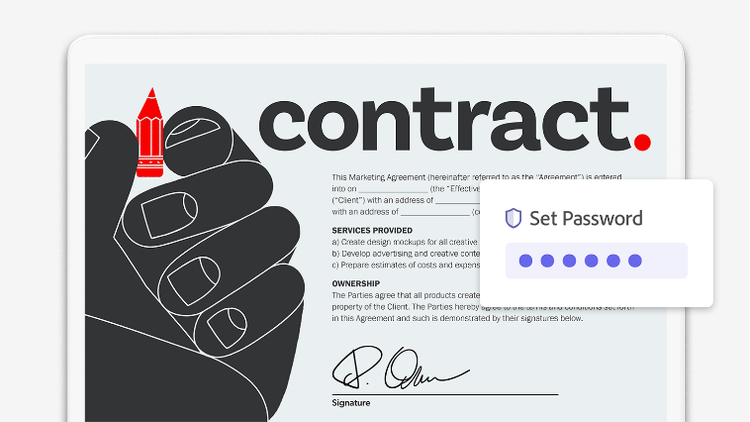
Businesses around the world count on Acrobat to share information more securely and reliably. Protect your files with 256-bit AES encryption and password protection. Permanently remove sensitive text or images with redaction. For additional control, set permissions to limit who can print, copy, or change your document, and use digital signatures to help ensure authenticity. For a complete digital rights management solution for the enterprise, Acrobat can be used with Adobe LiveCycle Rights Management ES2.

Į viršų

Future-proof document archives

Adobe actively works with standards-making bodies, such as the International Standards Organization (ISO), to make sure the PDF specification is used to its full potential. That's why PDF, PDF/A for archiving, and PDF/X for press-ready printing are now formally recognized as open ISO standards. So businesses, educational institutions, and government agencies can be confident that with PDF, workers will be able to share documents across platforms and access archived documents for years to come.

Mokymasis

More
  • „Acrobat“ vartotojų bendruomenė
  • „Acrobat“ per „Adobe TV“
  • Mokymas
  • Mokymo priemonės
  • Adobe video workshop
  • Developer Center
  • MAX Online

Pagalba

More
  • Klientų palaikymas
  • Produkto suaktyvinimas
  • „Windows“ naujiniai
  • „Mac“ naujiniai
  • Vartotojų forumai

Ištekliai

  • Privalumai įmonėms
  • IT ištekliai
  • Kūrėjų centras
  • Standartai
  • Pritaikymas neįgaliesiems
  • Sauga ir privatumas
  • „Acrobat“, skirta švietimo įstaigoms
  • „Acrobat“, skirta gamybos įmonėms
  • Kam rinktis „Acrobat“?
  • „Adobe PDF“ istorija
  • Produktų palyginimas

Puslapio įrankiai

Dalytis per „Facebook“
Dalytis per „Twitter“
Dalytis per „LinkedIn“
Įrašyti į adresyną
Spausdinti

„Adobe“ paslaugomis internetu naudotis gali tik 13 metų amžiaus ar vyresni vartotojai. Reikia interneto ryšio ir sutikti su papildomomis sąlygomis. Paslaugos pasiekiamos ne visose šalyse ir ne visomis kalbomis. Gali būti taikomi naudojimosi arba prenumeratos mokesčiai. Paslaugų teikimas gali būti neįspėjus nutrauktas.

Acrobat X Pro
Acrobat X Pro

Patirkite visą „Adobe® Acrobat® Dynamic PDF“

Acrobat X Pro
Pirkti Bandyti
Dar daugiau nuveikite su...
Acrobat X Suite

Pateikite įspūdingus verslo ryšius naudodami „Acrobat“ ir „Photoshop“.

Acrobat X Suite
Pirkti Bandyti
Acrobat X Suite
Acrobat X Suite

Pateikite įspūdingus verslo ryšius naudodami „Acrobat“ ir „Photoshop“.

Acrobat X Suite
Pirkti Bandyti
Acrobat X Standard
Acrobat X Standard

Patikimai kurkite PDF dokumentus ir formas bei jais dalykitės.

Acrobat X Standard
Pirkti
Other ways to buy

Education Store

Students, educators, and staff

Business Store

Small and medium businesses

Enterprise purchasing

Volume licensing options

Kiti įsigijimo būdai

Švietimo įstaigų parduotuvė

Studentai, dėstytojai ir kiti darbuotojai

Verslo parduotuvė

Mažos ir vidutinio dydžio įmonės

Įsigijimas įmonėms

Licencijavimo parinktys

Adobe Reader Atsisiuntimas Adobe Reader

Produktai

  • „Acrobat“
  • Creative Cloud
  • „Creative Suite“
  • „Digital Marketing Suite“
  • „Digital Publishing Suite“
  • „Elements“
  • „Mobiliosios programos“
  • „Photoshop“
  • „Touch Apps“

Sprendimai

  • Skaitmeninė rinkodara
  • Skaitmeninė medija
  • Internetinės patirties valdymas

Pramonės šakos

  • Švietimas
  • Finansinės paslaugos
  • Valdžia

Pagalba

  • Produktų pagalbos centrai
  • Užsakymai ir grąžinimai
  • Atsisiuntimas ir įdiegimas
  • Mano „Adobe“

Mokymasis

  • „Adobe Developer Connection“
  • „Adobe TV“
  • Mokymas ir sertifikavimas
  • Forumai
  • Dizaino centras

Įsigijimo būdai

  • Asmeniniams poreikiams, namų biurui
  • Įmonėms, švietimo ir valdžios įstaigoms

Atsisiunčiamoji medžiaga

  • „Adobe Reader“
  • „Adobe Flash Player“
  • „Adobe AIR“
  • „Adobe Shockwave Player“

Bendrovė

  • Žinių skyrius
  • Partnerių programos
  • Korporatyvinė socialinė atsakomybė
  • Karjeros galimybės
  • Santykiai su investuotojais
  • Renginiai
  • Teisė
  • Sauga
  • Kreiptis į „Adobe“
Pasirinkite regioną Lietuva (Keisti)
Pasirinkite regioną Uždaryti

North America

Europe, Middle East and Africa

Asia Pacific

  • Canada - English
  • Canada - Français
  • Latinoamérica
  • México
  • United States

South America

  • Brasil
  • Africa - English
  • Österreich - Deutsch
  • Belgium - English
  • Belgique - Français
  • België - Nederlands
  • България
  • Hrvatska
  • Česká republika
  • Danmark
  • Eastern Europe - English
  • Eesti
  • Suomi
  • France
  • Deutschland
  • Magyarország
  • Ireland
  • Israel - English
  • ישראל - עברית
  • Italia
  • Latvija
  • Lietuva
  • Luxembourg - Deutsch
  • Luxembourg - English
  • Luxembourg - Français
  • الشرق الأوسط وشمال أفريقيا - اللغة العربية
  • Middle East and North Africa - English
  • Moyen-Orient et Afrique du Nord - Français
  • Nederland
  • Norge
  • Polska
  • Portugal
  • România
  • Россия
  • Srbija
  • Slovensko
  • Slovenija
  • España
  • Sverige
  • Schweiz - Deutsch
  • Suisse - Français
  • Svizzera - Italiano
  • Türkiye
  • Україна
  • United Kingdom
  • Australia
  • 中国
  • 中國香港特別行政區
  • Hong Kong S.A.R. of China
  • India - English
  • 日本
  • 한국
  • New Zealand
  • 台灣

Southeast Asia

  • Includes Indonesia, Malaysia, Philippines, Singapore, Thailand, and Vietnam - English

© „Adobe Systems Incorporated“, 2012 All rights reserved.

Naudojimo sąlygomis | Privatumo politika ir slapukai (Atnaujinta)