

.

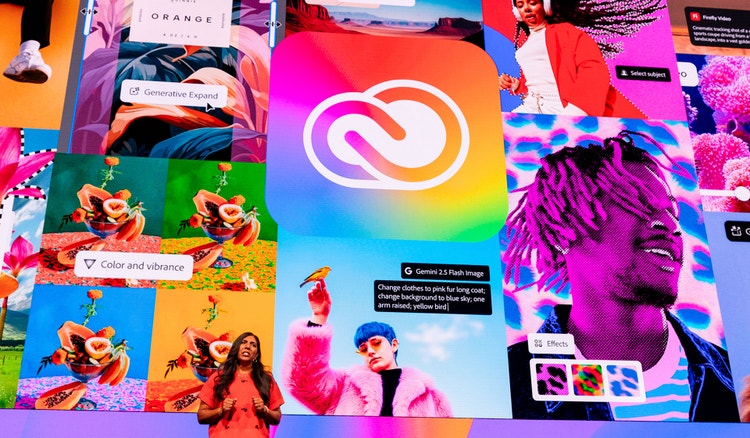
See what you can make with Creative Cloud Pro.

Firefly

Visualize your ideas in seconds.

Watch video

Premiere

Create memorable videos and films

Learn more

Adobe MAX

Get ready for the creativity event of the year.

Join us for three days of creative skill-building, visionary keynotes, and valuable connections. Nov 10–12 in Miami Beach and online.
Register now

Your path forward starts here.

Find exactly what you need to get anywhere you want to go in school, at work, and in life. It all starts with Creative Cloud Pro.

Creative Cloud Pro for students and teachers

Regularly at US$69.99/mo Alternatively at US$19.99/moAnnual, billed monthly

  • 20+ photo, graphic design, and video apps

  • Unlimited access to standard creative AI image and vector features like Generative Fill in Photoshop

  • 4,000 monthly generative credits for premium creative AI video and audio features like Text to Video

  • Access to industry-leading AI models from Adobe, Google, OpenAI, and more

  • Unlimited access to Firefly Boards for exploring ideas and developing storyboards

  • Access to non-Adobe generative AI models in Firefly

  • Adobe Express Premium, Frame.io for Creative Cloud, tutorials, fonts, templates, and 100GB of cloud storage

Save 71% on 20+ apps and Adobe Firefly creative AI for images, video, and audio. Pay US$19.99/mo the first year and US$39.99/mo after that.

See terms | Check eligibility

Secure transaction

What’s included in Creative Cloud Pro?

Apps for everything. Loads of perks. Plus, Firefly generative AI features for creating images with simple text prompts.

Creative Cloud Pro is more than just great apps.

What students are saying.

Learn, create, and grow your skills to advance your career.

Access hands-on tutorials and digital badges through Adobe Learn. Whether you’re starting out or looking to level up, explore resources you can use to build real-world creative skills and showcase on your resume.

Learn more

Questions? We have answers.

Is Adobe Creative Cloud free for students?

Eligible students and teachers can start with a Start 7-day free trial of Adobe Creative Cloud Pro, which includes full access to 20+ apps including Photoshop, Illustrator, Premiere, Lightroom, Acrobat Pro, and Adobe Firefly for all your creative needs. After the free trial ends, the subscription begins and customers will be charged the discounted price for eligible students and teachers. The first-year introductory price is US$19.99/mo (Annual, billed monthly), then starting the second year and so long as you remain eligible (price subject to change at renewal). See the plans page for current offers.

Some colleges and universities also provide Adobe Creative Cloud Pro at no cost through institution-wide licensing. Check with your school's IT department or Adobe administrator to find out if your institution offers this access.

How do I get a student or teacher discount on Adobe Creative Cloud?
Visit the Creative Cloud plans and pricing page, select the Adobe Creative Cloud Pro plan for students and teachers and continue through checkout, where you will be asked to verify eligibility. This discounted plan includes the same full app lineup as the Adobe Creative Cloud Pro plan, giving eligible students and teachers access to industry-standard creative apps starting at US$19.99/mo for the first year.
How long does the Adobe Creative Cloud student discount price last?
The Adobe Creative Cloud Pro student and teacher discount applies so long as you are eligible. For full details, see the terms & conditions on the Creative Cloud plans and pricing page.
Who is eligible for the Adobe Creative Cloud student discount?

The Adobe Creative Cloud student discount is available to current students aged 13 and older. The subscription must be purchased with a credit card by someone who is at least 18 years old. Eligible students are currently enrolled at an accredited educational institution or online platform, such as:

  • Primary and secondary schools (including homeschool programs)
  • Degree or professional colleges
  • Universities
  • Post-secondary institutions
  • Qualified online courses or educational programs
Who is eligible for the Adobe Creative Cloud teacher discount?

The Adobe Creative Cloud teacher discount is available to educators and staff currently employed at an accredited educational institution or online platform, such as:

  • K–12, primary, and secondary schools (including homeschool programs)
  • Degree or professional colleges
  • Universities
  • Post-secondary institutions
  • Qualified online courses or programs
How do I verify my student or teacher status to get Adobe Creative Cloud's education discount?
To verify your student or teacher status, Adobe may require you to confirm a school-issued email address or provide valid supporting documentation from the current academic year. Students may be asked for a student ID, class schedule, transcript, or a provider-issued enrollment or completion document. Educators may be asked for a teacher ID, pay slip, or offer letter.
What's included in the Adobe Creative Cloud Pro plan for students and teachers?

The Adobe Creative Cloud Pro plan for students and teachers provides access to all Creative Cloud apps, including Photoshop, Illustrator, Premiere, and many other industry-standard tools used by designers, photographers, filmmakers, and creators worldwide. Included Adobe apps:

  • Photoshop
  • Illustrator
  • InDesign
  • Premiere
  • After Effects
  • Lightroom
  • Acrobat Pro
  • Adobe Express
  • Adobe Firefly
  • Animate
  • Dimension
  • Audition
  • Fresco
  • Character Animator
  • Dreamweaver
  • InCopy
  • Bridge
  • Media Encoder
  • Scan

For a complete breakdown of apps and membership perks, see what's included in Adobe Creative Cloud Pro.

What's the best Adobe plan for students?
For most students, the best value is Adobe Creative Cloud Pro for students and teachers, which includes 20+ apps, including Photoshop, Illustrator, and Premiere at a reduced price. This plan is ideal for students working across more than one creative area – for classes, portfolios, or personal projects – since purchasing single apps individually adds up quickly. Students who only need one specific tool can compare single-app plans on the Creative Cloud plans and pricing page.
How do I log in to Adobe Creative Cloud as a student or teacher?
To sign in to Adobe, visit Adobe.com or open the Creative Cloud desktop app and click 'Sign In' in the top right corner. Enter your Adobe account email and password or your school-issued credentials if your institution provides Adobe Creative Cloud through a campus license. If prompted, complete any required two-step verification or single sign-on steps to finish signing in. Once logged in, you can download and manage all apps included in your plan from the Adobe Home Apps tab or the Creative Cloud desktop app. If you are new to Adobe, click 'Sign In' and then 'Create an Account' and follow the prompts.
How does Adobe Creative Cloud compare to other design tools for students?
Unlike many design tools that focus on templates, Adobe Creative Cloud gives students access to industry-standard software with precise editing tools across photo editing (Photoshop), vector design (Illustrator), and video editing (Premiere), plus creative AI features powered by Adobe Firefly that speed up editing, streamline workflows, and open up new ways to create. Adobe apps are for students at any skill level, from first-time creators to those building professional portfolios. Adobe Creative Cloud's apps are designed to work together, so students don't have to switch between separate platforms for different tasks. Whatever you're making, Adobe Creative Cloud gives you the tools to bring it to life exactly the way you imagined it.
How can students learn to use Adobe Creative Cloud apps?
An Adobe Creative Cloud membership includes a wide range of tutorials on Adobe Learn and Adobe Live for beginners, intermediate users, and experts across every app in the plan. Apps like Adobe Express and Adobe Firefly help you get started faster with ready-made templates, project ideas, and AI-powered tools so you don't have to start from scratch.
What devices does Adobe Creative Cloud work on for students?
Adobe Creative Cloud desktop apps run on both Mac and Windows, and many apps have companion mobile and iPad versions for working on the go. Desktop apps are not natively supported on Chromebooks, but browser-based tools like Adobe Firefly and Adobe Express work on any device with an internet connection. You can check the system requirements for each app on Adobe.com to make sure your device is compatible.
How many computers can I use my Adobe Creative Cloud student and teacher membership on?
An individual Adobe Creative Cloud membership lets you install apps on more than one computer and sign in on up to two computers. However, you can only actively use the apps on one computer at a time.
Do I have to pay to update my Adobe Creative Cloud apps?
No, as part of your Adobe Creative Cloud subscription you will always have access to the latest versions of every app in your plan. You can update apps whenever you're ready at no additional cost.

https://main--edu--adobecom.aem.page/edu-shared/fragments/creativecloud/buy/students/explore/ccforstudents/responsible-ai

https://main--edu--adobecom.aem.page/edu-shared/fragments/merch/students/creativecloud/ready-for-next-step-blade

Students save 71% on Creative Cloud Pro.

Buy now Free trial


Buy now
