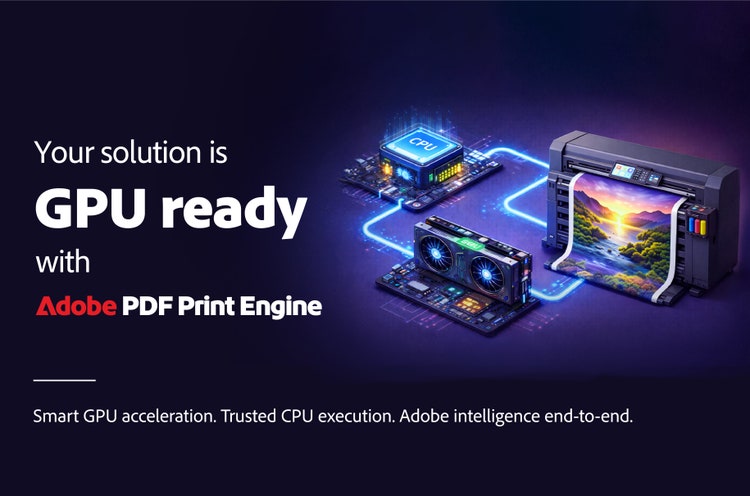
Your solution is GPU ready with Adobe PDF Print Engine

Smart GPU acceleration. Trusted CPU execution. End-to-end Adobe intelligence.

Download solution brief

From CPU to GPU: the next leap in production print performance

Your customers are running more jobs per shift, serving more market segments and taking on work from a wider range of creative and enterprise sources than ever. Transparency handling, spot colour management, variable data, step-and-repeat, high-resolution imagery, complex vector art: the workloads hitting your DFE or RIP keep getting harder and the pressure to increase throughput, cut inactive press cycles and lower cost per job never lets up.

For decades, the answer to "make the RIP faster" was "add more CPU horsepower." That still matters. But the hardware landscape underneath your solution has shifted: from single-core to multi-core, from one box to distributed environments and now to heterogeneous CPU+GPU platforms that ship standard in more of the systems your customers already own. That's an opportunity for you, but only if the acceleration lands in the right places.

CPU to GPU

The honest truth about GPUs

Before building GPU acceleration into Adobe PDF Print Engine, it's worth clearing up a few claims that get repeated across the industry. None of them hold up under real production workloads and they matter to how you evaluate any GPU-accelerated RIP technology you bring into your solution.

#f8f8f8

Common Claim

"Just offload everything to the GPU"

Adobe Perspective
The rendering pipeline in your RIP has parts that simply cannot be parallelised. PDF parsing, for instance, is full of ordered dependencies that a CPU handles beautifully and a GPU does not. Push the wrong work to the GPU and you can lose time to data-transfer and synchronisation overhead, especially on smaller jobs with frequent handoffs between the two.

#f8f8f8

Common Claim

"Parallel GPU processing is always faster than sequential processing"

Adobe Perspective
Parallel processing excels at independent, repetitive pixel-level work, but much of a RIP pipeline is inherently sequential and cannot be parallelised. The best performance comes from letting CPUs and GPUs each do what they do best.

#f8f8f8

Common Claim

"GPUs always increase performance"

Adobe Perspective
GPUs can deliver impressive acceleration for the right kinds of tasks, but smaller jobs, lightly parallel tasks or operations that require constant handoff between CPU and GPU may see little benefit. In some cases, moving data to the GPU can even slow things down.

#f8f8f8

Common Claim

"More GPU cores always mean more speed"

Adobe Perspective
Core count only helps the portion of work that can actually run in parallel. Once a job clears that threshold, adding more cores adds cost without adding throughput.

#f8f8f8

Common Claim

"GPUs are cost-effective"

Adobe Perspective
GPUs can be a cost-effective way to boost performance for workloads that benefit from massive parallelism, sometimes delivering better value than scaling with more servers. But that's not true for every job mix. If the workload isn't GPU-friendly, the investment may not pay off. The cost advantage depends entirely on how well the workload maps to GPU acceleration.

#ffffff
By combining the strengths of CPU and GPU, Adobe PDF Print Engine enables customers to run more jobs per shift, drive presses at their rated speeds and achieve maximum return on press investments.
#f8f8f8

End-to-end Adobe intelligence

Adobe brings GPU power not only to the RIP but to the entire print journey, from content creation to consumption. GPU support makes Adobe creative apps faster and keeps production workflows optimised.

#ffffff

Create:

Photoshop uses GPU acceleration for quick image adjustments that keep production moving. Illustrator's GPU Preview enables realtime editing of complex vectors and artwork. InDesign uses GPUs to deliver fluid zooming, scrolling and layout previews on high resolution screens.

#ffffff

Preview:

Acrobat leverages GPU power for faster PDF rendering and page navigation, enabling more efficient proofing and approvals.

#ffffff

Print:

Our GPU-assisted rendering architecture powers the production print experience from Adobe. It combines the world's fastest rendering technology and AI-powered optimisation to deliver intelligent, streamlined print workflows.

#f8f8f8
As the hardware landscape evolves, Adobe will remain at the forefront, leveraging new GPU capabilities and emerging hardware innovations to ensure your solutions achieve their peak performance.

https://www.adobe.com/cc-shared/fragments/products/pdfprintengine/news-topics-trends-others-gpu