
https://main--cc--adobecom.aem.live/cc-shared/assets/img/business/frameio/frame-logo-white.svg

One platform for all your creative work.
Upload videos, graphics, and scripts. Share feedback, manage edits, and tame the chaos that slows teams down.
Free trial | Free trial {{frame-io}} for teams Buy now | Buy now {{frame-io}} for teams
Achieve 2.7x faster reviews and 3.6x faster workflows.
(Source: Pfeiffer Report 2024)
Structure built to move you forward, not hold you back.
Organize videos, scripts, design assets, and other files in one shared space so your team stays aligned, fast-moving, and focused — even as scale and complexity grow.
https://main--cc--adobecom.aem.live/cc-shared/assets/img/business/frameio/icon-feedback-56.svg

Clear and actionable feedback in context.
Put comments exactly where they’re needed on the creative. No scattered threads — just feedback that drives the work forward.
https://main--cc--adobecom.aem.live/cc-shared/assets/img/business/frameio/icon-security-56.svg

Control of who sees what.
Keep sensitive work secure and collaboration-focused without slowing things down.
https://main--cc--adobecom.aem.live/cc-shared/assets/img/business/frameio/icon-people-56.svg

Self-serve management for creative teams.
Add users and assign roles directly in the Adobe Admin Console, and get pooled storage that scales automatically as your team grows.
Work at the speed of creativity.
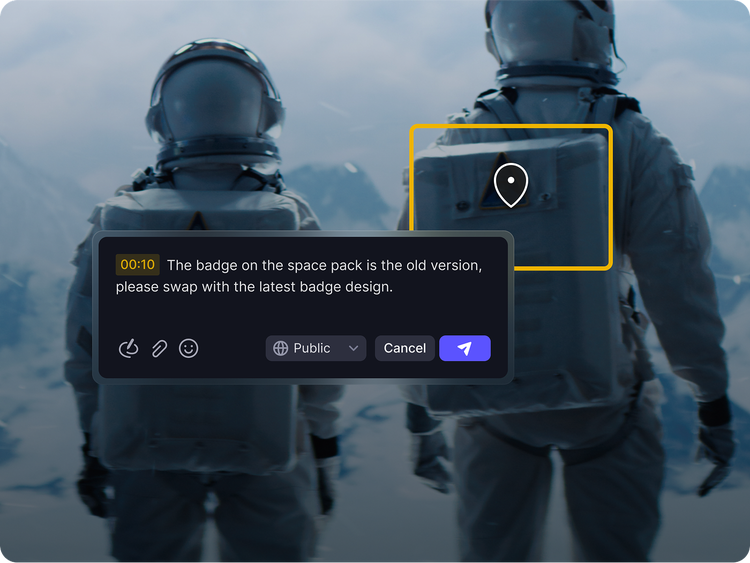
Precise feedback tools.
Frame-accurate comments and onscreen annotations keep your creative teams aligned and focused.
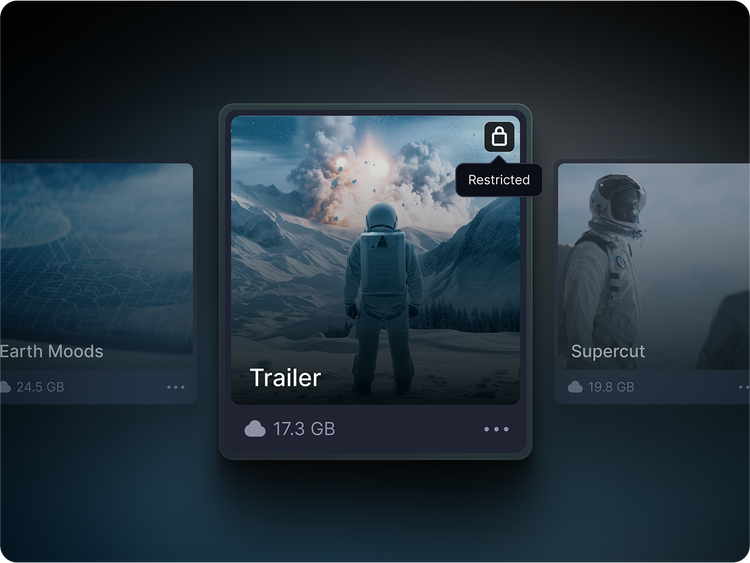
Control what they see and what they don’t.
Keep internal work private and client views clean. Set access by role and lock down projects, folders, and share links to control who sees what, and when.
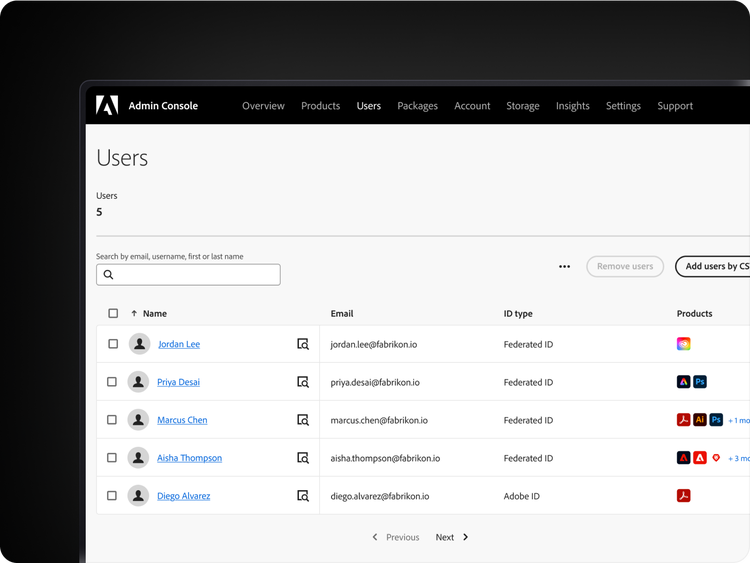
Manage everything alongside your Adobe Creative Cloud apps.
Add, remove, and manage users from the Admin Console — no need for IT tickets or calls to Sales. Assign roles and control access across Frame.io and the rest of your Creative Cloud apps.
Get storage that scales with your team.
Start with 3TB of shared cloud storage and get 2TB more for every license you add. Storage is pooled across your team and expands automatically as you add users.

More connected. Smarter workflows.
New in Frame.io — Premiere integration, AI-powered captions and workflow upgrades to help teams collaborate seamlessly and deliver faster.
Premiere 25.5 panel integration
- Import media straight into your timeline, share edits instantly and keep every stakeholder in sync.
AI-powered transcription & captions
- Generate transcripts with one click, auto-detect speakers and publish with captions in record time.
Media intelligence
- Move faster with account-wide metadata and simplified sharing across projects.
Key features and benefits of Frame.io for teams.
https://main--cc--adobecom.aem.live/cc-shared/assets/img/business/frameio/icon-folder.svg

File management
Upload and organize videos, images, and designs in a secure, cloud-based workspace.
https://main--cc--adobecom.aem.live/cc-shared/assets/img/business/frameio/icon-check-circle.svg

Review and approval
Leave clear, contextual comments — no timecodes, no confusion.
https://main--cc--adobecom.aem.live/cc-shared/assets/img/business/frameio/icon-metadata.svg

Workflow management
Assign tasks, tag assets, and track versions with folders and metadata.
https://main--cc--adobecom.aem.live/cc-shared/assets/img/business/frameio/icon-share.svg

Branded sharing
Send custom-branded links with viewer permissions, passphrase protection, and link expiration.
https://main--cc--adobecom.aem.live/cc-shared/assets/img/business/frameio/icon-cloud-arrow.svg

Accelerated file transfers
Keep folders intact with super-fast, fault-tolerant uploads and downloads as well as direct Camera to Cloud support.
https://main--cc--adobecom.aem.live/cc-shared/assets/img/business/frameio/icon-project-locked.svg

Access controls
Restrict projects and folders by user, role, or team — so the right people see the right work.