Creative teams need to quickly deliver personalized, engaging visual content at scale. Adobe Stock for enterprise has millions of carefully curated, royalty-free assets to enhance brand storytelling, right inside Creative Cloud apps. Get unlimited access to Adobe Stock with a Creative Cloud Pro Edition plan.
See how to tap into the power of Adobe Stock and take your content to a higher level
“Adobe Stock’s powerful search and the ability to categorize content and build Creative Cloud Libraries around it have been a real unlock. This has enabled us to introduce one streamlined workflow for all of our projects, which saves an incredible amount of time.”
Bridget Esposito, VP and Creative Director, Prudential Financial
Access a diverse marketplace of royalty-free photos, videos, audio files, templates, vectors, illustrations, and 3D assets — contributed by a global community of popular and emerging artists.
Creative Cloud Pro Edition plans offer unlimited access to Adobe Stock assets. Learn more.
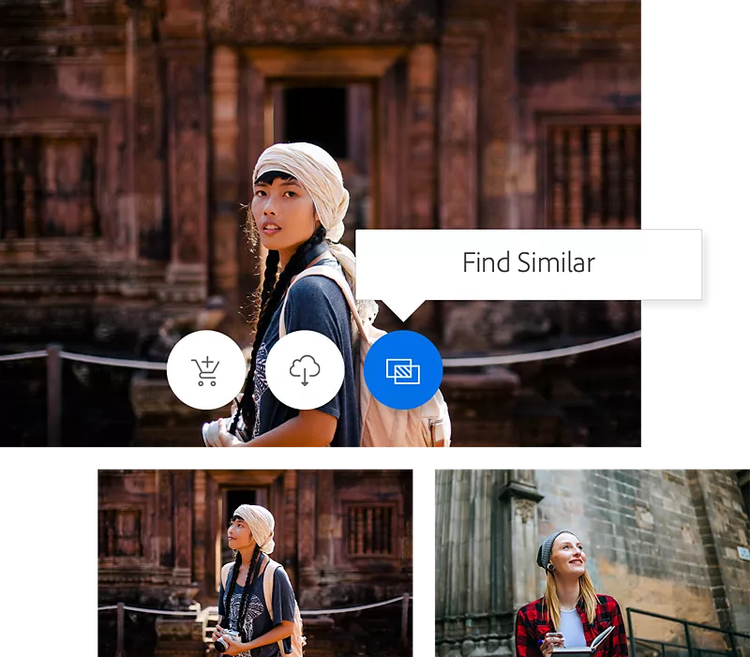
Get better, faster search results powered by Adobe Sensei, our artificial intelligence engine. We’ve applied machine learning to years of human click data and user feedback to deliver the most relevant results in the least time. Filter by aesthetics, color, copy space, shot size, shot angle, and more to quickly pinpoint the perfect asset.
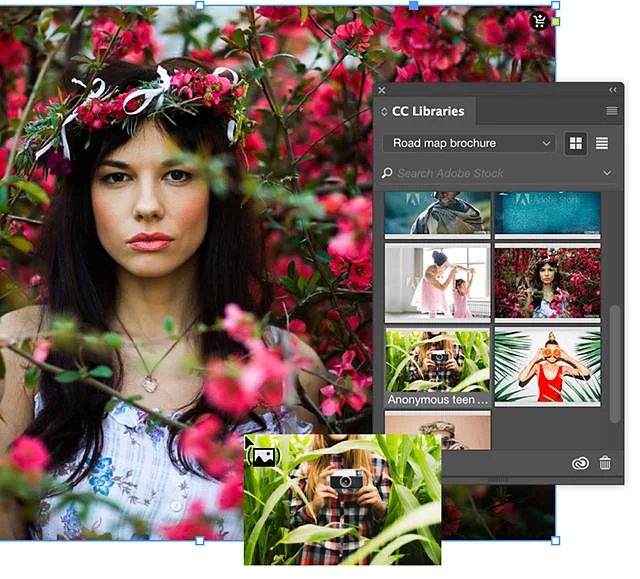
Adobe Stock is natively integrated and easy to get to in all your favorite Create Cloud apps — like Photoshop, Illustrator, InDesign, and Premiere. And research has shown that making Adobe Stock part of a design team’s workflow can improve efficiency by up to 10 times.
Skip the expense, time, and hassle of your own shoot. With over 22 million royalty-free HD and 4K video clips expressing diverse points of view, styles and personalities, you’re sure to find a shot that matches your ideas and helps you get to final faster.
“Adobe Stock is a great resource. We can find high-quality video clips, and it also provides us with non-watermarked hi-res comp images that make the proofing phases so much easier. So, when an original shoot is out of the question, the good news is, we can resource stock assets quickly and extremely efficiently — with less investment.”
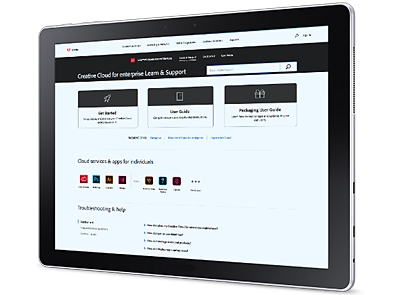
Need help finding more information? Chat with our experts for answers.
Cookie Settings
General information
You can control how Adobe websites use cookies and similar technologies by making choices below. But note that if you disable cookies and similar technologies entirely, Adobe websites may not function properly.
Cookies are small text files stored by your web browser when you use websites. There are also other technologies that can be used for similar purposes like HTML5 Local Storage and local shared objects, web beacons, and embedded scripts. These technologies help us do things like remembering you and your preferences when you return to our sites, measure how you use the website, conduct market research, and gather information about the ads you see and interact with.
You can make choices in the menu below about what cookies and other technologies you want us to use on Adobe sites when you visit them from this browser. You can always change those choices later by clicking on the Cookie Preferences link at the bottom of the page.
If enabled:
We can improve your experience by tailoring the site and the content to things we think might be of interest
We can better keep track of your preferences — like what language you prefer to use
We will better understand your likely interests so we can provide you more relevant Adobe ads and content on non-Adobe websites and in non-Adobe apps
It will help us improve the performance of our website and those of our partners who use the Adobe Experience Cloud
If disabled:
We won’t be able to remember you from session to session so the experience may not be tailored to your interests
You’ll still have access to the content of the site but certain features that depend on cookies may not function
You’ll still see ads, they just may not be as relevant to you
General information
You can control how Adobe websites use cookies and similar technologies by making choices below. But note that if you disable cookies and similar technologies entirely, Adobe websites may not function properly.
Cookies are small text files stored by your web browser when you use websites. There are also other technologies that can be used for similar purposes like HTML5 Local Storage, web beacons, and embedded scripts. These technologies help us do things like remembering you and your preferences when you return to our sites, measure how you use the website, conduct market research, and gather information about the ads you see and interact with.
You can make choices in the menu below about what cookies and other technologies you want us to use on Adobe sites when you visit them from this browser. You can always change those choices later by clicking on the Cookie Preferences link at the bottom of the page.
If enabled:
We can improve your experience by tailoring the site and the content to things we think might be of interest
We can better keep track of your preferences — like what language you prefer to use
We will better understand your likely interests so we can provide you more relevant Adobe ads and content on non-Adobe websites and in non-Adobe apps
It will help us improve the performance of our website and those of our partners who use the Adobe Experience Cloud
If disabled:
We won’t be able to remember you from session to session so the experience may not be tailored to your interests
We’ll still count your use of our site and services
You’ll still have access to the content of the site but certain features that depend on cookies may not function
You’ll still see ads, they just may not be as relevant to you
Operate the site and core servicesOperate site and measure engagement
Always active
These cookies are required, and they are used to enable the site and related services core functionality. Without them the site could not operate, so they cannot be disabled.
These cookies enable the site and related services’ core functionality and collect statistics about user engagement, such as counting active use to help us understand trends. These cookies cannot be disabled.
Measure performance
These cookies are used to analyze site usage to measure and improve performance. Without them Adobe cannot know what content is most valued and how often unique visitors return to the site, making it hard to improve information we offer to you.
These cookies are used to analyze site usage to measure and improve performance. Without them Adobe cannot know what content is most valued, making it hard to improve information we offer to you.
Extend functionality
These cookies are used to enhance the functionality of Adobe sites such as remembering your settings and preferences to deliver a personalized experience; for example, your username, your repeated visits, preferred language, your country, or any other saved preference.
Personalize advertising
These cookies are used to enable Adobe and our partners to serve ads more relevant to your interests. Without them you will still see ads, but they might not be as relevant to you.