Vyfoťte záběr. Pak ho dolaďte, retušujte nebo přetvořte k nepoznání. Plán Adobe Creative Cloud pro digitální fotografii zahrnuje Lightroom i Photoshop, takže všechno hravě zvládnete.
S funkcí Generativní odstranění v aplikaci Lightroom nyní rychle a beze stop odstraníte z fotografií cokoli.
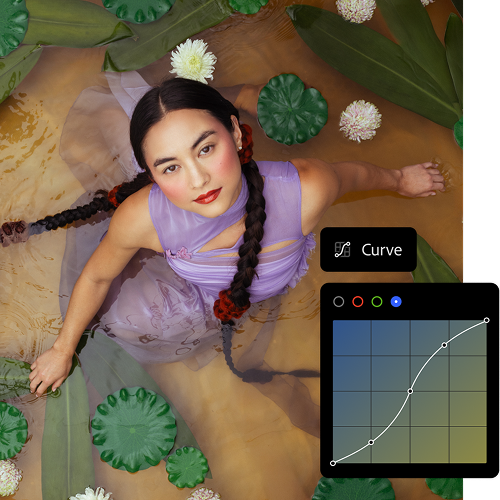
Úpravy kdekoli
S aplikací Lightroom v mobilu, počítači nebo na webu můžete vždy pokračovat v práci tam, kde jste naposledy skončili – vaše projekty se automaticky synchronizují.
Zdokonalte své dovednosti
Projděte si výukové lekce krok za krokem přímo v aplikaci Lightroom a pak na kartě Objevování načerpejte další inspiraci od komunity.
Generativní AI v aplikaci Adobe Photoshop mění vše
Pomocí nástrojů Generativní výplň a Generativní rozšíření můžete přímo v aplikaci Photoshop rozšiřovat obrázky, přidávat do nich obsah a odstraňovat objekty. Vše je možné díky výkonné technologii Adobe Firefly. Kdo nevyzkoušel, neuvěří.
three up, l-gap, no-spacing-top, xxxl spacing bottom
Máte otázky ohledně produktů Adobe pro fotografy? My máme odpovědi.
Rozdíl mezi plány Adobe pro digitální fotografii spočívá v jejich obsahu: plán Adobe Lightroom zahrnuje aplikace Adobe Lightroom, Adobe Lightroom Classic a 1 TB cloudového úložiště pro přístup k fotkám a jejich úpravy odkudkoli. Plán Adobe Creative Cloud pro digitální fotografii zahrnuje kromě aplikací Adobe Lightroom, Adobe Lightroom Classic a 1 TB cloudového úložiště také Adobe Photoshop. Porovnejte ceny a funkce jednotlivých plánů pro digitální fotografii.
Ano, plány Adobe pro digitální fotografii si můžete vyzkoušet tak, že si stáhnete bezplatnou sedmidenní zkušební verzi služby Adobe Creative Cloud. Tak zjistíte, který plán pro vás bude ten pravý. Vyzkoušet zdarma
Ačkoli jsou si tyto aplikace pro úpravy digitálních fotografií podobné, hlavní rozdíl mezi aplikacemi Adobe Photoshop a Adobe Lightroom spočívá v tom, že Photoshop se specializuje na manipulaci se snímky, jejich vytváření a vylepšování, zatímco Adobe Lightroom se zaměřuje na úpravy, organizaci a zpracování fotografií. Přečtěte si další informace o aplikacích Adobe Photoshop a Adobe Lightroom.
Cena předplatného plánu Creative Cloud pro digitální fotografii je 24,19€/měsícvčetně DPH za plán typu Roční, účtováno měsíčně nebo 288,80€/rokvčetně DPH za předplacený roční plán. Součástí plánu jsou aplikace Lightroom, Lightroom Classic, Photoshop a 1 TB cloudového úložiště. Porovnejte plány pro fotografii a jejich ceny.
style
xxl spacing
Najděte si ten správný plán Adobe Creative Cloud
style
three merch cards, dark, center, grid width 12, static links, no-spacing
background
#000
Lightroom (1 TB)
14,74€/měsícvčetně DPH. Roční, účtováno měsíčně
Lightroom pro počítače, mobilní zařízení a na webu a navíc Lightroom Classic.
You can control how Adobe websites use cookies and similar technologies by making choices below. But note that if you disable cookies and similar technologies entirely, Adobe websites may not function properly.
Cookies are small text files stored by your web browser when you use websites. There are also other technologies that can be used for similar purposes like HTML5 Local Storage and local shared objects, web beacons, and embedded scripts. These technologies help us do things like remembering you and your preferences when you return to our sites, measure how you use the website, conduct market research, and gather information about the ads you see and interact with.
You can make choices in the menu below about what cookies and other technologies you want us to use on Adobe sites when you visit them from this browser. You can always change those choices later by clicking on the Cookie Preferences link at the bottom of the page.
If enabled:
We can improve your experience by tailoring the site and the content to things we think might be of interest
We can better keep track of your preferences — like what language you prefer to use
We will better understand your likely interests so we can provide you more relevant Adobe ads and content on non-Adobe websites and in non-Adobe apps
It will help us improve the performance of our website and those of our partners who use the Adobe Experience Cloud
If disabled:
We won’t be able to remember you from session to session so the experience may not be tailored to your interests
You’ll still have access to the content of the site but certain features that depend on cookies may not function
You’ll still see ads, they just may not be as relevant to you
General information
You can control how Adobe websites use cookies and similar technologies by making choices below. But note that if you disable cookies and similar technologies entirely, Adobe websites may not function properly.
Cookies are small text files stored by your web browser when you use websites. There are also other technologies that can be used for similar purposes like HTML5 Local Storage, web beacons, and embedded scripts. These technologies help us do things like remembering you and your preferences when you return to our sites, measure how you use the website, conduct market research, and gather information about the ads you see and interact with.
You can make choices in the menu below about what cookies and other technologies you want us to use on Adobe sites when you visit them from this browser. You can always change those choices later by clicking on the Cookie Preferences link at the bottom of the page.
If enabled:
We can improve your experience by tailoring the site and the content to things we think might be of interest
We can better keep track of your preferences — like what language you prefer to use
We will better understand your likely interests so we can provide you more relevant Adobe ads and content on non-Adobe websites and in non-Adobe apps
It will help us improve the performance of our website and those of our partners who use the Adobe Experience Cloud
If disabled:
We won’t be able to remember you from session to session so the experience may not be tailored to your interests
We’ll still count your use of our site and services
You’ll still have access to the content of the site but certain features that depend on cookies may not function
You’ll still see ads, they just may not be as relevant to you
Operate the site and core servicesOperate site and measure engagement
Always active
These cookies are required, and they are used to enable the site and related services core functionality. Without them the site could not operate, so they cannot be disabled.
These cookies enable the site and related services’ core functionality and collect statistics about user engagement, such as counting active use to help us understand trends. These cookies cannot be disabled.
Measure performance
These cookies are used to analyze site usage to measure and improve performance. Without them Adobe cannot know what content is most valued and how often unique visitors return to the site, making it hard to improve information we offer to you.
These cookies are used to analyze site usage to measure and improve performance. Without them Adobe cannot know what content is most valued, making it hard to improve information we offer to you.
Extend functionality
These cookies are used to enhance the functionality of Adobe sites such as remembering your settings and preferences to deliver a personalized experience; for example, your username, your repeated visits, preferred language, your country, or any other saved preference.
Personalize advertising
These cookies are used to enable Adobe and our partners to serve ads more relevant to your interests. Without them you will still see ads, but they might not be as relevant to you.