



Design custom mugs for free in minutes.
Statement mugs say it all, before the caffeine has even kicked in. In Adobe Express, you can easily design your own custom mug complete with your logo, font, and color palette.
* Print-to-order feature only available in the US, the UK, Australia, and Canada.


Everything you need to design and order prints.
Adobe Express lets you design and order printed mugs with ease. Pick a color, preview your mug to make sure it looks just right, and place your order all in one place.
How to design a mug.

1. Select.
Pick a ready-made mug template design to customize.

2. Print.
In the US, UK, Australia, and Canada, create your design on desktop or mobile and submit your order for professional printing. Or, download your mug design.

3. Deliver.
Enjoy your printed custom mug, delivered to your doorstep.
Design custom mugs with ready-made templates.
From “World’s Best Mom” to corporate logos, personalized mugs make great gifts for a variety of recipients. Custom mugs let desk mates and cafe patrons know what you value. Adobe Express helps you make the best statement mugs with templates to kickstart your design.




Frequently asked questions.
What kind of mug designs can I create?
You can create just about any mug design you can imagine. Add your own photos, logos, or artwork, or choose from professionally designed templates to get started. Personalize your mug with text, colors, patterns, or graphics to match your style, brand, or a special occasion. Whether it’s for a gift, a promotion, or your morning coffee, your design can be as simple or as bold as you want.
Can I create my own mug design template?
Any new or existing project can be turned into a shareable template. To turn your mug design into a template, click on the three-dot menu at the left of the Download button and follow the steps to turn your design into a template.
What printed products can I order with this feature?
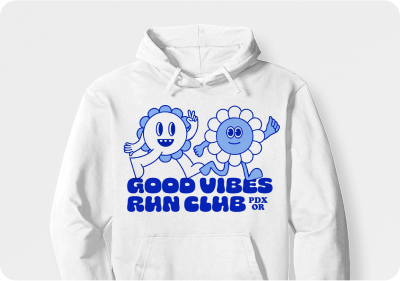
You can use this feature to print custom mugs, as well as t-shirts, hoodies, and more. Get started on your mug design today to see what we currently offer as printed products.
How big should my mug design be?
When creating your custom mug design, be sure your artwork matches the correct template size for the best printing results. An 11 oz (325 ml) mug measures about 8.5 inches (215.9 mm) wide by 3.6 inches (91.44 mm) high, while a 15 oz (444 ml) mug measures 8.5 inches (215.9 mm) wide by 4.1 inches (104.1 mm) high. You can choose to have your design wrap all the way around the mug or appear just on the front when it’s being used. Always confirm the exact print area and bleed requirements with your printer before finalizing your design.
Which countries can I ship my custom mug order to?
Currently, we only support shipping within the US, UK, Australia, and Canada.
Can I print my mug design from my phone?
Print is available on desktop and mobile devices in the US, UK, Australia, and Canada.
illustrator

