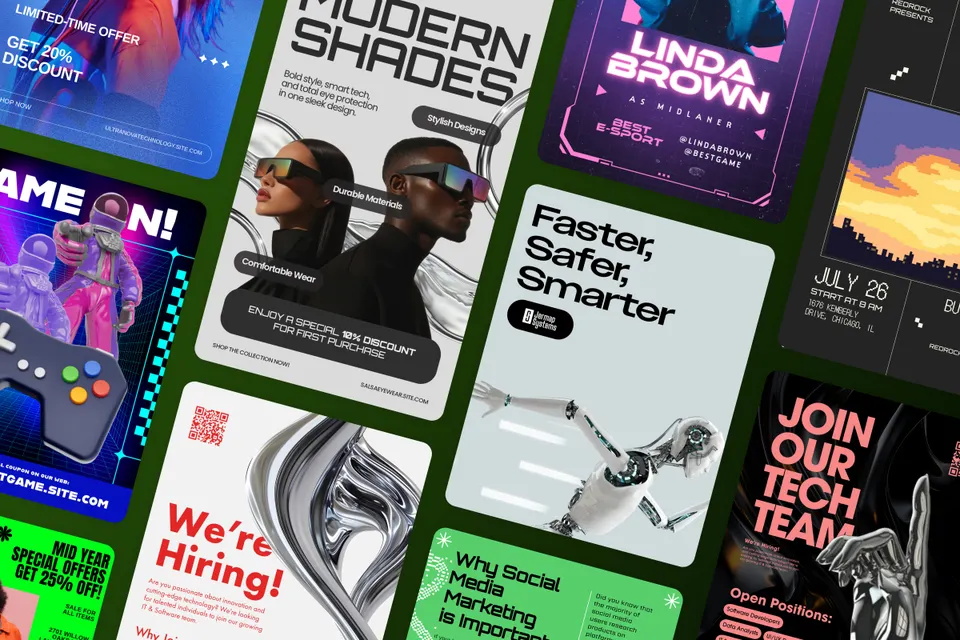
We named four main trends in our annual Adobe Creative Trends Forecast for 2025 to predict what inspires designers and creators for the year ahead. They are:
Time Warp
Immersive Appeal
Fantastic Frontiers
Levity and Laughter
From these annual Adobe Stock trends, we teased out several microtrends in Adobe Express every quarter. The first microtrend we highlighted was Plastic Fantastic, and now we’re turning our attention to Press Start, the microtrend breathing new life into Time Warp.
style
long-form, long-form-blog, xxl-spacing-top
Revisiting time warp
As its name implies, Time Warp represents the juxtaposition of past and future by remixing eras and adding futuristic elements to create fresh takes on historical periods. Typical time periods range from ancient times to the roaring '20s and even the groovy ‘70s. There's a sci-fi element to this retrofuturistic theme that’s made possible by the existence of generative artificial intelligence (AI), which helps creators experiment with intricate era-bending ideas in just a few clicks in Adobe Express.
If Time Warp covers various eras dating back to ancient times, Press Start is defined by the digital era. We’re increasingly living in a computer-generated world, where gaming and virtual reality are the norm. Increasingly, we’re interacting with a simulated world through VR headsets and gaming consoles. Press Start is heavily influenced by advancements in tech as well as video gaming, which became popular in the 1970s and 80s.
So, it makes sense that the visual style is a combo of retro ‘70s charm and pixel art, ‘80s neon colors, and tech-inspired visuals. Press Start, as a microtrend, merges retro gaming aesthetics with futuristic techno elements culminating in a bold, energetic aesthetic.
Gaming-inspired visuals include avatars, consoles, and virtual worlds. So, imagery here comprises the gaming culture coupled with throwback elements like cathode ray tube (CRT) monitors” and simplistic 8-bit graphics that’s highly recognizable in Pong, Space Invaders, and Pac-Man.
Online fitness brands that are ever-present in apps on our phones, complete with performance dashboards and on-demand videos, can lean heavily on this trend. As far as social media campaigns for online fitness brands, a few ideas include doing an IG portrait of a live announcement for a streaming workout, an IG ad to join a bootcamp, a TikTok for “what I eat in a day,” a digital cookbook or eating plan, or even a participant leaderboard.
Embracing the retro computer-generated lifestyle with its pixelation and neon colors along with techno futurism brings a digitized whimsy as well as a throwback flair to Press Start. This is a microtrend that embodies an attention-grabbing world where technology is front and center.
You can control how Adobe websites use cookies and similar technologies by making choices below. But note that if you disable cookies and similar technologies entirely, Adobe websites may not function properly.
Cookies are small text files stored by your web browser when you use websites. There are also other technologies that can be used for similar purposes like HTML5 Local Storage and local shared objects, web beacons, and embedded scripts. These technologies help us do things like remembering you and your preferences when you return to our sites, measure how you use the website, conduct market research, and gather information about the ads you see and interact with.
You can make choices in the menu below about what cookies and other technologies you want us to use on Adobe sites when you visit them from this browser. You can always change those choices later by clicking on the Cookie Preferences link at the bottom of the page.
If enabled:
We can improve your experience by tailoring the site and the content to things we think might be of interest
We can better keep track of your preferences — like what language you prefer to use
We will better understand your likely interests so we can provide you more relevant Adobe ads and content on non-Adobe websites and in non-Adobe apps
It will help us improve the performance of our website and those of our partners who use the Adobe Experience Cloud
If disabled:
We won’t be able to remember you from session to session so the experience may not be tailored to your interests
You’ll still have access to the content of the site but certain features that depend on cookies may not function
You’ll still see ads, they just may not be as relevant to you
General information
You can control how Adobe websites use cookies and similar technologies by making choices below. But note that if you disable cookies and similar technologies entirely, Adobe websites may not function properly.
Cookies are small text files stored by your web browser when you use websites. There are also other technologies that can be used for similar purposes like HTML5 Local Storage, web beacons, and embedded scripts. These technologies help us do things like remembering you and your preferences when you return to our sites, measure how you use the website, conduct market research, and gather information about the ads you see and interact with.
You can make choices in the menu below about what cookies and other technologies you want us to use on Adobe sites when you visit them from this browser. You can always change those choices later by clicking on the Cookie Preferences link at the bottom of the page.
If enabled:
We can improve your experience by tailoring the site and the content to things we think might be of interest
We can better keep track of your preferences — like what language you prefer to use
We will better understand your likely interests so we can provide you more relevant Adobe ads and content on non-Adobe websites and in non-Adobe apps
It will help us improve the performance of our website and those of our partners who use the Adobe Experience Cloud
If disabled:
We won’t be able to remember you from session to session so the experience may not be tailored to your interests
We’ll still count your use of our site and services
You’ll still have access to the content of the site but certain features that depend on cookies may not function
You’ll still see ads, they just may not be as relevant to you
Operate the site and core servicesOperate site and measure engagement
Always active
These cookies are required, and they are used to enable the site and related services core functionality. Without them the site could not operate, so they cannot be disabled.
These cookies enable the site and related services’ core functionality and collect statistics about user engagement, such as counting active use to help us understand trends. These cookies cannot be disabled.
Measure performance
These cookies are used to analyze site usage to measure and improve performance. Without them Adobe cannot know what content is most valued and how often unique visitors return to the site, making it hard to improve information we offer to you.
These cookies are used to analyze site usage to measure and improve performance. Without them Adobe cannot know what content is most valued, making it hard to improve information we offer to you.
Extend functionality
These cookies are used to enhance the functionality of Adobe sites such as remembering your settings and preferences to deliver a personalized experience; for example, your username, your repeated visits, preferred language, your country, or any other saved preference.
Personalize advertising
These cookies are used to enable Adobe and our partners to serve ads more relevant to your interests. Without them you will still see ads, but they might not be as relevant to you.