


Sometimes you think you took the perfect photo, only to notice a small element that made it only 98% perfect. (Hello, photobombs.) Or, that the photo was actually perfect, but it could use one more element to take it to 11. It could be that you’re creating a marketing graphic and want to add your brand logo. Whatever the instance, being able to insert or remove objects in Adobe Express makes life better.
Design
Insert or remove objects quickly and easily
5 time-saving benefits of insert or remove objects in Adobe Express

Adobe Express
08/11/2025
Summary
5 time-saving benefits of the insert or remove object feature
Built into Express, inserting, replacing, or removing objects are time-saving features for marketers, designers, salespeople, and pretty much anyone who must get a lot of work done quickly. It’s so easy to do, and since it seems to happen like magic, it almost feels like cheating. But it’s not. Here are a few scenarios where the features come in handy, and how-tos for doing it right.
1. Removing unwanted elements
- Editing out objects lets you get rid of distractions so the focus can be on the subject. Let’s say you took a selfie in front of the Eiffel Tower, but at the last minute, someone walked behind you. You can remove them, so the focal point is still the Eiffel Tower and you.
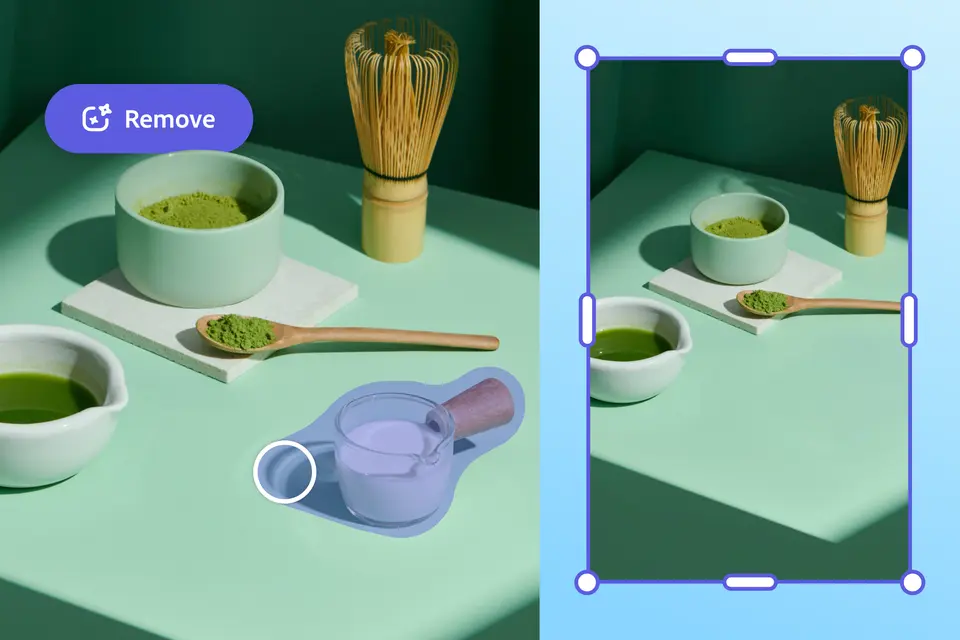
- Edit and fine-tune photos by getting rid of blemishes, scratches, and more. For example, you took a shot of your matcha latte, but there was a puddle of milk next to the cup. With remove object, you can brush over the spill and it’s like it was never there.
2. Enhancing photos
- Sometimes you want to embellish your photos with fantastical elements like dragons, unicorns, surreal landscapes, and more.
- Maybe you don’t have time for another photo shoot, but you need more content, so you insert an object into an existing image — and suddenly you’ve doubled your options.
- For social media or presentations, you can add text overlays, stickers, or other extras like labels or arrows to add context or highlight key elements.
3. Customizing templates
- When using a template, you might want to insert your own images
- You can also remove and replace placeholder elements to suit your design needs.
4. Creating marketing materials
- Whether you’re designing flyers, posters, or social media graphics, you’ll want to insert logos, product shots, and other branding elements.
- When businesses want to use photography in marketing or media, you may need to remove sensitive content like faces, license plates, and even tattoos.
5. Conceptualizing ideas or providing comparisons for clients
- Early-stage brainstorming is enhanced by visuals, so being able to bring ideas to life and conceptualize ideas is possible by removing, inserting, or replacing objects quickly.
- Interior designers, for example, benefit by being able to draft different arrangements of rooms and decor to provide comparisons for clients who may make decisions more confidently with visual options.
How to remove objects

When you want to remove an object with generative AI: Open an image in the Adobe Express editor. Select the image to open the image panel and select Remove object. Use the Brush to cover the object to be removed, select Remove. From Results, either choose an image or select Generate more. Once you like an image, select Keep. If you don’t like any, then select Discard. Close the window to return to the image panel to further design and Download.
How to insert or replace objects
Another quick action is Insert object. Once you select it, you’ll upload an image to start. Then write a prompt to describe the changes you want to make. Use the Brush to highlight a specific area to insert the object and select Generate. From Results, either choose an image or select Generate more. Once you like an image, select Keep. If you don’t like any, then select Discard. Close the window to return to the image panel to further design and Download.


