
https://main--cc--adobecom.hlx.page/cc-shared/assets/video/product/photoshop/media_1ec80642cb652f2304ce222d7296f8e1da4d26fd2.mp4#_hoverplay | Fix mistakes

Fix mistakes.

Change parts of your image to the background colour or make them transparent with the Eraser tool.

https://main--cc--adobecom.hlx.page/cc-shared/assets/video/product/photoshop/media_170931b9b7b814a54bf794bb2265b41edd9836f4d.mp4#_hoverplay | Organise your artwork

Organise your artwork.

Create multiple canvases within the same workspace with the Artboard tool so you can view your designs side by side.

https://main--cc--adobecom.hlx.page/cc-shared/assets/video/product/photoshop/media_1420182fd72ededc7c85a60cc393df1130e281da5.mp4#_hoverplay | Paint a digital masterpiece

Paint a digital masterpiece.

Use the Brush tool to make artwork from thousands of preset brushes based on mediums like watercolour and oil or make your own.
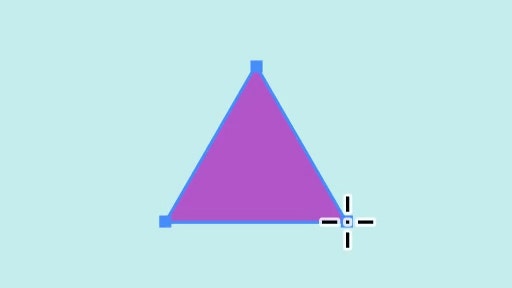
https://main--cc--adobecom.hlx.page/cc-shared/assets/video/product/photoshop/media_164af0d9b76c0f1a0c01d7c166c84142d01c259e3.mp4#_hoverplay | Draw and edit shapes

Draw and edit shapes.

Click and drag to create precise rectangles, ellipses, lines and even customised shapes with the Shape tools.

https://main--cc--adobecom.hlx.page/cc-shared/assets/video/product/photoshop/media_1c173000992868f4446c3b5538c7d2d69be0b10da.mp4#_hoverplay | Smooth and blend colours

Smooth and blend colours.

Use the Smudge tool to mix colours together like wet paint.

https://main--cc--adobecom.hlx.page/cc-shared/assets/video/product/photoshop/media_1fa28bf501d1364e3f984a456cbbe6a5f0cd6ad35.mp4#_hoverplay | Instantly fill areas with colour

Instantly fill areas with colour.

Quickly fill parts of your design with a solid colour or pattern using the Paint Bucket tool. Add colour to shapes, backgrounds, selections and more.