Students get Premiere and 20+ licensed apps for ₹398.99/moincl. GST.
Get Premiere, Photoshop, Illustrator, Acrobat Pro, Firefly and more with Creative Cloud Pro for students. ₹398.99/moincl. GST for the annual billed monthly plan for the first year. New subscribers only. See terms.
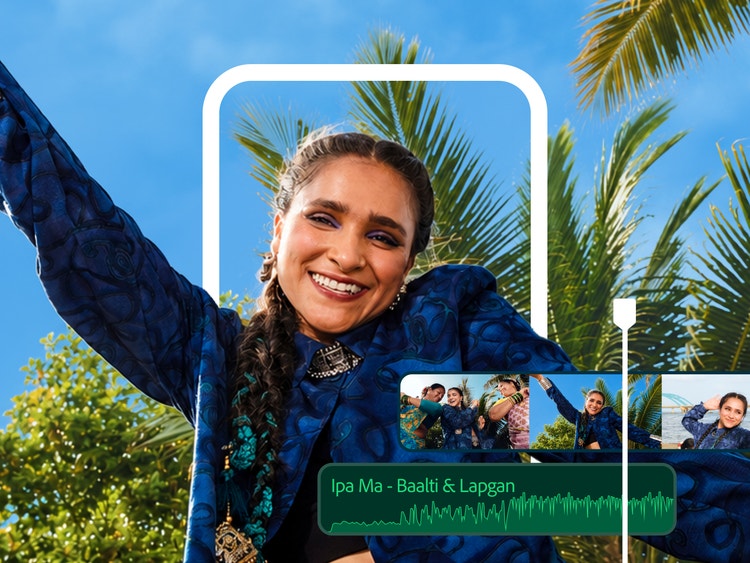
Premiere on iPhone is expressly designed for on-the-go editing. Trim, reorder and layer clips with amazing creative control. Apply cinematic colour in a tap and easily add animated captions.
Tell the perfect story.
Bring your school projects to life with video. Use professional-quality tools to create cinematic videos, master foundational editing techniques and develop your visual storytelling skills.
Get all the audiovisual tools you need.
Experiment with colour, audio, effects and titles to shape your video. Balance colour with ease. Mix audio in a few clicks. And quickly create eye-catching titles, graphics and transitions.
Grab attention and gain followers.
Use ready-made templates for posting on major social media platforms, automatically add or translate captions and use AI to reframe for vertical formats. You can upload your videos straight to TikTok, YouTube and more.
Say goodbye to annoying edits.
Edit faster and open exciting new creative possibilities with AI. Spend less time on tedious tasks like searching footage, creating transcripts or adjusting audio. Add a few more frames to any clip with Generative Extend.
style
s-spacing, static links
What students are saying.
style
grid width 10, center
background
#fff
Liam Stone - Visual Communication Design major, University of Washington
“Leaning on the Adobe tutorials and learning materials made it really easy to get a hang of things quickly.”
Connected creative apps for social clicks and the classroom.
Save with student pricing on the Creative Cloud Pro and get 20+ apps like Adobe Photoshop, Adobe Acrobat, illustrator and Premiere, plus free resources and creative support. Creative Cloud apps are built to work together so all you need is at your fingertips.
Students can try Premiere with a free 7-day trial of the Creative Cloud Pro plan. It comes with over 20 apps, including Adobe Acrobat, Photoshop, Lightroom and illustrator, plus 100 GB of cloud storage. After the free trial, the student price is ₹398.99/moincl. GST for the first year and ₹699.01/moincl. GST after that. Annual billed monthly plan. For more information, see the terms and conditions. Premiere on iPhone is also available as a free, stand-alone video editing app. To download and install the app, visit the Apple App Store on your device.
Premiere is included in the Creative Cloud Pro plan for students is ₹398.99/moincl. GST for the first year. Annual billed monthly plan. For more information, see the terms and conditions or compare plans and pricing. Premiere on iPhone is also available as a free, stand-alone video editing app. To download and install the app, visit the Apple App Store on your device.
Assistive AI features inside Premiere including Caption Translation, Enhance Speech, Speech to Text and many others included with your Creative Cloud membership. Generative AI features such as Generative Extend have limited complimentary usage.
Premiere and After Effects are both powerful apps for video production, but are used for different parts of the process. Premiere helps you to organise your footage, edit it together, add stock clips and music, synchronise audio and correct colour. After Effects is used to add elements like special effects, animation and motion graphics. Learn more about Premiere and After Effects.
Student pricing is available for the Creative Cloud Pro plan, which includes 20+ apps in Creative Cloud.
Yes and educators, too, as part of the Creative Cloud Pro plan. Simply purchase with a verified school email address to save on 20+ apps, including Premiere. The price is ₹398.99/moincl. GST for the first year and ₹699.01/moincl. GST after that. Annual billed monthly plan. Learn more about how to qualify for a student discount. For more information, see the terms and conditions.
Premiere includes comprehensive in-app tutorials for video editing and effects. You’ll learn to use essential AI-powered tools like speech-to-text or Auto Reframe to make beautiful, engaging content with precision and speed.
Students and teachers save on the Creative Cloud Pro plan. The special price is ₹398.99/moincl. GST for the first year and ₹699.01/moincl. GST after that. Annual billed monthly plan. Learn more about how students can save money with Adobe. For more information, see the terms and conditions.
Anyone who purchases the Creative Cloud Pro plan with a verified school email address qualifies for student pricing. If you don’t have a school email address, you can send additional proof of eligibility after purchase.
The Creative Cloud Pro puts over 20 connected creative apps at your fingertips. After you edit footage in Premiere, you can finesse your project with elements made in other apps from your plan. Add special effects with After Effects or bring cartoons to life in Adobe Animate. Make lower thirds and text graphics with Illustrator and touch up stills and photos in Photoshop or Lightroom.
Every app in Creative Cloud includes step-by-step tutorials to get you started. Once you’ve got the basics down, check out Behance for guidance on specific techniques or styles. You can always find an answer, whether you want to edit audio in Adobe Audition or animate text in After Effects.
Creative Cloud includes access to hundreds of thousands of royalty-free assets via Adobe Stock like B-roll, photos, video clips, design templates, music and 3D assets to polish any project. Many of these assets are free to Creative Cloud subscribers for commercial or personal use.
style
l spacing, static links
background
#fff
Cookie Settings
General information
You can control how Adobe websites use cookies and similar technologies by making choices below. But note that if you disable cookies and similar technologies entirely, Adobe websites may not function properly.
Cookies are small text files stored by your web browser when you use websites. There are also other technologies that can be used for similar purposes like HTML5 Local Storage and local shared objects, web beacons, and embedded scripts. These technologies help us do things like remembering you and your preferences when you return to our sites, measure how you use the website, conduct market research, and gather information about the ads you see and interact with.
You can make choices in the menu below about what cookies and other technologies you want us to use on Adobe sites when you visit them from this browser. You can always change those choices later by clicking on the Cookie Preferences link at the bottom of the page.
If enabled:
We can improve your experience by tailoring the site and the content to things we think might be of interest
We can better keep track of your preferences — like what language you prefer to use
We will better understand your likely interests so we can provide you more relevant Adobe ads and content on non-Adobe websites and in non-Adobe apps
It will help us improve the performance of our website and those of our partners who use the Adobe Experience Cloud
If disabled:
We won’t be able to remember you from session to session so the experience may not be tailored to your interests
You’ll still have access to the content of the site but certain features that depend on cookies may not function
You’ll still see ads, they just may not be as relevant to you
General information
You can control how Adobe websites use cookies and similar technologies by making choices below. But note that if you disable cookies and similar technologies entirely, Adobe websites may not function properly.
Cookies are small text files stored by your web browser when you use websites. There are also other technologies that can be used for similar purposes like HTML5 Local Storage, web beacons, and embedded scripts. These technologies help us do things like remembering you and your preferences when you return to our sites, measure how you use the website, conduct market research, and gather information about the ads you see and interact with.
You can make choices in the menu below about what cookies and other technologies you want us to use on Adobe sites when you visit them from this browser. You can always change those choices later by clicking on the Cookie Preferences link at the bottom of the page.
If enabled:
We can improve your experience by tailoring the site and the content to things we think might be of interest
We can better keep track of your preferences — like what language you prefer to use
We will better understand your likely interests so we can provide you more relevant Adobe ads and content on non-Adobe websites and in non-Adobe apps
It will help us improve the performance of our website and those of our partners who use the Adobe Experience Cloud
If disabled:
We won’t be able to remember you from session to session so the experience may not be tailored to your interests
We’ll still count your use of our site and services
You’ll still have access to the content of the site but certain features that depend on cookies may not function
You’ll still see ads, they just may not be as relevant to you
Operate the site and core servicesOperate site and measure engagement
Always active
These cookies are required, and they are used to enable the site and related services core functionality. Without them the site could not operate, so they cannot be disabled.
These cookies enable the site and related services’ core functionality and collect statistics about user engagement, such as counting active use to help us understand trends. These cookies cannot be disabled.
Measure performance
These cookies are used to analyze site usage to measure and improve performance. Without them Adobe cannot know what content is most valued and how often unique visitors return to the site, making it hard to improve information we offer to you.
These cookies are used to analyze site usage to measure and improve performance. Without them Adobe cannot know what content is most valued, making it hard to improve information we offer to you.
Extend functionality
These cookies are used to enhance the functionality of Adobe sites such as remembering your settings and preferences to deliver a personalized experience; for example, your username, your repeated visits, preferred language, your country, or any other saved preference.
Personalize advertising
These cookies are used to enable Adobe and our partners to serve ads more relevant to your interests. Without them you will still see ads, but they might not be as relevant to you.