Explorar estilos variados con modelos generativos de terceros
Explora múltiples estilos de ilustración en Illustrator en tiempo récord para generar nuevas opciones y agilizar la conceptualización.
Ver tutorial en Illustrator
Seguir en la aplicación
Introducción y presentación de la autora Sydney Michuda
[Sydney Michuda]: ¿Sabías que puedes usar modelos de IA de partners en Illustrator para crear gráficos vectoriales?
Soy Sydney Michuda, directora creativa de Super Creative.
Hoy exploraré los modelos de IA de partners mientras experimento con estilos de ilustración.
Empecemos.
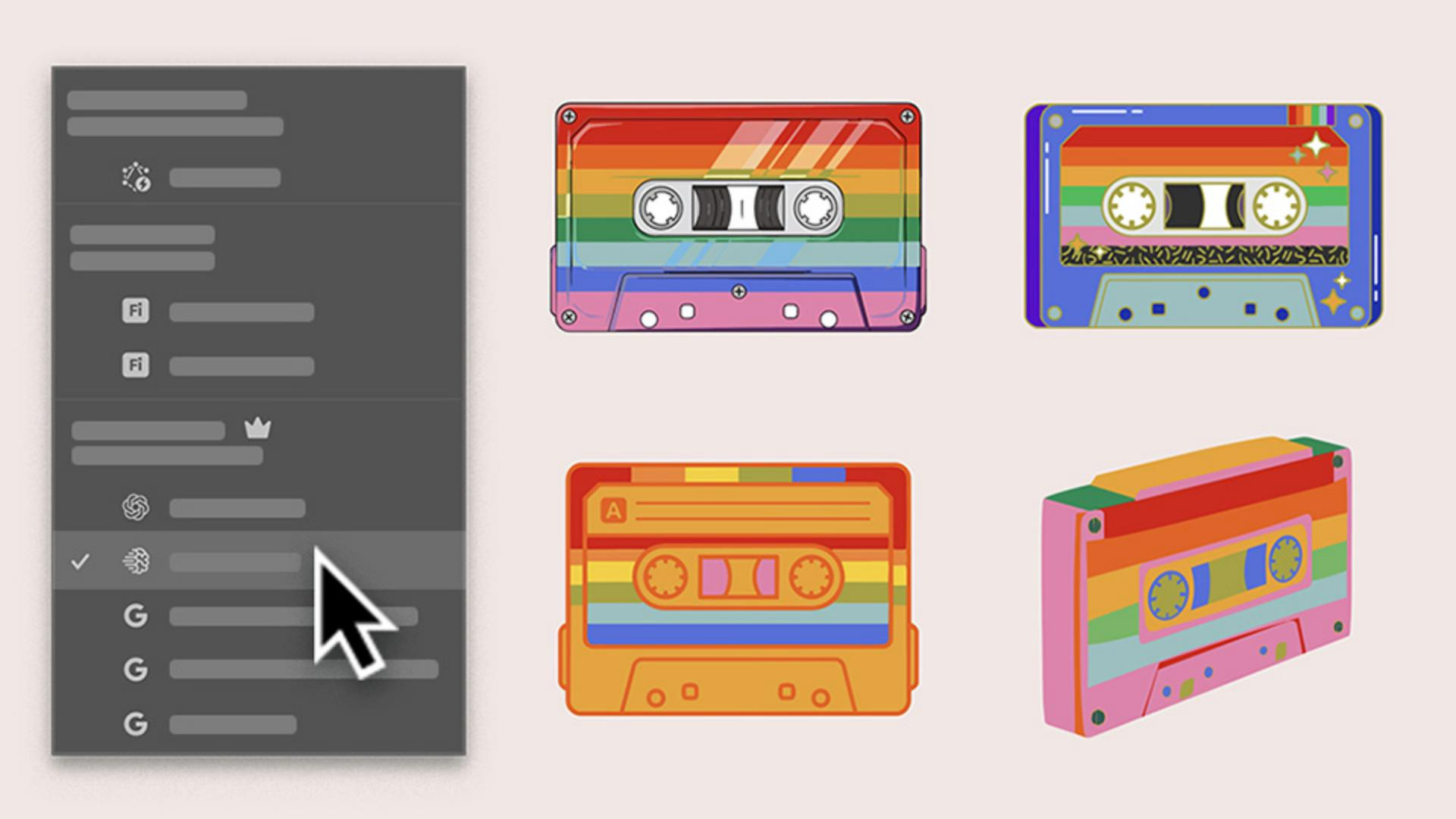
Estoy creando imágenes para un evento musical del Orgullo, y quiero hacer un casete arcoíris divertido, pero me gustaría explorar rápido varios estilos para proponérselos a mi cliente.
Primero, voy a Ventana, abro la barra de tareas contextual y hago clic en Generar vectores.
Generar múltiples estilos de Ilustración a partir de una indicación
Los nuevos modelos de IA de partners me dan muchas opciones con sus propias ventajas.
Empecemos con Selección automática para ver qué cree Illustrator que es mejor.
Escribo la indicación, selecciono Sujeto, mantengo Detalle en el medio, añado la paleta de colores y pulso Continuar.
Ha seleccionado Imagen 4; veamos qué obtenemos.
Vale, es una opción excelente que queda genial.
Está muy estilizada y es casi realista.
Sigamos iterando para ver qué más obtenemos.
Comparar estilos para identificar la mejor opción
Probemos la misma indicación, pero seleccionemos Gemini 3.
También está muy bien y es muy distinta de la primera ilustración.
Es más simple y divertida.
Probemos otra generación con GPT Image 4o seleccionado.
Muy bien también.
Tiene más detalles y toques originales.
Usar un boceto como referencia para nuevos conceptos con Relleno generativo de forma
Quiero ver el casete desde una vista más angular.
Usaré Relleno generativo de forma, que también tiene acceso a modelos de terceros.
Selecciono el boceto agrupado, elijo Relleno generativo de forma, le doy a Configuración, añado la misma indicación, reduzco Fuerza de la forma y pulso Generar.
Qué chulo.
También tiene su propio estilo, sobre todo sin los contornos.
Ahora tengo 4 imágenes de casetes con diferentes estilos para proponer a mi cliente antes de crear un conjunto completo gracias a los modelos de IA de partners de Illustrator.
Generar múltiples estilos de Ilustración a partir de una indicación
Empieza con Generar vectores y una indicación breve para producir múltiples variaciones de estilo en cuestión de segundos. Utiliza Selección automática para permitir que Illustrator elija el modelo más adecuado y genere tu primera opción de ilustración.
Comparar estilos para identificar la mejor opción
Ejecuta la misma indicación con diferentes modelos para ver cómo cada uno interpreta el concepto. Inspecciona los resultados en paralelo y elige las opciones que ajustarás.
Desarrollar conceptos a partir de un boceto con Relleno generativo de forma
Aplica la misma indicación al boceto con Relleno generativo de forma para explorar más estilos con cada modelo. Comparte un conjunto de conceptos con tu cliente, y ajusta el que más le guste con tu propio estilo vectorial.
You can control how Adobe websites use cookies and similar technologies by making choices below. But note that if you disable cookies and similar technologies entirely, Adobe websites may not function properly.
Cookies are small text files stored by your web browser when you use websites. There are also other technologies that can be used for similar purposes like HTML5 Local Storage and local shared objects, web beacons, and embedded scripts. These technologies help us do things like remembering you and your preferences when you return to our sites, measure how you use the website, conduct market research, and gather information about the ads you see and interact with.
You can make choices in the menu below about what cookies and other technologies you want us to use on Adobe sites when you visit them from this browser. You can always change those choices later by clicking on the Cookie Preferences link at the bottom of the page.
If enabled:
We can improve your experience by tailoring the site and the content to things we think might be of interest
We can better keep track of your preferences — like what language you prefer to use
We will better understand your likely interests so we can provide you more relevant Adobe ads and content on non-Adobe websites and in non-Adobe apps
It will help us improve the performance of our website and those of our partners who use the Adobe Experience Cloud
If disabled:
We won’t be able to remember you from session to session so the experience may not be tailored to your interests
You’ll still have access to the content of the site but certain features that depend on cookies may not function
You’ll still see ads, they just may not be as relevant to you
General information
You can control how Adobe websites use cookies and similar technologies by making choices below. But note that if you disable cookies and similar technologies entirely, Adobe websites may not function properly.
Cookies are small text files stored by your web browser when you use websites. There are also other technologies that can be used for similar purposes like HTML5 Local Storage, web beacons, and embedded scripts. These technologies help us do things like remembering you and your preferences when you return to our sites, measure how you use the website, conduct market research, and gather information about the ads you see and interact with.
You can make choices in the menu below about what cookies and other technologies you want us to use on Adobe sites when you visit them from this browser. You can always change those choices later by clicking on the Cookie Preferences link at the bottom of the page.
If enabled:
We can improve your experience by tailoring the site and the content to things we think might be of interest
We can better keep track of your preferences — like what language you prefer to use
We will better understand your likely interests so we can provide you more relevant Adobe ads and content on non-Adobe websites and in non-Adobe apps
It will help us improve the performance of our website and those of our partners who use the Adobe Experience Cloud
If disabled:
We won’t be able to remember you from session to session so the experience may not be tailored to your interests
We’ll still count your use of our site and services
You’ll still have access to the content of the site but certain features that depend on cookies may not function
You’ll still see ads, they just may not be as relevant to you
Operate the site and core servicesOperate site and measure engagement
Always active
These cookies are required, and they are used to enable the site and related services core functionality. Without them the site could not operate, so they cannot be disabled.
These cookies enable the site and related services’ core functionality and collect statistics about user engagement, such as counting active use to help us understand trends. These cookies cannot be disabled.
Measure performance
These cookies are used to analyze site usage to measure and improve performance. Without them Adobe cannot know what content is most valued and how often unique visitors return to the site, making it hard to improve information we offer to you.
These cookies are used to analyze site usage to measure and improve performance. Without them Adobe cannot know what content is most valued, making it hard to improve information we offer to you.
Extend functionality
These cookies are used to enhance the functionality of Adobe sites such as remembering your settings and preferences to deliver a personalized experience; for example, your username, your repeated visits, preferred language, your country, or any other saved preference.
Personalize advertising
These cookies are used to enable Adobe and our partners to serve ads more relevant to your interests. Without them you will still see ads, but they might not be as relevant to you.
Personalize advertising
These cookies are used to enable Adobe and our partners to serve ads more relevant to your interests. Without them you will still see ads, but they might not be as relevant to you.