#bfc0c4
ADOBE COLDFUSION STANDARD FEATURES
Rapid Development and Productivity
Adobe ColdFusion Standard Edition enables faster development with intuitive tools, built-in features, and streamlined workflows. It empowers developers to create robust applications quickly and efficiently, ensuring faster time-to-market without compromising quality.
#ffffff
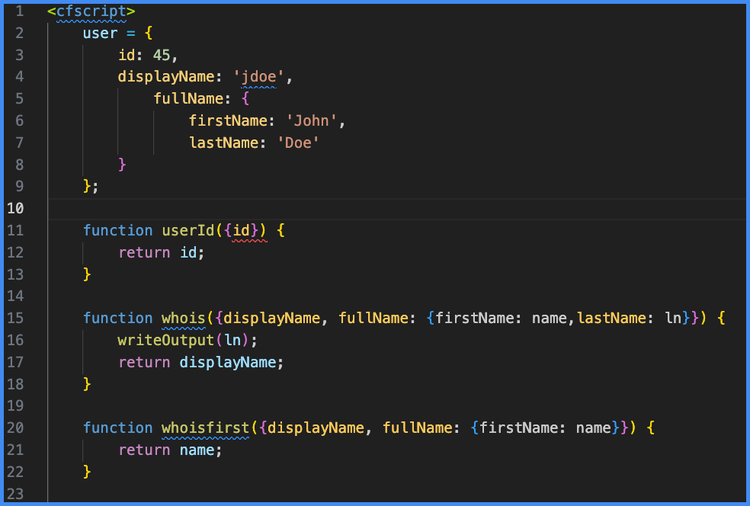
Accelerate Coding with CFML
Leverage an easy-to-learn, tag-based scripting language designed for productivity.
- CFScript: A fast, powerful, and easy to learn scripting language, similar to JavaScript, that makes rapid application development a snap!
- ColdFusion Markup Language (CFML): Simplifies coding with an intuitive, tag-based syntax.
#ffffff
Enhance Productivity with Integrated Tools
Focus on innovation while ColdFusion handles routine tasks with advanced developer tools.
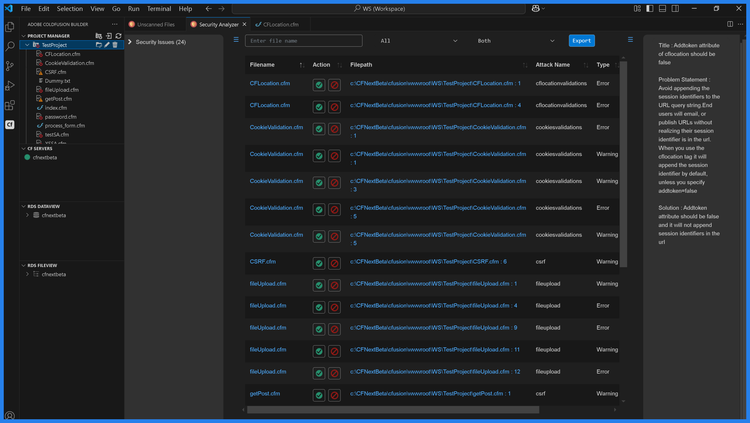
- Adobe ColdFusion Builder extension for VS Code IDE: Boost productivity with intelligent code assist, debugging, and testing tools.
- Integrated Error Handling: Quickly identify and resolve issues during development.
- Performance Monitoring Toolset: Optimize application performance before deployment.
#ffffff

Simplify Complex Development Workflows
ColdFusion makes it easy to implement sophisticated features with minimal effort.
- Rapid Application Development (RAD): Build prototypes and functional applications quickly.
- Multilingual Support: Localize applications easily to reach a global audience.
- Event-Driven Programming: Simplify event handling with features like Event Gateways.
Questions? We have answers.
Why is ColdFusion considered easy to learn for developers?
ColdFusion uses CFML, a tag-based and script-based language that closely resembles HTML and JavaScript, making it intuitive for developers to pick up quickly.
How does ColdFusion reduce the amount of code developers write?
ColdFusion includes over 800 built-in functions and tags, allowing developers to implement complex features with significantly less custom code.
What developer tools are included in ColdFusion Standard?
ColdFusion Standard provides tools like the VS Code extension, debugging utilities, error handling, and performance monitoring to streamline development workflows.
How does ColdFusion help developers debug applications faster?
ColdFusion includes integrated error handling and debugging tools that allow developers to quickly identify and fix issues during development.
Is ColdFusion suitable for beginner developers?
Yes. ColdFusion’s intuitive syntax and built-in features make it accessible for beginners while still being powerful enough for experienced developers.
Does ColdFusion support reusable code patterns?
Yes. Developers can use reusable components, custom tags, and user-defined functions to write cleaner, more maintainable code.
How does ColdFusion improve developer efficiency?
ColdFusion reduces repetitive tasks through built-in features and tools, allowing developers to focus more on business logic and innovation.