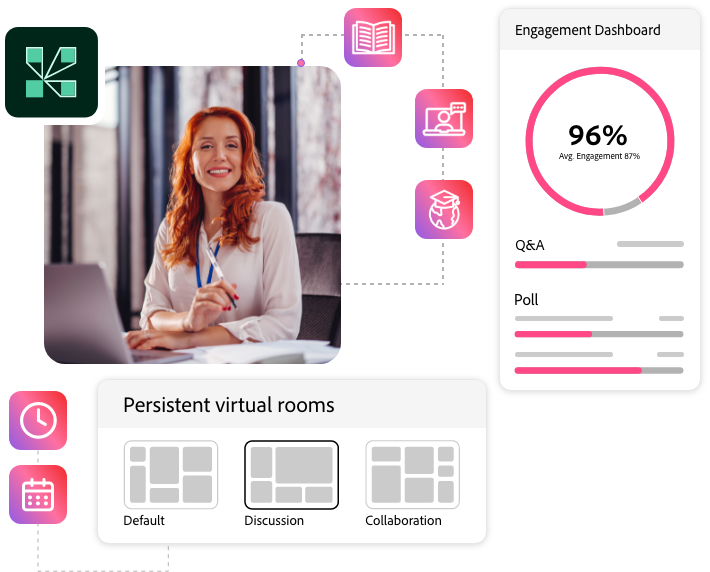
Adobe Connect is purpose-built for rich, interactive online experiences.
General meeting tools, with essentials like video, screenshare, and chat, are built for simple, single-click collaboration. They are not built for deep, structured engagement across diverse uses. While Adobe Connect is designed to emulate complex in-person interactions for advanced training and sophisticated webinars.
What do you get with Adobe Connect versus others?
Dynamic content & engagement
Capabilities
Adobe Connect
Standard meeting tools
Virtual room design
Customizable virtual rooms with flexible Pods and Layouts.
Single standard meeting layout.
Interactive tools
Diverse interactive content, polls, live video overlays, Custom Pods.
Basic screen sharing, chat, Q&A, simple polls.
Multi-screen display
Display multiple content sources or monitor multiple participant screens side-by-side in distinct pods.
Allows sharing one screen/app at a time; requires switching views for different content.
Presenter empowerment & efficiency
Capabilities
Adobe Connect
Standard meeting tools
Room persistence & setup
Persistent rooms retain all the setup, content, chat history for reuse.
Meetings reset after each session, requiring content reload for recurring events.
Templates & brand consistency
Sharable branded room templates save setup time and ensure consistent brand alignment.
Single basic template; limited room design and branding options.
Powerful backstage
Customizable, powerful backstage accessible simultaneously with the live session view. Prepare mode for in-session content adjustments.
Backstage & greenrooms are designed as separate area, requiring transition to the live session.
Granular participant control
Offers granular control over participant experience and permissions (e.g., specific pod access, individual A/V control).
Provides basic roles/permissions; lacks fine-grained, in-session control over individual participant interactions.
Content management
Robust Content Library for native storage, easy access, and secure sharing.
Content usually screen-shared from local devices or cloud storage causing security, version control, compliance issues for external sharing.
Measurable impact & optimization
Capabilities
Adobe Connect
Standard meeting tools
Real-time engagement insights
Proprietary algorithm for real-time smart engagement scoring, enabling data-driven optimizations during live sessions.
Activity reports with chat/poll interaction data; overall attentiveness measure is a miss without aggregate scoring.
Cross-session analysis
Uncover high value leads with aggregated engagement data across multiple events.
Reporting focuses primarily on single sessions or events.
Customization & integration
Capabilities
Adobe Connect
Standard meeting tools
Custom pods
Build your own custom pods (mini-apps or content windows) embedded directly in the room.
Offers APIs/marketplaces for 3rd-party apps; no ability to embed external content directly in-room forcing audience to switch platforms.
Brand profiles
Create/switch multiple branded themes for diverse products/teams.
Basic branding like virtual backgrounds; lacks multiple distinct saved brand profiles for different organizational needs
Adobe Marketo Engage integration
Out of the box powerful integration built to enrich lead management and campaigns with event data, improving lead quality and accelerating sales funnel.
May offer API integrations with marketing automation platforms; lacks native, deep integration.
Adobe Learning Manager integration
Adobe connect is a purpose-built virtual learning environment for blended learning and high-stakes training, emulating physical classrooms. Together with ALM offering a powerful, seamless solution blended learning solution, unifying live and self-paced trainings. It enables comprehensive analytics and unified user experience.
Primarily general meeting platforms with added training features; lack the same depth of pedagogical tools or integrated learning ecosystem. May offer API integration with Learning Management System but lacks native, deep integration.
Scalability & enterprise readiness
Capabilities
Adobe Connect
Standard meeting tools
Government & remote readiness
Optimized for challenging environments: Delivers high performance and superior stability in remote, low-bandwidth, and highly secure networks, crucial for government compliance.
May struggle with performance in challenging networks, prioritizing broad compatibility over extreme robustness.
Interactive scalability
Maintains high interactivity and engagement even with hundreds of participants, offering tools to keep large audiences actively involved.
Tend to lose interactivity as participant numbers scale, focusing more on broadcast than two-way engagement.
Frequently Asked Questions
Adobe Connect is purpose-built for virtual training. It offers features like persistent rooms, customizable pods, real-time engagement tracking, and out-of-the-box integration with learning management systems like Adobe Learning Manager. It delivers interactive, scalable, and instructor-led experiences tailored to complex training needs.
Adobe Connect is purpose-built for sophisticated webinars, offering a highly engaging virtual experience. It features brandable room templates, automated event management, powerful presenter controls, and a deep integration with Adobe Marketo Engage. This enriches lead management with event engagement intelligence, accelerating the sales funnel by improving webinar lead quality.
Adobe Connect streamlines training preparation and delivery with reusable templates, centralized content management, and persistent virtual rooms. According to a recent study, organizations reported a 42.5% improvement in training team efficiency and a 55% reduction in preparation time, saving an average of $1.8M annually. Learn more ›
Yes, Adobe Connect is designed for scalability, supporting large audiences and distributed teams. Our customers reported a 71% improvement in the ease of sharing documents and best practices, as well as a 53% improvement in scalability for larger audiences. Learn more ›
Adobe Connect offers customizable layouts, interactive tools, and real-time engagement tracking. These features have resulted in a 56% increase in training interactivity and a 32% boost in learner engagement. With real-time engagement analytics, trainers can monitor learner focus, detect disengagement, and proactively re-engage participants, ensuring high-quality and accountable training delivery. Learn more ›
Adobe Connect is used across diverse industries, including insurance, healthcare, education, retail, industrial sales, and government. It supports a wide range of use cases such as onboarding, compliance training, leadership development, technical skill-building, and unique government use cases like common operational picture or situational awareness.
Adobe Connect helps organizations achieve faster onboarding, reduce attrition, and align training with business priorities. It improves organizational agility, leading to a 64% improvement in achieving intended business results and a 38% boost in responsiveness to business demands. Learn more ›
According to an IDC business value study sponsored by Adobe, organizations using Adobe Connect reported an average annual training-related budget savings of $208,000. Learn more ›
Yes, Adobe Connect is built to support high-security environments. It can be deployed in FedRAMP Moderate environments, with managed services for Impact Level 4, or on-premises inside secure enclaves, ensuring compliance with strict government security standards.
Adobe Connect provides persistent training environments that adapt to evolving missions and roles. This ensures personnel can acquire new skills and retain institutional knowledge despite high workforce turnover. It reduces duplication of effort, and frees up personnel for higher-value tasks, enabling agencies to become better stewards of their resources.
A COP is a unified, real-time view of operations that enables government agencies to coordinate seamlessly, make faster decisions, and maintain accountability during high-pressure situations. It integrates data from multiple sources into clear, actionable visuals tailored to user needs.
Adobe Connect provides persistent virtual rooms that retain content, structure, and context over time. It integrates real-time data feeds, maps, SOPs, live video, and shared documents into customizable layouts. Adobe Connect translates dense, multi-source inputs into intuitive visuals like layered maps, dashboards, and activity timelines, enabling decision-makers to quickly interpret situations and act decisively. Learn more ›
Adobe Connect is ideal for defence, emergency, and military agencies, particularly for emergency management. It provides real-time situational awareness for faster decision-making during critical events like disaster response. The platform offers advanced security (FedRAMP, DISA IL4/IL5 compliance), customizable virtual rooms for mission-critical operations and simulation-based training, and seamless interagency collaboration. It's built for high performance and stability in remote, low-bandwidth, and highly secure networks, with the ability to tailor rooms by role or clearance level to protect sensitive data. Learn more ›
Let’s talk about what Adobe Connect can do for your business.
You can control how Adobe websites use cookies and similar technologies by making choices below. But note that if you disable cookies and similar technologies entirely, Adobe websites may not function properly.
Cookies are small text files stored by your web browser when you use websites. There are also other technologies that can be used for similar purposes like HTML5 Local Storage and local shared objects, web beacons, and embedded scripts. These technologies help us do things like remembering you and your preferences when you return to our sites, measure how you use the website, conduct market research, and gather information about the ads you see and interact with.
You can make choices in the menu below about what cookies and other technologies you want us to use on Adobe sites when you visit them from this browser. You can always change those choices later by clicking on the Cookie Preferences link at the bottom of the page.
If enabled:
We can improve your experience by tailoring the site and the content to things we think might be of interest
We can better keep track of your preferences — like what language you prefer to use
We will better understand your likely interests so we can provide you more relevant Adobe ads and content on non-Adobe websites and in non-Adobe apps
It will help us improve the performance of our website and those of our partners who use the Adobe Experience Cloud
If disabled:
We won’t be able to remember you from session to session so the experience may not be tailored to your interests
You’ll still have access to the content of the site but certain features that depend on cookies may not function
You’ll still see ads, they just may not be as relevant to you
General information
You can control how Adobe websites use cookies and similar technologies by making choices below. But note that if you disable cookies and similar technologies entirely, Adobe websites may not function properly.
Cookies are small text files stored by your web browser when you use websites. There are also other technologies that can be used for similar purposes like HTML5 Local Storage, web beacons, and embedded scripts. These technologies help us do things like remembering you and your preferences when you return to our sites, measure how you use the website, conduct market research, and gather information about the ads you see and interact with.
You can make choices in the menu below about what cookies and other technologies you want us to use on Adobe sites when you visit them from this browser. You can always change those choices later by clicking on the Cookie Preferences link at the bottom of the page.
If enabled:
We can improve your experience by tailoring the site and the content to things we think might be of interest
We can better keep track of your preferences — like what language you prefer to use
We will better understand your likely interests so we can provide you more relevant Adobe ads and content on non-Adobe websites and in non-Adobe apps
It will help us improve the performance of our website and those of our partners who use the Adobe Experience Cloud
If disabled:
We won’t be able to remember you from session to session so the experience may not be tailored to your interests
We’ll still count your use of our site and services
You’ll still have access to the content of the site but certain features that depend on cookies may not function
You’ll still see ads, they just may not be as relevant to you
Operate the site and core servicesOperate site and measure engagement
Always active
These cookies are required, and they are used to enable the site and related services core functionality. Without them the site could not operate, so they cannot be disabled.
These cookies enable the site and related services’ core functionality and collect statistics about user engagement, such as counting active use to help us understand trends. These cookies cannot be disabled.
Measure performance
These cookies are used to analyze site usage to measure and improve performance. Without them Adobe cannot know what content is most valued and how often unique visitors return to the site, making it hard to improve information we offer to you.
These cookies are used to analyze site usage to measure and improve performance. Without them Adobe cannot know what content is most valued, making it hard to improve information we offer to you.
Extend functionality
These cookies are used to enhance the functionality of Adobe sites such as remembering your settings and preferences to deliver a personalized experience; for example, your username, your repeated visits, preferred language, your country, or any other saved preference.
Personalize advertising
These cookies are used to enable Adobe and our partners to serve ads more relevant to your interests. Without them you will still see ads, but they might not be as relevant to you.