Code Faster, Debug Smarter, Build Better.
The Adobe ColdFusion Builder Extension for Visual Studio Code is designed for developers who prioritize efficiency, flexibility, and precision. Seamlessly integrated with VS Code, it provides intuitive tools, robust debugging capabilities, and streamlined workflows, empowering you to build, and test ColdFusion applications—faster, smarter, and with ease. Enhance your productivity and enjoy hassle-free development, no matter how complex your project.

Explore the benefits of Adobe ColdFusion Builder Extension for Visual Studio Code
We've transformed ColdFusion development; the Adobe ColdFusion Builder Extension for Visual Studio Code equips you to streamline, optimize, and excel in building modern web applications.
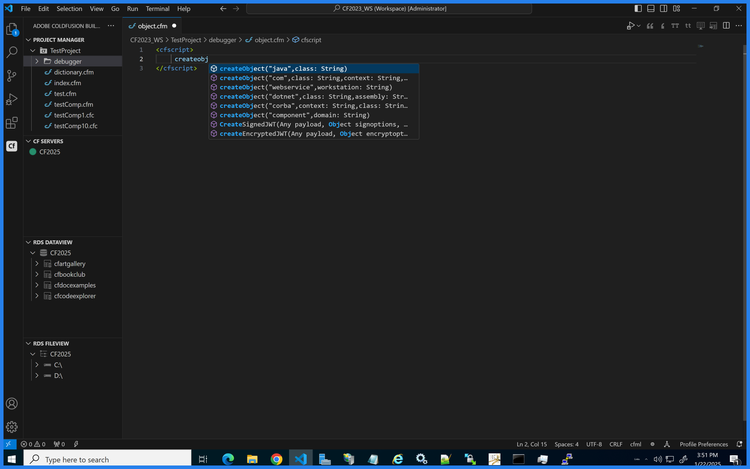
Accelerated Development with Code Assist
Write code faster with intelligent assistance
Boost your productivity with powerful code assist for CFML, CFScript, HTML, JavaScript, and CSS..
- Write cleaner and faster code with real-time suggestions and auto-completion.
- Reduce errors with intelligent syntax highlighting and code validation.
- Simplify the development of dynamic applications with tag-based support.
Advanced Security Code Analyzer
Identify and resolve vulnerabilities effortlessly
Scan your application code for security issues using the built-in security code analyzer.
- Detect vulnerabilities like SQL injection, XSS, and CSRF attacks instantly.
- Assess the severity of security issues and receive recommendations for fixes.
- Ensure compliance with best practices for secure coding.
Integrated Debugger
Simplify debugging and reduce testing time
Debug your ColdFusion applications directly within Visual Studio Code.
- Step through code execution to identify and fix issues line by line.
- Analyze variables and expressions during runtime for better insights.
- Test complex workflows efficiently without leaving your IDE.
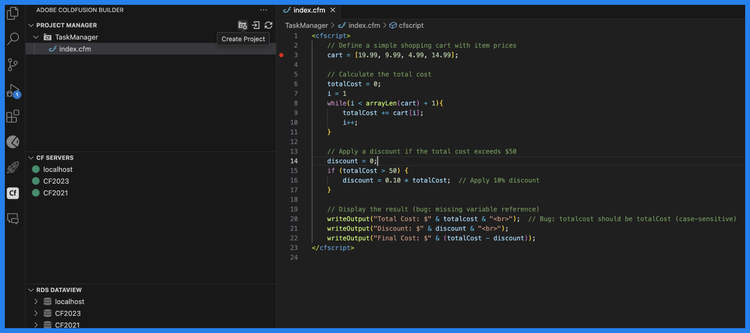
Workspace and Project Manager
Organize and streamline your development workflow
Manage your ColdFusion projects with ease.
- Create and structure workspaces for better project organization.
- Store metadata, CFML pages, and components in a centralized location.
- Quickly switch between multiple projects within the same workspace.
RDS Support and File Viewer
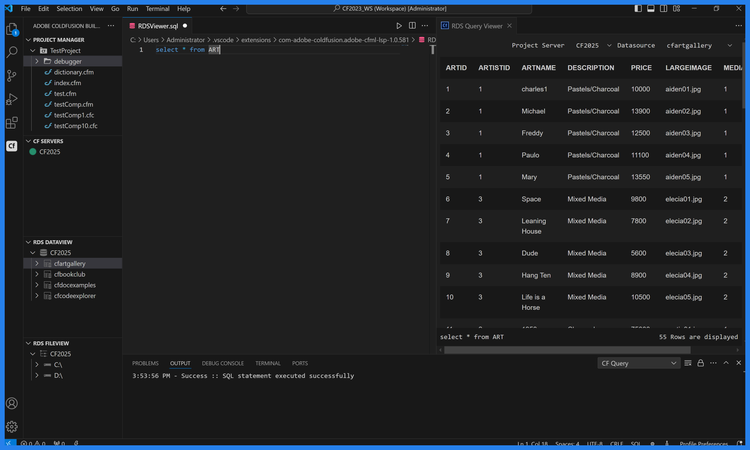
Seamlessly manage files and databases
Gain direct access to remote and local servers hosting ColdFusion with RDS support.
- View and manage files and directories across remote and local servers.
- Connect to data sources on remote servers to query and analyze data.
- Simplify file management for large-scale applications.
Code Profiler and Performance Insights
Optimize your applications for peak performance
Identify bottlenecks, memory issues, and inefficiencies using the Performance Monitoring Toolset.
- Analyze runtime performance metrics to identify slow processes.
- Pinpoint memory leaks and optimize resource usage.
- Improve overall application performance for smoother user experiences.

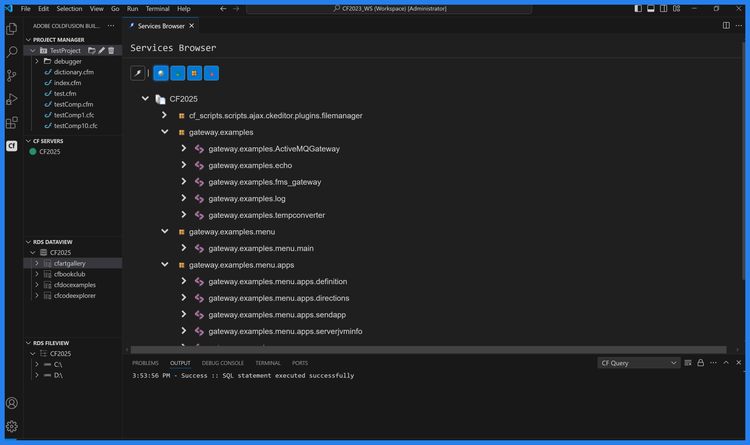
Service Browser for Web Services
Simplify access to ColdFusion web services
Quickly access and manage web services exposed by your ColdFusion server.
- Discover and test available web services directly from your IDE.
- Simplify API integration with automatic service discovery.
- Monitor service endpoints for reliability and performance.
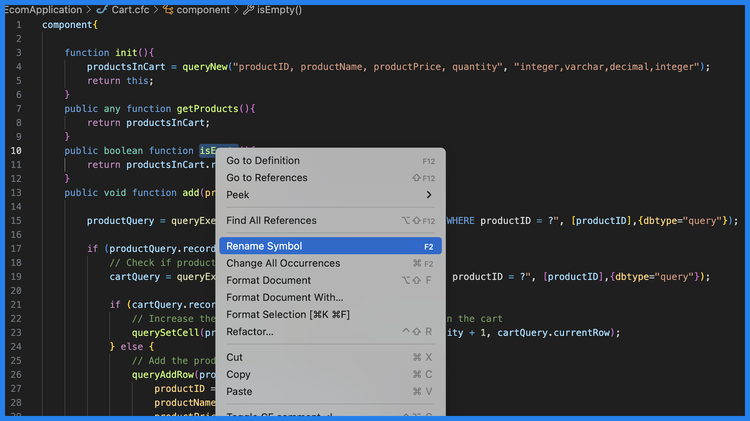
Comprehensive Code Refactoring
Improve code readability and maintainability
Refactor your ColdFusion code effortlessly with advanced tools.
- Rename variables, functions, and components across your project in seconds.
- Search and preview code changes to ensure accuracy.
- Enhance readability and maintainability without altering application functionality.
Questions? We have answers.
ColdFusion Builder is ideal for developers who want:
- Faster coding workflows
- Integrated debugging
- Better code quality through intelligent tooling