Create and discover vibrant Diwali images for your greetings.
Discover how to create stunning and meaningful Diwali greetings using Adobe Express. From inspiration for vibrant Diwali images to tips and tricks for creating the perfect Diwali card or e-card, this article has everything you need to spread the joy of Diwali!
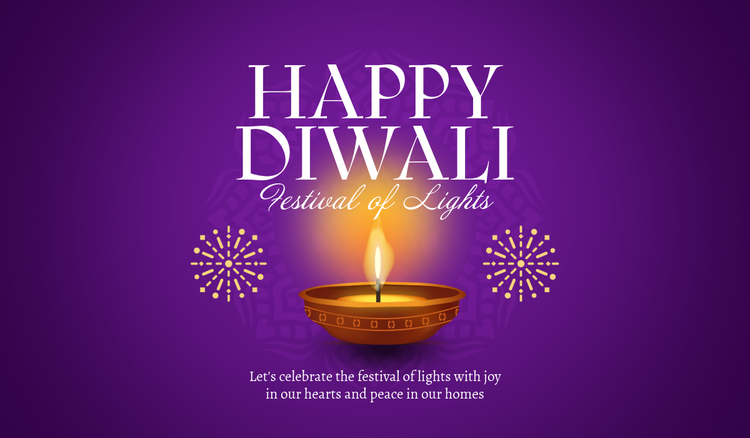




Diwali, also known as the 'Festival of Lights', is one of the most celebrated festivals in (mainly) Hindu culture. Over time, however, Diwali has become a festival enjoyed by many non-Hindu communities. The festival has its roots in ancient traditions: Diwali celebrates the triumph of light over darkness, good over evil, and hope over despair - usually with various rituals, from lighting diyas (oil lamps) and decorating homes to setting off firecrackers and sharing sweets with loved ones.
Another important aspect of Diwali is the exchange of warm wishes. Families, friends and even colleagues take the opportunity to show their love by wishing each other a 'Happy Diwali'. Whether shared in person or through cards or modern e-cards, Diwali greetings are a cherished tradition that reflect the spirit of the festival - spreading light, happiness and love.
Diwali is just around the corner, and you want to send happy Diwali greetings to your loved ones? Then this article is for you. Learn how easy it is to create your own Diwali greetings using Adobe Express - from choosing the perfect festive Diwali image to putting together your own Diwali card or e-card. Let your creativity shine this Diwali!
Diwali greeting cards – a cherished tradition that spreads love and light.
While Diwali is usually celebrated with lights, sweets and family gatherings, sending Diwali cards has become an enduring and cherished aspect of the festival in recent years. Especially among friends and families separated by distance, this tradition has become a meaningful way to stay connected and show love on this special occasion.
Diwali cards often feature cultural motifs and vibrant Diwali images, accompanied by warm wishes for happiness and success. In recent years, the trend of creating personalised Diwali cards has become increasingly popular. This allows people to add a personal touch to their Diwali greetings - through personalised messages, hand-selected Diwali images or even personal Diwali photos. Designing a DIY Diwali card is not only creative, but also a thoughtful way to show your care and make your Diwali wishes truly unique and special.
recipe
Diwali images and symbols – and their meaning.
Lights, colours, flowers, art: Diwali is a festival for all the senses, but especially for the eyes. Naturally, your Diwali greetings should be no exception. You want them to be colourful, beautiful to look at and a feast for the eyes. But how do you achieve this? With beautiful Diwali images, of course!
However, given the rich cultural background of the festival, your Diwali images should not only be beautiful, but also have visual symbolism. Diwali images often reflect the cultural and spiritual significance of the festival, representing light, prosperity and the triumph of good over evil. They are a visual way to convey heartfelt wishes for happiness, health and success.
Want to create a Diwali card that reflects the symbolism of the festival in a visually appealing way? Well, we've got some fresh inspiration for you. Below is a list of popular Diwali images and symbols that you can use in your cards - including a brief overview of their meaning in the context of the festival of lights. Let's dive into our list of eight Diwali images and symbols!
1. Glowing diyas:
2. Bright rangoli patterns:
3. Sizzling firecrackers:
4. Golden coins:
5. Sweets and gifts:
6. Colourful torans:
7. Elegant lotus flowers:
8. Beloved personal photos:
How to bring your Diwali images to life.
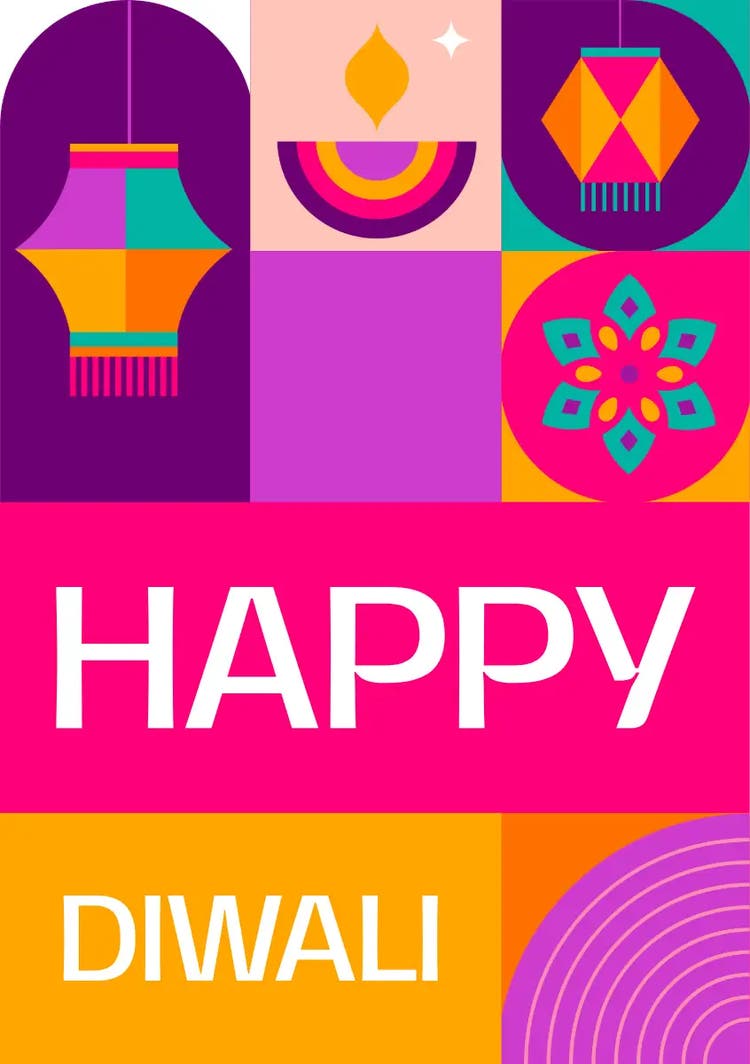
Design a personal greeting card with a Diwali image with Adobe Express.
With these ideas and inspirations for Diwali greeting card images, you are now ready to become a designer and tackle your DIY Diwali card. Whether you want to create a digital Diwali e-card with festive Diwali images or a physical Diwali card to hand deliver, the important thing is that your greetings are personal. With Adobe Express, you can create your own personalised Diwali card using a variety of high-quality, free Diwali images. Here's how it works:
- Go to Adobe Express and log in with your Adobe ID; or create a free account.
- Click on “Create a new project” to create your Diwali card.
- Use the search bar to find fitting “Diwali” templates. You can either select a Diwali card template that suits your style or start a new project.
- Customise your Diwali greeting card with a free Diwali image, such as diyas, rangoli patterns, or fireworks. For more ideas, check our list above! Just navigate to “Media” or “Elements” and then type in what kind of Diwali image you would like to use. Adobe Express offers a wide range of free-to-use design assets, including pictures, videos, animations, or design elements.
- If you want, you can also upload your own photos. Just drag and drop them into your design.
- Adjust the colours to your liking. Keep it vibrant with gold, yellow, orange, and red tones.
- Add personal wishes to your Diwali image or even a quote.
- Done! Download your Diwali card for printing (or print it yourself). Or, if it’s an e-card, share your Diwali image directly via email, WhatsApp, or social media.
recipe
Use AI to generate happy Diwali images for your greeting cards.
We get it - sometimes you have a specific image or look in mind, and while Adobe Express offers thousands of great assets and design elements, you may not be able to find the perfect fit. That's where our AI tools come in. Describe your vision in just a few words, and our AI image generator delivers the asset of your dreams. Plus, you can use and download your Diwali image for free! Follow these simple steps to create a Diwali image with AI in Adobe Express:
- Go to Adobe Express and log in with your Adobe ID; or create a free account.
- Create a new project.
- Select a card, or type “card” in the search bar.
- Now, the fun begins. Navigate to “Media”, and click on “Generate image”. Select a size (don’t worry, you can change the size later), and then simply describe the Diwali image you want to create (e.g., “red and yellow Diwali fireworks in a night sky”). Browse the results, and experiment with different styles until you are happy with your result.
- Add personal wishes, messages, or quotes to your Diwali image.
- All done! Now, you can download your Diwali image, print it yourself, have it professionally printed, or share it digitally.
Discover more you might like.
You might also like...