ADOBE COLDFUSION ENTERPRISE FEATURES
Cross-Platform Deployment
Deliver your applications seamlessly wherever your customers need them. Adobe ColdFusion's flexible deployment options let you deploy on-premises, in the cloud or within hybrid environments, which is critical in adapting to evolving infrastructure needs and ensuring consistent user experiences.

Multi-Platform Compatibility
Deploy applications seamlessly across different operating systems and environments.
- Windows, macOS and Linux Support: Run ColdFusion applications natively on major operating systems.
- Cross-Environment Consistency: Ensure consistent performance across development, staging and production environments.
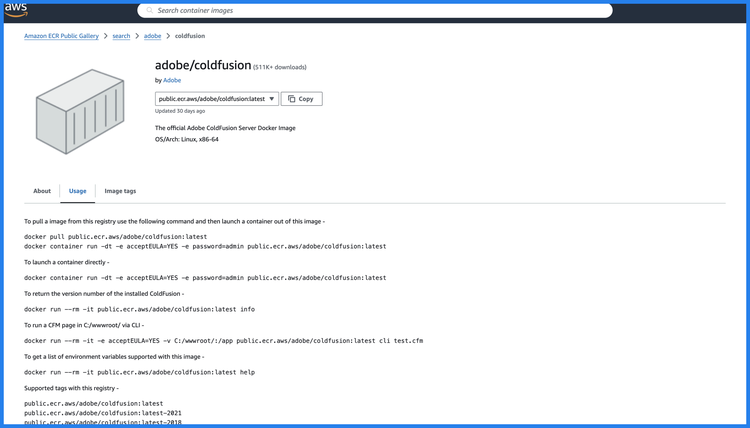
- Containerised Deployments: Use Docker containers for reliable, platform-agnostic deployment.
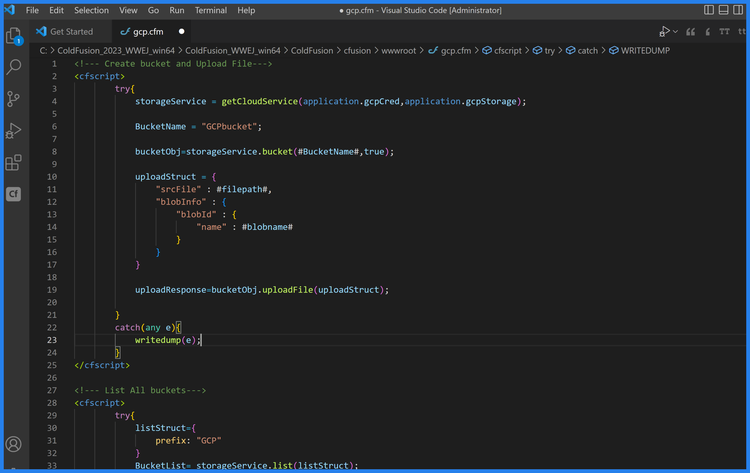
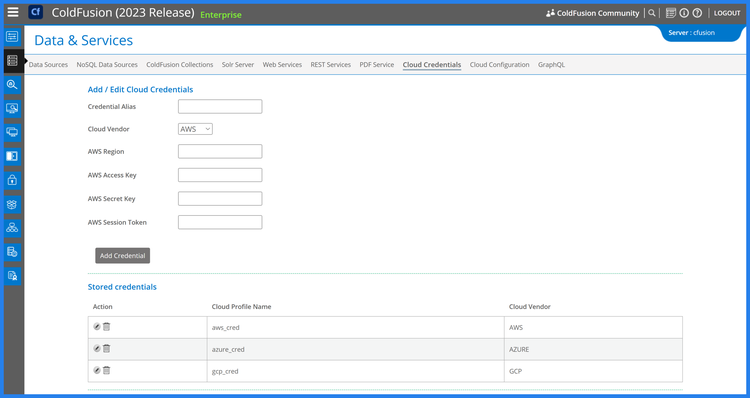
- Cloud Platform Compatibility: Deploy effortlessly on AWS, Azure and Google Cloud.
Containerisation and Virtualisation
Simplify deployments with modern container and virtualisation technologies.
- Docker Image Support: Leverage official ColdFusion Docker images for fast and efficient containerised applications.
- Kubernetes Compatibility: Deploy ColdFusion containers on Kubernetes for scalable and automated orchestration.
- VMware and Hyper-V Support: Integrate ColdFusion with virtualisation platforms for flexible infrastructure.
- Microservices Architecture Support: Build modular, containerised applications for distributed deployments.
Cloud Deployment
Take advantage of cloud-native capabilities for scalability and flexibility.
- Elastic Load Balancing: Distribute workloads efficiently for high availability.
- Cloud Storage Integration: Connect to AWS S3, Azure Blob Storage and Google Cloud Storage.
- Serverless Compatibility: Integrate with serverless platforms like AWS Lambda for event-driven workflows.
- Managed Services Support: Leverage cloud database and messaging services for streamlined architecture.
Universal Standards Support
Ensure interoperability with global standards for data and protocols.
- HTTP/2 and HSTS Support: Enhance security and performance with modern web standards.
- JSON, XML and CSV Handling: Seamlessly process diverse data formats.
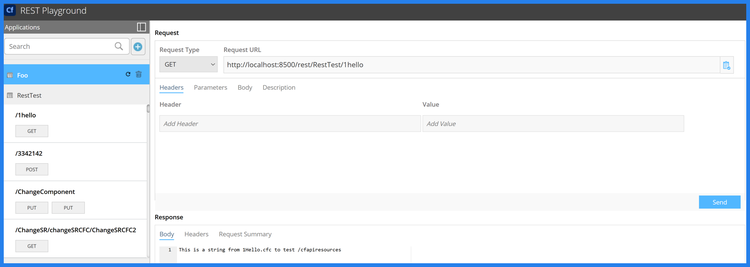
- REST and SOAP Support: Build APIs that are compatible with a wide range of systems.
- UTF-8 and Multilingual Support: Localise applications for global audiences with universal character encoding.
Hybrid Deployment Flexibility
Deploy applications across hybrid infrastructures with ease.
- On-Premise and Cloud Hybrid Deployments: Combine cloud and on-premise set-up for flexibility and control.
- Edge Computing Support: Run applications closer to users for reduced latency and faster performance.
- Multi-Cloud Support: Distribute workloads across multiple cloud providers to avoid vendor lock-in.
- Cross-Region Deployments: Deploy applications in multiple regions for global reach.
Built for Scalability
Enable dynamic scaling to accommodate growing demands and peak loads.
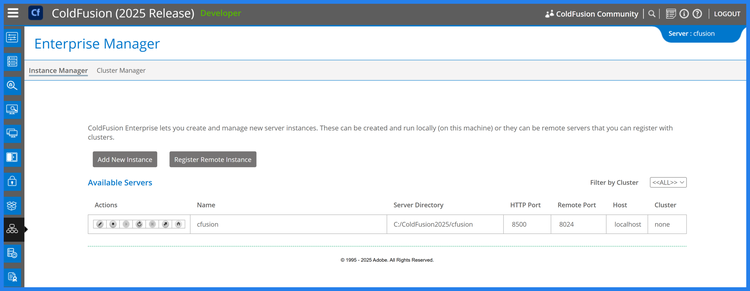
- Horizontal and Vertical Scaling: Expand server capacity dynamically with minimal effort.
- Clustered Deployments: Ensure high availability with load-balanced clusters.
- Dynamic Resource Allocation: Optimise resource usage for cost-effective scaling.
Lightweight Deployment Architecture
Streamline deployments with an architecture built for simplicity and efficiency.
- Small Server Footprint: Reduces resource usage for cost-effective hosting.
- WAR/EAR Packaging Support: Deploy applications as WAR or EAR files for Java-based environments.
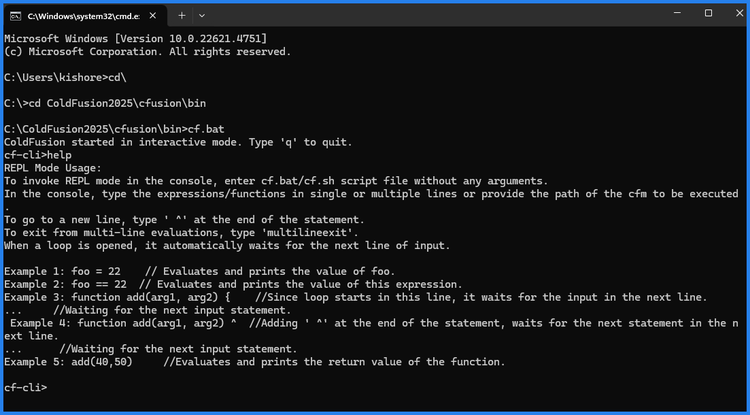
- Built-In Deployment Automation: Automate deployment processes using CLI and scripting tools.
Seamless Integration with DevOps Pipelines
Ensure deployments fit seamlessly into modern development workflows.
- CI/CD Integration: Supports tools like Jenkins, GitHub Actions and GitLab for automated deployments.
- Environment-Specific Configurations: Easily manage configurations for development, staging and production.
- Version Control Compatibility: Streamline deployments with Git and other VCS tools.
- Rollback Support: Quickly revert to previous versions in case of deployment issues.

Comprehensive Testing and Debugging
Ensure cross-platform compatibility through rigorous testing and debugging tools.
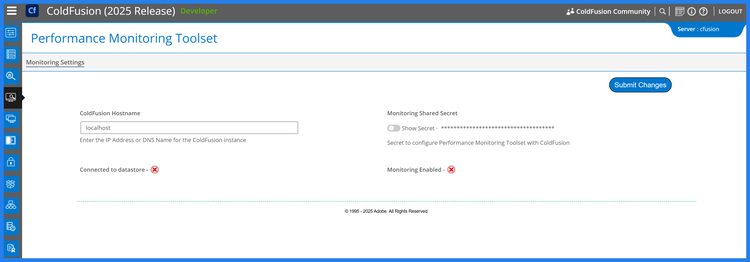
- PMT (Performance Monitoring Toolset): Optimise applications for platform-specific performance.
- Integrated Debugging Features: Debug applications seamlessly across different deployment environments.