Accessibility
Adobe
Sign in My shipments My support

Adobe Photoshop Lightroom 3

Features

Top new

Superior noise reduction

Superior noise reduction new

Achieve amazing, natural-looking results from your high ISO images with all-new state-of-the-art noise reduction technology. You won't need more than what's built into Adobe® Photoshop® Lightroom® 3 to get the cleanest images at any ISO.


Accelerated performance

Accelerated performance new

Get your digital photography tasks done fast and have more time to shoot and promote your work. Already quick performance has been dramatically accelerated in Lightroom 3, saving you time from first look to final image.

Support for DSLR video files

Support for DSLR video files new

Take advantage of new support for video files from most digital SLR cameras, which allows you to easily manage and organize both still photographs and video files side by side.

Image watermarking

Image watermarking new

Easily embed your identity or your brand and logo in your images with more options for customizing their look. The new watermarking tool lets you apply text or graphic watermarks to a photo with adjustable size, position, and opacity.

Easy image importing

Easy image importing new

Save time with fast image importing. The newly designed import interface is easy to set up and navigate, with clear visual indications of where your photos will be located and how they'll be organized after you've imported them.

Perspective correction

Perspective correction new

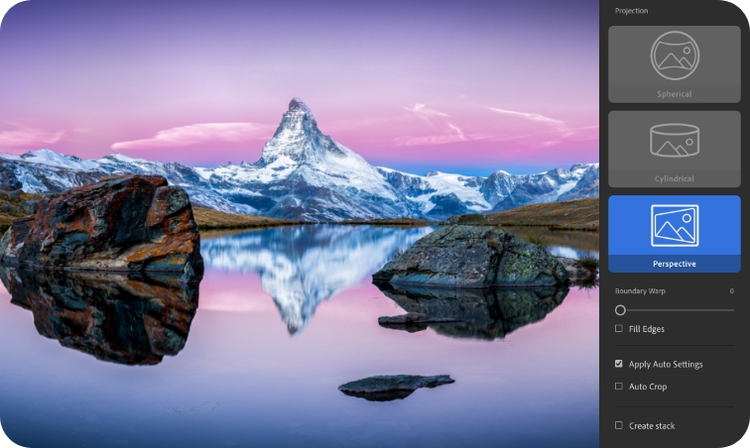
Get more natural-looking results by applying powerful, nondestructive perspective correction to your images. Reduce or eliminate the distortion that can occur, for example, when you take a photograph with the camera pointed upward, causing buildings to appear to be leaning backward in your image.

Flexible print packages

More flexible print packages new

Showcase your work in more creative formats using highly customizable print layouts, which you can save as reusable templates. With the new custom print layout creation tool, you just drag one image or several shots onto a page and resize or reposition them as you like.

Lens correction

Lens correction new

Quickly and easily perfect your images by automatically reducing lens defects like geometric distortion, chromatic aberration, and vignetting with single-click profiles. Even images from the best lenses will be improved.

Flexible online publishing

More flexible online publishing new

Post your images to select online photo-sharing services directly from within the Lightroom Library (may require third-party plug-ins). Showcasing your work and keeping your web portfolio or galleries fresh has never been simpler.

Portable, easy to share slideshows

Easy-to-share slide show videos with music new

Show your images to clients, friends, or family with more style and flair using elegant slide shows with music. Slide shows are a breeze to create, and you can share them easily by exporting them as videos, even in high definition.

Tethered shooting

Tethered shooting new

Instantly import and view images as you shoot them with tethered capture, available for select cameras. Use it to make an immediate, highly detailed check of your shot, the lighting, or the shooting setup. Or get instant feedback from clients or subjects.

Film grain simulation

Film grain simulation new

Use new sliders to easily control the amount, size, and roughness of grain that you can add to your images to simulate the look of film.


Top overall

Nondestructive editing

Set your creativity free in a nondestructive editing environment that encourages experimentation. Your original images are always safely unaltered, and it's easy to reverse your steps or save multiple versions of any photo.

Intuitive environment

Be more productive and efficient, and enjoy the freedom and creativity that comes from working with world-class tools designed specifically for photographers. The intuitive environment and controls of Adobe® Photoshop® Lightroom® are easy to master and let you quickly and smoothly accomplish your photography tasks.

Image management

Take advantage of a powerful set of image management features to organize your photographs, flexibly rate and label them, and find them easily using a wide range of metadata tags and information.

More flexible online publishing new

Post your images to select online photo-sharing services directly from within the Lightroom Library (may require third-party plug-ins). Showcasing your work and keeping your web portfolio or galleries fresh has never been simpler.

Develop presets

Save time by instantly applying favorite looks to images. When you've perfected a look that you particularly like for an image
— a high-contrast black-and-white effect or a supersaturated color look, for example — you simply save the settings as a preset and apply it to your other photographs at any time. Many presets are included with Lightroom, and thousands more are available from the thriving worldwide community of Lightroom photographers and experts.

Tethered shooting new

Instantly import and view images as you shoot them with tethered capture, available for select cameras. Use it to make an immediate, highly detailed check of your shot, the lighting, or the shooting setup. Or get instant feedback from clients or subjects.

Tight Photoshop integration

Select one or multiple photos and then automatically open them in Adobe Photoshop software to perform detailed, pixel-level editing or to merge multiple photos into a panorama, a high dynamic range photo, or a creative composite. After making your edits in Photoshop, see the results immediately back in Lightroom.

Superior image processing new

Get the absolute best from your images with state-of-the-art image processing controls that work with raw files from more than 290 camera models as well as JPEG, TIFF, and other file formats. Make precise overall adjustments or correct targeted areas for just the look you want. Dodge and burn, convert to black-and-white, add grain, reduce noise, adjust sharpness, create vignettes, and more.

Accelerated performance new

Get your digital photography tasks done fast and have more time to shoot and promote your work. Already quick performance has been dramatically accelerated in Lightroom 3, saving you time from first look to final image.

Superior noise reduction new

Achieve amazing, natural-looking results from your high ISO images with all-new state-of-the-art noise reduction technology. You won't need more than what's built into Lightroom 3 to get the cleanest images at any ISO.

One-click adjustments for multiple images

Save time when processing images by applying the same Develop settings to all the photographs in a group at once using presets or the sync feature. For example, correct the exposure from an entire shoot or convert all of the images to black-and-white.

Fast performance across platforms

Speed up day-to-day imaging tasks and process your images faster by taking advantage of cross-platform 64-bit support. Use the advanced memory handling capabilities of the latest Mac OS and Windows® operating systems.

Easy-to-share slide show videos with music new

Show your images to clients, friends, or family with more style and flair using elegant slide shows with music. Slide shows are a breeze to create, and you can share them easily by exporting them as videos, even in high definition.


All

CREATE BRILLIANT IMAGES

Get just the look you want from every shot with leading-edge processing tools in Adobe® Photoshop® Lightroom® that let you alter contrast, tune color, convert to black-and-white, add grain, adjust sharpness, and much more.

Creativity and flexibility

Nondestructive environment

Set your creativity free in a nondestructive editing environment that encourages experimentation. Your original images are always safely unaltered, and it's easy to reverse your steps or save multiple versions of any photo.

Superior image processing new

Get the absolute best from your images with state-of-the-art image processing controls that work with raw files from more than 290 camera models as well as JPEG, TIFF, and other file formats. Make precise overall adjustments or correct targeted areas. Dodge and burn, convert to black-and-white, add grain, reduce noise, adjust sharpness, create vignettes, and more.

Selective editing brush

Extend your creative control with a flexible brush that lets you adjust selected areas of your photo for just the look you want.

Tracking of editing adjustments

Make multiple adjustments to an image while retaining complete freedom to undo your mistakes or try something different later. The History panel automatically tracks your changes with easy-to-understand text entries as you edit. Add set points in the panel at any time so you can instantly return to those versions of the photo.

Before-and-after comparison

Get a clearer sense of the effectiveness of your editing adjustments by viewing an original image side by side with a version of the photo that shows the effects of your edits as you make them.


Tone and color

Advanced black-and-white conversion

Gain powerful, subtle control over the tonal qualities that make or break black-and-white images. Familiar sliders let you precisely adjust the mixing of information from eight color channels when you convert to grayscale.

Simplified tone curve tools

Make quick, intuitive adjustments to the highlights, midtones, and shadows in your images with sliders or numeric entries. Or click on any region of the photo to directly adjust the part of the curve that corresponds to the tonal value of that region.

Advanced hue, saturation, and luminance editing

Enhance color saturation and remove color casts with individual control over eight color channels each for hue, saturation, and luminance.


Detail and correction

Superior noise reduction new

Achieve amazing, natural-looking results from your high ISO images with all-new state-of-the-art noise reduction technology. You won't need more than what's built into Lightroom 3 to get the cleanest images at any ISO.

Intelligent sharpening

Make sharp, natural-looking images, regardless of whether they're intended for prints, slide shows, or your online web galleries. Intelligent sharpening lets you enhance detail without introducing harmful artifacts, and you can tailor your sharpening for different end uses.

Red-eye removal

Instantly fix red eye in flash photos.

Film grain simulation new

Use new sliders to easily control the amount, size, and roughness of grain that you can add to your images to simulate the look of film.

Lens correction new

Quickly and easily perfect your images by automatically reducing lens defects like geometric distortion, chromatic aberration, and vignetting with single-click profiles. Even images from the best lenses will be improved.

Perspective correction new

Get more natural-looking results by applying powerful, nondestructive perspective correction to your images. Reduce or eliminate the distortion that can occur, for example, when you take a photograph with the camera pointed upward, causing buildings to appear to be leaning backward in your image.

Dust-busting

Easily remove distracting spots and specks in your images with a single click.


STREAMLINE YOUR DIGITAL PHOTOGRAPHY

Boost your creativity, save time, and enjoy photography more with a fast, intuitive assistant that gives you the tools you need to efficiently manage, edit, and showcase your images.

Saving time and working efficiently

One toolset for your photography tasks

Get your digital photography essentials in one package that includes what you need to manage, perfect, and showcase all your images.

Support for video files new

Simplify your imaging work by managing video and still images in the same efficient application. New support for video files from most digital SLR cameras lets you easily manage both still photos and video in the Lightroom 3 Library.

One-click adjustments for multiple images

Save time when processing images by applying the same Develop settings to all the photographs in a group at once using presets or the sync feature. For example, correct the exposure from an entire shoot or convert all of the images to black-and-white.

Tight Photoshop integration

Select one or multiple photos and then automatically open them in Adobe Photoshop software to perform detailed, pixel-level editing or to merge multiple photos into a panorama, a high dynamic range photo, or a creative composite. After making your edits in Photoshop, see the results immediately back in Lightroom.

Fast performance across platforms

Speed up day-to-day imaging tasks and process your images faster by taking advantage of cross-platform 64-bit support. Use the advanced memory handling capabilities of the latest Mac OS and Windows® operating systems.

Image versions

Let Lightroom track the changes you make to an image in the History panel, with as many remembered set points as you choose. Then switch between versions of the photo with a mouse click.

Image watermarking

Easily embed your identity or your brand and logo in your images with more options for customizing their look. The new watermarking tool lets you apply text or graphic watermarks to a photo with adjustable size, position, and opacity.

Intuitive environment

Be more productive and efficient, and enjoy the freedom and creativity that comes from working with world-class tools perfectly designed for the job. The intuitive environment and controls of Lightroom are easy to master and let you quickly and smoothly accomplish your photography tasks.

Accelerated performance new

Get your digital photography tasks done fast and have more time to shoot and promote your work. Already quick performance has been dramatically accelerated in Lightroom 3, saving you time from first look to final image.

Tethered shooting new

Instantly import and view images as you shoot them with tethered capture, available for select cameras. Use it to make an immediate, highly detailed check of your shot, the lighting, or the shooting setup. Or get instant feedback from clients or subjects.

Develop presets

Save time by instantly applying favorite looks to images. When you've perfected a look that you particularly like for an image — a high-contrast black-and-white effect or a supersaturated color look, for example — you simply save the settings as a preset and apply it to your other photographs at any time. Many presets are included with Lightroom, and thousands more are available from the thriving worldwide community of Lightroom photographers and experts.

Support for DSLR video files new

Take advantage of new support for video files from most digital SLR cameras, which allows you to easily manage and organize both still photographs and video files side by side.

Multiple monitor support

Gain even more speed and efficiency by using a second monitor to enlarge your workspace.

Tools to manage and refine many images at once

Automatically import, rename, group, and even process any number of images from cameras or camera memory cards as they're connected to your computer.


Organizing and managing

Extensive image management tools

Take advantage of a powerful set of image management features to organize your photographs, flexibly rate and label them, and find them easily using a wide range of metadata tags and information.

Multiple viewing options

See and evaluate your images quickly and clearly using the Grid view to browse large groups of photos, the Compare view to see selected images side by side, and the Loupe view to zoom in on the finest detail. Instantly switch between views with a single click.

Fast zooming

Check for critical sharpness and see small details by zooming in and out of any area of a photo with simple keyboard commands or a click of the mouse.

Collections

Flexibly group photos according to the criteria or organizing logic that works best for the way you work and the subjects you shoot. It's as easy as selecting the photos and naming the collection. Recall collections with a single click, and easily modify their contents at any time.

Offline photo management

Work with the photos in your Lightroom Library even when the actual image files are stored on media such as external hard drives or DVD discs that are not currently connected to your computer.

DNG conversion

Ensure the broadest compatibility and archival security of your proprietary raw format image files by converting them to the universal DNG format. Convert files already in the Library at any time, or convert new images on import.


Finding, searching, and sorting images

File renaming

Make your images easier to find and sort by creating a more logical and useful naming system than the default filenames provided by your camera. Then rename your photos individually, in batches, or automatically as they're imported from your camera, memory cards, or computer folders.

Simple, customized keywording

Track your photos with the keywords that make sense to you — just type and apply.

Manual photo sorting

Freely sort your photos in whatever order you prefer by selecting any number of images in the Library — contiguous or not — and then dragging them to a new location in the grid. It's that simple.

Single or group metadata stamping

Add as much information to a photo as you like, either individually or to groups of selected images. Store metadata sets as presets and apply them to one photo or to hundreds with a single click.

Advanced search and sort

Use a wide range of searching, sorting, and powerful metadata filtering criteria to quickly find just the photo you want, whether your library contains hundreds of images or tens of thousands.

IPTC/EXIF/XMP metadata support

Make your photos easier to identify, track, find, and analyze. Lightroom accesses, preserves, and allows you to edit a comprehensive set of metadata entries, including standard IPTC, EXIF, and XMP data.

Import or export of keywords sets

Create a system for tracking and categorizing your images with keywords and then easily synchronize that system between different computers. Export your keyword sets to external files, and import new sets whenever needed. It's easy to transfer them from one computer or user to another.


Importing and exporting

Easy image importing new

Save time with fast image importing. The newly designed import interface is easy to set up and navigate, with clear visual indications of where your photos will be located and how they'll be organized after you've imported them.

Metadata stamp on import

Efficiently combine image management tasks by applying custom metadata or metadata presets to images as you import them.

Timesaving presets for import or export new

Easily save frequently used settings such as metadata, keywords, naming rules, and more. Apply your presets anytime, including on import, and create custom export presets.

Metadata stamp on output

Add metadata stamps with your copyright, instructions for contacting you, or other information to every photo you print or send out.


MAKE AN IMPACT

Express your creativity and vision, and make an impact with your photography using highly flexible customized print layouts, elegant slide shows, web galleries, or online photo-sharing sites.

Printing

More flexible print layout new

Showcase your work in more creative formats using highly customizable print layouts, which you can save as reusable templates. With the new custom print layout creation tool, you just drag one image or several shots onto a page and resize or reposition them as you like.


Sharing

More flexible online publishing new

Post your images to select online photo-sharing services directly from within the Lightroom Library (may require third-party plug-ins). Showcasing your work and keeping your web portfolio or galleries fresh has never been simpler.

One-click publishing to your website

Export your HTML or Adobe Flash® Player compatible web galleries directly to the web in a single click. Just save your web server information as an FTP preset, and there's no need for a separate application.

Easy-to-share slide show videos with music new

Show your images to clients, friends, or family with more style and flair using elegant slide shows with music. Slide shows are a breeze to create, and you can share them easily by exporting them as videos, even in high definition.

Output web galleries to HTML or Flash

Easily present your photos in an HTML or Adobe Flash Player compatible web gallery, which you can preview before publishing. Save time by uploading your gallery directly from Lightroom 3 and by using gallery templates — a selection of elegant templates is already built into Lightroom, and you can create and save your own.


IN DEPTH Technical details, reviews, and more
RESOURCES Training, support, and community
PHOTOSHOP FAMILY All products