


Adobe
Produkty
Creative Suite
Rodzina produktów Photoshop
Rodzina produktów Acrobat
Platforma Flash
Digital Marketing Suite
Digital Enterprise Platform
Digital Publishing Suite
Więcej produktów
Rozwiązania
Tworzenie treści
Instytucje edukacyjne
Usługi finansowe
Instytucje rządowe
Rozwiązania w zakresie marketingu cyfrowego
Więcej rozwiązań
Szkolenia Pomoc Pliki do pobrania Firma
Sklep
Sklep Adobe Store dla użytkowników domowych i biurowych
Sklep Business Store dla małych i średnich firm
Inne możliwości zakupu
Szukaj
 
Informacje Zaloguj się
Witamy, Mój koszyk Moje dostawy Pomoc
Moje konto
Wyloguj się
Dlaczego warto się zalogować? Zaloguj się, aby zarządzać swoim kontem i uzyskać dostęp do wersji testowych oprogramowania, rozszerzeń produktów, specjalnych stref społeczności i wielu innych.
Adobe
Produkty Sekcje   Szukaj  
Rozwiązania Firma
Pomoc Nauka
Zaloguj się Witamy, Moje dostawy Pomoc
Qty:
Subtotal
Checkout
Adobe Creative Suite family /

Adobe After Effects CS5.5

Przegląd Funkcje Specyfikacje Recenzje FAQ Prezentacje Rozszerzenie
Poradnik zakupowy
Brak programu Flash Player Wymagane jest zainstalowanie programu Flash 10. Wymagane jest zainstalowanie programu Flash 10.

What is After Effects?

Adobe® After Effects® CS5.5 software is the industry-leading solution for creating sophisticated motion graphics and cinematic visual effects. Transform moving images for delivery to theaters, living rooms, personal computers, and mobile devices.

Pokaż:
All features
All features Najlepsze
New since CS5 New since CS4 New since CS3
For motion graphics or visual effects For video editing For interactive design


2D and 3D element combination

2D and 3D element combination

Work in 2D or 3D, or freely combine 2D and 3D elements in the same composition without having to change modes or redo your work. Default cameras and lights mean you don't have to set up additional elements just to add dimension to a layer.
3D camera data import

3D camera data import

Import 3D camera and other 3D data from any 3D tracking software that can export Alias Maya ASCII (MA) files. You can also extract camera information from an RLA/RPF sequence and export After Effects camera data via a number of third-party additions.
Multiple 3D cameras per composition

Multiple 3D cameras per composition

Cut between multiple cameras in the same composition. Define unique cameras by angle of view, lens length, image area size, aperture, depth-of-field blur, and a host of other keyframable parameters.
Light falloff

Light falloff

Control how light intensity falls off across 3D distances, just as it does in the real world.
More ›
Innovative compositing and animation tools

Innovative compositing and animation tools

Combine moving and still imagery, graphics, and text in 2D or 3D space. Animate practically any aspect of each element and add sound for virtually any result you can imagine.
Responsive 64-bit performance

Responsive 64-bit performance

Work effectively on high-resolution projects — even at 32-bit-per-channel color inside HD, 2K, and 4K compositions. Use all your system's RAM to see longer previews. With enhanced disk caching, you can spend less time waiting and more time creating.

Unparalleled Adobe integration

Unparalleled Adobe integration

Enjoy a streamlined workflow with support for importing Adobe Photoshop® images and layer effects. Move easily between After Effects and Adobe Premiere® Pro software via  Adobe Dynamic Link. Import Adobe Illustrator® files, and then animate each layer.

More on integration ›

Unlimited creative options

Unlimited creative options

Manipulate moving and still images using hundreds of effects such as stylize, distort, and shatter. Create grids, radio waves, particles, and more. Combine effects from a third-party ecosystem of plug-ins for Hollywood-caliber results.
More ›
Warp Stabilizer

Warp Stabilizer

Smooth a bumpy camera move, or lock a shot automatically. Warp Stabilizer removes jitter and compensates for motion-related irregularities.
Camera Lens Blur

Camera Lens Blur

Create soft-focus effects with Camera Lens Blur. Set iris shape, blade curvature, and diffraction fringe characteristics for beautiful bokeh, and use these same settings for fantastic depth-of-field control with the After Effects 3D camera.
Source timecode support

Source timecode support

Take the guesswork out of source footage edits. Timecode data in QuickTime, AVI, Broadcast WAV (BWF), DPX, and some variations of MXF is read directly in After Effects, and the Timecode effect can display both source timecode and composition frames.
Stereoscopic 3D workflow improvements

Stereoscopic 3D workflow improvements

Animate and composite stereoscopic projects more easily. Quickly set up stereo camera rigs. Save time with simplified rendering of multiple cameras, and work with an updated 3D Glasses effect.
More ›
Responsive 64-bit performance

Responsive 64-bit performance

Work effectively on high-resolution projects — even at 32-bit-per-channel color inside HD, 2K, and 4K compositions. Use all your system's RAM to see longer previews. With enhanced disk caching, you can spend less time waiting and more time creating.

Roto Brush

Roto Brush

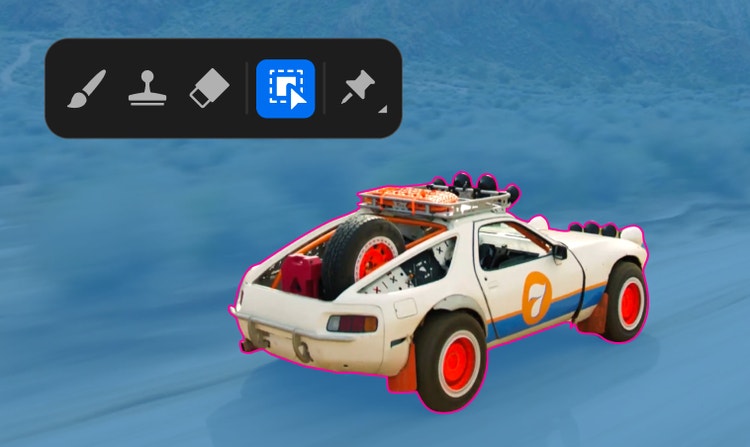
Isolate foreground elements from backgrounds in a fraction of the time it would otherwise take using this revolutionary tool.
Warp Stabilizer

Warp Stabilizer

Smooth a bumpy camera move, or lock a shot automatically. Warp Stabilizer removes jitter and compensates for motion-related irregularities.
mocha for After Effects CS5.5 and mocha shape

mocha for After Effects CS5.5 and mocha shape

Apply motion tracking to hand-drawn masks and import variable-width mask feathers. The mocha shape plug-in makes tracked masks available to After Effects.

More ›
Responsive 64-bit performance

Responsive 64-bit performance

Work effectively on high-resolution projects — even at 32-bit-per-channel color inside HD, 2K, and 4K compositions. Use all your system's RAM to see longer previews. With enhanced disk caching, you can spend less time waiting and more time creating.

Roto Brush

Roto Brush

Isolate foreground elements from backgrounds in a fraction of the time it would otherwise take using this revolutionary tool.
Warp Stabilizer

Warp Stabilizer

Smooth a bumpy camera move, or lock a shot automatically. Warp Stabilizer removes jitter and compensates for motion-related irregularities.
mocha for After Effects CS5.5 and mocha shape

mocha for After Effects CS5.5 and mocha shape

Apply motion tracking to hand-drawn masks and import variable-width mask feathers. The mocha shape plug-in makes tracked masks available to After Effects.

More ›
Innovative compositing and animation tools

Innovative compositing and animation tools

Combine moving and still imagery, graphics, and text in 2D or 3D space. Animate practically any aspect of each element and add sound for virtually any result you can imagine.
Responsive 64-bit performance

Responsive 64-bit performance

Work effectively on high-resolution projects — even at 32-bit-per-channel color inside HD, 2K, and 4K compositions. Use all your system's RAM to see longer previews. With enhanced disk caching, you can spend less time waiting and more time creating.

Unparalleled Adobe integration

Unparalleled Adobe integration

Enjoy a streamlined workflow with support for importing Adobe Photoshop® images and layer effects. Move easily between After Effects and Adobe Premiere® Pro software via  Adobe Dynamic Link. Import Adobe Illustrator® files, and then animate each layer.

More on integration ›

Unlimited creative options

Unlimited creative options

Manipulate moving and still images using hundreds of effects such as stylize, distort, and shatter. Create grids, radio waves, particles, and more. Combine effects from a third-party ecosystem of plug-ins for Hollywood-caliber results.
More ›
Innovative compositing and animation tools

Innovative compositing and animation tools

Combine moving and still imagery, graphics, and text in 2D or 3D space. Animate practically any aspect of each element and add sound for virtually any result you can imagine.
Unlimited creative options

Unlimited creative options

Manipulate moving and still images using hundreds of effects such as stylize, distort, and shatter. Create grids, radio waves, particles, and more. Combine effects from a third-party ecosystem of plug-ins for Hollywood-caliber results.
Animated text and vector graphics

Animated text and vector graphics

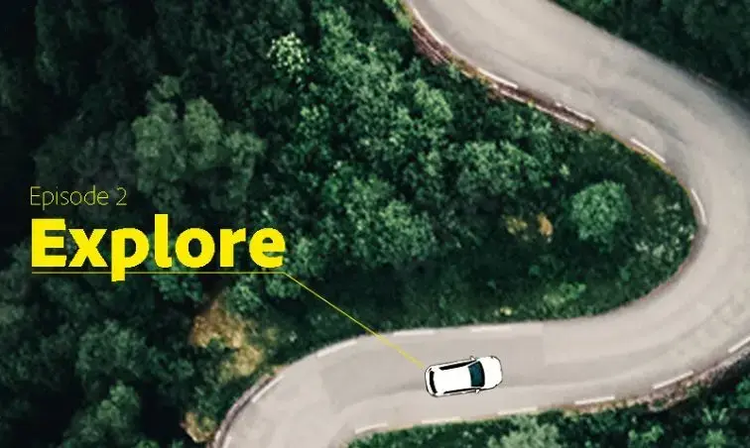
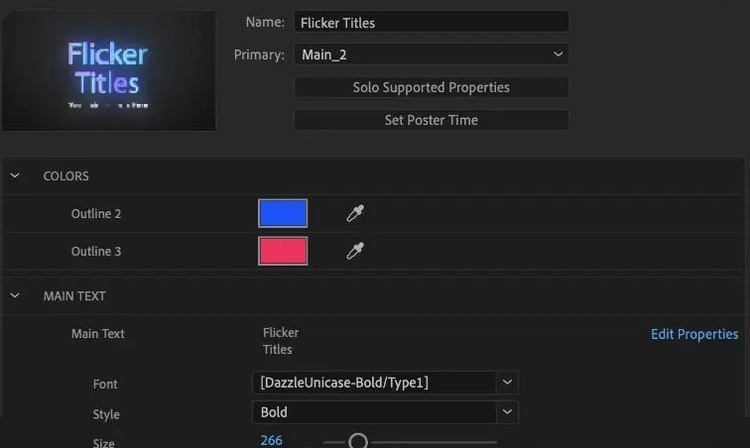
Create text and vector graphics in After Effects using familiar Adobe tools, and then animate those elements to create visually innovative motion graphics.
Powerful motion controls

Powerful motion controls

Remove unwanted movement with the Warp Stabilizer, or precisely match the motion of source footage with mocha for After Effects v2. Apply realistic motion blur. Use Timewarp to slow down and speed up footage.
More ›
Innovative compositing and animation tools

Innovative compositing and animation tools

Combine moving and still imagery, graphics, and text in 2D or 3D space. Animate practically any aspect of each element and add sound for virtually any result you can imagine.
Unlimited creative options

Unlimited creative options

Manipulate moving and still images using hundreds of effects such as stylize, distort, and shatter. Create grids, radio waves, particles, and more. Combine effects from a third-party ecosystem of plug-ins for Hollywood-caliber results.
Animated text and vector graphics

Animated text and vector graphics

Create text and vector graphics in After Effects using familiar Adobe tools, and then animate those elements to create visually innovative motion graphics.

Video transparency

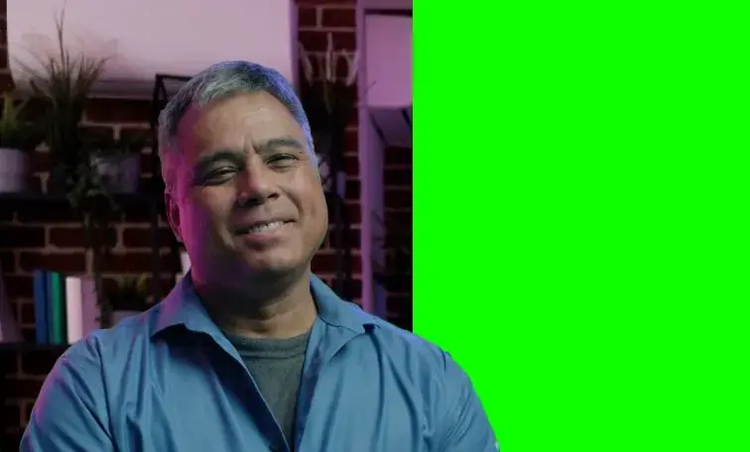
Use the Academy Award–winning Keylight plug-in to create transparency for video shot against a bluescreen or greenscreen, a host of other color and luminance keyers, or the amazing Roto Brush to matte an object shot against any background.
More ›

News

Native RED EPIC camera support

Edit up to 5K footage shot from RED EPIC™ cameras without transcoding or rewrapping and access RED parameters directly from the enhanced Source Settings dialog box with the RED EPIC Importer plug-in from Adobe Labs.

Save the date: Adobe MAX 2011

Join us in Los Angeles, October 1–5, 2011, to learn new skills, explore emerging technologies, and build valuable relationships.

Adobe TV

Watch product tutorials on AdobeTV to learn more about After Effects CS5.5.

Showcase

More
The Social Network

The Social Network

Director David Fincher uses Adobe Creative Suite® Production Premium software during post-production on his latest major studio release, "The Social Network." Learn more about his innovative workflow.

Learning

More
  • Getting started
  • Tutorials on Adobe TV
  • Training and books
  • Training providers
  • Seminars and events
  • User groups

Resources

  • Developer Center
  • OpenGL support
  • 64-bit plug-ins
  • Native RED EPIC camera support
  • 32-bit plug-ins
  • After Effects Exchange
  • Broadcasting solutions
  • After Effects blog

Help

More
  • Help and support
  • User forums
  • Windows updates
  • Mac updates

Narzędzia strony

Udostępnij w serwisie Facebook
Udostępnij w serwisie Twitter
Dodaj zakładkę
Drukuj
After Effects CS5.5

Transform moving images

After Effects CS5.5
Uaktualnienie produktu
Buy Try
zawiera VAT
Rabat 20% przy uaktualnieniu
Do even more with...
CS5.5 Production Premium

Create video for virtually any screen using high-performance production tools

CS5.5 Production Premium
Uaktualnienie produktu
Buy Try
zawiera VAT
Uaktualnij pakiet CS2, CS3 lub CS4 i skorzystaj z 20% rabatu.
CS55 20% Migration Promo
Other ways to buy

Adobe Store

For home and home office

Business Store

Small and medium businesses

Enterprise purchasing

Volume licensing options

Call 800 702434

Produkty

  • Creative Suite
  • Rodzina produktów Photoshop
  • Rodzina programów Acrobat
  • Platforma Flash
  • Digital Marketing Suite
  • Digital Enterprise Suite
  • Digital Publishing Suite
  • Aplikacje dla urządzeń przenośnych

Rozwiązania

  • Zarządzanie obsługą klienta
  • Tworzenie zawartości
  • Reklama cyfrowa

Branże

  • Edukacja
  • Usługi finansowe
  • Rząd

Pomoc

  • Centra pomocy produktów
  • Zamówienia i zwroty
  • Pobieranie i instalowanie
  • Konto Adobe

Nauka

  • Adobe Developer Connection
  • Telewizja Adobe
  • Szkolenie i certyfikacja
  • Fora
  • Centrum projektantów

Metody kupowania

  • Sklep Adobe
  • Małe i średnie firmy
  • Przedsiębiorstwa

Pliki do pobrania

  • Adobe Reader
  • Adobe Flash Player
  • Adobe AIR
  • Adobe Shockwave Player

Firma

  • Najnowsze informacje
  • Programy partnerskie
  • Społeczna odpowiedzialność biznesu
  • Oferty pracy
  • Kontakty z inwestorami
  • Wydarzenia
  • Informacje prawne
  • Kontakt z firmą Adobe
Wybierz region Polska (Zmień)
Wybierz region Zamknij

North America

Europe, Middle East and Africa

Asia Pacific

  • Canada - English
  • Canada - Français
  • Latinoamérica
  • México
  • United States

South America

  • Brasil
  • Africa - English
  • Belgium - English
  • Belgique - Français
  • België - Nederlands
  • България
  • Česká republika
  • Danmark
  • Eastern Europe - English
  • Eesti
  • España
  • France
  • Deutschland
  • Hrvatska
  • Ireland
  • Israel - English
  • Italia
  • Latvija
  • Lietuva
  • Luxembourg - Deutsch
  • Luxembourg - English
  • Luxembourg - Français
  • Magyarország
  • Middle East and North Africa - English
  • Moyen-Orient et Afrique du Nord - Français
  • Nederland
  • Norge
  • Österreich - Deutsch
  • Polska
  • Portugal
  • România
  • Россия
  • Schweiz - Deutsch
  • Suisse - Français
  • Svizzera - Italiano
  • Slovenija
  • Slovensko
  • Srbija
  • Suomi
  • Sverige
  • Türkiye
  • Україна
  • United Kingdom
  • Australia
  • 中国
  • 中國香港特別行政區
  • Hong Kong S.A.R. of China
  • India - English
  • 日本
  • 한국
  • New Zealand
  • Pacific - English
  • 台灣

Southeast Asia

  • Includes Indonesia, Malaysia, Philippines, Singapore, Thailand, and Vietnam - English

Copyright © 2012 Adobe Systems Incorporated. Wszelkie prawa zastrzeżone.

Korzystanie z tej witryny internetowej oznacza wyrażenie zgody na warunki korzystania oraz zasady prywatności online (aktualizacja: 2009-07-14)