

Choose to create a video based on a particular topic or style and Visual Communicator will generate all the associated graphics that complement your video.
This keyer wizard takes you step-by-step through setting up terrific-looking virtual backgrounds so productions look more professional.
The Coach Window helps guide new users through the workflow of Visual Communicator 3.
When placing a colored backdrop behind you, Visual Communicator will allow you to digitally replace that background with any image, graphic, or video clip.
Speak clearly and confidently without missing key points or memorizing lines using the built-in teleprompter. It's invaluable for clearly communicating any message on-camera, as well as for narrating photo slide shows and video montages off-camera.
Shoot segments out of sequence or at different times. Start in the middle, begin at the end, or update any section you've recorded at any time.
Ensure you get the best key possible using the advanced keying tools that help you adjust the transparency, spill, and color saturation of your key.
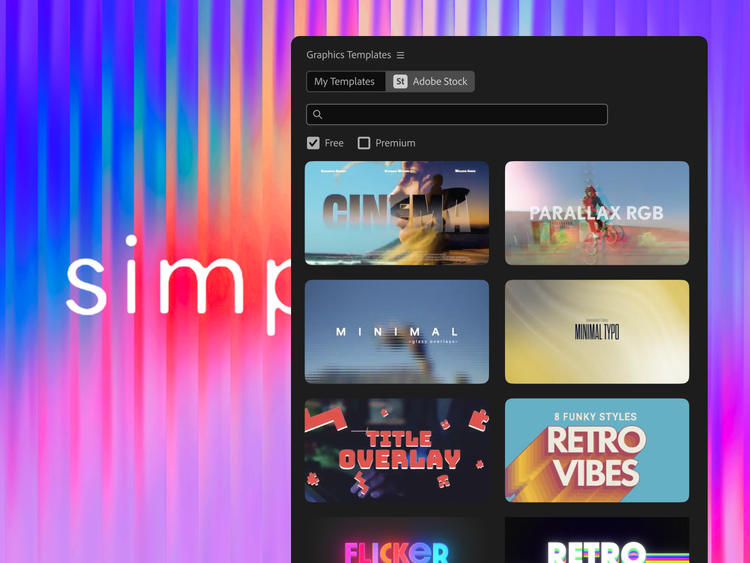
Choose from an entire library of newscast-style graphics, effects, titles, music clips, and templates to create professional video presentations.
Captivate viewers and give your presentations that professional network news look by employing special effects like over-the-shoulder windows, transitions, and graphics.
Animated titles and lower-third graphics have been added to every theme. Save graphics as a separate file, and they're ready for placement at any point in a live show.
Save commonly used title cards and lower-third and over-the-shoulder graphics and text to use again and again.
Discover endless title and text overlay creations that are fully customizable with shadow, outline, glow, and transparency adjustments.
Create dramatic screen changes, and make your video presentations flow smoothly.
Create unique opening/closing slates and lower-third titles, or move the titles through your presentation like movie credits.
Retain specific editing choices and media files that display the content of your show.
Create template-based videos that remember the format of the last show you created and quickly record a new version. Use it for daily video creation.
Act as if you're being interviewed on TV. Seamlessly cut between you and the video clips of a professional television host to star in your own television newscast.
Import standard charts, graphs, and other items such as PowerPoint slides or Excel charts.
Scroll through your production while seeing all the special effects, video, and camera recordings instantly.
Review your recording and clips in frame-accurate, real-time preview before recording/rendering your video.
Resize your workspace to quickly access the media and effects you use most often.
Crop, resize, or stretch your image to fit your productions. Or, if you prefer, maintain the original aspect ratio of your still image.
Select web pages, pictures, or PowerPoint slides to be displayed alongside your video presentation at specific points while your viewers are watching.
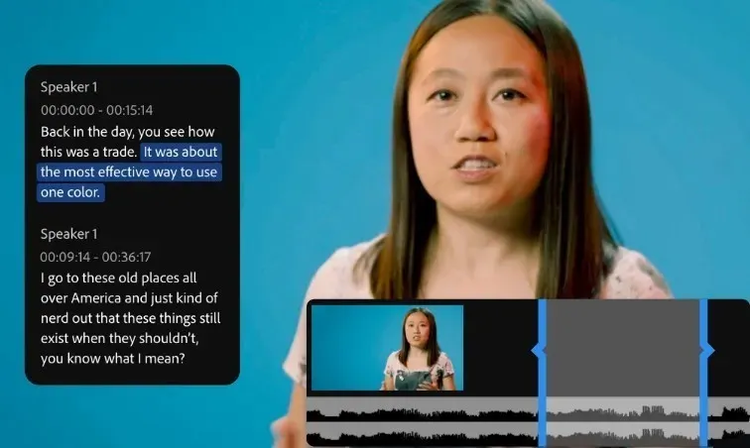
Output closed-captioning text for Windows Media, and stream the video from your website.
Record videos in real time using up to three cameras.
Stream live FLV video over the Internet using Adobe® Flash Media Server.*
*Available separately or through a Flash Media Solution Provider.
Export your video to a second monitor, projector, TV, or VCR.
Located at the top on the teleprompter, this feature highlights when text should be read and makes it appear as if you are looking directly at the camera instead of reading from a script.
Stream your video presentations live over the Internet, or output to a projector, TV, or Channel One closed-circuit system.
Preview up to three cameras at once with one-click insertion for true real-time camera switching.
Create a reference clip with preset in/out points and sound levels for audio or video clips. Place these clips quickly when producing a live show, or drop the footage into other projects and retain its edited properties.
Export and import your Visual Communicator project files for trouble-free sharing between users and PCs.