Add transitions easily.
From zooms to wipes to light leaks, keep your story flowing with fresh, fully customizable transitions.

Learn all about the tools and techniques you can use to edit videos, animate titles, add effects, mix sound, and more.
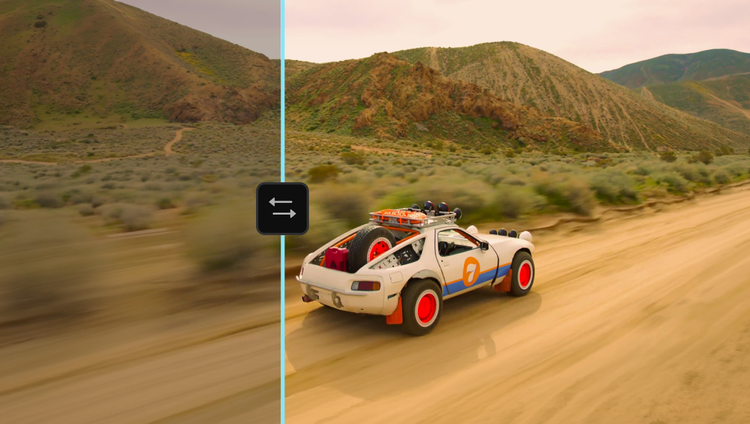
Experience a first-of-its-kind color grading system — purpose-built for editors — in Premiere (beta). Shape, explore, and push your look like never before. Learn more
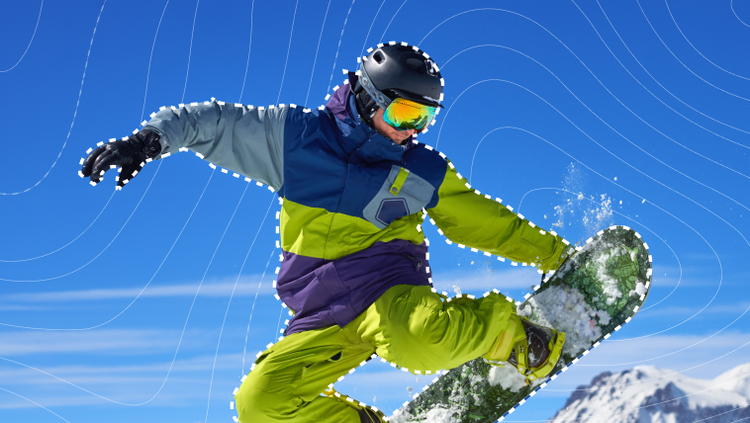
Say hello to Object Mask and goodbye to hours of painful rotoscoping. Just hover over your subject, click, and watch as AI accurately masks and tracks it.

Redesigned shape masks now track motion faster across frames with pinpoint accuracy. Perfect for tackling precise color and effects work with ease.

Elevate your edit with all-new transitions, effects, and animations — they're cinematic and GPU-accelerated for real-time playback.

Search footage in seconds by describing sound effects, like barking dogs or rain — or by keying in specific dialogue. Quickly locate alt takes and visually similar clips. And censor any unwanted words with a click.

Generate video in Adobe Firefly Boards or on the web app, then send your project-ready clip directly to Premiere on desktop. Generate eye-grabbing visual effects, beautiful b-roll to fill timeline gaps, or anything you can imagine.

Meet Media Intelligence, powering your new Search panel in Premiere. Just describe any clip you need to find — using everyday language — and find it fast.

Import media with the Frame.io panel, browse and license assets from the Adobe Stock panel — and send generated video from Adobe Firefly Boards or the web app right to Premiere on desktop.

Ripple, roll, slip, and slide your edits intuitively.

Use AI to automatically transcribe your video on import, and then create a rough cut fast simply by copying and pasting text.

Extend clips, add frames, generate missing ambient sound — experience the power of Adobe Firefly generative AI in Premiere. Explore Generative Extend now.

Group and play clips from different cameras at the same time and cut it live during playback with multicam support.

From zooms to wipes to light leaks, keep your story flowing with fresh, fully customizable transitions.
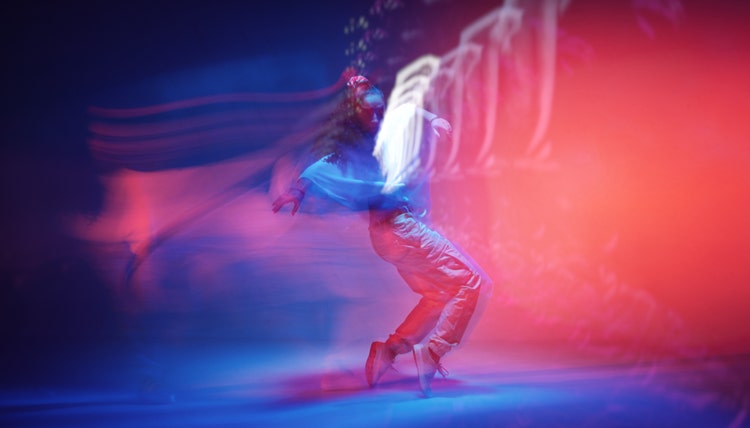
Add flair. Up the attitude. Or make it atmospheric. Premiere is packed with modern, cinematic effects you can easily tweak and tailor to fit your creative vision.
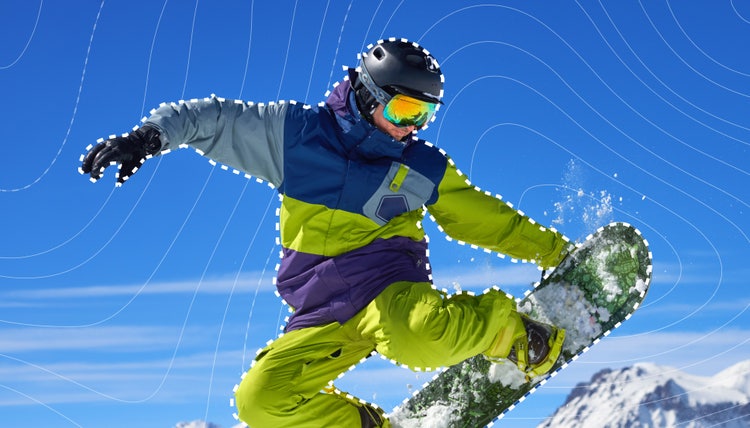
Create complex masks, composite text and graphics, and easily tackle precise effects with new AI Object Mask and redesigned shape masks.
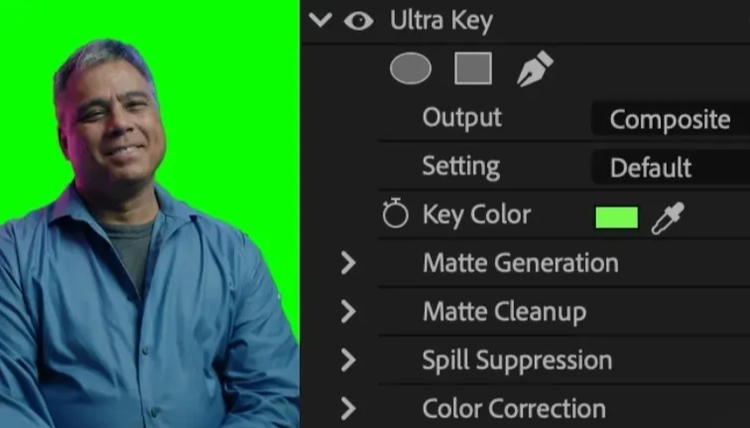
Use industry-standard tools to swap out the background of footage shot on a greenscreen.

Bring your text and graphics to life. Now, animating elements is as easy as dragging and dropping a transition or effect.
Save time by sharing assets directly between After Effects and Premiere with Dynamic Link — no rendering or exporting required.

Click, type, and drag to add titles. Change the appearance of text and shapes easily using fills, strokes, backgrounds, shadows, and masks.

Make amazing motion graphics inside Premiere. Customize them with gradient tools and styles.
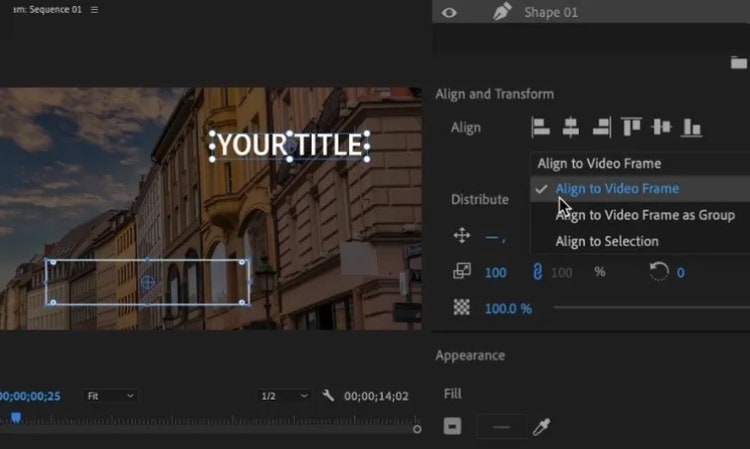
Align and evenly distribute titles, graphics, and shapes across your video frame — they’ll adapt responsively to any changes in aspect ratio.

Produce accurate transcripts in 18 languages, distinguish between speakers, and match captions to the cadence of speech with the power of AI.

Simplify your motion designs with easy-to-use templates you can customize right inside Premiere.

Bring still images or image sequences from other Creative Cloud apps like Photoshop and Illustrator into Premiere.
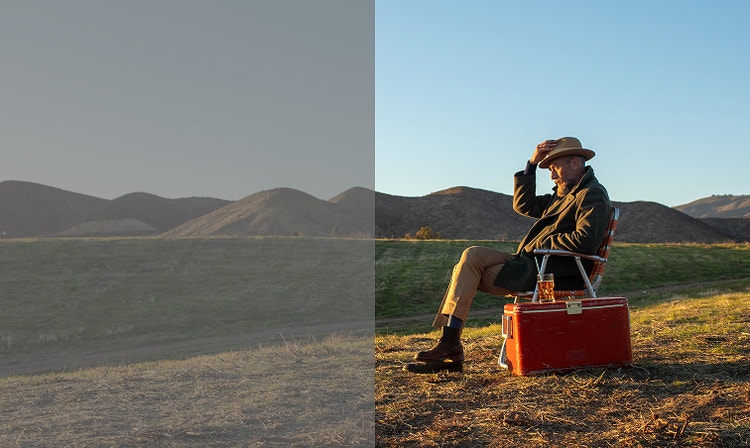
Edit and color right away with great-looking footage and access the rich color data of your media. Plus, your raw and log footage is normalized on import without LUTs.
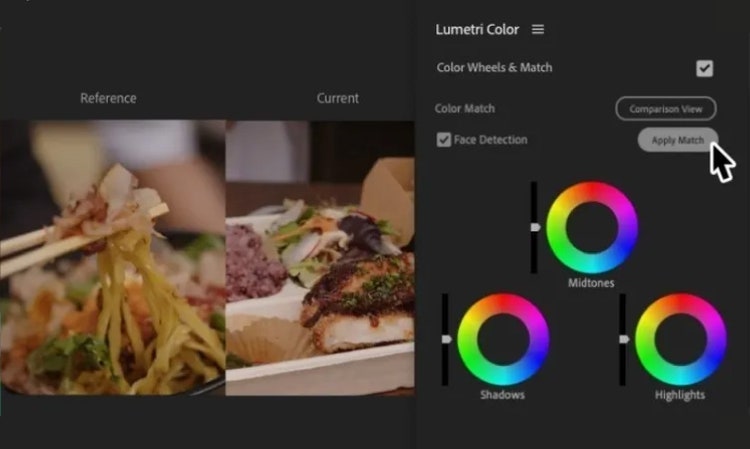
Get consistent colors across takes with AI-powered Color Match. Adjust saturation, white balance, and brightness to create a single unified scene.
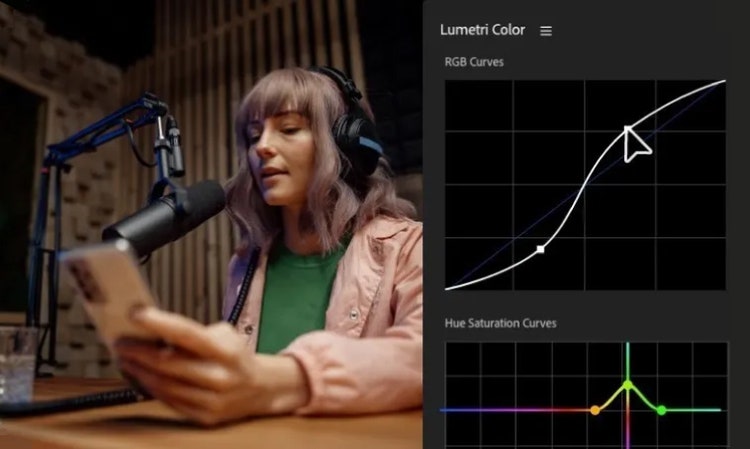
Transform the feel of your shot with precise color control using curves, secondaries, three-way color correction, and more.

Apply your unique style consistently across clips by creating and saving color grades with Look Up Tables (LUTs).
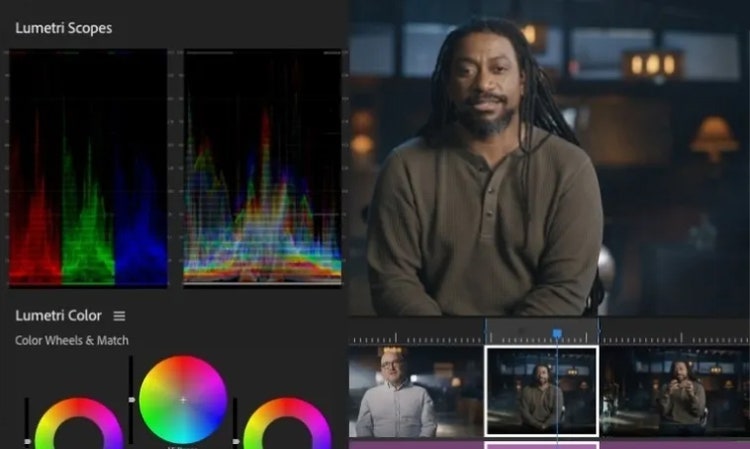
Modify advanced media, sequence, or display-related Color Settings all in one Lumetri Color tab.

Get crystal-clear dialogue with AI. Improve audio quality, remove background noise, and make every word sound crisp.

Change the way your audio sounds with over 50 professional audio effects including compressors, limiters, equalizers (EQ), and other filters.

Choose from over 75,000 high-quality Adobe Stock music tracks. Download songs to use in your project without leaving Premiere.

AI automatically recognizes if your clips are music, dialogue, sound effects, or ambiance and adds an interactive badge. Just click to get instant access to the most relevant tools for that audio type.

Take advantage of professional mixer features like faders, panning, channel strips, and effects.

Retime your music to match the length of your edited video with help from AI-powered Remix.
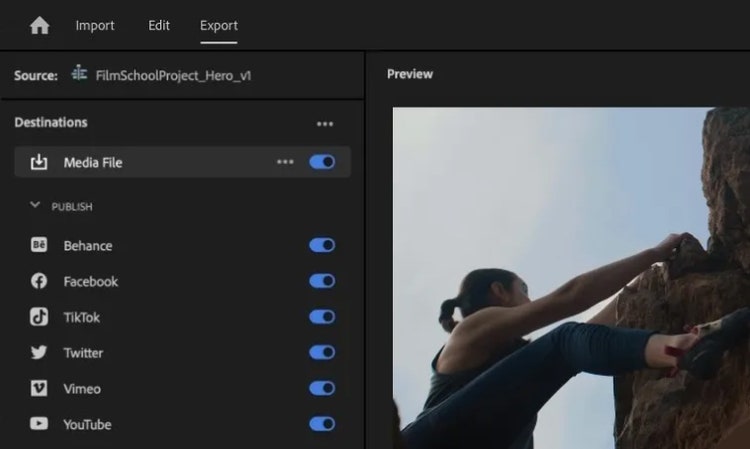
Publish right to your favorite social platforms from Premiere. Write captions, include keywords, and add Content Credentials to boost visibility and signal AI models not to train on your content.

Preserve the focal point of your shot while changing the aspect ratio, and then easily share it across social platforms with Auto Reframe.

Bring your workflow together with the new Frame.io panel in Premiere. Easily access, organize, and import media. Share sequences for review. And get the feedback you need, right where you need it.

Edit with others in real time with Team Projects. Hop on the same timeline and make edits without affecting other editors’ work.
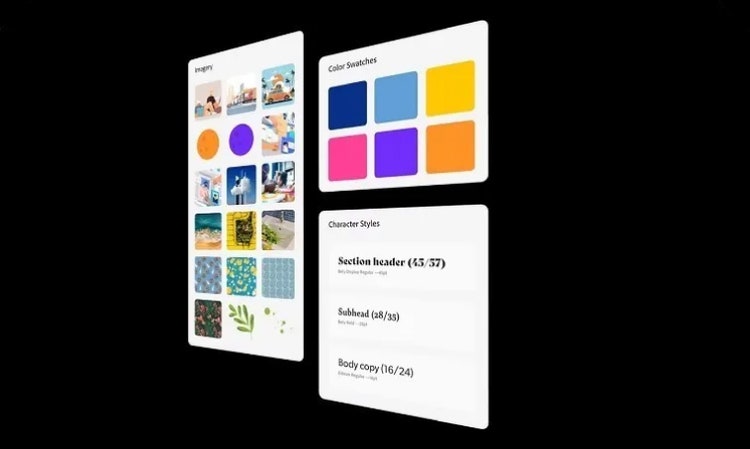
Store and share brand assets like logos, graphics, colors, and more in Creative Cloud Libraries for easy access, anywhere.

Get even more tools for your project and your team with over 400 third-party apps and integrations from Adobe video partners.

Find out how to use the tools and features in Premiere to make professional movies, music videos, podcasts, commercials, and more.

Premiere FEATURES

Premiere FEATURES

Premiere FEATURES

Premiere FEATURES

Premiere FEATURES

Premiere FEATURES

Premiere FEATURES

Premiere FEATURES

Premiere FEATURES

Premiere on desktop and iPhone plus the Adobe Express Premium plan.
Annual, billed monthly
US$22.99/mo

Save 50% on Premiere and 20+ apps, plus creative AI. Pay US$34.99/mo for the first 3 months, then US$69.99/mo after that. New subscribers only. See terms.
Annual, billed monthly
Save 71% on 20+ apps, including Premiere on desktop and iPhone, plus Firefly creative AI for images, video, and audio. Pay US$19.99/mo the first year and US$39.99/mo after that.
Annual, billed monthly
Premiere on desktop and iPhone, Adobe Express Premium plan, plus exclusive business features.
Annual, billed monthly
US$37.99/moper license
20+ apps, including Premiere on desktop and iPhone, and Firefly creative AI for images, video, and audio, plus exclusive business features.
Annual, billed monthly
US$99.99/moper license
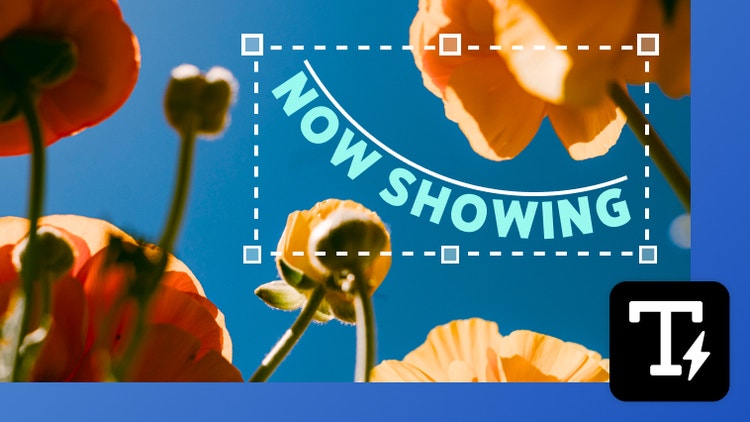
Create shaped, editable text directly in Photoshop without jumping into Illustrator. With Dynamic Text, your type automatically reflows as you adjust the shape, so you can find the right fit faster.

You can now easily bring Illustrator vectors into After Effects. Create keyframes for animation and bring complex artwork to life without losing fidelity or layer structure.
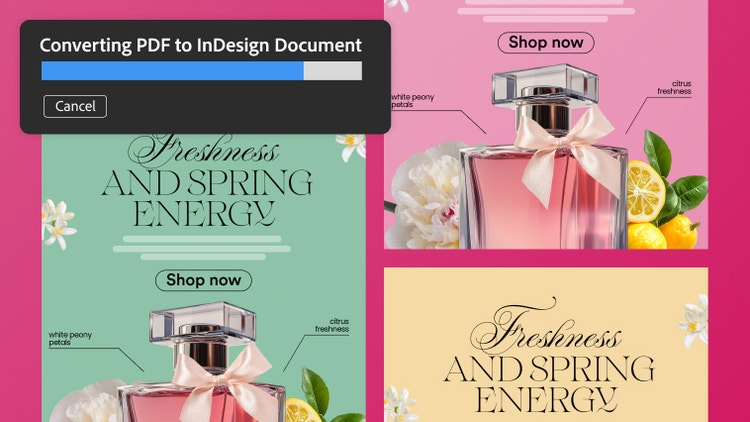
Turn PDFs into editable InDesign files while preserving everything in the original document. Retain tables, hyperlinks, fonts, and other elements, and fine-tune each piece in InDesign.