Acrobat Sign
5 reasons to include digital signatures in your workflow automation.
E-signatures improve both efficiency and productivity. Learn how to incorporate them into your workflow and excel with your business processes.


Acrobat Sign
E-signatures improve both efficiency and productivity. Learn how to incorporate them into your workflow and excel with your business processes.

JUMP TO SECTION
When you use a signature provider like Acrobat Sign, you’re required to create a digital ID. These IDs come from certified Trust Service Providers (TSPs) who confirm that you are who you say you are. Verified digital IDs meet all the local and global rules and laws for agreements so they can be valid.
All this is to say that when you use digital signatures from a verified source, you’re increasing the overall trust you have with customers, and because they are securely and rapidly verified, your workflow management will move faster with fewer roadblocks.
In any digital workflow, there are many opportunities for secure documents to fall through the cracks. Acrobat Sign protects against human error by optionally password-protecting PDF documents with tamper-evident seals. On top of this, cryptography protects documents from tampering. This reduces the likelihood of fraud and ensures that only the right people are part of the document signature workflow.
With unique digital identity certificates that are verified by PIN numbers, signatories can easily validate credentials and their identity. Because these signatures are backed by the TSPs described above, the overall time and effort required to provide additional information when creating a signature is reduced. Process automation makes the whole process quicker.
On top of this, digital notary services that make the repetition of notarizing documents much faster are starting to become available. Acrobat Sign has a partnership with Notarize, which applies notarized signatures to documents within the US.
And integrations aren’t just limited to notarization. Whether you’re working with workflow automation tools or customer relationship management (CRM) tools like Salesforce, Acrobat Sign integrates with dozens of different apps.

Signatures on contracts often require re-signing. One of the benefits of using e-signatures is that a document with a digital signature can be revalidated for more than 10 years. It’s often as easy as drag and drop. For someone who is regularly signing and verifying documents, this can eliminate additional security processes that are designed to ensure signatures are authentic.
Many teams work in the cloud, remotely, or online. With the adoption of digital signatures, your team or organization will be able to deliver digitally signed documents wherever they work, be it mobile or the web. Confidently sign with advanced (AdES) and qualified (QES) e-signatures backed by trusted, compliant certificates from expert TSPs.
Implementing Acrobat Sign into workflows pays big dividends. PGI, using Acrobat Sign with Salesforce integration, saw 50% faster contract completion times, with members of their organization completing contracts in 33 hours on average, compared to several weeks.
San Diego State University began using digital workflows to onboard staff and students, and with Acrobat Sign integration reduced bottlenecks and cut new hire onboarding time by 66%.
The legal team at Novozymes sends hundreds of electronic contracts around the world, and since adopting e-signature, errors are down, and they’ve reduced contract turnaround time by 93%.
Persol saved nearly seven minutes for every contract created and sent, increasing the overall processing speed of their organization, and reports improved compliance for document recording.
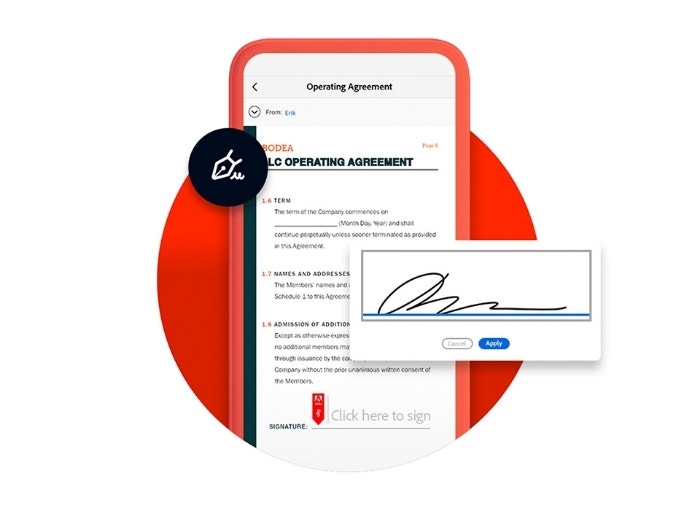
For a sales team, human resources department, finance department, marketing team, or anyone else who needs to regularly use or access e-signature, Acrobat Sign provides the necessary tools to streamline any signature workflow. With the tools that Acrobat Sign provides, you’ll:
On top of all of this, Acrobat Sign has integrations with many commonly used applications, including Salesforce, Workday, the Microsoft Office Suite, and Google Drive.
Saving time and saving money with Acrobat Sign is easy, and soon your signature process will be more streamlined than ever. Learn more about some of the tools at your fingertips when you embrace digital signatures.