Generative summary for Meeting Transcripts
Get more out of meetings with Acrobat AI Assistant — your AI summarizer.
With the Adobe Acrobat AI Assistant generative summary feature, you can easily create meeting recaps or even catch up on a meeting you weren’t able to attend.
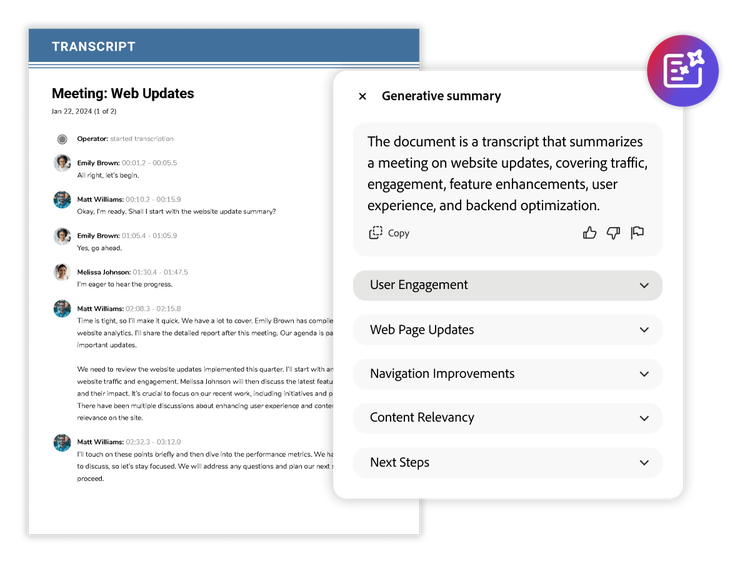
An AI summary that delivers accuracy and context.
With the generative AI summarizer feature in Acrobat, you can automatically generate meeting summaries and identify action points from Microsoft Teams transcripts. Even if you missed the meeting, you can use AI Assistant to:
- Ask questions and understand the conversation
- Locate relevant information discussed during the call or ask what a specific person said
- Draft an email recap highlighting important actions or follow-ups for attendees
Generative summary in Acrobat uses AI to summarize meetings you missed. Transform your transcripts from Microsoft Teams and Zoom into actionable next steps.
AI Assistant prompts for meeting notes and recap.
Copy and paste these prompts straight into AI Assistant to give the AI summarizer the perfect context for reviewing a one-hour Zoom meeting in five minutes. Show me how
It’s time to save time. Learn more about how AI Assistant can boost productivity.
Content as a Service v3 - Wednesday, March 12, 2025 at 14:06
Discover other ways to use Acrobat AI Assistant.

Make an impactful presentation.
Use voice prompts to look for insights from industry and customer reports on the go.
Watch video | Watch a video about nailing the client meeting with AI Assistant

Stay organized after meetings.
Recap meetings, get deeper insights, and brainstorm next steps.
Watch video | Watch a video about sending a meeting recap with AI Assistant