
Convert PDF to RTF online.
Turn PDF documents into Rich Text Format (RTF) files that can be opened in virtually any word processor.




Acrobat Export PDF
Billed annually at
Acrobat PDF Pack
Billed annually at
Acrobat Pro
Requires annual commitment.
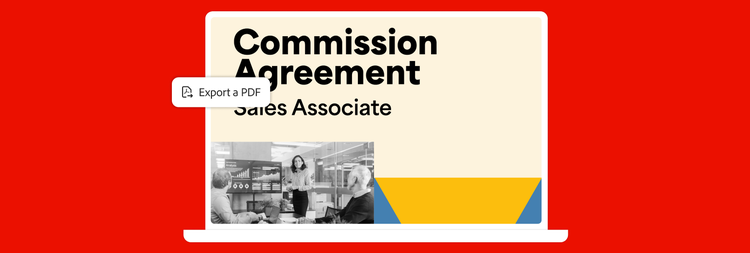
With Adobe Acrobat Export PDF, it’s easy to start new projects without starting again. Just convert your PDFs to Word files that are easy to update. Fonts and formatting get converted, too.
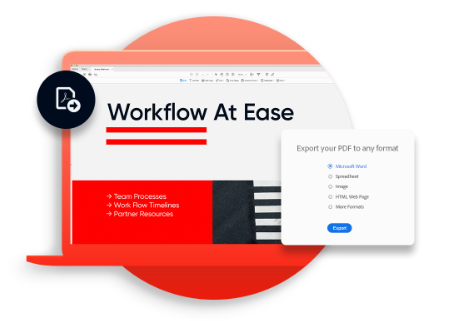
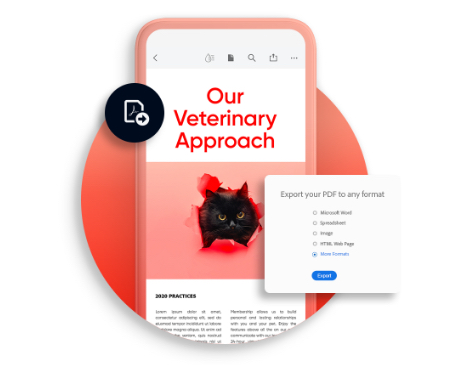
It’s easy to turn PDFs into editable Word or Excel files from a web browser, tablet or mobile device.
Need to edit and analyse spreadsheet data but all you have is a PDF? Don’t spend time reentering numbers. Turn that PDF table into a formatted Excel file — columns, layouts and all.
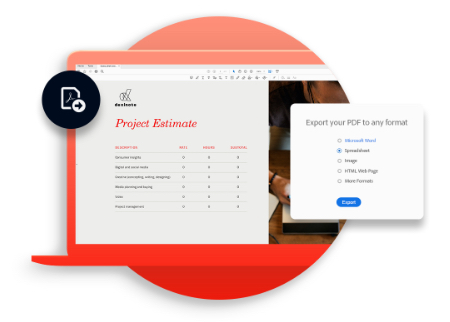
Export PDFs to other formats — from a browser or mobile device.
Turn PDF documents into Rich Text Format (RTF) files that can be opened in virtually any word processor.

Scan paper documents to PDF. Then use Acrobat Export PDF to convert your file to Word or Excel for easy edits.

Just upload a PDF file using your web browser. And convert it to Word or Excel in a few clicks.

It’s fast and easy to export PDFs in Adobe Acrobat Reader. Just click the Acrobat Export PDF tool to get started.

With the Acrobat Reader mobile app, you can export PDF files on any of your mobile devices.
A$3.25/mo
incl. GSTBilled annually at A$39.00/yrincl. GST
Convert an unlimited number of PDFs to Word or Excel.
A$15.92/mo
incl. GSTBilled annually at A$190.99/yrincl. GST
Convert, combine, and send for a low monthly fee.
Our most comprehensive PDF solution with full convert and edit capabilities, advanced protection, and powerful e-signature features.
Filters
Sort
Popularity
Alphabetically
coll-no-results-text
Categories
REFINE YOUR RESULTS
Close
Special Offers – opens in a new window
filter by category
RESOURCES
1 result in
results in
coll-result-mobile-text
results in
1 result in
results for
1 result in
results in
Your search for returned no results
Your search for returned no results
View more
coll-all-filters-text
coll-filters-category-text
coll-filters-applied-text
coll-filters-results-text
coll-filters-reset-text
countdown-timer-text
License|Licenses

At Adobe, we’re serious about protecting your personal information. To ensure your account details are safe, we use Secure Sockets Layer (SSL), an industry standard for encrypting private data over the Internet.


