Adobe MAX 2026 - The Creativity Conference

Catch the highlights.

Discover the workflow innovations in the Opening Keynote. Then watch the Inspiration Keynote as top creatives share their process. Don’t miss all the sessions on demand.

Video Player is loading.

Welcome to Adobe MAX

Live | VOD - Opening Keynote

This is a modal window. This modal can be closed by pressing the Escape key or activating the close button.

Opening Keynote replay

Don’t miss Keynotes and Sneaks.

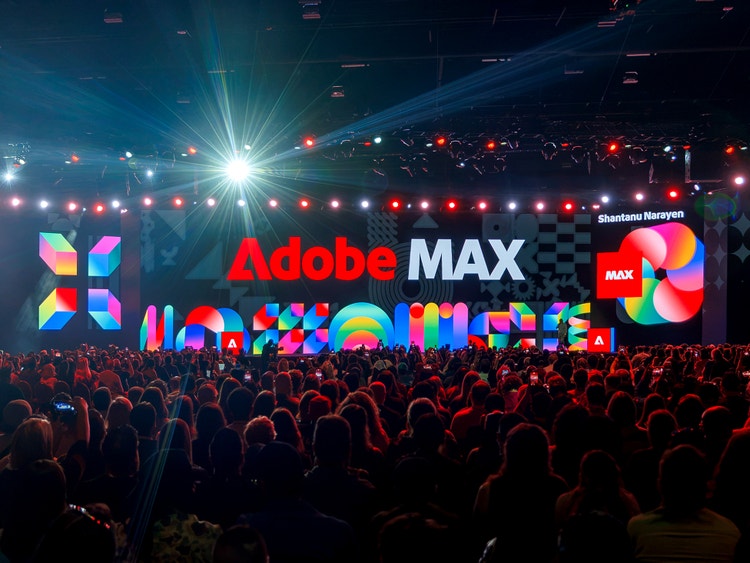
Opening Keynote

On demand

Get an inside look at the tools and techniques that give you more creative freedom, control, and possibilities.
Watch now

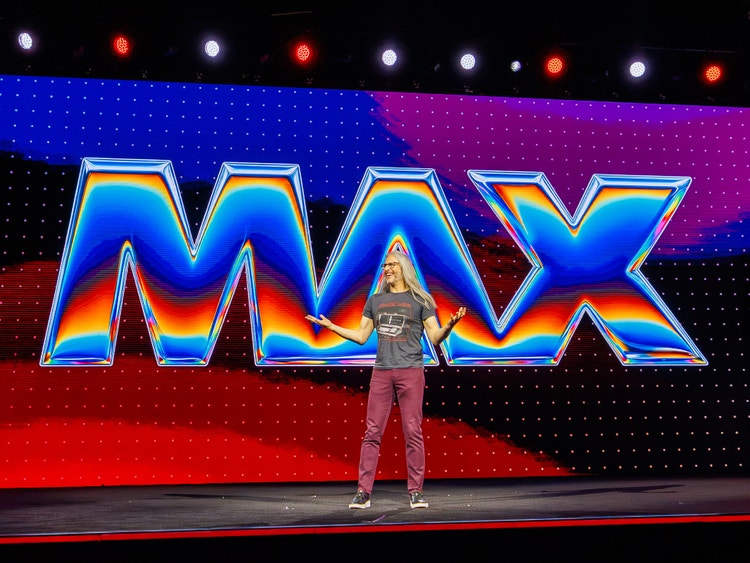
Inspiration Keynote

On demand

Hear from leading creative voices about their process and how they are dreaming big and creating bigger.
Watch now

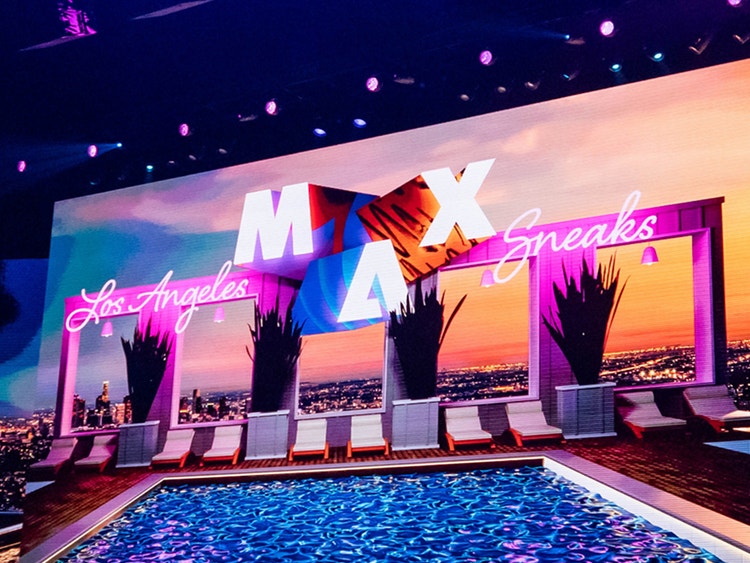
Sneaks

On demand

One of our most popular events, Sneaks offers a first-hand look at what we’re working on in Adobe Labs.
Watch now

Learn new skills in every creative discipline. Walk away with fresh ideas, time-saving workflows, and the tools to bring your vision to life.

Hear from the best.

Creative luminaries will share new perspectives and expert techniques to help you create with confidence and make your ideas distinctly yours.
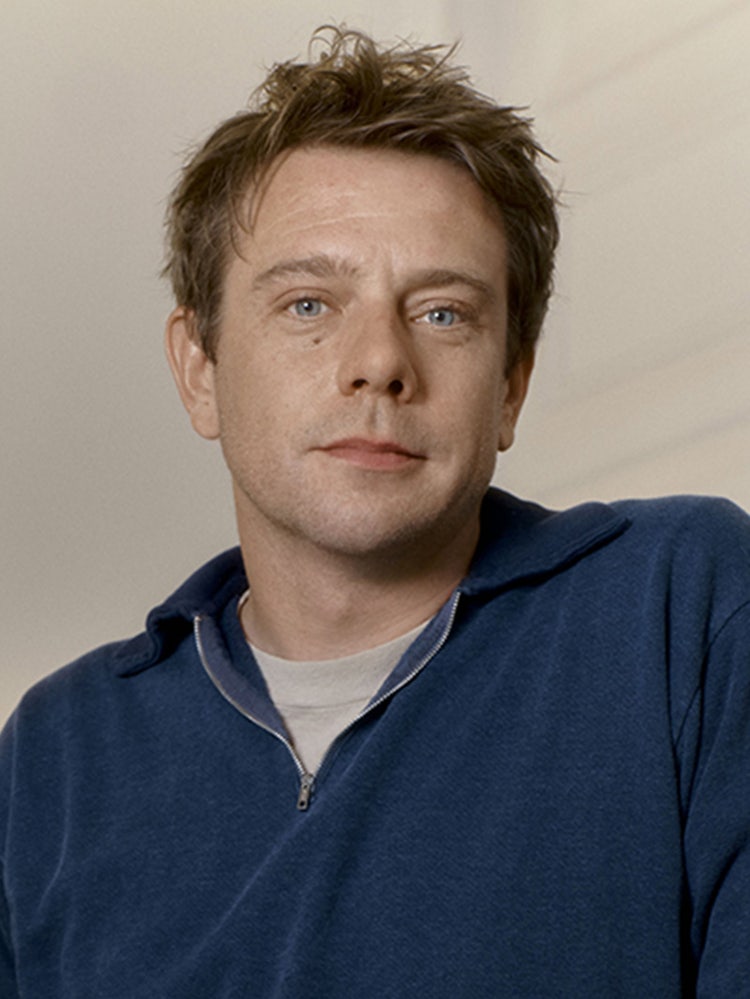
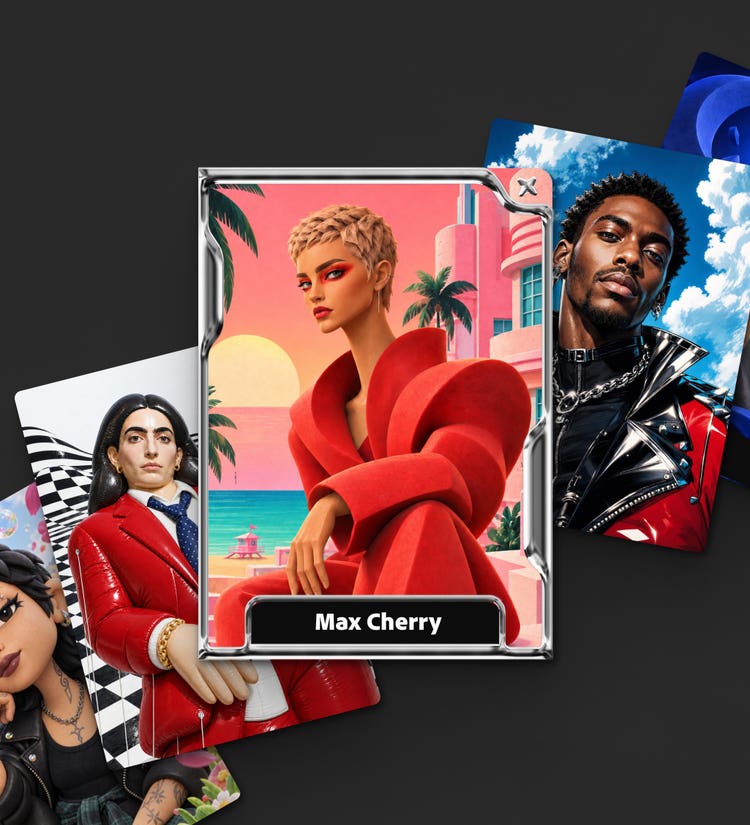
Make your 1 of 1 Creator Card

Create a collectible card that’s uniquely yours with Adobe Firefly. Choose your style, build your world, and make it yours.

Adobe MAX Creativity Awards

Check out the 2026 honorees in design, image making, motion, photography, and video.
See where your ideas take you.

Adobe works around the way you create, giving you the tools to push your ideas further and make work that’s all yours.

Meet our sponsors.

View all sponsors Become a sponsor

Find more inspiration.

Sessions loaded.

On-demand

Keynotes & Sneaks

Keynotes & Sneaks

Get a first-hand look at the ideas, imagination, and human creativity that spark fresh thinking and help you dream up what comes next. Discover the tools and techniques that give you more creative freedom, control, and possibilities. The Opening Keynote features creative pros and creators sharing workflow demos and videos, along with Adobe executives who will discuss how to advance your creativity and craft.

Keynotes & Sneaks

Dacia Saenz tours new Premiere and After Effects features while making a film about life on the ocean. She removes a stray crew member from a shot, uses the AI assistant to mark interview questions, cleans up boat audio with stem separation, generates B-roll in the timeline, grades footage in the new Color mode, and animates text in After Effects.

Keynotes & Sneaks

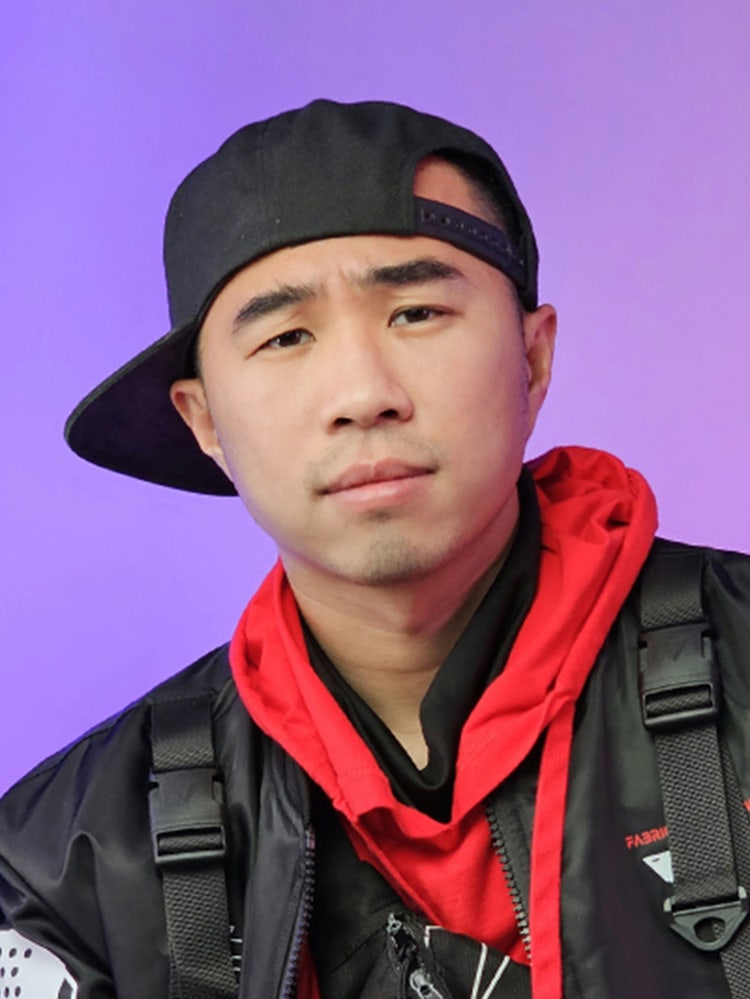
Hear compelling stories from top creatives as they share their process, creative passions, and what keeps them moving forward. We’ll learn what keeps them dreaming big and creating bigger and why human creativity is at the center of everything they do. The Inspiration Keynote features creative director and designer Jonathan Anderson, creative director and co-founder at They Are Creative Siobhán Maroney, creative pioneer and viral filmmaker Drex Lee, and writer/director Omar S. Kamara

Keynotes & Sneaks

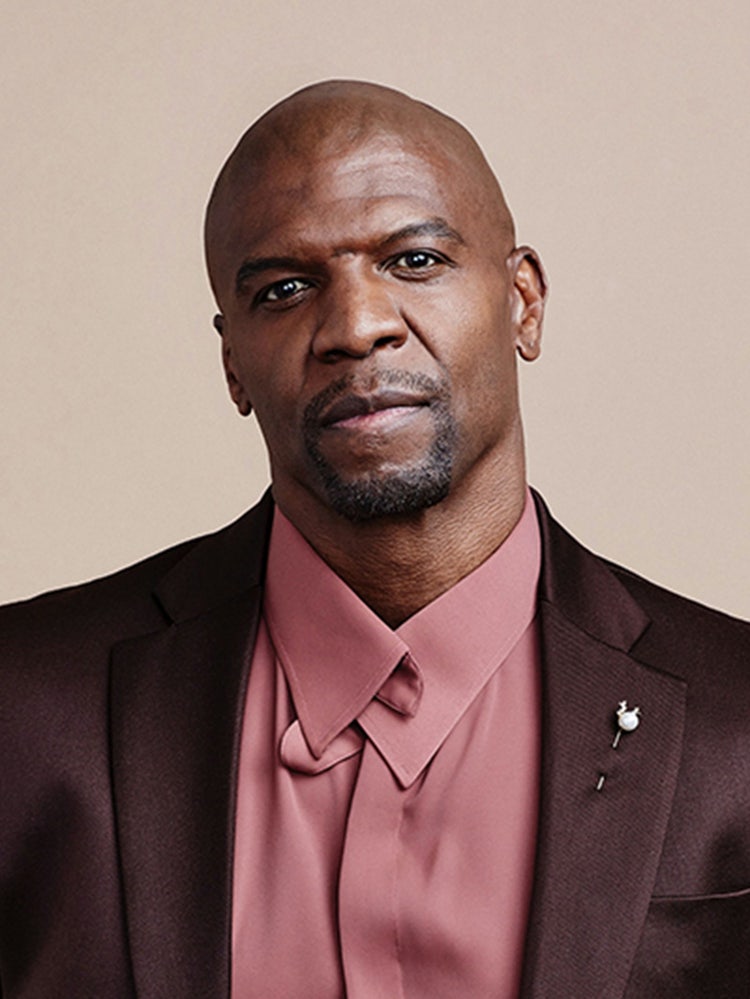
One of our most popular events, Sneaks offers a first-hand look at what we’re working on in Adobe Labs. This year’s co-host is Terry Crews, an award-winning actor, author, activist, and motivational speaker.

Keynotes & Sneaks

Adobe's incoming CEO Anil Chakravarthy shares what he heard from creators and promises to meet them wherever they stand on AI. He announces the Topaz Labs acquisition, Adobe tools inside Anthropic, Google, OpenAI and Slack, native MCP support in desktop apps, and the Adobe Creative Agent in Firefly, then introduces Deepa Subramaniam.

Keynotes & Sneaks

Get a first-hand look at the ideas, imagination, and human creativity that spark fresh thinking and help you dream up what comes next. Discover the tools and techniques that give you more creative freedom, control, and possibilities. The Opening Keynote features creative pros and creators sharing workflow demos and videos, along with Adobe executives who will discuss how to advance your creativity and craft.

Keynotes & Sneaks

Adobe CEO Shantanu Narayen welcomes the Adobe MAX community to Miami Beach and considers what AI means for creativity: who benefits, how original work is protected, and what stays in the creator's control. He shares the principles guiding Adobe's innovation, from choice in AI to connected platforms, and closes with a farewell after 29 years at Adobe.

Keynotes & Sneaks

Get a first-hand look at the ideas, imagination, and human creativity that spark fresh thinking and help you dream up what comes next. Discover the tools and techniques that give you more creative freedom, control, and possibilities. The Opening Keynote features creative pros and creators sharing workflow demos and videos, along with Adobe executives who will discuss how to advance your creativity and craft.

Keynotes & Sneaks

Paul Trani shows how Firefly Design speeds up a hotel campaign: an agent turns the brand kit into artboards, while vector tools, live effects, brand checks, client comments and translation keep him in control. Veronica Peitong Chen then uses Firefly Builder to turn the brand kit and mockup into a responsive, animated website.

Keynotes & Sneaks

Elise Swopes turns an approved fragrance campaign pitch into finished video content with the Firefly Video agent. The agent builds her character, product and locations as reusable elements, then plans and generates the shots. When she swaps her red outfit for blue, the agent updates every scene, and she finishes the edit on the timeline.

Keynotes & Sneaks

Wes McDermott introduces Firefly Graph, Adobe's node-based tool for building reusable workflows. He assembles a product compositing tool with background selection, blur and color nodes, asks the assistant to add a real-time lens flare, then packages everything as a shareable Capsule mini app.

Keynotes & Sneaks

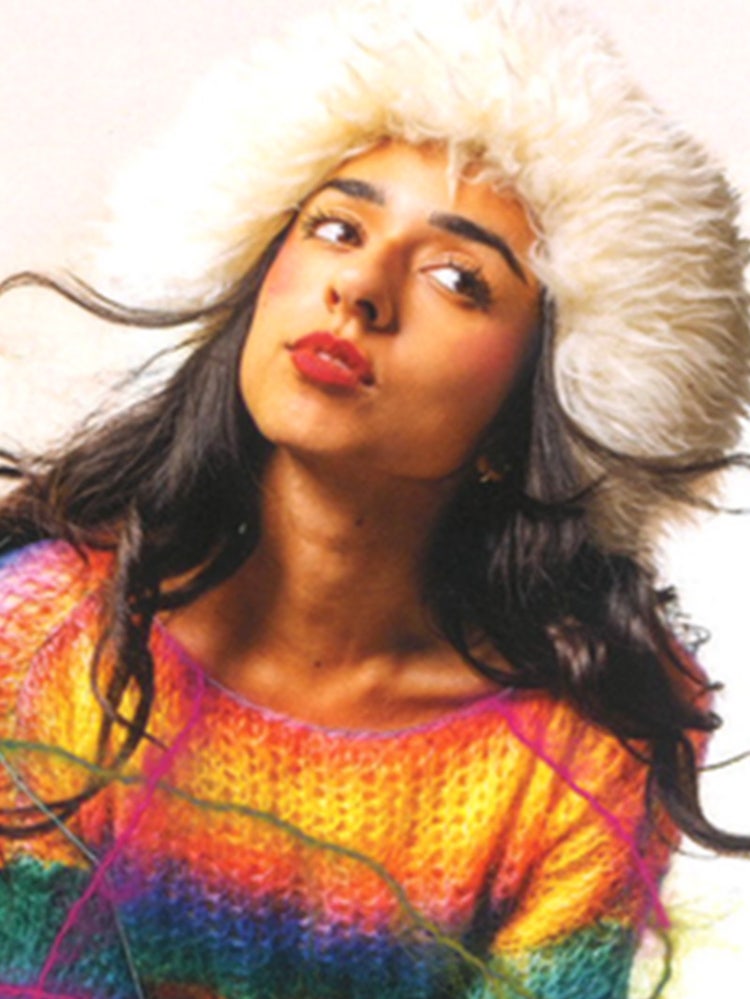
Siobhán Maroney, co-founder of the creative studio They Are Creative, traces her path from a teacher who said she was no artist to fashion blogger and content creator. With her husband James, she moved from DIY living-room sets to green-screen compositing and AI-generated characters in Firefly.

Keynotes & Sneaks

One of our most popular events, Sneaks offers a first-hand look at what we’re working on in Adobe Labs. This year’s co-host is Terry Crews, an award-winning actor, author, activist, and motivational speaker.

Keynotes & Sneaks

Michael Fugoso shows how new Illustrator features take the tedium out of vector work. The AI assistant applies gradients to about 50 strokes at once, Multi-place drops 16 images into a grid, and the Blend tool gains on-canvas controls. He also demos in-toolbar Adobe Fonts search, responsive Dynamic Text, and Concept to Vector for turning a sketch into a clean vector.

Keynotes & Sneaks

Anna McNaught builds a great blue heron scene on a full moon in Photoshop. Along the way she adds a Milky Way with Prompt to Edit and Generative Restyle, rotates the heron with Rotate Object, lights the scene with Relight layers, and creates a water reflection with Generative Fill. She finishes by animating fireflies in Firefly Video.

Keynotes & Sneaks

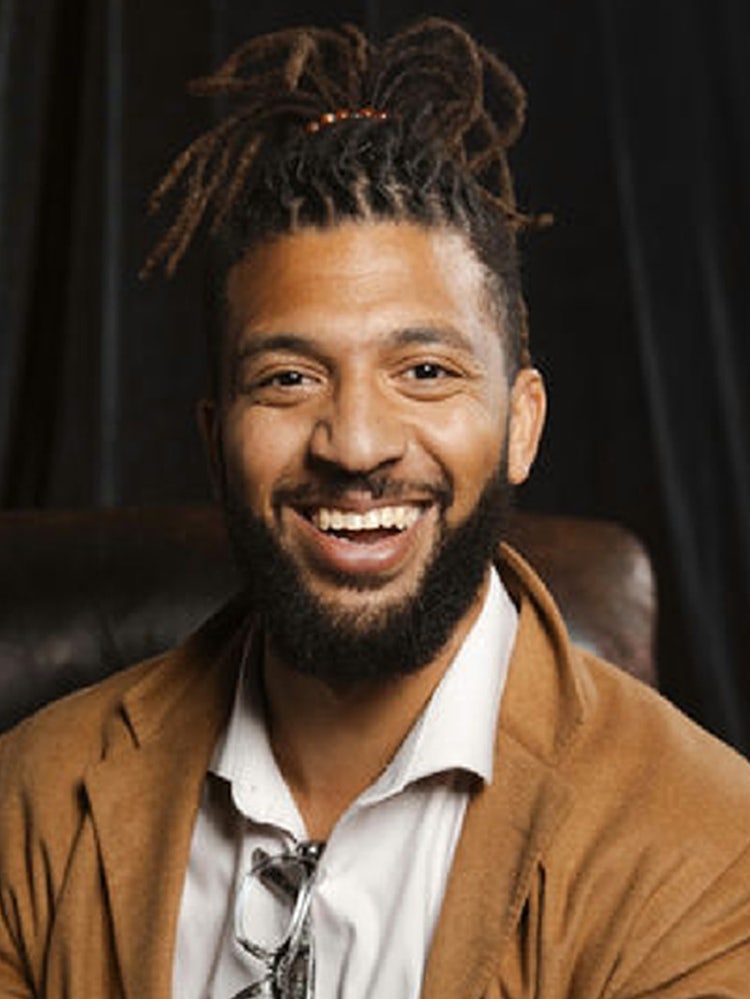
Drex Lee, known for popularizing the "epic one shot," breaks down how he filmed a cinematic one-take short on a smartphone. He storyboards the shot in Firefly Boards, edits in Premiere mobile, generates missing sound effects, and explores alternate endings, extending the final one into a cyberpunk world.

Keynotes & Sneaks

Filmmaker Omar S. Kamara explains how mentorship and the Adobe Film and TV Fund helped him make Calabash, a short now becoming a feature. He shares a clip, how its one-take wedding scene was planned and shot in two days, and his move from drama to comedy.

Keynotes & Sneaks

Hear compelling stories from top creatives as they share their process, creative passions, and what keeps them moving forward. We’ll learn what keeps them dreaming big and creating bigger and why human creativity is at the center of everything they do. The Inspiration Keynote features creative director and designer Jonathan Anderson, creative director and co-founder at They Are Creative Siobhán Maroney, creative pioneer and viral filmmaker Drex Lee, and writer/director Omar S. Kamara

Keynotes & Sneaks

Designer Jonathan Anderson traces his path from Northern Ireland to running his own label and leading Dior. He discusses collaboration, how his process changed at Dior, using technology to visualize faster and cut waste, handling criticism, and why human taste and curiosity matter in the age of AI.

Keynotes & Sneaks

Hear compelling stories from top creatives as they share their process, creative passions, and what keeps them moving forward. We’ll learn what keeps them dreaming big and creating bigger and why human creativity is at the center of everything they do. The Inspiration Keynote features creative director and designer Jonathan Anderson, creative director and co-founder at They Are Creative Siobhán Maroney, creative pioneer and viral filmmaker Drex Lee, and writer/director Omar S. Kamara

Keynotes & Sneaks

Lucy Street edits a YouTube video about her 16-hour commute from Wales to San Francisco, all inside Firefly Video. She styles a title, asks the AI assistant for ways to liven up a static clip, generates extra camera angles and a custom transition, enhances audio, adds captions, and creates a thumbnail.

Adobe Live@MAX

Adobe Live@MAX

Join Adobe Live for a special episode of our Monthly vodcast as we highlight an incredible creative community member from the MAX floor! Lindsay Adler is a NYC-based fashion and portrait photographer known for bold, graphic imagery, and an educator who helps students navigate change every day. One of the first members of Adobe’s Creative Collective, Lindsay shares why she wanted a seat at this conversation early, and what a long career has taught her about new shifts in the industry.

Adobe Live@MAX

Photographer Anne-Alexia is known for her whimsical, colorful work. Get a backstage pass to her process as she walks you through how she preps for a shoot, from storyboarding to shot planning.

Adobe Live@MAX

Join us live from the Community Booth at MAX for a conversation with Gary Williamson, a blind photographer and artist! Gary will take us inside his creative process, from the art college darkroom to finding his way back to contrast with charcoal and back to photography again. Hear what he notices before he presses the shutter, see how he turns that experience into a finished image, and learn how tools like mirrorless cameras, Lightroom Mobile, and iPad Pro have expanded what he can create.

Adobe Live@MAX

Join Adobe Live for a special episode of our Monthly Vodcast as we highligh an incredible creative community member from the MAX floor! We’ll talk with Manuel about expanding Protopica from a short film into immersive exhibitions and installations, how he makes complex emerging tech like AI, XR, and BCI feel clear through teaching and speaking, and how his 15+ years across IBM, Unity, and Adobe shape the way he prototypes the future of creative workflows.

Adobe Live@MAX

Join Adobe Live for a special episode of our Monthly Vodcast as we highligh an incredible creative community member from the MAX floor! Justin Serran is the founder and Creative Director of Visual Blvd, a Toronto-based AI-powered production studio. This session dives into his success in both his client work and his social media career. Learn how Justin has impliments AI systems into his workflow to grow his business and his creative journey in Photoshop, After Effects and Premiere.

Adobe Live@MAX

MAX keynote speaker Siohan Maroney takes you inside her process for creating stunning visuals. See how she uses Adobe Firefly Boards to plan her content and keep a distinct creative direction from the first idea to the final project.

Adobe Live@MAX

Illustrator David Oku is known for his colorful work, and he’s recently started using Adobe Firefly Boards to gather inspiration and set creative direction for new projects. See how he does it, then watch him bring a finished illustration to life in mockups he can share with clients.

Adobe Live@MAX

Join Adobe Live for a special episode of our Monthly Vodcast as we highligh an incredible creative community member from the MAX floor! In this session, we’ll talk with Ashleen about building Grad Girl Marketing into a 700,000-strong community, breaking down campaigns and industry trends for the next generation of marketers, and bringing that community together offline through in-person networking events around the world.

Adobe Live@MAX

Brittney Megann runs a million-dollar marketing agency, and she’s here to show you how she creates brand assets for her small business and her clients. See how she uses Adobe Firefly Boards and other Creative Cloud apps to keep every project organized.

Adobe Live@MAX

Adobe Ambassador Karoline Valaityte takes you inside her process as a creative director, from building a brand to bringing it to life in a social campaign in Adobe Firefly Boards.

Adobe Live@MAX

Ariane Gebhardt shows you how she makes scroll-stopping social content, both as a creator for her own brand and as a social strategist for her clients. Follow her process from mockups to a social campaign that grows sales for your clients’ businesses.

Adobe Live@MAX

Creator and strategist Teeyana Aromi shows you how she uses Adobe Firefly to shape brands that are authentic, culturally resonant, and built to last. See her approach in action across digital content, brand marketing, and large-scale campaigns.

Accelerating Creativity with AI

Branding+1

The future has a nasty habit of showing up early. Join Bill Gardner, founder of LogoLounge.comr and president of Gardner Design, for a provocative and irreverent look beyond today’s AI conversation to where brands and their identities may be headed, the glimmers already hiding in plain sight, and how to start designing for tomorrow before it becomes today. You’ll discover how to: - Spot emerging shifts before they become another designer’s case study - Identify the essential brand signals that must survive increasingly adaptive identities - Preserve human character in a world of infinite, algorithmically generated sameness - Rethink the logo as identity moves beyond screens, static systems, and fixed experiences - Turn some fairly wild speculation into smarter brand decisions you can make tomorrow

Accelerating Creativity with AI

Speed and mobility have transformed how modern video is produced, but keeping up with demanding delivery schedules requires a workflow that bridges mobile capture, rapid processing, and AI tools. Join filmmaker Drex Lee in this high-energy live stage demonstration showing how to shoot, transfer, edit, and deliver cinematic short-form content in real time. Learn how on-device AI acceleration in Adobe Premiere streamlines ideation, removes technical friction, and keeps you moving without getting stuck behind rendering bottlenecks. You’ll learn how to: - Master zero-friction mobile capture to execute dynamic, one-shot camera moves on mobile and wirelessly ingest high-bitrate footage straight to your timeline. - Curate your footage with agentic AI that combs through every clip so you can quickly find the ones worth keeping for your film. - Accelerate your edit with Snapdragon-accelerated AI features in Premiere to cut editing time in half. - Build an untethered mobile workflow with cross-device connectivity between mobile capture and laptop for same-day delivery from anywhere.

Creative Leadership & Innovation+1

Creative teams lose hours to the work that surrounds every good idea — the versions, the resizes, the brand checks, the wait to learn whether an asset will even be accepted. AI assistants across Creative Cloud and Firefly are built to take that on, so your teams spend their time on the decisions only they can make, with creative control where it belongs. And because these assistants work agent to agent, they can draw on intelligence from across the ecosystem and act on it inside your projects. With Amazon, a designer knows what will pass publishing requirements before they export, turns one source into every compliant format, and reaches approval without leaving their tool. Our early work with Amazon is a glimpse into where Adobe's creative agents are headed. Takeaways: - Identify where AI assistants fit into your workflow today, and the work they take off your plate - Learn how to work with them as creative partners, not crutches - Explore how agent-to-agent connection extends the assistant beyond Adobe, with Amazon as the first example - Get a first look at the new skills we're debuting at MAX, and where assistants go next

Accelerating Creativity with AI

What began as a one-off brief for Boomtown Festival became something much bigger: a repeatable product built on the idea that AI can amplify real-world experiences, not replace them. In this session, we’ll unpack the journey from brief to build and explore how creative experimentation and collaboration turned a single activation into an idea with global potential. Hear what it takes to push creative innovation within Monks, the lessons learned along the way and where the project could go next.

Design, Imaging, & Illustration+1

Turning a single product photo into a polished, animated 3D scene doesn't have to mean a big team or endless hours. In this session, Adobe's Robert Hranitzky builds an animated 3D scene live, starting from just a product photo and a 3D model, using native 3D tools in Adobe After Effects, Firefly, and Substance 3D for photorealistic texturing. You'll learn how to: - Extend flat 2D brand imagery into a moving 3D scene using native 3D shapes and camera tools in After Effects. - Texture photorealistic 3D digital twins of your products in Substance Painter, then send the model straight into After Effects to animate it. - Generate an image and turn it into a digital PBR material with Firefly and Substance 3D Sampler's image-to-texture tools. - Tap into Substance 3D assets and apply them directly onto parametric 3D shapes and text in After Effects,, building fully textured 3D scenes without leaving your composition. - See what an in-house production day looks like on an MSI AI PC, where NPU and GPU acceleration keep the viewport responsive and export times short, even as revisions pile up.

Accelerating Creativity with AI

How do you embrace new technology without losing what makes your work uniquely yours? Using her Futuremaker artwork, created for Adobe's Creative Collective as a case study, award-winning lettering designer, author, and educator Martina Flor explores how analog craft, digital design, and AI-powered tools can coexist within a single creative process. Through a real-world project, Martina shares how she integrates emerging technologies without sacrificing authorship, creative voice, or craftsmanship. Key takeaways: - See what happens when sketchbooks, design software, and AI collide in a single creative workflow - Learn where AI can accelerate the creative process — and where human judgment, taste, and craft make all the difference - Go behind the scenes of a real Adobe Creative Collective project, from first sketch to final artwork - Walk away with practical strategies for using AI without losing your creative voice

Accelerating Creativity with AI

Creative professionals don't need more talent—they need more time. Too often, creative energy gets sidelined by admin work: managing email chains, invoicing, and hunting down information. In this session, see how a real creative agency uses Acrobat Studio and Adobe Express to cut business overhead at every step—from pitching a new client to collecting feedback, revising copy, and delivering final assets—so teams spend less time on the business of creativity and more time on creative thinking itself. You'll learn how to: - Collaborate with clients and stakeholders without endless meetings - Automate repetitive work like text editing, PDF creation, and asset sourcing - Let AI Assistant handle repetitive editing so you don't have to - Turn past work into searchable business intelligence - Spend less time on overhead—and more on creative output

Accelerating Creativity with AI

Generative AI can open up new creative possibilities, but using it can mean navigating AI models, node graphs, and file handoffs. In this session, learn how to build and run a local creative agent that connects Adobe Photoshop and ComfyUI, helping simplify the technical steps between an idea and what you want to create. Start with a rough sketch and guide it into a photorealistic render. Turn a still frame into generated video. As you create, the agent can help select models, build ComfyUI pipelines, and bring results back into Photoshop, giving you more room to experiment, iterate, and refine. See the experience accelerated on NVIDIA RTX Spark with up to 128GB of unified memory, helping tackle demanding generative tasks right on your PC while keeping your content and data secure on your device.

Design, Imaging, & Illustration+1

This session is for creatives who want to stay ahead without losing themselves in today’s creative process. Join creative technologist Emily Bisset and get up to speed on where we are with AI and why creatives can get excited about what's to come. Expect an honest, practical overview of what Adobe Firefly can provide and how these tools and platforms help us solve real-world problems creatives face every day. Just getting started with AI? Already experimenting? Walk away with practical knowledge and genuine confidence. Takeaways: - Discover where AI genuinely pulls its weight, and where your artistic instincts and manual skillsets have the advantage - Get a clear, honest picture of what Adobe Firefly can do across the Creative Cloud ecosystem - Walk away with practical techniques you can use the moment you're back at your desk

Accelerating Creativity with AI

AI is enabling brands to create, personalize, and engage at unprecedented scale, but intelligence alone is no longer enough. Organizations pulling ahead are those using AI to build trust, stronger relationships, and meaningful customer experiences. In this session, Cognizant Moment will share how we are helping global brands embed Emotional Integrity into the experiences we design, deliver, and optimize. We'll explore how AI, creativity, data, and human-centered design come together to create experiences that feel relevant, responsible, and authentically human. Attendees will leave with practical insights into how leading organizations are moving beyond AI experimentation to create trusted, scalable and differentiated customer experiences. What to expect: - Real-world client stories and outcomes - Cognizant Moment's Emotional Integrity framework - Designing for the agentic future - AI pilots to enterprise transformation The next generation of customer experience will be won by the brands that use AI to create the strongest human connections.

Creative Leadership & Innovation+1

A single prompt can't capture everything a real creative workflow needs; some steps have to be deterministic, not probabilistic, and producing a full set of on-brand variations at scale takes more than one great generation. Join Manuel Sainsily and Mary Poplin of Adobe for an introduction to Adobe Firefly Graph, a node-based visual canvas for AI-powered creative workflows that combines Adobe's creative applications with top AI models to produce repeatable, shareable outputs at scale. Follow a live build from first node to a running workflow, then see what enterprise-ready means through a real customer example. Takeaways: - Why prompt-only generation breaks down for complex, repeatable creative work - How node-based workflows make creative processes visible, shareable, and reusable - How to build your first Firefly Graph workflow: nodes, connections, and a running workflow - What enterprise-ready looks like: governance, scalability, indemnification, and content authenticity in practice

Design, Imaging, & Illustration+1

Create design systems that keep your brand locked in across every project, deliverable, and creative team. In this session, Éloïse Rouet, Adobe Design Evangelist, reveals how to harness the full power of Adobe Photoshop, Illustrator, InDesign, Creative Cloud Libraries, and Firefly Boards together. The result: streamlined collaboration, scalable asset production, and brand integrity maintained from first concept to final delivery. In this session, you'll learn how to: - Build connected workflows that unify Photoshop, Illustrator, InDesign, and Firefly Boards - Create and refine scalable brand assets using Illustrator's latest vector and styling tools - Use Creative Cloud Libraries and linked assets to keep teams aligned and deliverables consistent - Develop flexible, production-ready layouts in InDesign - Produce on-brand imagery, mockups, and campaign assets in Photoshop that strengthen and scale visual identity

Accelerating Creativity with AI

Learn how to use AI in Photoshop and Firefly to skip the tedious parts of asset prep so you can spend more time animating, designing, and playing. Creative technologist Don Allen III walks through how he built a modular, interactive art world, one island at a time, using a hybrid AI and Adobe pipeline. In this session, Don will show you how to: - Turn a hand sketch into a full concept art scene using Firefly and Nano Banana Pro in Photoshop - Split flat artwork into clean, named asset layers in seconds with new Photoshop AI features - Use 3D rotation to quickly set-dress a scene without rebuilding your artwork - Hand off a fully labeled file to After Effects so you can focus on motion - Use JSON prompting to get precise timing from AI tools

Accelerating Creativity with AI

Explore how creatives can cut through the noise and use AI more intentionally as a genuine creative partner. Laura Jordan Bambach, Founder and Chief Creative Officer of Uncharted Studio, AI artist, and former D&AD President, shares practical ways to keep our creativity at the heart of our work while using AI to experiment with new creative approaches and bring ambitious ideas to life. In this session, you’ll discover how to: - Use AI to extend creative thinking, not replace it - Build workflows between traditional and new tools to amplify taste, intuition, and originality - Identify where human judgment matters most in the creative process - Maintain originality in a world of infinite content - Create work that reflects your unique perspective and voice, to feel more human, not less

Accelerating Creativity with AI

Creative teams spend too much time waiting for files, hunting for assets, and getting up to speed on projects. LucidLink gives teams a shared cloud workspace that behaves like a local drive, so creatives can open and work with project files directly in Adobe tools without downloading or syncing. Join LucidLink's Dominic Brouard, Solutions Engineer, and Ezana Tadese, Senior Product Marketing Manager, to see how LucidLink can also connect project files to AI tools, giving creatives a faster way to find assets, understand project context, and handle repetitive workflow tasks. Through practical examples across design, photography, and media workflows, we'll show how AI can take on more of the busywork without taking over the creative work. You'll learn how to: - Spot the repetitive, non-creative work slowing you down. - Ask where a file is, or what changed since yesterday, and get up to speed without digging through folders. - Start with one small AI habit inside the tools you already use, then grow it. - Keep AI working inside the same shared project as your team, not a downloaded copy.

Accelerating Creativity with AI

While AI can generate content in seconds, hear how filmmakers and photographers protect their distinct voice in the age of generative tools. Join filmmaker and storyteller Max Joseph (Make It Count, We Are Your Friends) and photographer/director Anthony Ghnassia (Getty Images, DJ Snake, Justice, Céline Dion), moderated by photographer Evan Ranft, for a candid conversation about creativity, curation and AI hosted by Logitech. Through real-world projects and personal experiences, the panel will explore how AI and emerging technologies are reshaping the creative landscape, the opportunities and challenges they present, and why human judgment, intuition, and taste remain essential to creating meaningful work. They'll also discuss how creative tools influence the way we think, make decisions, and bring ideas to life. - Creativity in the Age of AI: What new possibilities does AI create, and what might we lose? - The Human Differentiator: Why experience, intuition, and judgment still matter. - The Role of Taste: How curation and editing help ideas stand out. - Protecting Your Creative Voice: Maintaining originality as technology evolves.

Design, Imaging, & Illustration+1

Discover how Adobe Firefly can accelerate a real Photoshop project from concept to final composite. Join Adobe Certified Instructor Rob de Winter as he builds images from the ground up, showing how Firefly-powered features streamline ideation, asset creation, editing, and finishing — while keeping you in complete creative control. Along the way, you'll learn when to use different Firefly models, how they work together inside Photoshop, and practical techniques for creating polished, production-ready results faster. In this session, you'll learn how to: - Choose the right Firefly model for image generation, generative fill, and expand - Build and refine compositions using Firefly-generated assets and your own sketches - Use Firefly-powered editing tools for recoloring, text replacement, object removal, and image enhancement - Blend AI-generated and photographed elements seamlessly with Harmonize and rotate object - Apply Firefly features throughout a complete Photoshop workflow from concept to final image

Creative Leadership & Innovation+1

Deploying AI in an inefficient operating model has roughly the same survival rate as a butterfly in a tornado. Legacy workflows, rigid team structures, and agency-heavy delivery models can stall AI, slow the flow of great ideas, and limit creative potential. In this session, a 150+ year-old institution and its digital-native subsidiary join Deloitte Consulting LLP (Deloitte Digital) to explore how the next generation of marketing leaders are reimagining creativity for the AI era, giving creators greater influence across the business, removing barriers to innovation, and creating cultures where experimentation can thrive. - Why AI changes the operating model, not just the creative toolkit - How forward-deployed creatives connect strategy, innovation, technology, and execution - What enterprises can learn from subsidiaries—and vice versa - How to modernize workflows without flattening brand differences How to scale bold ideas without suffocating them The answer is not choosing old or new. It is knowing when to protect the legacy, and when to break it.

Video, Audio, & Motion+1

What if your team could deliver bigger, bolder, more premium content — within the same budget, crew size, and timelines? Join DGA director AJ Bleyer to explore how Adobe's generative AI tools help creative teams move from concept to execution with more speed, polish, and creative firepower. Designed for in-house creatives, this session reveals how to create standout brand content — from premium-looking commercials to scroll-stopping social campaigns — using the tools you already have in Adobe Creative Cloud. Let's rethink what's possible across pre-production, production, and post. You'll learn how to: - Use generative AI to develop stronger, more dynamic concepts before cameras ever roll - Build polished, client-ready treatments that sell bigger ideas better - Reimagine and transform existing content into premium new brand assets - Add visual effects and finishing touches that elevate your brand identity

Creative Leadership & Innovation+1

As creative teams define how AI fits into their work, trust is becoming just as important as innovation. Creative teams aren't simply looking for AI that helps them work faster, they want AI that protects brand integrity and human craft. Join creative and innovation leaders from Eli Lilly and Adobe to explore how organizations are designing trust into every stage of the creative process. Find out why authenticity isn't just a feature; it's becoming the foundation of modern creative workflows. Key takeaways: - Discover how Eli Lilly is creating authentic, brand-safe AI content at scale with Firefly Custom Models - Learn how Adobe Content Authenticity for Enterprise creates the accountability layer for every asset, at every stage of the content supply chain - Explore how evolving ideas around trust and authenticity are shaping the future of creative work - Understand the latest on copyright guidance for creatives when using AI, and examples of how AI-assisted work can be protected

Accelerating Creativity with AI+1

As artificial intelligence reshapes the creative landscape, creators face urgent questions about copyright, attribution, and rights. This session brings together artists and industry leaders for a candid conversation about the intersection of government policy, technical standards and creator rights — and how innovation and protection can evolve together so the creative economy continues to thrive. In this session you will: - Hear from working artists about how AI is changing the realities of their craft and livelihood - Learn what public policy efforts are underway to protect creators' rights in an AI-driven world - Understand how creators, platforms, and policymakers can collaborate to shape balanced, forward-looking regulation - Explore how Content Credentials provide a tamper-resistant way to attach your attribution and show your creative process - Discuss how the creative economy can keep thriving without sacrificing protections creators depend on

Design, Imaging, & Illustration+1

You're a designer. You think conceptually, solve visual problems, and turn ideas into communication that connects. This work shouldn’t be consumed by production constraints — building layout structures, managing styles, resizing files, and producing repetitive variations across formats. Join Hadrien Châtelet, Senior Design Evangelist, to explore how the new Adobe InDesign AI Assistant streamlines campaign production. See how a brief and copy can become structured starting points for layouts, type systems, and content flows — so you can move into design decisions faster, with full creative control over the outcome. This is not about replacing design decisions — it’s about removing friction between concept and execution. Less setup. More designing. In this session, you’ll learn how to: - Generate layouts, styles, and document structures from a brief - Adapt copy for multiple formats without leaving InDesign - Batch-produce assets across sizes and formats - Export campaigns with production-ready specifications

Video, Audio, & Motion+1

Push Adobe After Effects beyond its usual limits by integrating generative AI directly into your motion design workflow. Motion designer and educator Eran Stern shows how AI can accelerate ideation, simplify complex composites, and help you deliver high-quality work under real production pressure. Through practical demos and real-world examples, you’ll learn how to combine AI-driven tools with proven techniques to move faster without losing creative control. This isn’t about replacing your craft; it’s about removing friction so you can focus on what really matters. You'll learn how to: - Turn rough ideas into polished style frames in minutes using AI-assisted exploration - Fuse AI-generated visuals with classic techniques to build richer, more dimensional composites - Decide when speed wins, and when precision still matters - Generate and sync custom sound effects for tighter, more intentional motion - Keep AI output consistent, controllable, and aligned with brand direction

Design, Imaging, & Illustration+1

The creative process should be playful. As AI matures from novel concept to essential daily tool, how we build, iterate, and deliver has fundamentally changed - and it can be fun. Design technologist Mark Heaps brings back his popular Work Happy, Not Harder session to help modernize your Photoshop habits and remove friction that disrupts creative flow. This session focuses on practical techniques to integrate AI, increase output potential, and deliver real ROI in daily workflows. You’ll learn to: - Identify and eliminate modern bottlenecks to create frictionless workflows with Photoshop and Firefly - Audit and upgrade established processes to maximize output and deliver measurable ROI - Master the balance between scalable AI automation and human-controlled methods - Turn technical problem-solving into creative exploration using Adobe tools effectively - Integrate AI seamlessly while maintaining creative control and playful iteration

Accelerating Creativity with AI

Bring a still image to life and stay in control of every move. In this session, learn how to create convincing animation with Adobe Photoshop, Adobe Premiere, and ComfyUI, from isolating your subject and defining where it starts and ends to generating the motion in between. Pick an image, direct where your subject goes, and turn a single frame into video, no rotoscoping required. Rough out the move with manual keyframes in Adobe Premiere, then turn it into a finished shot in ComfyUI with Time-to-Move and Wan 2.2. Using NVIDIA RTX Spark, explore how demanding generative AI workflows can run locally on your PC. In this session, you’ll learn how to: - Isolate your subject and rebuild the background in Adobe Photoshop. - Block out a rough animation with manual keyframes in Adobe Premiere. - Guide an AI video model with your own motion using Time-to-Move in ComfyUI. - Combine Adobe tools with AI models available to the community. - Explore approaches for running AI-powered creative workflows locally.

Accelerating Creativity with AI

Learn how to use AI in Photoshop and Firefly to skip the tedious parts of asset prep so you can spend more time animating, designing, and playing. Creative technologist Don Allen III walks through how he built a modular, interactive art world, one island at a time, using a hybrid AI and Adobe pipeline. In this session, Don will show you how to: - Turn a hand sketch into a full concept art scene using Firefly and Nano Banana Pro in Photoshop - Split flat artwork into clean, named asset layers in seconds with new Photoshop AI features - Use 3D rotation to quickly set-dress a scene without rebuilding your artwork - Hand off a fully labeled file to After Effects so you can focus on motion - Use JSON prompting to get precise timing from AI tools

Accelerating Creativity with AI

A written idea is the weakest possible reference for a shot. Nicolas Neubert, Director of Technical Artists at Runway, takes a single concept from a few sentences to a directed scene, live and in one sitting. He builds the world and the characters in Runway, blocks the shot, then directs it the way you would on set: adjusting the camera, changing the lighting, moving the actor, swapping what's in frame. Each pass holds character and style consistent, so the scene evolves instead of resetting. What you leave with is a moving reference that shows exactly what you intend to shoot. You'll learn how to: - Turn a written idea into a visualized scene with characters, setting, and mood in one pass. - Direct the shot with Runway: reframe the camera, change the lighting, and reposition what's in frame. - Hold character and style consistent as you iterate on a scene.

Design, Imaging, & Illustration+1

Color is a universal language and a critical element of any brand. Nicte Cuevas, Brand and Hue Strategist, Founder of Nicte Creative Design, walks you through a real-world brand-building workflow using Adobe Photoshop to build a color-led stylescape, Firefly Boards for color ideation, and Illustrator to build client-ready previews. Learn key techniques to test color decisions and make sure your colors connect emotionally before any brand assets go to print. Key takeaways: - Build a color-led stylescape in Photoshop that defines your palette and its connection to your audience - Take your color direction into Firefly Boards for color ideation - Refine Photoshop scenes into a series of custom brand mockups that can be used as a repeatable system via Creative Cloud Libraries - Place your logo into color-matched mockups using Illustrator and Photoshop displacement maps for a client-ready presentation

Accelerating Creativity with AI

AI may have removed barriers to making things, but it hasn’t replaced the demand for taste, originality, and creative courage. Join two Adobe insiders as they explore AI from different sides of the creative process. Creative technologist Tomasz Opasiński gets hands-on with Photoshop and Firefly workflows that hold up in production without sacrificing craft. Executive Creative Director Dan Fletcher brings lessons from deploying generative AI across global Adobe campaigns, and a playbook of hard-earned insights to protect creative standards. Two perspectives. One candid conversation about what AI means for designers right now. Learn about: - Creating commercial artwork using a hybrid creative + AI mindset - Crafting powerful visual narratives faster with AI, without losing creative integrity - Lessons from real Adobe campaigns to balance maintaining creative standards with generative AI at scale - Identifying where human ideas, perspective, and taste still make the biggest difference

Accelerating Creativity with AI

AI is quickly becoming part of the modern creative toolkit, but the real value comes from knowing where it fits within the design process. Join Luke Choice, artist and Adobe Community Engagement Specialist, as he shares how he integrates AI-powered features across Adobe Illustrator, Firefly, and Photoshop to accelerate ideation, streamline production, and explore new creative directions. Through real-world examples and projects, Luke demonstrates how AI can support the work while keeping creative control firmly in the hands of the designer. Key takeaways: - See how AI-powered features fit into a professional design workflow - Learn where AI can help accelerate repetitive tasks and production work - Explore practical workflows that use AI between Illustrator, Photoshop, and Firefly - Discover strategies for maintaining creative control while working with AI

Accelerating Creativity with AI

Creative teams are under pressure to deliver more content across more channels and at greater speed than ever before. Generative AI offers new opportunities to scale creative production, but enterprise adoption requires balancing innovation with brand safety, intellectual property protection, and governance. Join this practical session to discover how leading brands use Google's generative media ecosystem to accelerate content creation, streamline campaign production, and unlock new creative possibilities while maintaining operational confidence. Through real-world examples, learn how teams are scaling content creation without sacrificing quality, consistency, or control. You will learn: - Discover how enterprise creative teams use generative AI to accelerate content production - Explore practical approaches for scaling brand-aligned content across channels - Learn strategies for balancing creative innovation with governance and IP protection - See real-world examples of organizations deploying generative AI with confidence

Design, Imaging, & Illustration+1

Discover how AI-assisted workflows can help you create stronger editorial layouts in Adobe InDesign, from initial concept to polished presentation. Join designer, educator, and founder of LYH Studio, Sam Luo, as he demonstrates how Adobe Firefly, Photoshop, Illustrator, and InDesign can work together to accelerate brainstorming, visual exploration, concept development, and content creation. Through practical examples, Sam will explore how AI can accelerate the journey from idea to execution while preserving the creative judgment and design expertise that define exceptional work. In this session, you'll learn how to: - Use AI tools to generate and explore editorial concepts - Leverage Firefly to jump-start creative direction - Develop custom imagery and patterns for more dynamic editorial designs - Combine AI-generated exploration with designer-led refinement in InDesign - Apply AI within a designer-led workflow that prioritizes craft and creative judgment

Accelerating Creativity with AI

What if AI could handle the busy work so you could focus on creating? Creative work rarely ends with the first finished piece. An idea must be developed, documented, presented, adapted, and translated across an expanding set of formats and channels. For working artists and creative teams, that surrounding work can consume as much time as the act of making. In this session, artist and designer Claudia de Almeida follows a ceramics project from physical inspiration to a flexible family of digital creative assets. She shows how an AI-assisted workflow can help organize ideas, explore directions, prepare presentations, and accelerate repetitive editing and versioning, while keeping the artist’s judgment and point of view at the center. The goal is not to automate creativity. It is to create a better system around it, one that reduces the operational work between an idea and its many expressions. Attendees will leave with a practical framework for spending less time rebuilding, resizing, and reassembling, and more time doing the work only they can do.

Accelerating Creativity with AI

Learn the modern Adobe Photoshop workflows actually used in movie and TV poster design. No fundamentals and no feature tours. This class shares the modern Photoshop and multi-model AI techniques behind high-level graphics for demanding studio clients, including retouching, background extension, and asset generation that Jesús Ramirez uses in current paid poster campaigns. In this class, you will learn to: - Retouch skin, hair, and wardrobe with AI. - Extend backgrounds to poster, banner, and streaming tile ratios without warping the composition. - Generate compositing assets. - Structure layers and groups for client revision.

Branding

Branding+1

The future has a nasty habit of showing up early. Join Bill Gardner, founder of LogoLounge.comr and president of Gardner Design, for a provocative and irreverent look beyond today’s AI conversation to where brands and their identities may be headed, the glimmers already hiding in plain sight, and how to start designing for tomorrow before it becomes today. You’ll discover how to: - Spot emerging shifts before they become another designer’s case study - Identify the essential brand signals that must survive increasingly adaptive identities - Preserve human character in a world of infinite, algorithmically generated sameness - Rethink the logo as identity moves beyond screens, static systems, and fixed experiences - Turn some fairly wild speculation into smarter brand decisions you can make tomorrow

Branding

Brands today are pulling from the same references, following the same trends, and using the same tools. The result is a growing wave of identities that feel polished but forgettable. Join Jolene Delisle, Creative Director at The Working Assembly, for a conversation about what causes creative sameness and how teams can push past it. This session explores the real pressures shaping modern branding and the practical ways originality can survive inside fast-moving organizations. You’ll learn: - Why so many brands are beginning to look and sound alike - How to create stronger visual and verbal differentiation - Practical ways to defend originality during the review process - How creative teams can increase their influence across an organization

Branding

What happens when a brand has to share the spotlight or step outside its usual space? Jessica Cabato, Art Director at Paramount, explores two creative challenges she navigates every day: building co-branded campaigns that bridge entertainment and consumer brands and translating established brand identities into live experiences that feel fresh, memorable, and unmistakably on-brand. In this session, you’ll discover: - How to find creative common ground between two distinct brand identities - Strategies for protecting creative integrity when stakeholders pull in different directions - How to extend a brand into a live-event experience that is bold, location-aware, and still true to the brand - Why the best brand work isn’t about compromise — it’s about creative range

Branding

Discover how to design inside a brand without burning out or selling out. Join Colby Clites, senior creative manager at Smashburger, as he shares real-world lessons from working in-house for national restaurant and consumer brands, and discover how to produce meaningful, effective design work that performs, all while maintaining creative integrity. In this session, you’ll learn how to: - Navigate stakeholder feedback and complex approval cycles - Balance speed and quality in fast-paced environments - Scale brand systems across high-volume production - Strengthen your role as a strategic partner within teams

Branding

Explore how branding shapes what people trust, notice, understand, and choose to join. Jessie McGuire, Managing Partner of Thought Matter and 2026 National Design Award winner, will share civic, cultural, nonprofit, and commercial case studies that show how creative work can change outcomes. In this session, you’ll learn how to: - Recognize the influence you have as a creative - Understand how branding shapes trust, attention, and participation - Build brands that make ideas, institutions, and communities more visible - Use your creative seat with courage and civic imagination

Branding

Even with the right tools, good work still gets stuck — in approvals, in handoffs, in the gap between what marketing planned and what actually shipped. Most enterprises are living with four of these gaps: planning, creative intelligence, activation, and measurement — each one is a place where momentum and intent leak out. This session shows how Omnicom and Adobe are closing them, with live proof points from organizations running this way. Join us to find out: - Where marketing work actually stalls today, and why it's rarely the creative that's the bottleneck - What breaks first when you try to run marketing this way, and how the AI agentic operating model handles it - Clear next steps to pressure-test this against how your own team actually works

Design, Imaging, & Illustration+1

Join branding designer Liz Mosley for an honest, practical look at why most brand guidelines gather digital dust, and how to build ones that don’t. Great branding falls apart not from bad design, but from inconsistent execution. Liz will show you how to create a visual system so clear and accessible that staying on-brand becomes the path of least resistance for everyone on your team. In this session, Liz will discuss how to: - Audit and structure your brand guidelines so nothing important gets left out - Use Adobe InDesign and Adobe Express to build a trusted source for your visual assets - Apply practical approaches for getting stakeholders to actually follow the guidelines - Make your brand accessible and usable for colleagues outside the creative team

Branding

Great brands don't happen by accident. They emerge from strategic, intuitive thinking that no AI tool can replicate. Creative director and brand strategist Teresa Ferreira spent seven years as Head of Design at the Financial Times before founding Ferrgood Studio in London. In this session, she takes you inside her Timeless Brand™ methodology and shows how the strategic rigor of corporate brand thinking translates into an agile, AI-integrated studio practice. Join Teresa to explore: - Why AI without creative direction produces generic brands - How corporate brand frameworks apply to any creative context - What her Timeless Brand™ methodology looks like in practice - Where human judgment remains non-negotiable in the AI era

Branding

A brand isn't lightning in a bottle; it's a well-stocked pantry. The strongest brands aren't built around one brilliant idea. They're filled with ingredients: brand values, personality, communication style, and visual language that can be remixed into something new. In this session Andrew Hochradel, Content Manager for Community-Led Growth at Adobe, breaks down what branding is and why it matters. Branding shapes behavior, creates cues people remember, and builds the context that earns attention and trust. Join Andrew and explore: - How to build brands with substance, not just style - How to create work that brings meaning to the brand - How brand building can make you a better creative

Creative Leadership & Innovation

Creative Leadership & Innovation

The era of staying in your lane is over. As technology accelerates change and organizations become more interconnected, the most successful teams aren't defined by individual expertise alone, but by their ability to connect strategy, creativity, media, technology, production, and data to solve problems in new ways. In this candid conversation, Octavio Maron and Jovan Dupor explore how modern teams are evolving, why adaptability is becoming a critical skill, and what it takes to create impact in an increasingly connected world. What You'll Walk Away With: - A modern playbook for creatives and strategists navigating constant change - The skills that matter most as strategy, technology, and creativity converge - Practical ways to expand your influence across teams, clients, and the broader marketing ecosystem

Creative Leadership & Innovation+1

Creative teams lose hours to the work that surrounds every good idea — the versions, the resizes, the brand checks, the wait to learn whether an asset will even be accepted. AI assistants across Creative Cloud and Firefly are built to take that on, so your teams spend their time on the decisions only they can make, with creative control where it belongs. And because these assistants work agent to agent, they can draw on intelligence from across the ecosystem and act on it inside your projects. With Amazon, a designer knows what will pass publishing requirements before they export, turns one source into every compliant format, and reaches approval without leaving their tool. Our early work with Amazon is a glimpse into where Adobe's creative agents are headed. Takeaways: - Identify where AI assistants fit into your workflow today, and the work they take off your plate - Learn how to work with them as creative partners, not crutches - Explore how agent-to-agent connection extends the assistant beyond Adobe, with Amazon as the first example - Get a first look at the new skills we're debuting at MAX, and where assistants go next

Creative Leadership & Innovation

At ServiceNow, a small brand team reviews work for more than 30,000 employees. With growing content demands, it became clear that a solution that offered automation, paired with human nuance, was required for ServiceNow to scale reviews, creative volume and a better cross-company understanding of the brand. Hear from ServiceNow's Global Brand Management team and Aaron Finegold, Head of Product Marketing at Adobe, on what it takes to make AI validation work against a living brand — and how brand review went from a bottleneck to an accelerant for both consistency and brand adoption across creative teams. You'll also get a look at where Adobe Brand Intelligence is headed in support of creative teams and the agentic content supply chain. You'll walk away with: - Why brand governance breaks at scale, and why the "almost right" risk that general models present is its own cautionary tale - How Brand Intelligence equips teams with a continuously learning system that understands and applies a brand holistically - including judgement and knowledge that was previously trapped in human's heads - How to sequence Brand Intelligence alongside an ever evolving brand and the need for 30K+ people to rally around it

Creative Leadership & Innovation

Your best idea rarely survives the handoff. It gets re-briefed, resized, re-approved, and by the time it reaches the customer, half of what made it good is gone. That's not a creative problem — it's an operations problem. Omnicom and Adobe built an agentic AI operating model that keeps the idea intact from first sketch to final activation, so what ships looks like what you made. Join us to see: - Where a creative concept actually breaks down between the brief and the buy, and why - How AI can take over the resizing, versioning, and repetitive production work, so more of your time goes to the work only you can do - One brief, followed live, end-to-end — insight, to concept, to activation — with the creative intent still intact at the finish line - What this means for how creative teams work day-to-day: more control, earlier input, less rework

Creative Leadership & Innovation

Creativity is entering a new era. The convergence of AI, data, and digital experiences is transforming how ideas are imagined, created, and delivered. Designers can explore more possibilities, teams can move from concept to execution faster,and experiences can be tailored in meaningful new ways. But as innovation accelerates, organizations are asking a fundamental question: Are we ready? Readiness goes beyond technology. It requires aligning people, processes, workflows, and leadership to embrace new ways of creating and collaborating. It means empowering creative teams to adapt confidently while preserving the imagination and human perspective that define great work. CDW Strategy & Transformation helps organizations assess and build this readiness. We partner with creative, marketing, and business leaders to understand how ideas flow, how insights inform decisions and how teams work together. Together we identify opportunities to reduce friction, accelerate adoption, and create an environment where innovation can thrive. By connecting vision to execution, organizations gain the alignment, agility, and confidence needed to turn creativity into lasting impact in an AI-enabled world.

Creative Leadership & Innovation+1

A single prompt can't capture everything a real creative workflow needs; some steps have to be deterministic, not probabilistic, and producing a full set of on-brand variations at scale takes more than one great generation. Join Manuel Sainsily and Mary Poplin of Adobe for an introduction to Adobe Firefly Graph, a node-based visual canvas for AI-powered creative workflows that combines Adobe's creative applications with top AI models to produce repeatable, shareable outputs at scale. Follow a live build from first node to a running workflow, then see what enterprise-ready means through a real customer example. Takeaways: - Why prompt-only generation breaks down for complex, repeatable creative work - How node-based workflows make creative processes visible, shareable, and reusable - How to build your first Firefly Graph workflow: nodes, connections, and a running workflow - What enterprise-ready looks like: governance, scalability, indemnification, and content authenticity in practice

Creative Leadership & Innovation

If nobody stops scrolling, nothing else matters. Katie Ewer from Meta's Creative Shop unpacks what makes a great hook and why some content earns attention while other content gets skipped. Learn the creative principles behind opening moments that create curiosity, build anticipation, and keep people watching. Plus, see a practical AI workflow for generating stronger hooks and learn how to measure whether they're actually working. You'll learn: - The three jobs every great hook needs to do - How AI can help spark better creative ideas - How to improve and measure your hook rate

Creative Leadership & Innovation

Every second, a fresh wave of creative stimulus hits our screens. Access to inspiration has never been easier. But algorithms and feeds are steering all of us toward the same sources. No wonder much of the work influenced by them is starting to look the same. In this panel discussion, creative leaders from Adobe, Blizzard and Thinkingbox go back to their inspirational roots. They'll look at why the pursuit of inspiration matters almost as much as what is found, why digital and social creatives need to balance algorithmic and tactile sources in their practice, and why that balance should be a goal for every creative and every creative leader. Key Takeaways: - How social feeds, algorithms and AI search steer creatives toward the same output - Why tactile, analog input produces different ideas than the feed - How to build an inspiration practice that balances physical and digital sources - Simple ways creative and social teams of any size can make room for hands-on exploration

Creative Leadership & Innovation

AI isn't just transforming how we create. It's changing how attackers discover and exploit weaknesses. Vulnerabilities that once took weeks to find can now be uncovered in hours, raising the stakes for the tools, data, and creative work we rely on. Whether you're a creator, business leader, or innovator, join Aanchal Gupta, Chief Security Officer, Adobe, and Ely Greenfield, Chief Technology Officer and SVP of Creative Products Group, Adobe, to hear how Adobe is using AI to strengthen security fundamentals, helping protect the products and platforms that power creative work and evolving its defenses so you can create with confidence. In this session you’ll: - Understand how emerging technologies are changing the tools you rely on - See how Adobe identifies vulnerabilities earlier and reduces risk at scale - Learn how layered defenses protect your files, data, and creative work - Explore how Adobe focuses on the risks that matter most to customers

Creative Leadership & Innovation

As demand for content continues to accelerate, enterprises are under increasing pressure to deliver faster, at greater scale, without compromising quality. The challenge is no longer simply adopting new technologies, it’s knowing where automation, generative AI, and agents can create the greatest impact. Discover which content workflows are creating the greatest opportunities across industries, how to match the right technology to the right task, and how digital twins can transform product assets into reusable engines for content creation — from packshots and lifestyle imagery to configurators, video, and content adaptation. Takeaways: - Match the right technology to the workflow: Understand when to apply automation, generative AI, agents, and other technologies for maximum impact - Identify high-value opportunities: Learn which workflows are driving the greatest impact across industries and where to prioritize investment - Learn from customer examples: See how leading enterprises are putting these approaches into practice to increase speed, quality, and scale

Creative Leadership & Innovation+1

Deploying AI in an inefficient operating model has roughly the same survival rate as a butterfly in a tornado. Legacy workflows, rigid team structures, and agency-heavy delivery models can stall AI, slow the flow of great ideas, and limit creative potential. In this session, a 150+ year-old institution and its digital-native subsidiary join Deloitte Consulting LLP (Deloitte Digital) to explore how the next generation of marketing leaders are reimagining creativity for the AI era, giving creators greater influence across the business, removing barriers to innovation, and creating cultures where experimentation can thrive. - Why AI changes the operating model, not just the creative toolkit - How forward-deployed creatives connect strategy, innovation, technology, and execution - What enterprises can learn from subsidiaries—and vice versa - How to modernize workflows without flattening brand differences How to scale bold ideas without suffocating them The answer is not choosing old or new. It is knowing when to protect the legacy, and when to break it.

Creative Leadership & Innovation+1

As creative teams define how AI fits into their work, trust is becoming just as important as innovation. Creative teams aren't simply looking for AI that helps them work faster, they want AI that protects brand integrity and human craft. Join creative and innovation leaders from Eli Lilly and Adobe to explore how organizations are designing trust into every stage of the creative process. Find out why authenticity isn't just a feature; it's becoming the foundation of modern creative workflows. Key takeaways: - Discover how Eli Lilly is creating authentic, brand-safe AI content at scale with Firefly Custom Models - Learn how Adobe Content Authenticity for Enterprise creates the accountability layer for every asset, at every stage of the content supply chain - Explore how evolving ideas around trust and authenticity are shaping the future of creative work - Understand the latest on copyright guidance for creatives when using AI, and examples of how AI-assisted work can be protected

Creative Leadership & Innovation

AI is democratizing creativity: anyone can generate images, write headlines, and create hundreds of variations in seconds. But when every brand has access to the same tools, where will advantage come from? Speed and scale are becoming table stakes. The opportunity is to pair those capabilities with taste, judgment, imagination and cultural understanding to create work that makes a brand distinctive and drives growth. Join David Shrank and Tracey Smith of Deloitte Digital and Mike Wente, who led brand and creative at PayPal, Venmo and Verizon and held Chief Creative Officer roles at VML and Dentsu, to explore how organizations can move beyond “version 1.0” and connect strategy, creation, technology, and distribution. We’ll discuss: - Why more content doesn’t always create a stronger brand, and how to avoid scaling sameness. - What the future brand and creative organization looks like, from team structures and workflows to technology, operations and agency relationships. - What “forward-deployed engineering in support of creativity” could look like in practice to solve brand and business challenges.

Creative Leadership & Innovation

AI is reshaping how creative work gets done, but realizing its full value requires more than the latest technology. This panel brings together Adobe experts and enterprise leaders to explore how organizations are evolving creative teams — specifically around new roles, ways of working and operating models. Drawing on insights from Adobe's research, attendees will learn practical strategies for leading organizational change and building creative organizations that can scale with AI. Takeaways: - Learn how new roles and ways of working are shaping the creative teams of the future - Explore the evolution of the creative technologist, a critical role in unlocking value, and how to make them successful in your organizations - Learn best practices from experts across Adobe, brands and agencies in driving this transformation

Creative Leadership & Innovation

Design leaders are excellent at their craft — but leading at the organizational level is a different challenge. In this session, design leader Doug Powell, formerly of IBM and Expedia Group, shares three practices that help designers build influence, communicate value, and drive positive outcomes across the enterprise. You'll walk away with: - Techniques for communicating design's value in language that resonates with business stakeholders - A framework for moving out of isolation by understanding the people and systems around your work - A way to identify your core strengths and position them as leadership assets

Creative Leadership & Innovation

Most organizations are still experimenting with AI in the creative process. Adobe went further, and discovered AI doesn't fix a fragmented operating model — it exposes it. Resh Sidhu, VP, Creative at Adobe, shares what happened when a creative team became customer zero for AI-native ways of working. In this session, you'll discover: - What breaks when AI is bolted onto a legacy creative structure, and how to fix it - Which creative roles and leadership skills matter most in an AI-native model - Why taste, judgment, and originality are now competitive differentiators, not soft skills - How Adobe connects idea development, production, and scale in one model

Creative Leadership & Innovation

Join us for an exclusive, hands-on experience where creativity meets innovation. For the first time ever, Adobe Photoshop is fully optimized for Android OS - and the Samsung Galaxy Tab S12 Ultra is the device that makes it all possible. What to Expect: - See it. Touch it. Create with it. Get up close with a live demo led by Adobe speakers showcasing how Photoshop has been reimagined for the Galaxy Tab S12 Ultra - unlocking a professional-grade creative experience in the palm of your hands. - Create art that changes lives. Put your new skills to work in a session that truly matters. Using the Galaxy Tab S12 Ultra and Adobe Photoshop, you'll be able to better edit and enhance your images and portraits. - Walk away smarter. Discover the full suite of features included with your Galaxy Tab S12 Ultra and learn how this device + Adobe partnership is redefining what's possible for creators, agencies, and everyday users alike.

Creative Leadership & Innovation

Many enterprises prioritize smoother systems for optimization, and that makes output more predictable — 76% of people surveyed globally say few brands stand out as different. In a flood of synthetic content, the ultimate creative advantage belongs to our messy, weird, unpredictable human spirit. Join Emma Chiu, Global Director, and Jason Carmel, Global Creative Data Lead, WPP Enterprise Solutions, to explore why the next leap in human creativity depends on designing workflows that amplify originality rather than conformity. It is a rallying cry for leaders to remember that what makes us uniquely human are the very things that make us stand out. You’ll learn: - How to structurally design creative friction into workflows to generate unique ideas - Emerging 2027 consumer trends that help brands break through the algorithmic noise - Ways to build organizational confidence to take bigger creative risks - How to scale production with AI while preserving authentic brand expression and human craft

Creator Economy

Creator Economy

Social media is evolving at unprecedented speed. Join Lia Haberman, creator economy expert and founder of the ICYMI newsletter, to learn how to stay ahead of platform changes, leverage AI strategically, and grow your audience while maintaining an authentic voice. You'll learn how to: - Future-proof your social strategy by anticipating emerging platform trends, adapting to algorithm changes, and building sustainable systems that can evolve alongside the social landscape - Create content that stands out in an AI-driven world, balancing efficiency and authenticity while using AI tools to accelerate ideation, production, and creative execution - Reach the next generation of audiences with platform-specific approaches that resonate with Gen Z behaviors, content preferences, and evolving expectations - Maximize content impact through strategic repurposing, social-first storytelling, and Adobe Express tools that help streamline workflows and extend the reach of your creative work

Video, Audio, & Motion+1

Two editing languages are competing for dominance. Traditional storytelling is patient, invisible, and built to serve the narrative. Modern web media is aggressive, fast-cut, and engineered for fractured attention. But what if the tension isn't a rivalry — but a gap? In this session, Hayden Hillier-Smith reveals that both approaches are incomplete versions of the same craft. Drawing from his work across long-form film and high-performance YouTube content, Hayden shares the unified editing philosophy he's developed: a modernized approach to classical principles that respects the attention economy without abandoning artistry. Because in a world optimized for the skip button, creatives who speak both languages are the ones whose stories get told. You'll leave with: - A practical framework combining classical narrative structure with modern pacing, applicable to any format - A new lens for every creative decision, balancing narrative patience with attention-driven urgency so your work serves both the story and the audience

Design, Imaging, & Illustration+1

Ramisha Sattar built a globally recognized visual universe out of scrapbook collages, hand-drawn type, and a refusal to make anything that wasn't fun to make. As creative director for Chappell Roan, she's brought that handmade, personal aesthetic to album art, tour visuals, merch, and festival animations — at Coachella scale. She's breaking down exactly how she did it. If you’re a creative — at any stage — who feels like the fun has been squeezed out of the process, join Ramisha to explore: - How a self-taught designer with a scrapbook aesthetic ended up animating for major music festivals and designing for global brands - How to build a creative identity and personal brand so distinct that clients and collaborators come to you - How to prioritize play and focus on the parts of your creative process that bring you the most joy - How to combine analog techniques with digital tools to create immersive creative worlds

Design, Imaging, & Illustration+1

Great stories don’t always start with big ideas — they often begin with small, ordinary moments we tend to overlook. In this session, Vanessa Rivera, the artist behind The Life of AIVAX, shares how everyday moments have inspired some of her most viral and meaningful artwork. Through her Notice, Expand, Whimsify framework, Vanessa will break down her creative process and show attendees how to create stories that feel original, emotional, and impossible to scroll past. You’ll leave this session ready to: - Notice creative inspiration hiding in everyday life to build original ideas - Expand ideas using color, setting, and emotion to compose compelling stories - Whimsify your work using Photoshop to make it more memorable and unique - Create work that connects without losing yourself to the algorithm

Creator Economy

Discover how Edwin Chung, a creative working at the intersection of analog and digital, approaches video editing not as just a technical process, but as a way to find your creative voice. Learn how developing a distinct video style can transform your social media content from forgettable to unmistakably yours. Take a deep dive into: - How to identify the editing choices that best reflect your personality, pace, and creative point of view - Why a consistent creative style builds audience recognition faster than any trend or format - How to use rhythm, pacing, and transitions to tell a story that feels native to your page - Practical techniques for developing a signature style that sets your content apart

Creator Economy

Discover how art content creator and makeup artist Cindy Chen turns a single shoot day into weeks of polished, personality-driven content by running her creative process like a professional kitchen — from prep to placement. Using Adobe Premiere, Lightroom, Photoshop, and InDesign, Cindy walks you through how she plans, shoots, and edits with intention to create a workflow that's sustainable, branded, and unmistakably hers. You’ll leave knowing: - How to build a repeatable content system using mood boards, face charts, and batch filming - The difference between signature content, filler, and dynamic posts, plus why you need all three - How Premiere, Lightroom, and InDesign work together in one seamless creative workflow - Practical ways to let your personality drive engagement without losing consistency

Accelerating Creativity with AI+1

As artificial intelligence reshapes the creative landscape, creators face urgent questions about copyright, attribution, and rights. This session brings together artists and industry leaders for a candid conversation about the intersection of government policy, technical standards and creator rights — and how innovation and protection can evolve together so the creative economy continues to thrive. In this session you will: - Hear from working artists about how AI is changing the realities of their craft and livelihood - Learn what public policy efforts are underway to protect creators' rights in an AI-driven world - Understand how creators, platforms, and policymakers can collaborate to shape balanced, forward-looking regulation - Explore how Content Credentials provide a tamper-resistant way to attach your attribution and show your creative process - Discuss how the creative economy can keep thriving without sacrificing protections creators depend on

Creator Economy

The difference between good design and great design is rarely a single bold decision — it lives in the details most people rush past. In this session, graphic designer and educator Dan White, better known as Dansky, breaks down the micro-decisions around spacing, margins, alignment, and typography that quietly show whether a design feels polished or off. Learn to spot what's not quite working, understand why it isn't, and how to fix it. You’ll leave with a sharper ability to make intentional design decisions and the vocabulary to explain them. In this session, you’ll learn: - Why small spacing and alignment decisions have an outsized impact on how professional work feels - How to diagnose — and fix — designs that look off - A practical framework for making intentional typographic choices that elevate any piece - The vocabulary to articulate design quality to clients and collaborators

Creator Economy+1

Four years ago, a single rejection sent graphic designer Liz Mosley on a side quest she never could have predicted — one that started with a DM to Chris Do, CEO and Founder of The Futur — and ended up reshaping her entire career. That rejection sparked a challenge: To collect 100 of them. What she discovered changed everything. In this session, Liz and Chris unpack why your fear of rejection is the real thing holding you back, the stories you're telling yourself about what "no" means, and why collecting rejections might be the best career move you’re not making. Together they'll share: - Why a "no" doesn't mean what you think it does - How to turn rejection into momentum - What it actually means if you're not getting rejected - How to reframe fear as a signal — not a stop sign

Creator Economy

Platforms, algorithms, and audience expectations are constantly evolving. So how can creators stay ahead? Zeny Shifferaw, Head of US & CA Art & Entertainment Content at Pinterest, shares an insider perspective on the forces reshaping content discovery and what they mean for creators building their brands today. Key takeaways: - What macro trends are disrupting the creator economy right now - How platforms like Pinterest are redefining content discovery and reach - Which content formats and strategies are winning in today's landscape - How to future-proof your creative output as platforms continue to evolve

Design, Imaging, & Illustration+1

When there’s no limit to what you can create, the hardest question isn’t how, it’s why. Artist and NOW WHAT? author Adam J. Kurtz returns with a follow-up to his top-rated 2023 talk, sharing what happens when “be yourself” starts to actually work. With his signature heart, humor, and anecdotes that will make you feel better about your own f'ed-up creative process, Adam connects personal expression to real-world success without pretending it’s a clean or linear path. Let’s get personal: - Connect who you are to what you make, and why it matters - Reframe the big questions around failure, change, and the unexpected weight of success - Explore what profit really looks like — financial, creative, and otherwise This is a true story of growing from “popular online” to doing major client work, selling a million books, and opening a retail business, and the lessons, doubts, and surprises along the way.

Creator Economy

People think that in order to build a serious creative career, you have to also make serious art. In 12+ years as a professional illustrator and muralist, Alice Lee has found balance in prioritizing play and whimsicality in her work, while taking the creative practice itself seriously — showing up consistently and building a system for freelance work. In this talk, Alice will share how passion projects and personal experiments grew into a career as an illustrator and muralist. For example: how painting a mural in her studio one day turned into eventually creating large-scale installations for the NBA and Häagen-Dazs, or how committing to draw every day evolved into an illustration career that includes multiple collections for Uniqlo.

Design, Imaging, & Illustration

Design, Imaging, & Illustration

Elevate your landscape photography with photographic artist Liam Man as he shares his layered approach to the craft. Liam reveals his Photoshop workflow for blending long-exposure landscapes that he lights, via drone-mounted lights, into a single, striking image. No complex compositing required — just a restrained, efficient Photoshop process that shows how smart planning, paired with a few essential tools, can produce polished, professional results. In this session, you’ll learn how to: - Develop a distinctive visual language through experimentation with constraint - Organise complex multi-exposure edits with layers and Smart Objects - Combine multiple exposures seamlessly with blend modes and masks - Shape tone and color non-destructively with Camera Raw, Curves, and adjustment layers

Design, Imaging, & Illustration+1

Turning a single product photo into a polished, animated 3D scene doesn't have to mean a big team or endless hours. In this session, Adobe's Robert Hranitzky builds an animated 3D scene live, starting from just a product photo and a 3D model, using native 3D tools in Adobe After Effects, Firefly, and Substance 3D for photorealistic texturing. You'll learn how to: - Extend flat 2D brand imagery into a moving 3D scene using native 3D shapes and camera tools in After Effects. - Texture photorealistic 3D digital twins of your products in Substance Painter, then send the model straight into After Effects to animate it. - Generate an image and turn it into a digital PBR material with Firefly and Substance 3D Sampler's image-to-texture tools. - Tap into Substance 3D assets and apply them directly onto parametric 3D shapes and text in After Effects,, building fully textured 3D scenes without leaving your composition. - See what an in-house production day looks like on an MSI AI PC, where NPU and GPU acceleration keep the viewport responsive and export times short, even as revisions pile up.

Design, Imaging, & Illustration

Learn how to turn your taste into vision, and your vision into social media content people will actually engage with. Jason Murray, creative director and founder of Modern Art Direction, shares the techniques behind work that stops the scroll. You'll leave with tactics to apply on social and beyond. In this session, you'll learn how to: - Build one big creative idea strong enough to fuel a month of posts, so you stop reinventing your feed every week - Steal the visual techniques and framing tactics that make people stop scrolling - Future-proof your social content by leveraging real human insight, not a recycled clickbait hook - Develop a signature visual style, then save it as a Brand Kit in Adobe Express so every post stays recognizably yours

Design, Imaging, & Illustration

Join award-winning logo and visual identity designer James Barnard for a behind-the-scenes look at the creation of a brand identity for one of the internet’s biggest personalities. From the very first inquiry to the final approved logo, you’ll experience the entire creative journey. Discover how this client found James, how the deal was won, and what it’s really like designing for a multi-platform creator with an audience of millions. Through real discovery call footage, sketch explorations, concept development, presentation strategies, and final deliverables, you’ll get an unfiltered look at the challenges and pivotal moments that shaped this project. James will share: - How to generate stronger logo concepts and creative directions - His complete logo and visual identity design process - Workflow and efficiency tips inside Illustrator, Photoshop, and InDesign - How to confidently present and sell your work to clients

Design, Imaging, & Illustration

Unlock pro-grade skills with a combination of advanced techniques and new, AI-powered workflows that go beyond simple text prompts. Jesús Ramirez, founder of the Photoshop Training Channel on YouTube, goes beyond the demo, drawing from his production work on Hollywood movie and TV posters to walk you through the Photoshop workflows he uses to deliver polished assets under tight timelines and high client expectations. Explore how traditional Photoshop artistry and AI-powered tools can be used to create refined, high-impact visuals. You will learn: - A Generative Fill workflow that rebuilds clean detail - Hybrid techniques that pair generative AI with traditional Photoshop techniques — take rough AI output to client-ready results - Seamless asset generation using the new Firefly workspace in Photoshop - How to create sharper, higher-quality, and more controllable results using new tools like Rotate Object - Production-tested approaches pulled from real movie and TV poster projects

Design, Imaging, & Illustration

The best logo ideas often emerge from unexpected conversations. Join Scott Fuller, designer, illustrator, and founder of The Studio Temporary, for a behind-the-scenes look at how meaningful client discussions uncover the insights that lead to memorable brand identities. Through stories from his own work, Scott shares how listening, asking better questions, and embracing unexpected moments shape logos that feel authentic, timeless, and built to last. You'll also see how those ideas take shape in Adobe Illustrator, becoming refined, flexible visual identities. Whether you're designing your first logo or your hundredth, you'll leave with practical ways to strengthen your creative process and create more intentional brand work. In this session, Scott shares: - How better conversations lead to stronger logo concepts - Questions that uncover meaningful brand insights - Tips for refining logo ideas in Adobe Illustrator - Lessons to inspire your own creative journey

Design, Imaging, & Illustration

Every polished portfolio piece tells only half the story. The other half is full of concepts that clients passed on, directions that got scrapped, and fully finished work that never saw the light of day. Design and illustration duo Dan Kuhlken and Nathan Goldman of DKNG are pulling back the curtain on the real, and often messy, side of client work and how to learn from losses instead of mourning them. Walking through real rejected work from their archives, Dan and Nathan explore: - Why great work gets killed and how to respond to client feedback - How to present concepts in a way that guides clients toward yes - Understanding client psychology and solving the right problem - The sketch-to-presentation workflow they use in Illustrator - What to show when, and how to frame it strategically

Design, Imaging, & Illustration+1

Ramisha Sattar built a globally recognized visual universe out of scrapbook collages, hand-drawn type, and a refusal to make anything that wasn't fun to make. As creative director for Chappell Roan, she's brought that handmade, personal aesthetic to album art, tour visuals, merch, and festival animations — at Coachella scale. She's breaking down exactly how she did it. If you’re a creative — at any stage — who feels like the fun has been squeezed out of the process, join Ramisha to explore: - How a self-taught designer with a scrapbook aesthetic ended up animating for major music festivals and designing for global brands - How to build a creative identity and personal brand so distinct that clients and collaborators come to you - How to prioritize play and focus on the parts of your creative process that bring you the most joy - How to combine analog techniques with digital tools to create immersive creative worlds

Design, Imaging, & Illustration+1

Great stories don’t always start with big ideas — they often begin with small, ordinary moments we tend to overlook. In this session, Vanessa Rivera, the artist behind The Life of AIVAX, shares how everyday moments have inspired some of her most viral and meaningful artwork. Through her Notice, Expand, Whimsify framework, Vanessa will break down her creative process and show attendees how to create stories that feel original, emotional, and impossible to scroll past. You’ll leave this session ready to: - Notice creative inspiration hiding in everyday life to build original ideas - Expand ideas using color, setting, and emotion to compose compelling stories - Whimsify your work using Photoshop to make it more memorable and unique - Create work that connects without losing yourself to the algorithm

Design, Imaging, & Illustration+1

This session is for creatives who want to stay ahead without losing themselves in today’s creative process. Join creative technologist Emily Bisset and get up to speed on where we are with AI and why creatives can get excited about what's to come. Expect an honest, practical overview of what Adobe Firefly can provide and how these tools and platforms help us solve real-world problems creatives face every day. Just getting started with AI? Already experimenting? Walk away with practical knowledge and genuine confidence. Takeaways: - Discover where AI genuinely pulls its weight, and where your artistic instincts and manual skillsets have the advantage - Get a clear, honest picture of what Adobe Firefly can do across the Creative Cloud ecosystem - Walk away with practical techniques you can use the moment you're back at your desk

Design, Imaging, & Illustration

Every creative has ideas they struggle to bring to life. Join digital artist and creative director Magdiel Lopez as he reveals how he transforms sketches, concepts, and brand ideas into polished visuals by combining traditional Adobe Photoshop craftsmanship with the possibilities of Adobe Firefly Boards. Through real client projects, branding work, and personal artwork, you'll see how AI accelerates visualization, asset creation, and exploration, while Photoshop remains the creative hub for compositing, refinement, color, texture, and finishing. Whether you're designing campaign visuals, building brand systems, or creating personal work, learn a flexible workflow that turns imagination into finished, production-ready art. Key takeaways: - Transform sketches and ideas into custom assets using Firefly Boards - Generate variations and build reusable creative libraries - Combine AI-generated assets with advanced Photoshop techniques - Use color, texture, and layer-based workflows to create cohesive, expressive artwork - Build scalable workflows for branding, client projects, and personal creative work

Design, Imaging, & Illustration

Your creative voice isn’t something you find. It’s something you build. Fresh from his landmark solo exhibition at the Quentin Blake Centre for Illustration, Murugiah shares the unconventional journey behind his distinctive creative voice. Trained as an architect and now working across illustration, design, sculpture, and animation, he has built a practice shaped by multiple disciplines, cultures, and identities. Through work for Apple, New Balance, Faber, and Elton John, alongside his deeply personal art, Murugiah explores how curiosity, cultural heritage, self-doubt, and reinvention have shaped his creative path. He’ll offer an intimate look at the vivid worlds he creates and the thinking behind them. Join Murugiah and learn how to: - Develop a visual language clients recognize before they see your name - Turn your personal history and heritage into work only you could make - Let different disciplines collide to break out of creative ruts - Protect personal projects when client work eats the calendar - Use self-doubt and reinvention as creative fuel

Design, Imaging, & Illustration

A creative journey that follows an idea from the streets of New York City to a finished illustration. Through unboxing, photography, studio work and creation using Adobe tools, the session demonstrates how a portable device powered by Snapdragon X2 Elite processor enables creativity wherever inspiration happens. Mobility meets art and technology in a visual story you can apply to your own practice. You will learn: - Discover: how to set up a portable workflow and overcome the challenges of creating on the go - Explore: how to find fresh inspiration roaming through culture-rich New York City while capturing original photography - Create: practical tips with Adobe tools and an in-studio process of building an illustration based on the images captured - Reveal: how mobility and technology shape the journey from first idea to finished artwork

Design, Imaging, & Illustration

Scaling creative isn’t just about automation — it’s about strategy, people, and process. After producing over one million assets for brands like eBay, Spotify, and Just Eat, we’ve learned what works — and what definitely doesn’t. This session cuts through the hype to share real lessons on how to scale creative without losing impact, brand integrity, or your sanity. Key takeaways: - Scaling creative isn’t just about making more; it’s about making it better. - Automation doesn’t replace creativity — it amplifies what’s possible. - The right tools help, but real success comes from a shift in mindset.

Design, Imaging, & Illustration

What if the thing holding your design work back isn’t your creativity, but the thinking that happens before you start designing? Through a real-world rebrand, brand designer Abi Connick shares how she weaves brand strategy into her creative process to solve bigger problems, uncover stronger ideas, and create more intentional, impactful design. You'll see how strategic thinking provides a clear foundation for every creative decision, helping you move forward with greater confidence and purpose. In this session, you’ll: - Understand the role of strategy in the brand design process - See how brand foundations and positioning shape creative direction - Translate strategic insights into decisions across logos, typography, color, and more - Use strategy as a roadmap to reduce creative dead ends and make more confident design decisions

Design, Imaging, & Illustration

As a designer, you make tons of accessibility decisions daily: color contrast, readability, font weight, line lengths, alt text you skipped, and more. Join Dr. Nathan Araya, strategist, educator, and founder, for a session that reframes accessibility as an instinct you already have, then shows how AI in Adobe tools turns that instinct into an intentional, scalable practice. We’ll also take a look at where compliance deadlines actually stand. By the end, you'll be able to: - Recognize three design decisions you already make daily that are accessibility decisions - State where government/institutional compliance deadlines stand and the process forward - Name two specific ways AI in Adobe tools makes accessible design easier - Try at least one of these features — alt text or color contrast — in your own work this week

Design, Imaging, & Illustration

Every creative knows the challenge of turning an idea into a finished piece. Join digital artist and creative director Magdiel Lopez in this online session as he shares practical ways he combines traditional Adobe Photoshop craftsmanship with the AI-assisted asset-creation workflows of Adobe Firefly Boards. You will see how Magdiel uses AI to accelerate visualization, asset creation, and exploration while Photoshop remains the creative hub for compositing, creative control, and finishing projects and artwork. In this online session, you will learn how to: - Transform sketches into custom assets using Firefly Boards Treat pose and orientation as creative variables to generate image variations from one photograph - Use AI as a render engine to transform your designs into reusable, consistent assets for brand systems

Design, Imaging, & Illustration+1

Create design systems that keep your brand locked in across every project, deliverable, and creative team. In this session, Éloïse Rouet, Adobe Design Evangelist, reveals how to harness the full power of Adobe Photoshop, Illustrator, InDesign, Creative Cloud Libraries, and Firefly Boards together. The result: streamlined collaboration, scalable asset production, and brand integrity maintained from first concept to final delivery. In this session, you'll learn how to: - Build connected workflows that unify Photoshop, Illustrator, InDesign, and Firefly Boards - Create and refine scalable brand assets using Illustrator's latest vector and styling tools - Use Creative Cloud Libraries and linked assets to keep teams aligned and deliverables consistent - Develop flexible, production-ready layouts in InDesign - Produce on-brand imagery, mockups, and campaign assets in Photoshop that strengthen and scale visual identity

Design, Imaging, & Illustration

How well do you really know Adobe InDesign? Well, it's time to take it to the next level. Join internationally renowned InDesign guru David Blatner as he shares little-known, barely documented tips and techniques that will charge up your inspiration, supercharge your efficiency, and turbocharge your productivity. Not only will you learn amazing and useful tricks, but you'll walk away with a PDF handout containing dozens of essential resources to make InDesign stronger, cooler, and more fun. You'll learn: - Amazing automatic numbering tricks - Free scripts and must-have add-ons - The secret world of metadata — and how it can change your life - Unlocking InDesign Markup Language (IDML) — you won't believe what's in there - Which AI features are most helpful

Design, Imaging, & Illustration+1

Discover how Adobe Firefly can accelerate a real Photoshop project from concept to final composite. Join Adobe Certified Instructor Rob de Winter as he builds images from the ground up, showing how Firefly-powered features streamline ideation, asset creation, editing, and finishing — while keeping you in complete creative control. Along the way, you'll learn when to use different Firefly models, how they work together inside Photoshop, and practical techniques for creating polished, production-ready results faster. In this session, you'll learn how to: - Choose the right Firefly model for image generation, generative fill, and expand - Build and refine compositions using Firefly-generated assets and your own sketches - Use Firefly-powered editing tools for recoloring, text replacement, object removal, and image enhancement - Blend AI-generated and photographed elements seamlessly with Harmonize and rotate object - Apply Firefly features throughout a complete Photoshop workflow from concept to final image

Design, Imaging, & Illustration

This is the Illustrator session that Adobe should put in the manuals. Award-winning designer, visual strategist, author, and Adobe Senior Design Evangelist Kladi digs into the hidden gems, overlooked features, and power-user workflows that set great designers apart from good ones. Expect fast, practical, and immediately usable techniques. Whether you're deep in production or pushing creative boundaries, you'll leave as the go-to person your colleagues can't help but learn from. This session pulls back the curtain on Illustrator's most underrated features, hidden shortcuts, and AI tools that are quietly transforming how designers work. In this session, you'll: - Walk away with immediately usable, day-to-day shortcuts and techniques - Discover new Illustrator features and hidden gems that most designers ignore - Unlock AI tools that are quietly transforming how designers work - Master pro-level workflows that make you faster without sacrificing creativity

Design, Imaging, & Illustration

If you're a talented creative who feels stuck — or ready to stop drifting and start building something that lasts — this session is for you. Illustrator and lettering artist Jess Goldsmith, founder of Women of Type, brings a practical, tough-love framework for making the decisions that actually move your career forward. You'll learn how to find your direction, sustain your momentum, and build a simple maintenance plan that keeps it all going long after the session ends. You'll leave with real tools, not just inspiration, to start making better decisions for a career built on longevity today. Your takeaways include: - A three-part decision framework for guiding you into a career you can thrive in - The four fees of paying into success: visibility, skill, boundaries, and self - A maintenance plan for staying on track

Design, Imaging, & Illustration

Waiting for permission is overrated. Join designer and content creator Fiorella Granda to learn how she creates bold, self-initiated projects in Adobe Illustrator inspired by brands like ASICS, Spotify, the WNBA, and the NFL Canada — and uses social media and strategic storytelling to turn personal work into real-world opportunities and partnerships. Through live demos and campaign breakdowns rooted in sports, music, and culture, you’ll learn how to build eye-catching concepts, create scalable visual systems, and share your work online in ways that get attention from brands and creative communities. In this session, you’ll learn how to: - Create bold, brand-ready design work that feels impossible to scroll past - Use Illustrator to build flexible, scalable visual systems - Turn passion projects into portfolio pieces with real traction - Share your work strategically across social platforms - Find and connect with the people behind the brands you want to work with

Design, Imaging, & Illustration

In this session, industrial designer Hugo Bourguignon goes behind the scenes of Logitech's most iconic mouse, the MX Master 4, to deconstruct how flat software UI metaphors — such as keyframes, vector paths, layer snapping, and color calibration bands — were translated into a complex, double-curved ergonomic physical object.

Design, Imaging, & Illustration+1

You're a designer. You think conceptually, solve visual problems, and turn ideas into communication that connects. This work shouldn’t be consumed by production constraints — building layout structures, managing styles, resizing files, and producing repetitive variations across formats. Join Hadrien Châtelet, Senior Design Evangelist, to explore how the new Adobe InDesign AI Assistant streamlines campaign production. See how a brief and copy can become structured starting points for layouts, type systems, and content flows — so you can move into design decisions faster, with full creative control over the outcome. This is not about replacing design decisions — it’s about removing friction between concept and execution. Less setup. More designing. In this session, you’ll learn how to: - Generate layouts, styles, and document structures from a brief - Adapt copy for multiple formats without leaving InDesign - Batch-produce assets across sizes and formats - Export campaigns with production-ready specifications

Design, Imaging, & Illustration

The best digital art doesn’t happen by chance — it comes from combining human creativity, hard-earned traditional Photoshop techniques, and the power of Adobe Firefly to create high-impact marketing assets. Join PHLEARN founder Aaron Nace to discover how to build high-end, polished assets, tailored for digital campaigns, web design, and social media, working through advanced compositing, precision masking, and complex lighting techniques. You’ll also learn how to use Firefly as a creative partner for generating custom design elements, expanding concepts, and accelerating production. In this session, you’ll learn about: - Advanced compositing, masking, and lighting techniques - Generation and integration of custom AI-powered visual assets that fit your project’s aesthetic - Building a scalable production pipeline that allows you to apply your creative concepts across web, social, and marketing deliverables - Combining Photoshop craftsmanship with Firefly-powered workflows for faster production

Design, Imaging, & Illustration

How you brand your podcast determines who listens and who doesn’t. It’s a split-second decision that occurs before anyone presses play. Join Design Evangelist Howard Pinsky as he shares his process for creating scroll-stopping social posts, thumbnails, and branded assets for his Cosmic Sans Podcast. In this session, you’ll learn how to: - Use Photoshop to craft eye-catching designs - Streamline your workflow using Libraries across apps - Add motion and build reusable templates with Adobe Express - Apply practical tips and tricks to level up your content Whether you’re a content creator, designer, or podcaster, you’ll walk away with a repeatable system for producing standout visuals.

Design, Imaging, & Illustration

Turn everyday inspiration into expressive digital artwork in this intro to Adobe Fresco session with Megan Truong, Senior UX Designer on the Fresco team. Megan will share how to build a stylized illustration and bring it to life with animation using Fresco. Along the way, she’ll explore essential drawing and painting tools, share techniques for creating depth and texture, and experiment with motion features that add energy and personality to her artwork. In this session, Megan will create a Miami-inspired illustration with animated elements, and she’ll share practical skills you can apply to future creative projects. In this session, Megan will share how to: - Build confidence with digital drawing techniques and workflows - Use core Fresco tools, including brushes, layers, and painting features - Create movement using the built-in animation tools - Apply color, texture, and stylization to transform a reference photo into an original illustration

Creator Economy+1

Four years ago, a single rejection sent graphic designer Liz Mosley on a side quest she never could have predicted — one that started with a DM to Chris Do, CEO and Founder of The Futur — and ended up reshaping her entire career. That rejection sparked a challenge: To collect 100 of them. What she discovered changed everything. In this session, Liz and Chris unpack why your fear of rejection is the real thing holding you back, the stories you're telling yourself about what "no" means, and why collecting rejections might be the best career move you’re not making. Together they'll share: - Why a "no" doesn't mean what you think it does - How to turn rejection into momentum - What it actually means if you're not getting rejected - How to reframe fear as a signal — not a stop sign

Design, Imaging, & Illustration

Discover new ways to create in Adobe Aqua, our drawing and painting app designed and built for kids. Join Matthew Carlson, children's book illustrator and director of product design for Aqua, as he guides you through the world of Aqua, exploring inspiring activities and trying out the latest creative tools. In this session, you'll learn how to: - Draw and paint, or pick from hundreds of coloring pages - Create colorful collages with a range of materials - Transform your art into claymation and origami - Create art with friends through drawing games

Design, Imaging, & Illustration

Get a first look at the latest updates in Adobe Photoshop, designed to spark creativity, expand your toolkit, and streamline your workflows. Join Meredith Payne Stotzner, Photoshop Senior Product Manager, for a fast-paced overview of exciting new features and powerful enhancements that blend traditional Photoshop artistry and AI-powered tools for even more precision, control, and production polish. Whether you're a seasoned pro or just getting started, this session will give you a clear view of what’s new and what’s coming to reshape how creators work. In this session, you’ll: - Learn our latest, cutting-edge capabilities that will uplevel your craft and unlock greater creativity - Explore new nondestructive and smart workflows that save time - See how generative-AI tools are evolving to accelerate ideation, content creation, and complex tasks

Design, Imaging, & Illustration+1

When there’s no limit to what you can create, the hardest question isn’t how, it’s why. Artist and NOW WHAT? author Adam J. Kurtz returns with a follow-up to his top-rated 2023 talk, sharing what happens when “be yourself” starts to actually work. With his signature heart, humor, and anecdotes that will make you feel better about your own f'ed-up creative process, Adam connects personal expression to real-world success without pretending it’s a clean or linear path. Let’s get personal: - Connect who you are to what you make, and why it matters - Reframe the big questions around failure, change, and the unexpected weight of success - Explore what profit really looks like — financial, creative, and otherwise This is a true story of growing from “popular online” to doing major client work, selling a million books, and opening a retail business, and the lessons, doubts, and surprises along the way.

Design, Imaging, & Illustration

News moves fast. Human stories don't. Can "slow journalism" repair what polarized media has broken? Artist-reporter and illustrator George Butler documents conflict zones and humanitarian crises using pen, ink, and watercolor, telling deeply human stories that go beyond the headlines. By slowing down in places characterized by urgency, his work cuts through today’s fragmented, fatigue-driven news cycle and offers a powerful counterpoint to the speed and abstraction of the digital age. As George shares how he uncovers the human side of global events through his illustrations, you’ll discover: - How the modern news cycle is failing us - What "slow journalism" is and why it matters in a fast, AI-driven world - How visual storytelling can deepen empathy and understanding - How George uses ink, time-lapse, and stop-frame techniques to report the news

Design, Imaging, & Illustration+1

Join branding designer Liz Mosley for an honest, practical look at why most brand guidelines gather digital dust, and how to build ones that don’t. Great branding falls apart not from bad design, but from inconsistent execution. Liz will show you how to create a visual system so clear and accessible that staying on-brand becomes the path of least resistance for everyone on your team. In this session, Liz will discuss how to: - Audit and structure your brand guidelines so nothing important gets left out - Use Adobe InDesign and Adobe Express to build a trusted source for your visual assets - Apply practical approaches for getting stakeholders to actually follow the guidelines - Make your brand accessible and usable for colleagues outside the creative team

Design, Imaging, & Illustration

Creativity isn’t the ability to have ideas. It’s the ability to discover them. Creativity is often treated as something mysterious — an instinct, a talent, or a gift you either possess or you don’t. But creativity can be practiced, strengthened, and developed. In this session, creature and concept designer Neville Page explores a practical approach to creative discovery developed through decades of designing for film, products, and education. You’ll learn how to begin before you know the answer, question assumptions, use research without becoming trapped by it, and move ideas between the mind, the hand, and the tools available to you. Through drawing, making, experimentation, failure, iteration, and emerging technologies including AI, Neville will demonstrate why the creative process isn’t about waiting for inspiration. It’s about creating the conditions in which discovery can happen. The goal isn’t simply to make better images. It’s to become a better creative thinker — and to develop a process you can carry into whatever problem comes next.

Design, Imaging, & Illustration+1

The creative process should be playful. As AI matures from novel concept to essential daily tool, how we build, iterate, and deliver has fundamentally changed - and it can be fun. Design technologist Mark Heaps brings back his popular Work Happy, Not Harder session to help modernize your Photoshop habits and remove friction that disrupts creative flow. This session focuses on practical techniques to integrate AI, increase output potential, and deliver real ROI in daily workflows. You’ll learn to: - Identify and eliminate modern bottlenecks to create frictionless workflows with Photoshop and Firefly - Audit and upgrade established processes to maximize output and deliver measurable ROI - Master the balance between scalable AI automation and human-controlled methods - Turn technical problem-solving into creative exploration using Adobe tools effectively - Integrate AI seamlessly while maintaining creative control and playful iteration

Design, Imaging, & Illustration

Most people know Adobe InDesign for print and static PDFs, but inside InDesign is a powerful toolkit for multimedia presentations. Join Gareth David, design director and YouTuber with almost one million subscribers, in Part 1 of this 2-part session as he explores how to bring presentations to life with video, audio, animated GIFs, and browser-based publishing. In this session, you’ll learn how to: - Explore InDesign’s tools for creating multimedia publications - Discover the key panels used for interactive content - Add animated GIFs directly into presentation layouts - Place and manage video within a composition - Add audio and prepare media for interactive control Note: This is PART 1 of a two-part session. If you watch this session, be sure to also watch OS312 to view PART 2 of this session.

Design, Imaging, & Illustration+1

Color is a universal language and a critical element of any brand. Nicte Cuevas, Brand and Hue Strategist, Founder of Nicte Creative Design, walks you through a real-world brand-building workflow using Adobe Photoshop to build a color-led stylescape, Firefly Boards for color ideation, and Illustrator to build client-ready previews. Learn key techniques to test color decisions and make sure your colors connect emotionally before any brand assets go to print. Key takeaways: - Build a color-led stylescape in Photoshop that defines your palette and its connection to your audience - Take your color direction into Firefly Boards for color ideation - Refine Photoshop scenes into a series of custom brand mockups that can be used as a repeatable system via Creative Cloud Libraries - Place your logo into color-matched mockups using Illustrator and Photoshop displacement maps for a client-ready presentation

Design, Imaging, & Illustration

Join Pinterest creator Arianna Cabrera (@yungpicari) for a behind-the-scenes look at how she uses Pinterest throughout her creative process, from inspiration and mood-boarding to publishing polished, scroll-stopping Pins. In this session, Arianna will share how Pinterest serves as both a visual discovery engine and a living portfolio, helping creative professionals develop ideas, showcase their work, and build an authentic brand. Attendees will learn practical tips for creating Pinterest-native content across creative formats, plus simple visual systems that make content more cohesive, save-worthy, and actionable. Using her own artwork and workflow as an example, Arianna will show how to turn inspiration into execution and how tools like Adobe Express can help bring that process to life. If you're interested in learning more about joining the Pinterest Creator Community, sign up HERE!

Design, Imaging, & Illustration

Join Tom Muller, creative director and founder of award-winning studio helloMuller, for an action-packed session where he shows how graphic design and branding can be used to amplify stories, from comics to video games, TV, and more. See how designing identities and brands for fictional worlds and pop culture can live and breathe in the real world with recent case studies, tons of visuals, and a random movie cameo. In this technicolor session he’ll share: - How to take an idea from a sketch to a full pop culture identity - Why some logos made it, and others didn’t — the art of revisions - How to look for ideas outside your comfort zone and thinking sideways - Why sometimes the simplest solution is the strongest one

Design, Imaging, & Illustration

People see final images on billboards, posters, and publications, but few understand the creative and technical decision-making behind high-end productions. In this session, luxury-brand retouch artist Jan Wischermann shares how professional artists maintain creative control across complex productions involving multiple stakeholders and evolving directions. Through live demonstrations and case studies, you'll learn advanced re-touching, non-destructive file logic, cinematic color workflows, and AI-enhanced techniques for top-tier beauty, fashion, and cinematic campaigns. You'll learn: - Professional layer structures and masking logic for complex productions - Advanced retouching and cinematic color grading techniques - Detailed technical skills for commercial production pipelines - Non-destructive workflow organization for team collaboration - AI-enhanced production methods that allow you to maintain creative control - Strategies for managing evolving creative directions and stakeholder feedback

Design, Imaging, & Illustration+1

Discover how AI-assisted workflows can help you create stronger editorial layouts in Adobe InDesign, from initial concept to polished presentation. Join designer, educator, and founder of LYH Studio, Sam Luo, as he demonstrates how Adobe Firefly, Photoshop, Illustrator, and InDesign can work together to accelerate brainstorming, visual exploration, concept development, and content creation. Through practical examples, Sam will explore how AI can accelerate the journey from idea to execution while preserving the creative judgment and design expertise that define exceptional work. In this session, you'll learn how to: - Use AI tools to generate and explore editorial concepts - Leverage Firefly to jump-start creative direction - Develop custom imagery and patterns for more dynamic editorial designs - Combine AI-generated exploration with designer-led refinement in InDesign - Apply AI within a designer-led workflow that prioritizes craft and creative judgment

Design, Imaging, & Illustration

If an image is worth a thousand words, a well-designed infographic can make complex data easier to see, understand, and remember. Not by oversimplifying complexity, but by clarifying it. Join award-winning data designer and author Valentina D’Efilippo as she walks through the creative process, from sourcing data to crafting a compelling infographic using data storytelling, sketching, and Adobe Illustrator. In this session, you’ll learn how to: - Find and verify reliable data sources - Identify the story hidden inside the numbers - Move beyond standard charts through sketching and ideation - Encode data visually using Adobe Illustrator - Adapt an infographic for static, social, and interactive formats

Design, Imaging, & Illustration

In Part 2 of this 2-part session, continue building the multimedia presentation from Part 1, and take the experience further with native InDesign animation, timing, interactive controls, and navigation. Join Gareth David as he demonstrates how to control multimedia, build intuitive interactions, and use Publish Online to turn an InDesign document into a shareable browser-based presentation. In this session, you’ll learn how to: - Create native animations and timed sequences in InDesign - Control the playback and timing of multimedia elements - Build custom buttons for video and audio controls - Create intuitive navigation throughout the presentation - Publish, update, and share the finished experience online Note: This is PART 2 of a two-part session. If you watch this session, be sure to also watch OS311 to view PART 1 of this session.

Design, Imaging, & Illustration

What if your next great idea is closer than you think? Join Marisol Ortega, designer, illustrator, muralist, and art director, to discover how everyday moments, memories, and experiences can turn your life into your own moodboard. Learn how to elevate the ordinary, unlock original ideas from life experiences, and create work that feels authentic, personal, and uniquely yours. In this session, we'll explore the redesign of the Seattle Kraken's jersey for Women in Hockey Month and discover the inspiration behind it. Come explore how to: - Romanticize ordinary moments to inspire and spark creativity - Capture meaningful experiences for future projects - Strengthen your unique artist voice - Build a sustainable creative practice

Photography

Photography

Great editing is about more than adjusting sliders — it’s about having a clear approach and understanding how to create images with impact. Join photographer and educator Anna Tenne as she shares her personal editing approach for building depth and dimension, combining practical tools with creative editing techniques to transform the way you edit your images. Even if you’re new to Adobe Lightroom, you’ll learn how to move beyond basic corrections and make thoughtful editing decisions that elevate your images. Topics Anna will cover include: - A simple approach for understanding what an image needs so you can edit with confidence - Using color, tone, and depth to create contrast and visual impact - Practical tools and creative editing techniques that make your images stand out

Photography

Join award-winning photographer Ron Timehin for this 15-minute tutorial and discover how to transform an ordinary street photograph into a cinematic, mood-driven image, entirely within Adobe Lightroom. By the end of this session, you'll have a repeatable workflow for bringing emotional depth and visual impact to your street photography. You’ll learn how to: - Use Lightroom's AI-powered masking tools to make precise, targeted tonal adjustments to specific areas of your image - Remove unwanted distractions with Lightroom's AI removal tools, keeping your viewer's eye exactly where you want it - Color grade using the tone curve for fine, surgical control over mood and atmosphere

Photography

Portraits are all about connection — and the editing choices you make can be the difference between a snapshot and a portrait with real presence. Join interdisciplinary artist and educator Kholood Eid for this 15-minute tutorial and learn how to build a portrait-editing workflow, entirely within Adobe Lightroom, that's true to your signature style. You'll learn: - How to combine basic exposure adjustments, with Lightroom's AI-powered selection tools, to isolate areas of a photo for precise control - How to remove blemishes while keeping skin looking natural - How to use contrast and color grading to emulate film for a more cinematic look By the end, you'll walk away with new techniques to bring your portraits to life.

Photography

Masking has long been one of the most powerful creative tools in Adobe Lightroom, and it's about far more than spot-fixing your photos. Join Lightroom and Camera Raw software quality engineer and photo educator Brian Matiash to discover how today's AI-powered masks let you guide the viewer's eye, sculpt light and mood, and stamp your own creative vision onto an image. You'll walk away with practical, repeatable techniques ready to use in your very next edit. Brian will explain how to: - Make AI-powered selections — subject, sky, people, objects, and background — that give you a precise starting point in seconds - Combine, intersect, and subtract masks to isolate the exact area you want - Use creative techniques to direct the viewer's eye and add depth and dimension to a flat image - Craft mood and atmosphere using localized color, tone, and light

Video, Audio, & Motion

Video, Audio, & Motion

If you’re a video editor looking to pin down some efficiencies in your workflow, this session is for you. Kylee Peña, Principal Product Marketing Manager for Adobe Premiere, will walk through practical strategies for reducing bottlenecks across your entire post-production process, from ingest and organization to editing, finishing, and export. Plus, you'll get key tips on how to get client or brand marketing to sign off on your work in the most efficient way possible. Kylee will help you: - Design a streamlined end-to-end workflow from ingest to export - Reduce friction through better project organization and timeline structure - Eliminate repetitive tasks using built-in automation and efficiency tools - Optimize editing speed without sacrificing precision or creative control - Build scalable systems that support faster revisions and delivery

Video, Audio, & Motion

If you’re a designer, you’re closer to motion than you think. Join Motion Design, Editing, and AI Consultant Luisa Winters as she demystifies motion design vocabulary and connects it to design skills you already use. Rather than treating Adobe After Effects as a completely new tool, see it as an extension of familiar workflows. Explore how concepts like layers, typography, composition, and visual hierarchy evolve into motion. Learn practical ways to animate existing artwork, control timing with keyframes, and build polished transitions for your projects. You'll leave with: - An understanding of how After Effects connects to Photoshop and Illustrator workflows - The ability to animate layered design files with control and precision - Working knowledge of keyframes, motion paths, and animation presets - Familiarity with AI-assisted tools such as Content-Aware Fill and Object Matte - Practical export workflows for social, web, and motion design projects

Video, Audio, & Motion

What if your in-house team could create advertising people actually remember, not just content they scroll past? Join DGA director AJ Bleyer for this fast-paced session shaped by more than a decade of creating premium campaigns for brands like Ferrari, Riot Games, and Red Bull. AJ breaks down what separates forgettable content from advertising that cuts through. Designed for in-house creatives, this session covers what it really takes to make advertising that lands. You'll learn how to find the emotional hook, build stronger concepts, and turn safe briefs into campaigns people remember. Learn how to: - Find the emotional hook that turns brand messaging into advertising people care about - Build stronger concepts rooted in human psychology, audience behavior, and social trends - Sell bigger, bolder ideas with confidence to risk-averse stakeholders - Use generative AI to spark concepts, sharpen pitches, and polish visuals

Video, Audio, & Motion

How do you move from knowing the basics of After Effects to thinking like a full-time motion designer? In-demand director and teacher Nol Honig answers that through one deceptively powerful concept: offset. By treating animation offset as a system rather than a technique, Nol builds from simple examples to more advanced, with recurring “accidental” cat-photo interludes that make ideas like stagger, cascade, and controlled delay easy to understand. This session is practical and designed to give After Effects users new techniques and fresh ways to think about motion. You'll learn: - Why identical timing reads as mechanical — and how temporal offset creates the perception of life - How to build cascade animations driven by layer names - Z-axis offset — generating parallax depth from flat 2D artwork without 3D rebuilds - Expression-driven control — a single slider that propagates offset across every layer using a multiplier

Video, Audio, & Motion+1

Two editing languages are competing for dominance. Traditional storytelling is patient, invisible, and built to serve the narrative. Modern web media is aggressive, fast-cut, and engineered for fractured attention. But what if the tension isn't a rivalry — but a gap? In this session, Hayden Hillier-Smith reveals that both approaches are incomplete versions of the same craft. Drawing from his work across long-form film and high-performance YouTube content, Hayden shares the unified editing philosophy he's developed: a modernized approach to classical principles that respects the attention economy without abandoning artistry. Because in a world optimized for the skip button, creatives who speak both languages are the ones whose stories get told. You'll leave with: - A practical framework combining classical narrative structure with modern pacing, applicable to any format - A new lens for every creative decision, balancing narrative patience with attention-driven urgency so your work serves both the story and the audience

Video, Audio, & Motion

Your look shouldn’t start in post — it should start the moment you press the shutter. In this session, Fujifilm pros show how to carry a cinematic look from capture to output, across both photo and video. Decades of analog Fujifilm heritage, from the vibrant colors of Velvia to the subtle restraint of Eterna, live inside the Film Simulations in every Fujifilm camera. You’ll see how a look begins in-camera, and follow it live into the Adobe apps you use every day: RAW photos opening in Adobe Lightroom with Camera Matching Profiles, and LOG footage graded with Film Simulation LUTs in Adobe Premiere Pro to match. If you’ve ever struggled to keep stills and motion looking like they came from the same project, this is the workflow that solves it. You’ll leave knowing how to: - Craft a deliberate look in-camera with Fujifilm Film Simulations, so photo and video are aligned before you import. - Open raw photos in Lightroom Classic and Adobe Camera Raw with Camera Matching Profiles, keeping the in-camera character fully editable. - Build a matching LOG and LUT workflow in Premiere Pro, carrying the same film-inspired look from creation to output.

Video, Audio, & Motion

Looking to step up your motion graphics workflow? Join creative director Ian Robinson as he shares some of his favorite Adobe Substance 3D to After Effects workflows. From modeling to texturing, lighting, and compositing, we’ll check out Substance 3D Assets, Painter, and Sampler, and tie them all together with After Effects. In this session you’ll learn how to: - Source production-ready 3D models and materials with Substance 3D Assets - Create stunning textures with Sampler - Prepare 3D models for animation with Painter - Add polish to your models and animate with After Effects

Video, Audio, & Motion

Audio is where most edits quietly fail — and where the best ones gain their edge. Ignore audio and your cut feels flat; control it, and you dictate pacing, emotion, and how every frame lands. Join film editor Vinnie Hobbs — whose work spans award-nominated projects for Kendrick Lamar, Beyoncé, and Cardi B — to examine how deliberate audio decisions made inside Adobe Premiere shape rhythm, precision, and impact across music videos, commercials, and narrative work. You'll learn how to: - Diagnose and fix the most common audio problems—muddy mixes, inconsistent levels, and weak transitions - Use sound to reinforce pacing by aligning cuts and visual beats with intentional audio structure - Build clean dialogue and music balances, and design transitions that maintain continuity and energy - Decide when audio should lead the edit and when it should stay out of the way

Video, Audio, & Motion

Join Jason Druss, Principal Product Marketing Manager for Premiere, for this approachable introduction to a new color grading experience designed specifically for video editors. Jason will show you how Color Mode helps create better-looking images in minutes — using intuitive tools that prioritize speed and creative control — without leaving your edit. This session focuses on understanding the core workflow and building confidence so you can start using Color Mode. You will learn: - What Color Mode is and how it fits into your editing workflow - Core concepts: adjustments, styles and modules, and operations - How to quickly apply and customize looks across an entire sequence - How the Clip Grid allows you to efficiently navigate and work across multiple shots - How the HUD provides real-time visual feedback as you grade

Video, Audio, & Motion

Most edits look fine. Few feel intentional. Join editor Vinnie Hobbs — whose work spans award-nominated projects for Kendrick Lamar, Beyoncé, and Nicki Minaj — as he breaks down how design inside the timeline creates real impact: where rhythm becomes structure, composition becomes strategy, and every choice feels controlled rather than accidental. Drawing from high-pressure music video and commercial workflows, Vinnie shows how to move beyond edits that merely work to cuts that command attention. You'll learn how to: - Rebuild your edit with intent — locking pacing, framing, and motion together - Identify where your edit loses authority and fix what's holding it back - Use contrast, rhythm, and visual hierarchy to guide the viewer's eye - Know when to strip an edit back — and when to push density for impact - Turn instinct into a repeatable system so your best decisions hold up under pressure

Video, Audio, & Motion

Most videos don't get watched past the first few seconds not because the content is bad, but because there's no hook. Josh Olufemii, content creator behind the Olufemii YouTube channel with more than 500,000 subscribers, breaks down what actually makes people stop scrolling and keep watching. In this session, he shares the strategy behind his own growth — and how to apply it fast, even on a 15-minute deadline. You will learn how to: - Craft a first three seconds that stops the scroll instantly - Spot where viewers drop off — and fix it - Use pacing and curiosity to keep people watching - Apply hook strategy to any video without slowing down your workflow

Video, Audio, & Motion

How do you create animation that earns attention before a viewer swipes away? Award-winning director, motion designer, and educator Nol Honig reframes After Effects through the specific pressures of social platforms, where timing is tight, formats multiply, and weak animation gets scrolled past in a blink. Using humor, After Effects know-how, and a number of cat photos, Nol breaks down these complex issues into digestible beats: attention capture, loop design, and building once for every format. You will learn: - What causes people to stop scrolling within social feeds - Designing the first frame: a strong opening image that doubles as a seamless loop anchor - Timing and easing techniques that generate energy within a three-second window - Loop engineering: animations that flow without a snap or freeze - How to create one composition that works across 9:16, 1:1, and 16:9 without rebuilding from scratch

Video, Audio, & Motion

Compositing in Adobe Premiere doesn't have to mean just stacking a few clips and calling it a day. By combining footage, graphics, blend modes, masks, and effects, you can transform ordinary edits into sequences with depth, motion, and narrative emphasis — without ever leaving the timeline. Join filmmaker, post-production expert, and trainer John Knowles to explore practical compositing techniques that leverage Premiere's native toolset to deliver advanced workflows, typically associated with Adobe After Effects, while maintaining speed and creative flexibility. You'll learn how to: - Create complex, layered visuals without round-tripping to motion design tools - Direct viewer attention using object masks, vignettes, and power windows - Iterate faster with real-time playback and on-the-fly layer adjustments - Expand your stylistic range with blend modes, color, and effects - Build conceptual and technical foundations transferable to After Effects skills

Video, Audio, & Motion

Cozy. Moody. Vibrant. Cinematic. Whatever your vibe is, Color Mode in Premiere gets you there — faster than you think. In this 15-minute demo, Karina Anglada, Strategic Development Manager, Adobe Pro Video, shares her favorite tips and tricks for quick, confident color correction: how to move through clips efficiently, apply adjustments with precision, build looks you can reuse again and again, and set up Color Management so you're starting from the right place every time. Whether you're grading one clip or a whole scene, these are the shortcuts that'll speed up your workflow without sacrificing control.

Video, Audio, & Motion

Premiere gets you to a finished cut — but Photoshop and After Effects take it further. This session is for editors who've hit Premiere's limits and want to see what the broader Creative Cloud toolkit can add. Join filmmaker and post-production expert John Knowles to learn round-trip workflows between all three apps: designing assets in Photoshop, building motion and composites in After Effects, and returning to Premiere without slowing your edit. No theory — just repeatable techniques that extend your control over every frame. You'll learn how to: - Design Photoshop assets built for motion use (or that composite cleanly) - Move seamlessly between Premiere and After Effects using Dynamic Link - Access tools unavailable in Premiere: motion tracking, parenting, and advanced keyframing - Direct viewer attention using color, light, and motion in After Effects - Build revision-ready workflows and use Render and Replace for faster playback

Video, Audio, & Motion

Adobe After Effects is not constrained by what it can do — only by how far you push it. Unleash the power of After Effects in your creative workflow in this fast-paced session, designed to help you unlock new possibilities. Emmy-winning motion designer, editor, and educator Kyle Hamrick distills over two decades of motion design experience into approachable techniques that materially improve your speed, creative control, and output quality. You'll leave this session with: - Time-saving shortcuts and automation techniques that cut repetitive timeline work by hours - High-impact effects and feature combinations to create advanced looks without sacrificing control - Scalable workflow systems for cleaner project structure, faster iteration, and more creativity - Real-world uses of track mattes, text animators, and expressions to level up your work

Video, Audio, & Motion+1

What if your team could deliver bigger, bolder, more premium content — within the same budget, crew size, and timelines? Join DGA director AJ Bleyer to explore how Adobe's generative AI tools help creative teams move from concept to execution with more speed, polish, and creative firepower. Designed for in-house creatives, this session reveals how to create standout brand content — from premium-looking commercials to scroll-stopping social campaigns — using the tools you already have in Adobe Creative Cloud. Let's rethink what's possible across pre-production, production, and post. You'll learn how to: - Use generative AI to develop stronger, more dynamic concepts before cameras ever roll - Build polished, client-ready treatments that sell bigger ideas better - Reimagine and transform existing content into premium new brand assets - Add visual effects and finishing touches that elevate your brand identity

Video, Audio, & Motion

Most creators know the feeling: footage that's technically fine but doesn't stop the scroll. In this session, Canadian travel and lifestyle filmmaker Chris Hau breaks down how he uses AI Masking in Adobe Premiere to turn ordinary clips into visuals that hook viewers and keep them watching. Chris will walk through a real, hands-on example — isolating a subject, layering in dynamic text, and building a scroll-stopping edit in minutes rather than hours. It's a practical, no-fluff look at one feature that's changing how creators work. Better yet, it's even faster when running locally on AMD's on-device AI hardware, offering no cloud lag and faster render wait times. This isn't a product demo. It's a working creator showing the exact workflow he uses to turn a traditional editing task into trending content that performs. Most importantly, it shows how the right combination of software and hardware lets him spend more time creating and less time waiting.

Video, Audio, & Motion

If you're a video editor, content creator, or motion designer working in Adobe Premiere, join Karina Anglada, Strategic Development Manager, Adobe Pro Video, as she shows you how to take control of your audio — whether you're fixing problems or creating something entirely new, all without licensing headaches. - Repair: Clean up a genuinely unusable clip in a single step, stripping out background noise and room echo while keeping dialogue sounding natural - Untangle: Separate two people talking over each other into independent tracks, so each voice can be adjusted without touching the other - Create: Generate original, commercially safe music to fit an exact edit length, produce sound effects synced to the action from a simple description, and build a full ambient soundscape that reads the scene and matches it automatically

Video, Audio, & Motion

Great footage is only half the job. The real magic happens in the edit. Join Chris Hansen, Adobe Senior Solution Consultant, in this fast-paced session where we'll take a raw clip from rough cut to polished, share-ready video using the most powerful AI-assisted tools in Premiere. You'll see text-based editing, automatic reframing for social, generative fixes for tricky shots, and one-click audio cleanup all in real time. This session will show that you don’t need to be a video expert to deliver polished, professional-quality results.

Video, Audio, & Motion+1

Push Adobe After Effects beyond its usual limits by integrating generative AI directly into your motion design workflow. Motion designer and educator Eran Stern shows how AI can accelerate ideation, simplify complex composites, and help you deliver high-quality work under real production pressure. Through practical demos and real-world examples, you’ll learn how to combine AI-driven tools with proven techniques to move faster without losing creative control. This isn’t about replacing your craft; it’s about removing friction so you can focus on what really matters. You'll learn how to: - Turn rough ideas into polished style frames in minutes using AI-assisted exploration - Fuse AI-generated visuals with classic techniques to build richer, more dimensional composites - Decide when speed wins, and when precision still matters - Generate and sync custom sound effects for tighter, more intentional motion - Keep AI output consistent, controllable, and aligned with brand direction

Video, Audio, & Motion

Join Anna Violette, head of 3D technical artists at Adobe, for a practical look at how creative teams create 3D digital twins and turn them into marketing content. At the creation stage, digital twins can help visualize and validate designs or serve as the basis for creating hundreds of variants to cover color or finish variations across brands. Those same digital twins can also power downstream content creation, allowing teams to produce campaign imagery, motion graphics, and on-brand content at scale. Learn how to: - Create visually accurate digital twins from CAD files to visualize and validate designs - Generate variants that cover SKUs across brands and product options - Combine digital twins with Adobe Firefly generative imagery to quickly create brand-accurate campaign imagery, pack shots, and general marketing content - Share digital twins with Frame.io for work in Adobe After Effects and Firefly Enterprise content automation tools

Video, Audio, & Motion

When you are working live, there is no pause button. The moment is either captured or it is gone. Join photographer, filmmaker, and content creator Travis Keyes for a high-energy workshop focused on creating under pressure. Travis will take attendees through a live workflow from lighting and tethered capture to editing, enhancement, export, and delivery using Adobe Creative Cloud tools on AMD-powered systems. This session is about more than gear and software. It is about making smart creative decisions quickly, trusting your process, and building a workflow that keeps up with the speed of the room. No preloaded files. No rehearsed results. Just the creative process happening in real time. Capture the moment. Shape the story. Deliver with confidence.

Video, Audio, & Motion

Are you a designer stepping into the world of motion? You already have the core design skills – you just need the right workflow. Emmy-winning motion designer, editor, and educator Kyle Hamrick will cover essential Adobe After Effects techniques tailored specifically for Photoshop and Illustrator users looking to leverage the power of motion for creative expression. You’ll learn to: - Use fundamental techniques and time-saving shortcuts to navigate After Effects - Successfully prep, import and animate existing layered designs - Apply non-destructive effects for maximum visual impact with ease and editability - View After Effects as a powerful asset in your creative toolbox