
使用 Photoshop 尝试这些教程
编辑照片以创建新的图像和图形。
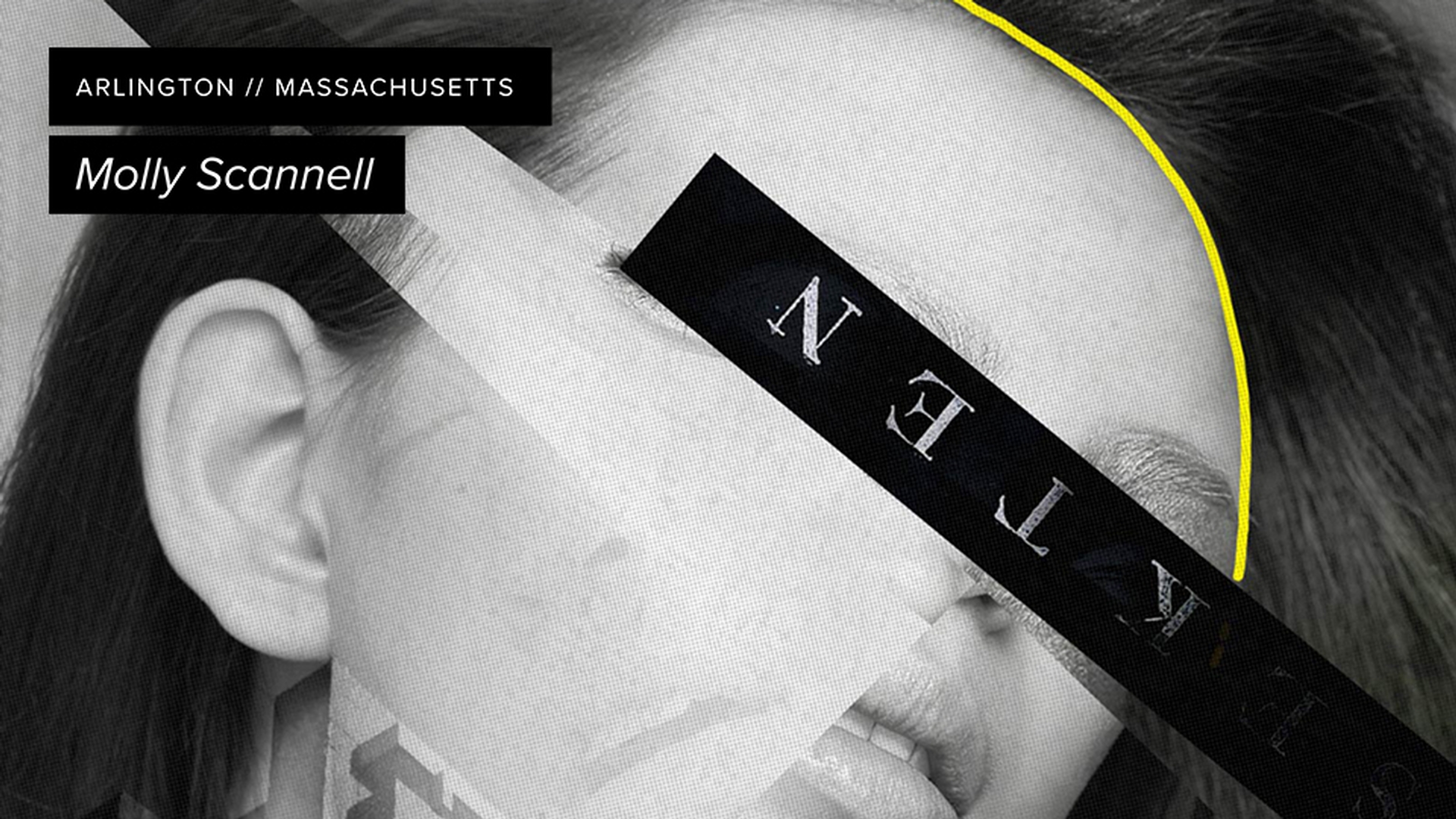
American artist Molly Scannell doesn’t always know the story her work will tell until she creates it. She starts with images she finds inspiring, then slices and repositions them into a collage that reveals the story through lighting and angles of the eyes. The secret of her work lies in creating multiple layers, positioning the pieces, and then applying transparency and layer styles to create her compositions.
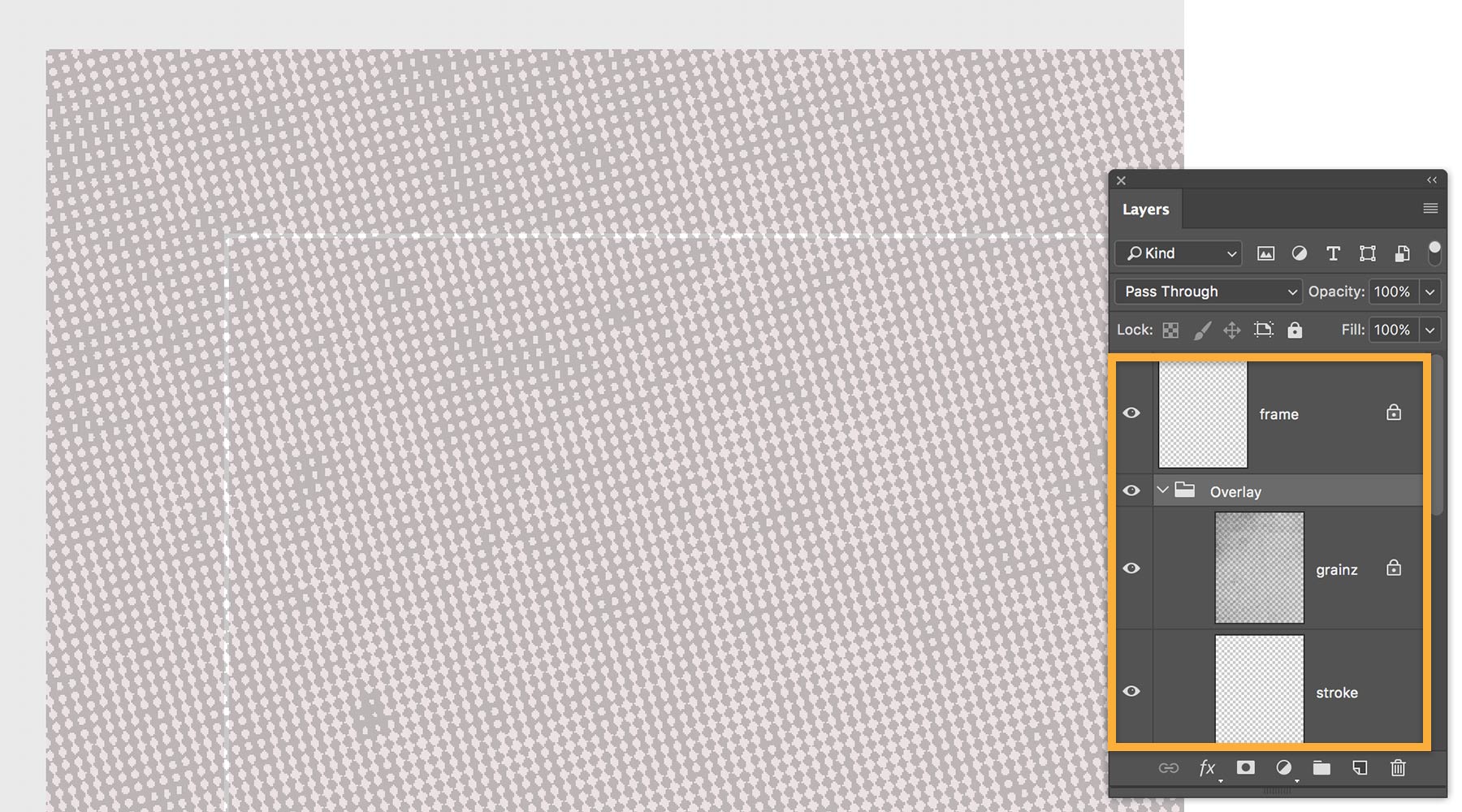
启动项目时,Molly 创建了一大幅画布——这幅拼贴画的画布尺寸为 11x14 英寸。 她通过将扫描的半色调网点图案导入到一个单独的图层,并把图层的 Opacity(不透明度)设置为 30%、把 Blend Mode(混合模式)设置为 Overlay(叠加),为作品添加纹理。
她将导入的图案尺寸设置为略微小于画布,以形成窄窄的白色边框。 她还用一条细细的白色描边画出一个矩形,这样,框架就搭好了。
现在,她开始合成照片。 针对这个项目,Molly 准备了几个模特造型。 首先,她将三张照片各自导入到独立的图层中。 之后,使用 Polygonal Lasso(多边形套索)工具,以不同的方式对图像进行剪切。

接下来,Molly 把这些切片粘贴到新的图层,并调整它们的位置,尝试组成不同的设计图案。 她把这些切片合并成一个图层组,并将 Blend Mode(混合模式)设置为 Pass Through(穿透),这样,她对组内图层做出任何调整,下方的图层都会受影响。

从 Color Picker(拾色器)中选择一种酸性黄色,然后用精细的画笔描绘发际线和脖颈的一部分,为作品增添些许色彩。

Molly 扫描了一张老派字体的扉页,将其导入一个单独的图层, 然后使用 Rectangular Marquee(矩形选框)工具,选中想用到拼贴画上的文本段落,把它们粘贴到各自的图层中。

她把一段文本移到顶部,调整该图层的亮度和对比度,将混合模式设置为 Divide(划分),以去除背景并反转文字颜色,形成对比。

Molly 又在作品中选中一段文本进行旋转。 她将混合模式设置为 Subtract(减去),打造底片效果,即透明的文本配上黑色的背景。

为了增强拼贴画的视觉效果,Molly 导入了一张城市风光照片,并将混合模式设置为 Soft Light(柔光)。随后,她把新建的城市图层移到耳根处,与模特的颈部恰好对齐。
她将城市图层拖到 Layers(图层)面板中的创建新图层图标处,复制该图层,同时保留混合设置。 Molly 选择 Eraser(橡皮擦)工具,调低不透明度,让大厦融入模特的下巴。 之后,用画笔刷涂下巴,直到大厦与下巴配合无间。

在项目结束时,Molly 已经创建了很多图层。 她不断尝试隐藏、显示、重组图层和调整各个图层的不透明度,最终呈现出令她满意的作品。

About the artist:
Molly Scannell finds freedom in collaging. She discovered the art of collage in high school and started working with cut paper shapes. She has since fine-tuned her skills as a digital collage artist and engages in collage mostly as a hobby and form of meditation.
When Molly landed her first job in New York City, she had to move on from the world of mechanical pencils and sketch pads and quickly learn Adobe Photoshop and Illustrator on her own. Nowadays, Molly lives just outside Boston and works as a freelance designer with a focus on digital design and illustration. She has an impressive list of clients in her portfolio including Tivoli, Mopar, Chrysler Group, ING, Sunglass Hut, Smithsonian, and CBS.
Outside her professional life, Molly enjoys getting her kids involved with collage projects. Together, they gather stacks of paper and magazines and start creating. Sometimes it’s a free-for-all, sometimes they pick a category and just go with it. Either way, they make it fun.
艺术家相关信息:
Molly Scannell 在拼贴艺术领域自由挥洒创作灵感。 她在高中时邂逅了拼贴艺术,随即开始制作各种剪纸图案。 自那时起,她就不断磨炼、提升自己的数字拼贴艺术技法,潜心从事拼贴艺术创作,当时主要作为一项爱好和一种冥想方式。
在纽约市找到第一份工作之后,她不得不放弃机械自动铅笔和速写本的世界,并快速自学掌握 Adobe Photoshop 和 Adobe Illustrator。 现在,Molly 住在波士顿郊外,作为自由设计师,专注数字设计与插画。 她拥有大批知名客户,其中包括 Tivoli、Mopar、Chrysler Group、ING、Sunglass Hut、Smithsonian 和 CBS。
工作之余,Molly 热衷于让孩子们参与拼贴项目。 他们一起收集大量的纸张和杂志,共同创作作品。 他们有时无拘无束地自由发挥,有时会选取一个类别,按照该类别制作拼贴画。 无论哪种方式,他们都乐在其中。


All Consent Allowed