Adobe, Inc.
Für
  • Adobe Creative Cloud
    Was ist Creative Cloud?
    Programme, Mobile Apps und Services für alle
  • Fotografierende und Fotobegeisterte
    Lightroom, Photoshop und mehr
  • Einzelpersonen
    50 % Rabatt in den ersten 3 Monaten
  • Unternehmen
    Lösungen für Teams und Unternehmen
  • Schüler/Studierende/Lehrende
    Mehr als 75% Rabatt auf Creative Cloud
  • Abo-Optionen und Preise
Produkte
  • Photoshop
    50 % Rabatt in den ersten 3 Monaten
  • Premiere
    Videobearbeitung und -produktion
  • Adobe Firefly
    KI-gestützte Content-Erstellung
  • Illustrator
    Vektorgrafik und Illustration
  • Adobe Express
    Design-, Foto-, Video- und PDF-Tools
  • Lightroom
    Fotobearbeitung und -organisation
  • Adobe Stock
    Hochwertige Stockmedien
  • Alle Produkte anzeigen
Onlinetools
  • Hintergrund entfernen
  • KI-Bilder generieren
  • KI-Videos generieren
  • Kunst mit KI schaffen
  • Fotos mit KI bearbeiten
https://www.adobe.com/au/creativecloud/all-apps.html, Picture, Picture
Creative Cloud Pro.

Sichere dir 3 Monate lang 50 % Rabatt auf Creative Cloud Pro. Jahres-Abo mit monatlicher Zahlung. Das Angebot gilt nur für Neukundinnen und Neukunden. Bedingungen beachten.

Heute sparen

Produkte
  • Adobe Acrobat Studio
    Adobe Acrobat
    Die KI-gestützte Plattform für Produktivität und Kreativität
  • Adobe Acrobat Studio
    Die KI-gestützte PDF- und Design-Lösung für Geschäftsabläufe
  • Adobe Acrobat Pro
    Die sichere Lösung für PDF- und E-Signatur-Workflows
  • Acrobat Express
    KI-gestützte Erkenntnisse, Freigaben und Content-Erstellung
  • Acrobat Sign
    Die Komplettlösung für elektronische Unterschriften
  • Adobe Acrobat Reader
    Der bewährte Standard zum Anzeigen und Kommentieren von PDF-Dateien
  • Angebot und Preise
Für
  • Unternehmen
  • Schüler und Studierende
  • Private Nutzung
  • Behörden
  • Gemeinnützige Organisationen
Schnellaktionen
  • PDF-Datei bearbeiten
  • PDF in Word umwandeln
  • PDF-Dateien komprimieren
  • PDF-Dateien zusammenführen
  • Word in PDF umwandeln
  • Alle Onlinetools anzeigen
Adobe Acrobat

Bewährte PDF-Tools sind jetzt noch besser mit KI und liefern dir Antworten auf deine Fragen sowie automatische Zusammenfassungen.

Kostenlos testen

Neuerungen.
  • Markensichtbarkeit
  • Markenintelligenz
  • CX Enterprise Coworker
  • Engagement Intelligence
  • Firefly Graph
  • GenStudio for Commerce Media Networks
  • Semrush
Business-Lösungen.
  • Kundeninteraktion
  • Content Supply Chain
  • Markensichtbarkeit
  • B2B-GTM-Orchestrierung
Unsere Plattform.
  • Adobe Experience Platform
Produkte.
  • KI und Agents
  • Experience Platform Agent Orchestrator
    Mehr Wirkung für eure Marke mithilfe von KI-Agents
  • Brand Concierge
    KI-gestützter, dialogbasierter Agent
  • Content und Workflow
  • GenStudio
    Planung, Erstellung und Bereitstellung von Content im benötigten Umfang
  • Experience Manager Sites
    Content Management System (CMS)
  • Workfront
    Work- und Projekt-Management
  • Daten und Analysen
  • Real-Time CDP
    Kundendatenplattform (CDP)
  • Adobe Analytics
    Fortschrittliche Lösungen zur CX-Analyse
  • Kampagnen-Management
  • Journey Optimizer
    Customer Journey Management
  • Journey Optimizer B2B Edition
    Verbesserung der Interaktion von Käufergruppen
  • Marketo Engage
    Marketing-Automatisierung
  • Alle Produkte anzeigen
dekoratives Bild
Adobe for Business – Kreativität und Marketing im Zeitalter von KI.

Produkt suchen

Hilfe und Community
  • Hilfezentrum von Adobe
    Fehlerbehebung und How-tos
  • Adobe-Community
    Austausch und Inspiration
  • Enterprise-Support
    Hilfe speziell für Großkunden
  • Adobe Developer
    Ressourcen für Entwickler
  • Download und Installation
  • Kontakt
Meistgenutzte Links
  • Konto verwalten
  • Abo verwalten
  • Adobe Status abonnieren
Training
  • Adobe Learn
    Kreativ-Skills mit Adobe-Programmen erweitern
  • Express-Tutorials
    Kurzanleitungen für den Schnellstart
  • Acrobat-Tutorials
    Acrobat-Kenntnisse in kurzen Lektionen vertiefen
  • Adobe Experience League
    Experience Cloud-Kenntnisse mit personalisierten Lernerlebnissen aufbauen
  • Adobe Certified Professional
    Mit Adobe Karrieremöglichkeiten ausbauen
  • Adobe Education Exchange
    Kostenlose Lehrmaterialien für deine Kurse

Für deine Social-Accounts genauso wie für alles andere: Die Video-Tutorials von Adobe Express unterstützen dich beim Gestalten.

Jetzt loslegen

App-Switcher
  • Training
  • Ein Marketing-Layout gestalten
Lernpfad

Ein Marketing-Layout gestalten

Marketing-Layouts wie Flyer und Social-Media-Anzeigen erstellen und erweiterte Tools und Funktionen kennenlernen.

  • Erste Schritte

    Orientierung

    Illustrator kennenlernen: Navigation, Vektorgrafiken und wichtige Tools, z. B. für Formen und Farben.

  • Trainieren

    Eine Social-Media-Anzeige designen

    Zum Erstellen einer Social-Werbeanzeige mithilfe von Zeichenflächen Projektgröße, Bilder für den Zuschnitt, Formen, Farben und Text festlegen.

  • Einen Flyer und eine Social-Media-Anzeige anhand einer Vorlage gestalten

    Mithilfe einer Vorlage einen Flyer erstellen und Text und Farbe individuell anpassen.

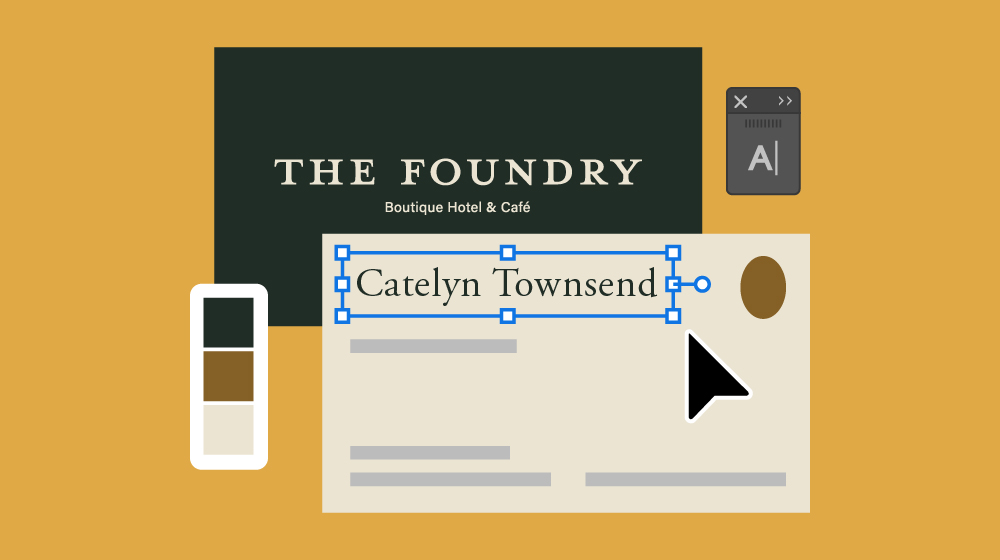
  • Perfekte Typografie für Marketing-Designs.

    Gestochen scharfe Schrift-Designs für Visitenkarten, digitale Anzeigen und E-Mail-Header erstellen.

  • Vertiefen und erweitern

    Feinarbeit an Typografie für Logos und Promo-Designs.

    Mit Profi-Techniken ein typografisches Logo gestalten, Abstände und Anordnung verfeinern und das Logo in ein wirksames Marken-Design integrieren.

  • Das Aussehen von Grafikelementen verfeinern

    Eine Grafik mit Verläufen, Farbtönen, Mustern und Füllmethoden professionell gestalten.

  • Visuelle Merkmale eines Designs anpassen

    Verschiedene Farbverlaufstypen (z. B. Freihandverläufe) für natürlich wirkende Farbübergänge und andere Techniken verwenden, die das Erscheinungsbild eines Designs betreffen.

  • Kreative Texteffekte kennenlernen

    Text mit Effekten ausgestalten, z. B. durch Krümmen von Text oder Ausrichten an Linien und Formen.

  • Kreative Layout-Techniken

    Die Funktion „Textumfluss“ und verschiedene Arten von Masken verwenden, z. B. für Formen und Text, um Layouts zu optimieren.

  • Den Kreativprozess beschleunigen

    Zur Optimierung von Arbeitsabläufen mit Ebenen arbeiten oder die Funktion „Bildmaterial neu färben" nutzen, um mit wenigen Klicks unterschiedliche Farbversionen zu erstellen.

Company Logo

Cookie Settings

General information

  • You can control how Adobe websites use cookies and similar technologies by making choices below. But note that if you disable cookies and similar technologies entirely, Adobe websites may not function properly.

  • Cookies are small text files stored by your web browser when you use websites. There are also other technologies that can be used for similar purposes like HTML5 Local Storage and local shared objects, web beacons, and embedded scripts. These technologies help us do things like remembering you and your preferences when you return to our sites, measure how you use the website, conduct market research, and gather information about the ads you see and interact with.

  • You can make choices in the menu below about what cookies and other technologies you want us to use on Adobe sites when you visit them from this browser. You can always change those choices later by clicking on the Cookie Preferences link at the bottom of the page.

If enabled:

  • We can improve your experience by tailoring the site and the content to things we think might be of interest
  • We can better keep track of your preferences — like what language you prefer to use
  • We will better understand your likely interests so we can provide you more relevant Adobe ads and content on non-Adobe websites and in non-Adobe apps
  • It will help us improve the performance of our website and those of our partners who use the Adobe Experience Cloud

If disabled:

  • We won’t be able to remember you from session to session so the experience may not be tailored to your interests
  • You’ll still have access to the content of the site but certain features that depend on cookies may not function
  • You’ll still see ads, they just may not be as relevant to you

General information

  • You can control how Adobe websites use cookies and similar technologies by making choices below. But note that if you disable cookies and similar technologies entirely, Adobe websites may not function properly.

  • Cookies are small text files stored by your web browser when you use websites. There are also other technologies that can be used for similar purposes like HTML5 Local Storage, web beacons, and embedded scripts. These technologies help us do things like remembering you and your preferences when you return to our sites, measure how you use the website, conduct market research, and gather information about the ads you see and interact with.

  • You can make choices in the menu below about what cookies and other technologies you want us to use on Adobe sites when you visit them from this browser. You can always change those choices later by clicking on the Cookie Preferences link at the bottom of the page.

If enabled:

  • We can improve your experience by tailoring the site and the content to things we think might be of interest
  • We can better keep track of your preferences — like what language you prefer to use
  • We will better understand your likely interests so we can provide you more relevant Adobe ads and content on non-Adobe websites and in non-Adobe apps
  • It will help us improve the performance of our website and those of our partners who use the Adobe Experience Cloud

If disabled:

  • We won’t be able to remember you from session to session so the experience may not be tailored to your interests
  • We’ll still count your use of our site and services
  • You’ll still have access to the content of the site but certain features that depend on cookies may not function
  • You’ll still see ads, they just may not be as relevant to you

Operate the site and core servicesOperate site and measure engagement

Always active

These cookies are required, and they are used to enable the site and related services core functionality. Without them the site could not operate, so they cannot be disabled.
These cookies enable the site and related services’ core functionality and collect statistics about user engagement, such as counting active use to help us understand trends. These cookies cannot be disabled.

Measure performance

These cookies are used to analyze site usage to measure and improve performance. Without them Adobe cannot know what content is most valued and how often unique visitors return to the site, making it hard to improve information we offer to you.
These cookies are used to analyze site usage to measure and improve performance. Without them Adobe cannot know what content is most valued, making it hard to improve information we offer to you.

Extend functionality

These cookies are used to enhance the functionality of Adobe sites such as remembering your settings and preferences to deliver a personalized experience; for example, your username, your repeated visits, preferred language, your country, or any other saved preference.

Personalize advertising

These cookies are used to enable Adobe and our partners to serve ads more relevant to your interests. Without them you will still see ads, but they might not be as relevant to you.

Powered by Onetrust

Personalize advertising
These cookies are used to enable Adobe and our partners to serve ads more relevant to your interests. Without them you will still see ads, but they might not be as relevant to you.

Search Icon
Consent Leg.Interest

All Consent Allowed

    Powered by Onetrust
    x