
.

Feature focus: Generate presentation

Adobe Express
02/25/2026
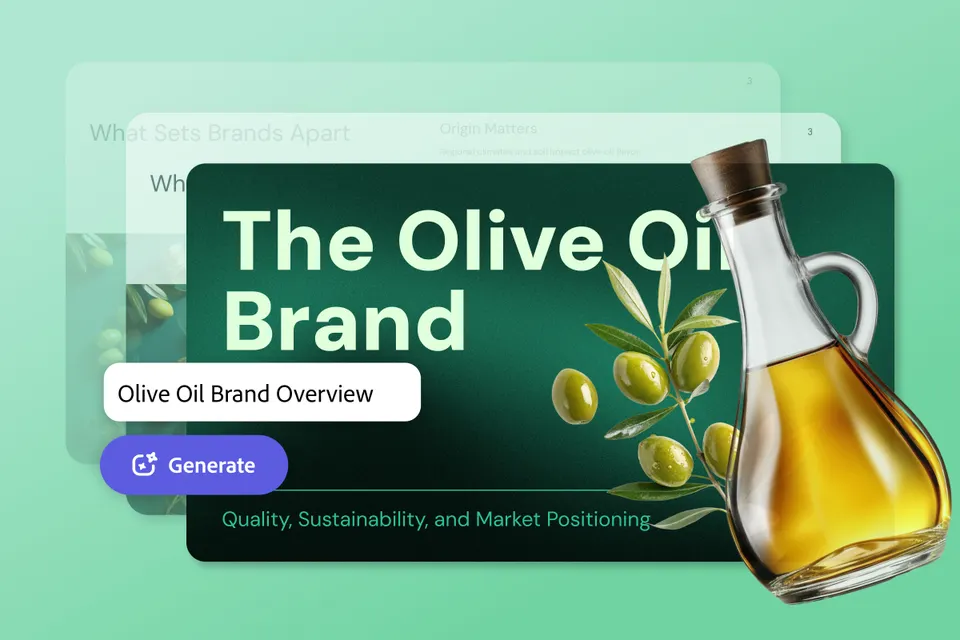
header image depicting a generated slide show entitled The Olive Oil Brand with a bottle of olive oil and a green background

Welcome to the era of effortless presentations with the new Generate Presentation feature in Adobe Express.

What’s one simple way to improve your productivity in 2026? Easy, it’s a feature that would help you go from idea to deck in a flash. Presentations eat up a shocking amount of time, with a fair chunk wasted on formatting instead of polishing your narrative and fine-tuning your main points. Save yourself the formatting hassle and give yourself time to craft the most impactful messaging with Generate Presentation, now available in Adobe Express and Acrobat.

The hardest part of presentations is often getting started (also known as the “blank slide problem”) and organizing your thoughts into a comprehensive outline. And the most time-consuming part of presentations is the hours it takes perfecting those slides (are the text boxes aligned, do the fonts look right, is the layout optimized, are the slides visually balanced, etc). But that’s all changing with Generate Presentation.
Overview

From blank slide to first draft in minutes

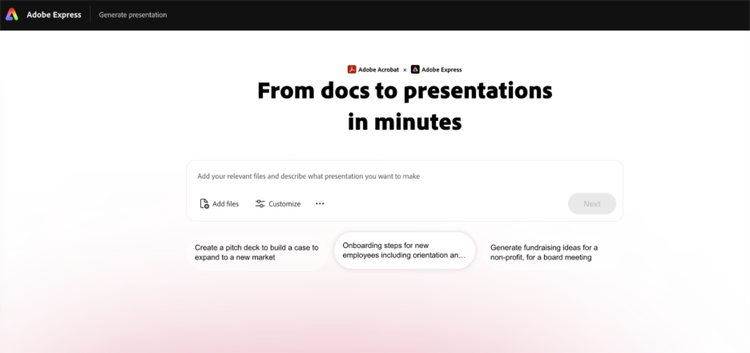
This feature drastically speeds up the research-to-slides pipeline, eliminates repetitive formatting tasks, ensures brand consistency at scale, and is designed to be used by everyone (not just design pros). With this feature, you begin with a prompt detailing the type of presentation you want to create. You can ground the presentation with your actual content by including documents like PDFs, Word docs, PowerPoints, and spreadsheets to give more context to your idea. Upload up to 10 supporting files (with a combined 150-page limit). a screenshot of the landing page for generate presentation with a prompt bar and suggested prompts underneath

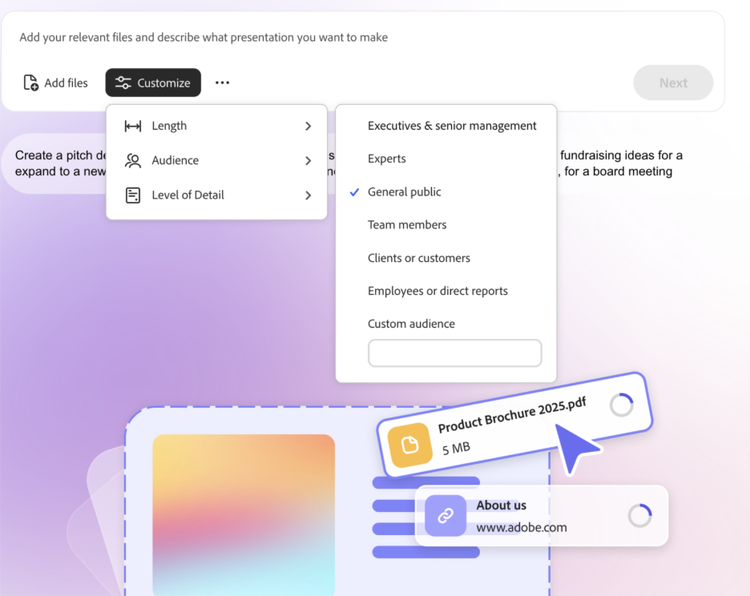
There are thousands of professionally designed templates to choose from, and templates can be matched to your content’s purpose, but overall, the templates ensure brand consistency and a polished design. The color, layout, image treatment, as well as logos and fonts from your brand kit... You can pick the length (short up to 10 slides, medium 10-20, and long 20+). Next, the audience presets adapt dynamically based on your document types, so business documents will populate as “executives” and educational documents will yield students, teachers, etc. Then the tone and detail will be better tailored to your audience.

a screenshot of the details of putting together a generated presentation

Best of all, you can customize every detail. Since it first puts together an outline, you can rearrange, remove, add, or modify the sections prior to generating any slides. When you like the outline, hit Generate and once generated, the slides can be further refined (swap layouts, adjust text, add images or videos, and even switch templates.

Real world use cases

In 2026, productivity is less about doing more, and more about doing better. Tools like Generate Presentation remove friction, accelerate ideation, and enable polished storytelling. In short, instead of designing slides, you’ll be communicating your ideas.

  • Marketing teams – generate early draft campaign briefs, complete with audience segmentation insights. Create product launch pitches based on planning docs that you can finesse
  • Managers – create onboarding training, performance review guidelines, and internal communications
  • Startups – build pitch decks with a tailored investor narrative based on financial PDFs and business docs
  • Educators – generate lectures or grant proposals depending on your audience

Read more: Go from idea to presentation in minutes with Adobe Generate presentation

How to get started with Generate Presentation

  1. Gather your source materials
  2. Write a prompt
  3. Set audience and presentation deck length
  4. Pick a template
  5. Generate and refine
  6. Present

Reimagine how you craft your presentations by eliminating the blank slide paralysis, align content to real inputs, standardize design, and reduce iteration cycles so you can focus on telling your best story with a clear narrative and strong grasp on stakeholder goals.