


Turn your files into visual reports, presentations, and shareable interactive experiences in PDF Spaces, so your content is easier to understand. You can even give your docs a fresh new look.





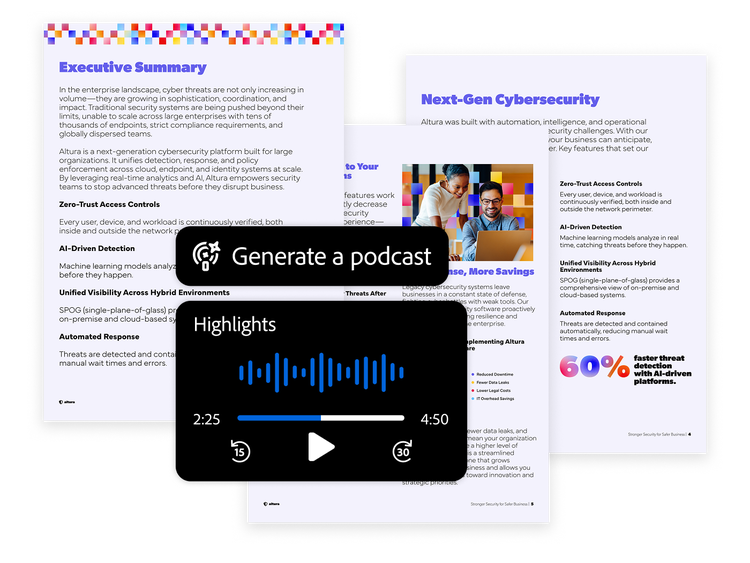
Hit play to catch up on your docs.
Transform your documents into engaging podcasts or audio overviews that just make sense.



Work flows faster with AI in PDF Spaces.
Save time on research, proposals, presentations and more. PDF Spaces turn static files into AI-powered workspaces where you can ask questions to get fast summaries and insights with citations.



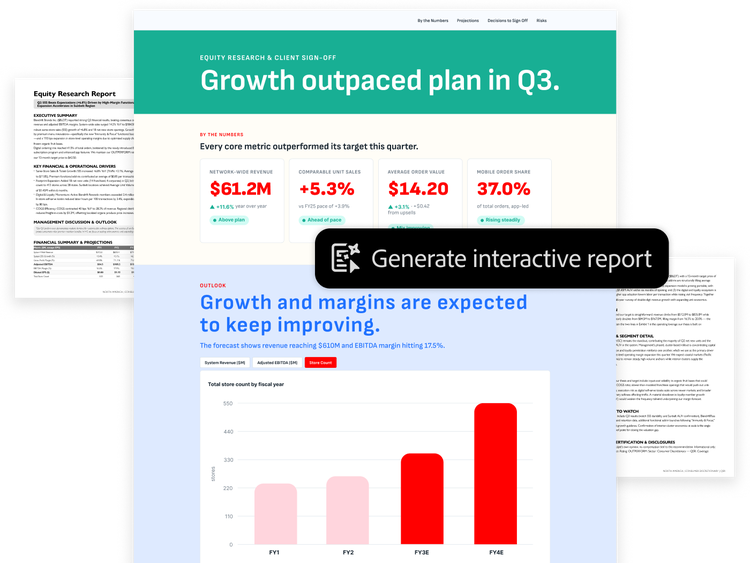
Dense docs? Make them visual.
Bring your complex docs to life as interactive reports that are easier to understand.



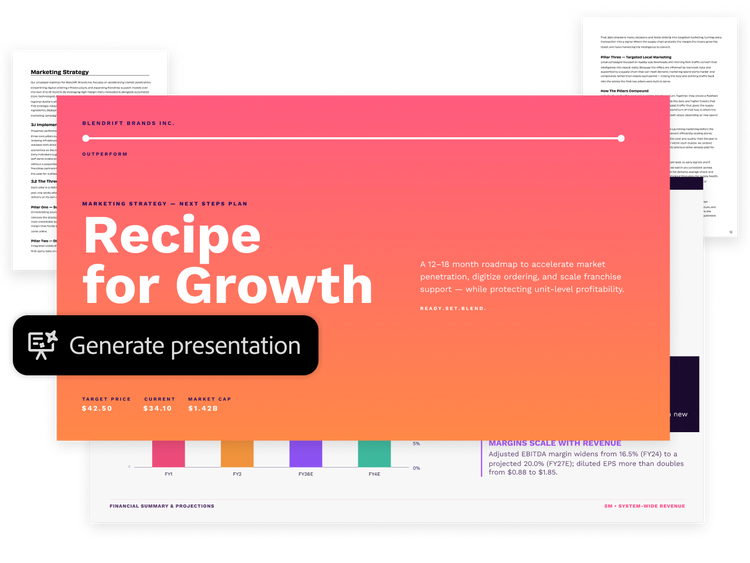
Transform docs into polished presentations.
Turn your dense files into an insightful deck fast so your work stands out and looks professional.



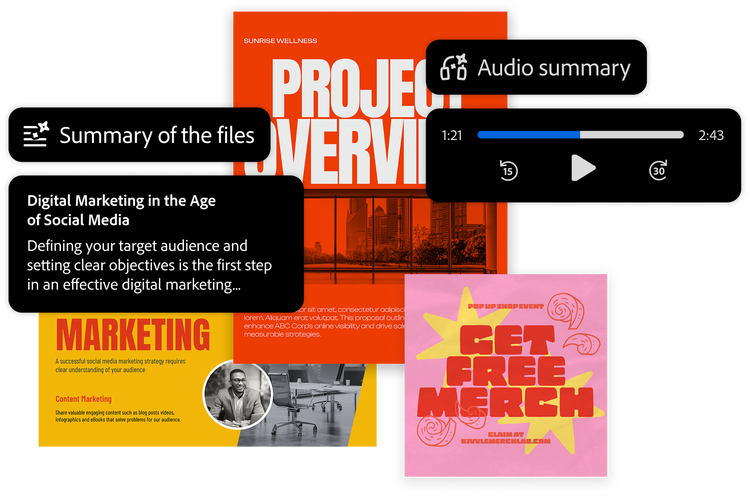
Share info as smart experiences.
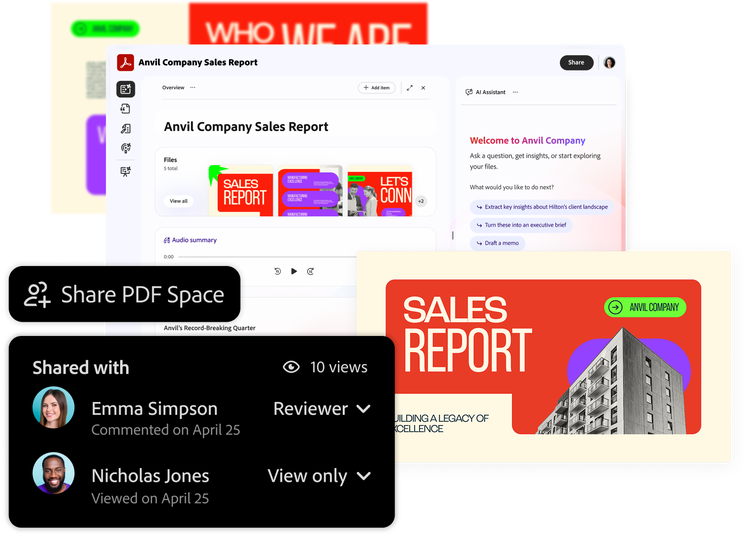
Create a PDF Space with a summary, podcast, visual report and customised AI Assistant. Share it to see how others interact with content.



Bring files, insights and teams together.
Collaboration is easy with PDF Spaces. Add docs, edit, comment and action on AI insights in one place so your team can succeed.



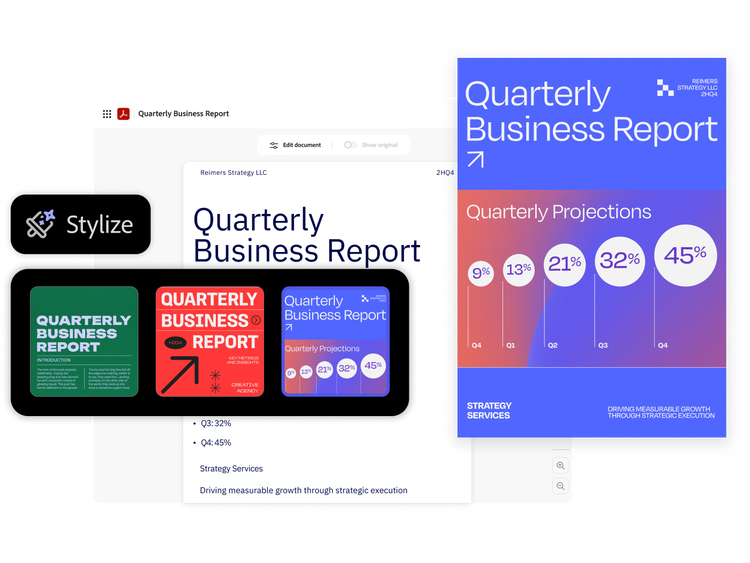
Turn plain PDFs into beautiful docs.
Give resumes, reports and other docs a fresh look while keeping your content intact so your work looks as good as the content inside it.



Trusted PDF tools, enhanced with AI.
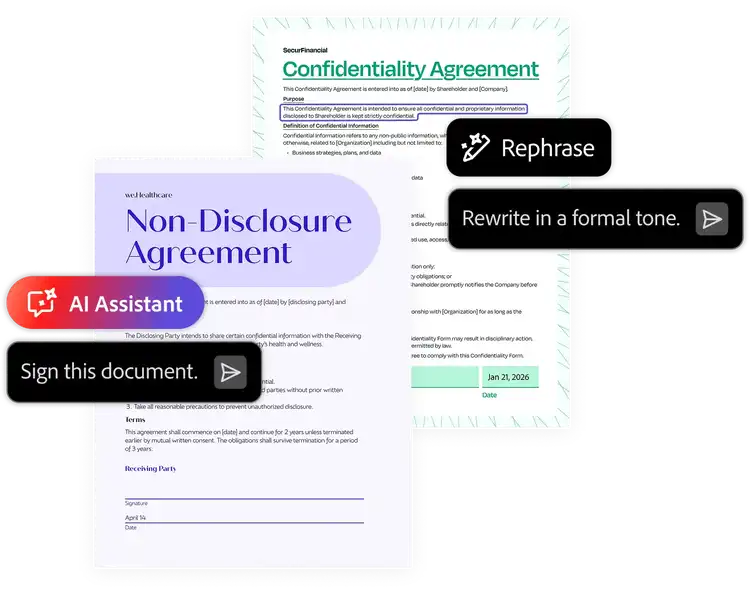
Do everyday PDF tasks faster and easier than ever. Ask AI Assistant to rephrase text, sign, convert and compress so you can keep productivity flowing.
PLANS AND PRICING
Compare Acrobat plans.
Acrobat Reader
Free
By clicking the “Download now” button, you acknowledge that you have read and accepted all of the Terms and Conditions.
The trusted standard for viewing and sharing PDFs

View, print, share, and comment
Available on desktop and mobile
Acrobat Pro
₹638.38/moincl. GST Fee applies of half your remaining annual commitment if you cancel after 14 days.
The secure solution for PDF and e-signature workflows
Create, edit, export, compare and organise PDFs
Collect e-signatures and track responses
Password-protect and redact PDFs
Create web forms, turn scans into editable PDFs and access 70+ features
Acrobat Studio
₹797.68/moincl. GST Fee applies of half your remaining annual commitment if you cancel after 14 days.
The all-in-one AI-powered PDF and design solution for business workflows
Create, edit, export, compare and organise PDFs
Collect e-signatures and track responses
Password-protect and redact PDFs
Create web forms, turn scans into editable PDFs and access 70+ features

Ask AI to edit, convert or compress PDF
Understand dense documents with AI summaries, podcasts, and interactive reports
Organise, share and collaborate with PDF Spaces
Redesign resumes, reports, and invoices with professionally designed templates
Filters
Sort
Popularity
Alphabetically
coll-no-results-text
Categories
REFINE YOUR RESULTS
Close
Special Offers – opens in a new window
filter by category
RESOURCES
1 result in
results in
coll-result-mobile-text
results in
1 result in
results for
1 result in
results in
Your search for returned no results
Your search for returned no results
View more
coll-all-filters-text
coll-filters-category-text
coll-filters-applied-text
coll-filters-results-text
coll-filters-reset-text
Acrobat Reader
Free
By clicking the “Download now” button, you acknowledge that you have read and accepted all of the Terms and Conditions.
The trusted standard for viewing and sharing PDFs
View, print, share, and comment
Available on desktop and mobile
Acrobat Pro
₹7,660.56/yrincl. GST No refund if you cancel after 14-days.
The secure solution for PDF & e-signature workflows
Create, edit, export, compare and organise PDFs
Collect e-signatures and track responses
Password-protect and redact PDFs
Create web forms, turn scans into editable PDFs and access 70+ features
Acrobat Studio
₹9,572.16/yrincl. GST
No refund if you cancel after 14-days.
The all-in-one AI-powered PDF and design solution for business workflows
Create, edit, export, compare and organise PDFs
Collect e-signatures and track responses
Password-protect and redact PDFs
Create web forms, turn scans into editable PDFs and access 70+ features
Ask AI to edit, convert or compress PDF
Understand dense documents with AI summaries, podcasts, and interactive reports
Organise, share and collaborate with PDF Spaces
Redesign resumes, reports, and invoices with professionally designed templates
Filters
Sort
Popularity
Alphabetically
coll-no-results-text
Categories
REFINE YOUR RESULTS
Close
Special Offers – opens in a new window
filter by category
RESOURCES
1 result in
results in
coll-result-mobile-text
results in
1 result in
results for
1 result in
results in
Your search for returned no results
Your search for returned no results
View more
coll-all-filters-text
coll-filters-category-text
coll-filters-applied-text
coll-filters-results-text
coll-filters-reset-text
Acrobat Reader
Free
By clicking the “Download now” button, you acknowledge that you have read and accepted all of the Terms and Conditions.
The trusted standard for viewing and sharing PDFs
View, print, share, and comment
Available on desktop and mobile
Acrobat Pro
₹958.16/moincl. GST Cancel anytime, no fee.
The secure solution for PDF & e-signature workflows
Create, edit, export, compare and organise PDFs
Collect e-signatures and track responses
Password-protect and redact PDFs
Create web forms, turn scans into editable PDFs and access 70+ features
Acrobat Studio
₹1,117.46/moincl. GST Cancel anytime, no fee.
The all-in-one AI-powered PDF and design solution for business workflows
Create, edit, export, compare and organise PDFs
Collect e-signatures and track responses
Password-protect and redact PDFs
Create web forms, turn scans into editable PDFs and access 70+ features
Ask AI to edit, convert or compress PDF
Understand dense documents with AI summaries, podcasts, and interactive reports
Organise, share and collaborate with PDF Spaces
Create flyers, social content and presentations from documents
Filters
Sort
Popularity
Alphabetically
coll-no-results-text
Categories
REFINE YOUR RESULTS
Close
Special Offers – opens in a new window
filter by category
RESOURCES
1 result in
results in
coll-result-mobile-text
results in
1 result in
results for
1 result in
results in
Your search for returned no results
Your search for returned no results
View more
coll-all-filters-text
coll-filters-category-text
coll-filters-applied-text
coll-filters-results-text
coll-filters-reset-text
Acrobat Pro for teams
₹2,234.00/moper licenceexcl. GST Fee applies if you cancel after 14-days. Up to 10 licenses with free trial.
A highly secure PDF and e-signature solution with advanced tools and admin features.
Number of licences
1
2
3
4
5
6
7
8
9
10+

Available on desktop, web and mobile

View, print, share and comment

Edit text and images, plus export, protect and organise documents

Collect binding e-signatures and track responses

Manage licences and users with the Adobe Admin Console

Create web forms, redact, compare and access 70+ features
Acrobat Studio for teams
Fee applies if you cancel after 14-days. Up to 10 licenses with free trial.
Save 7.5% your first year with 3 or more licenses. See terms
Everything in Acrobat Pro plus PDF Spaces, Acrobat AI Assistant, Adobe Express Premium and admin features.
Number of licenses
1
2
3
4
5
6
7
8
9
10+
Available on desktop, web and mobile
View, print, share and comment
Edit text and images, plus export, protect and organise documents
Collect binding e-signatures and track responses
Manage licences and users with the Adobe Admin Console
Create web forms, redact, compare and access 70+ features

Summarise documents, gain insights and ask questions with PDF Spaces and a prebuilt AI Assistant

Generate presentations and create flyers, social posts and more with professional templates in Adobe Express
Filters
Sort
Popularity
Alphabetically
coll-no-results-text
Categories
REFINE YOUR RESULTS
Close
Special Offers – opens in a new window
filter by category
RESOURCES
1 result in
results in
coll-result-mobile-text
results in
1 result in
results for
1 result in
results in
Your search for returned no results
Your search for returned no results
View more
coll-all-filters-text
coll-filters-category-text
coll-filters-applied-text
coll-filters-results-text
coll-filters-reset-text
Acrobat Pro for teams
₹26,808.00/yrper licenceexcl. GST No refund if you cancel after 14-days.
A highly secure PDF and e-signature solution with advanced tools and admin features.
Number of licences
1
2
3
4
5
6
7
8
9
10+
Available on desktop, web and mobile
View, print, share and comment
Edit text and images, plus export, protect and organise documents
Collect binding e-signatures and track responses
Manage licences and users with the Adobe Admin Console
Create web forms, redact, compare and access 70+ features
Acrobat Studio for teams
No refund if you cancel after 14-days.
Save 7.5% your first year with 3 or more licenses. See terms
Everything in Acrobat Pro plus PDF Spaces, Acrobat AI Assistant, Adobe Express Premium and admin features.
Number of licenses
1
2
3
4
5
6
7
8
9
10+
Available on desktop, web and mobile
View, print, share and comment
Edit text and images, plus export, protect and organise documents
Collect binding e-signatures and track responses
Manage licences and users with the Adobe Admin Console
Create web forms, redact, compare and access 70+ features
Summarise documents, get insights and ask questions with PDF Spaces and a prebuilt AI Assistant
Generate presentations and create flyers, social posts and more with professional templates in Adobe Express
Filters
Sort
Popularity
Alphabetically
coll-no-results-text
Categories
REFINE YOUR RESULTS
Close
Special Offers – opens in a new window
filter by category
RESOURCES
1 result in
results in
coll-result-mobile-text
results in
1 result in
results for
1 result in
results in
Your search for returned no results
Your search for returned no results
View more
coll-all-filters-text
coll-filters-category-text
coll-filters-applied-text
coll-filters-results-text
coll-filters-reset-text
Acrobat Pro for students and teachers
₹638.38/moincl. GST Fee applies of half your remaining annual commitment if you cancel after 14 days.
A highly secure PDF and e-signature solution with advanced tools.
Available on desktop, web and mobile
View, print, share and comment
Edit text and images, plus export, protect and organise documents
Collect binding e-signatures and track responses
Create web forms, redact, compare and access 70+ features
Acrobat AI Assistant
Add AI Assistant to your Acrobat plan for ₹159.30/moincl. GST₹159.30/moincl. GST.
Add AI Assistant to your Acrobat plan for ₹1,600.08/yrincl. GST₹1,600.08/yrincl. GST.
Creative Cloud Pro for students and teachers
₹398.99/moincl. GST Fee applies of half your remaining annual commitment if you cancel after 14 days.
Get 20+ apps including Acrobat Pro, plus Firefly creative AI for images, video and audio. Pay ₹398.99/moincl. GST the first year, and ₹699.01/moincl. GST after that. New subscribers only.

20+ creative apps, plus everything in Acrobat Pro, including:
View, print, share and comment
Edit text and images, plus export, protect and organise documents
Collect binding e-signatures and track responses
Create web forms, redact, compare and access 70+ features
Acrobat AI Assistant
Add AI Assistant to your Acrobat plan for ₹159.30/moincl. GST₹159.30/moincl. GST.
Add AI Assistant to your Acrobat plan for ₹1,600.08/yrincl. GST₹1,600.08/yrincl. GST.
Filters
Sort
Popularity
Alphabetically
coll-no-results-text
Categories
REFINE YOUR RESULTS
Close
Special Offers – opens in a new window
filter by category
RESOURCES
1 result in
results in
coll-result-mobile-text
results in
1 result in
results for
1 result in
results in
Your search for returned no results
Your search for returned no results
View more
coll-all-filters-text
coll-filters-category-text
coll-filters-applied-text
coll-filters-results-text
coll-filters-reset-text
Acrobat Pro for students and teachers
₹7,660.56/yrincl. GST No refund if you cancel after 14-days.
A highly secure PDF and e-signature solution with advanced tools.
Available on desktop, web and mobile
View, print, share and comment
Edit text and images, plus export, protect and organise documents
Collect binding e-signatures and track responses
Create web forms, redact, compare and access 70+ features
Acrobat AI Assistant
Add AI Assistant to your Acrobat plan for ₹159.30/moincl. GST₹159.30/moincl. GST.
Add AI Assistant to your Acrobat plan for ₹1,600.08/yrincl. GST₹1,600.08/yrincl. GST.
Creative Cloud Pro for students and teachers
₹3,999.00/yrincl. GST No refund if you cancel after 14-days.
Get 20+ apps including Acrobat Pro, plus Firefly creative AI for images, video and audio. Pay ₹3,999.00/yrincl. GST the first year and ₹7,005.96/yrincl. GST after that.
20+ creative apps, plus everything in Acrobat Pro, including:
View, print, share and comment
Edit text and images, plus export, protect and organise documents
Collect binding e-signatures and track responses
Create web forms, redact, compare and access 70+ features
Acrobat AI Assistant
Add AI Assistant to your Acrobat plan for ₹159.30/moincl. GST₹159.30/moincl. GST.
Add AI Assistant to your Acrobat plan for ₹1,600.08/yrincl. GST₹1,600.08/yrincl. GST.
Filters
Sort
Popularity
Alphabetically
coll-no-results-text
Categories
REFINE YOUR RESULTS
Close
Special Offers – opens in a new window
filter by category
RESOURCES
1 result in
results in
coll-result-mobile-text
results in
1 result in
results for
1 result in
results in
Your search for returned no results
Your search for returned no results
View more
coll-all-filters-text
coll-filters-category-text
coll-filters-applied-text
coll-filters-results-text
coll-filters-reset-text

Add AI Assistant to your Acrobat Pro or Creative Cloud Pro student plan. ₹159.30/moincl. GST for the annual, billed monthly plan.

