AI is changing the game for film and video creation — speeding up transcription, editing, colour, audio, captioning and delivery workflows. Whether you work on short social videos, business reels or feature-length films, AI functionality in this leading AI video editor app will shave time off your editing process and open the door to new creative possibilities.
Spend less time on tedious tasks like creating transcripts, changing colour levels, adjusting audio and reframing videos for social channels — and more time getting inspired and telling a story with stunning video projects using {{premiere}} AI features.

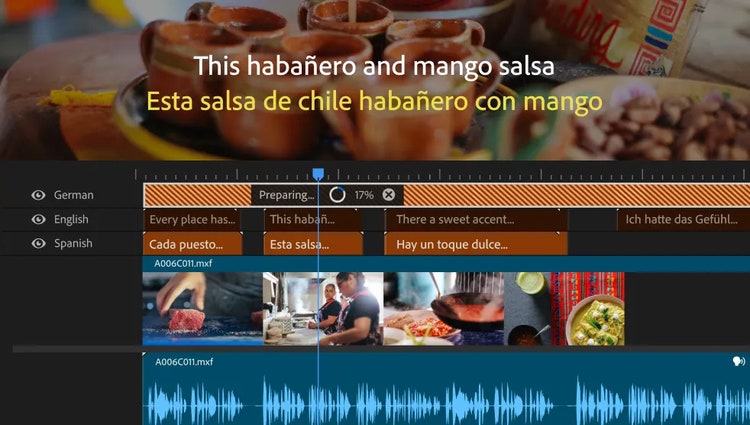
Auto-translate your captions into 27 languages with AI, including Hindi, Punjabi, Telugu and more. Display multiple languages at the same time and quickly customise to reach more viewers, followers and customers. Ideal for India’s multilingual audience, this AI video editing feature helps you grow your community with {{premiere}}.
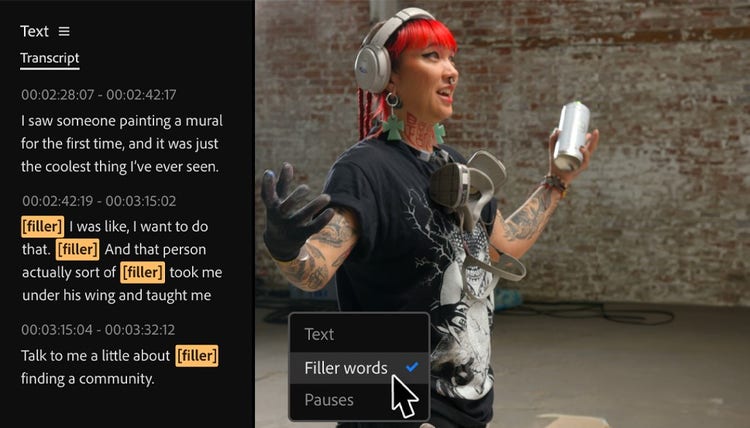
Auto-generate your transcript, highlight text to add clips to your timeline — then refine, reorder and trim clips just like you’d edit a text doc. And for further refinement, clear all awkward pauses with bulk deletion and use filler-word detection to remove unwanted filler words.
This is especially useful for editors working on long-format interviews or educational content in Hindi. Whether you're producing training modules or classroom lectures, text-based editing simplifies the process of navigating and refining large volumes of spoken content.
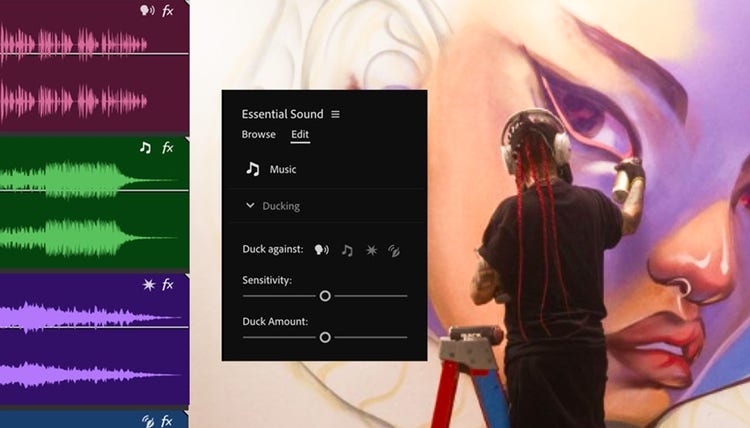
AI automatically recognises if your clips are music, dialogue, sound effects or ambiance and adds an interactive badge. Just click the badge to get instant access to the most relevant tools for that audio type.
Whether you're working on Garba music reels from Gujarat, travel vlogs through Himachal Pradesh or ambient soundscapes from Sikkim, this feature helps you stay organised. It enables quick access to audio tools suited for diverse Indian formats like devotional tracks, street interviews or folk music.
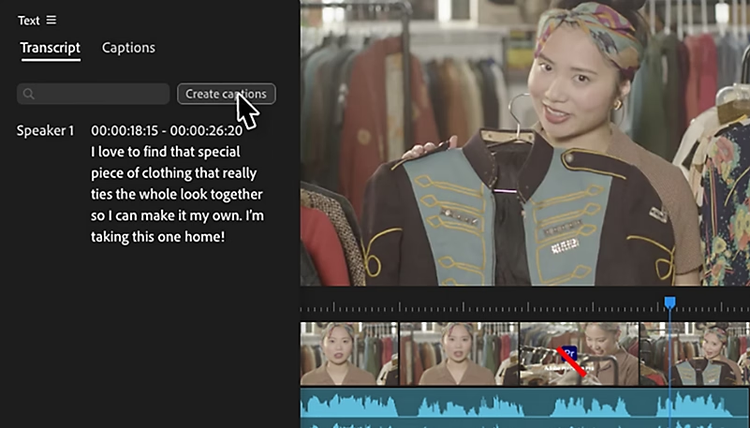
Creating captions and transcripts used to be an expensive and time-consuming task. Now you can do it in a click with Speech to Text. This feature automatically generates accurate transcripts in over 18 languages, distinguishes between speakers and creates captions that match the cadence and speech patterns in the video. Adding captions makes your videos more accessible and engaging on social media, where many users watch content with no sound.
This feature is particularly valuable for Indian creators who want to add captions in Hindi language. It helps make content more accessible in classrooms, government portals and rural development programmes where language inclusivity matters.
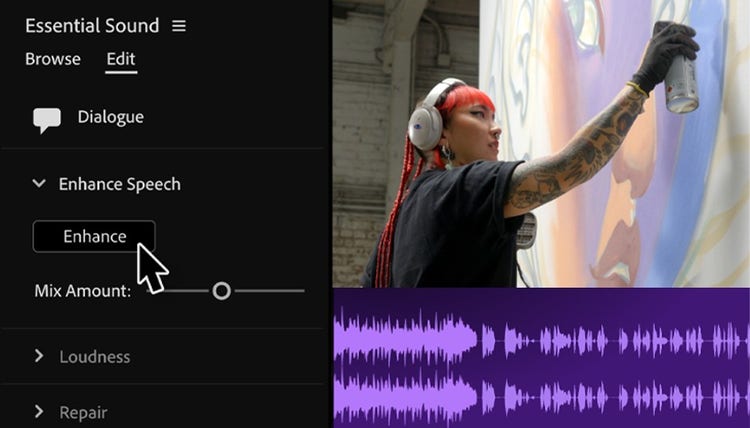
Remove distracting background noise and improve the quality of your dialogue with AI-powered Enhance Speech. This video editor AI feature makes your voice sound professionally recorded, useful for Indian creators working in varying acoustic environments.
Ideal for creators shooting in real-world conditions such as open markets, community gatherings or outdoor weddings across India. Whether you're filming a political rally in any corner of India or a vlog on the beaches of Goa, this feature improves clarity when background noise is unavoidable.
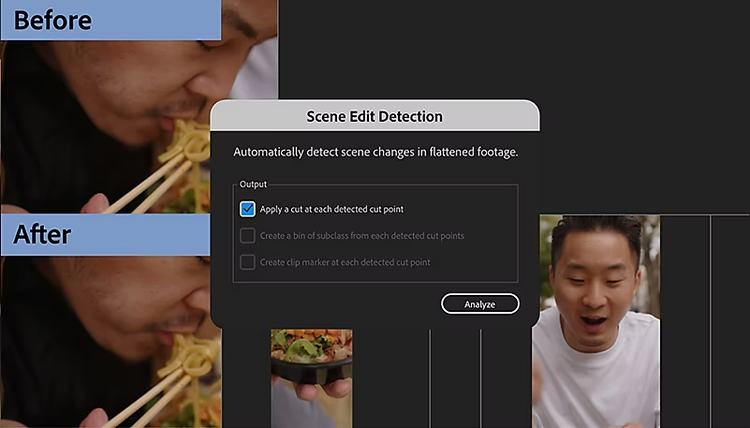
When you need to create a new edit of a longer video, separating it back into the original shorter clips is the first step. Finding scene transitions and placing these cuts manually can be tedious, but with Scene Edit Detection, a powerful AI video enhancer tool, {{premiere}} will automatically cut your scenes for you. Right-click a clip on your timeline, select Scene Edit Detection and choose whether you’d like to add cuts, create a new bin of sub-clips or place clip markers at each cut point.
A practical feature for editors working with lengthy raw footage such as traditional weddings, documentary interviews or cultural festivals across states like Rajasthan, Odisha and Kerala. It helps break up extended clips into smaller scenes for easier storytelling and editing.
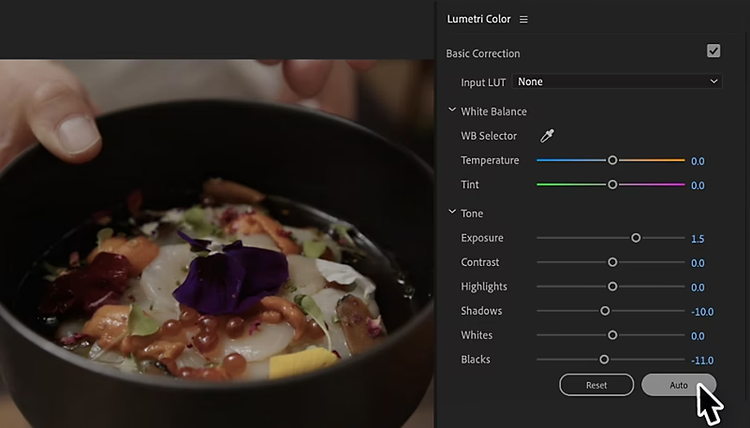
Apply colour corrections in just a few clicks with smart Auto Colour features. Make basic corrections like exposure, contrast and white balance faster than ever. Polish your footage in the time it takes to move a slider and hit play. Then, get down to the work of creative colour grading.
From the vibrant hues of Durga Puja in West Bengal to the subtle twilight tones of Arunachal Pradesh’s mountainous landscapes, Indian footage often features strong colour contrasts. Auto Colour helps you bring consistency to such diverse visuals quickly, without spending hours on manual adjustments.