14 brochure ideas for design inspiration.
Explore a collection of our favourite eye-catching brochure designs.
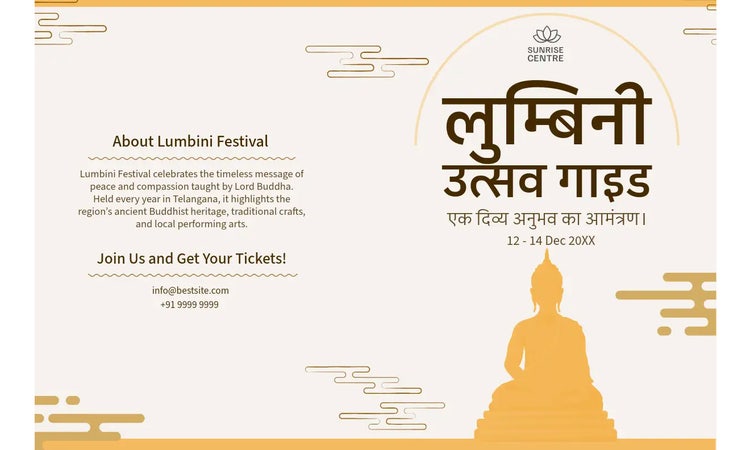




Image ideas for your brochures.
As the old saying goes, a picture is worth a thousand words. This photo pairs well with an About Us section to provide insight into Baking 101. In your brochure, choose an image that is characteristic and organic to your brand and matches the brochure’s intent.
recipe
Mix different types of imagery on your brochure.
Photos are a very strong communication tool. But so are other types of imagery, such as icons, illustrations or graphics. The first brochure uses the theme of glasses throughout the design, with images of models wearing glasses paired with a graphic illustration of their respective frames. This emphasises the messaging of glasses and points out each frame’s characteristic style. Play with themes using different forms of imagery to drive home your brochure’s messaging.
recipe
Make icons your brochure's primary imagery.
Using icons rather than watercolour illustrations or photos as the main form of imagery typically communicates a more modern idea or sentiment. Icons are also generally more playful and more versatile. You can change their colours to match your design and make them as big or small as you’d like. Explore how icons can support the statement you’re making with your brochure. You can start by browsing through our selection of icons.
recipe
Full-bleed image ideas for your brochures.
With brochures, there are many ways to show off an image. You can divide it across one panel, split it between two or stretch it out across your canvas. This is a great strategy if you’re offering something you want your readers to be able to experience for themselves, such as the refreshing breeze and feelings of relaxation from the beach, as seen here. If you have strong image content to show off in your brochure, prioritise that first and then implement spots for text and details second.
recipe
Crop creatively for daring brochure designs.
Here we have a three-panel image with a title panel page in the middle that provides the hotel name and description. We turn something ordinary into something extraordinary by adding an undulating shape to both the top and bottom of the canvas, creating a dynamic border in the design. The border’s silhouette is something playful and modern, pulling together all the elements at play. Use borders for your photos, text blocks or your brochure overall to make it stand out.
recipe
Divide up your brochure with colour-blocking.
There are many ways to divide up information using design elements. One approach is with colour-blocking. Colour-blocking uses complementary or contrasting colours to create blocks or distinct divisions of space. This is an excellent tool for design as you can fill your colour blocks with text or graphic content. Make sure that you use the colours you chose elsewhere in your design. See how one of these featured examples features a deep navy blue on the middle panel? The design is then tied together by echoing the blue for various text and elements elsewhere in the brochure.
recipe
Try cohesive colour-blocking with filters.
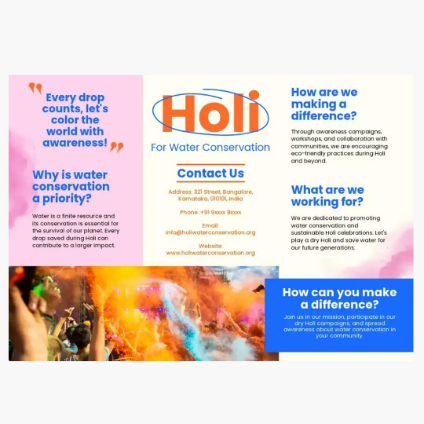
This colour-blocking approach is a little different from our previous examples, as this one demonstrates colour-blocking across a cohesive design. The Illusion Theatre brochure uses coloured filters to create division through the panels and gives a nice artistic effect over the bridge photo that runs the brochure’s length. The second example uses different hues and shades of pink, which creates the three different sections, yet each remains pink overall. These are more subtle, unique ways of using colour to create divisions.
recipe
How to make the most of these brochure ideas.
Grid layout ideas for your brochure.
A standard brochure is trifold, meaning there are two folds creating three sections per side. That gives us six sections in total. You can divide up those sections even further by sectioning individual components off in a grid-like layout. We love how the San Francisco brochure uses order with their sections to create stairs, raising us as we read through the brochure. The Walk City Tours brochure, on the other hand, uses colour blocks to section off headers and footers from the photos and splits the middle section in two to achieve space for two different types of content.
recipe
Create patterns with layouts.
You can also create a pattern with your grid layout. The first example plays off diagonal symmetry, creating balance with the photos and text boxes in opposite corners of the brochure to balance out the solid panel in the middle. On the other hand, the travel brochure takes more of a checkerboard approach alternating colour boxes with imagery. The consistent filter applied to each image makes it easier to see the pattern at play.
recipe
Play with exciting shapes and angles.
Lines, shapes and angles can be used to create a dynamic effect that takes the reader’s eye on a journey across your design. If your content aims to communicate something edgy, modern or thrilling, consider diagonal lines and shapes to break up space and add movement. This effect works well in the context of space exploration, as it reflects the excitement that comes with intergalactic travel.
recipe
Choose bold, impactful fonts and colours.
Make a statement with a unique font choice that matches your brochure’s branding. If you’re making a professional brochure, you might want a more traditional or modern font. But if you’re making a brochure for something fun and creative, explore all the possibilities. We love the font choice in the poké brochure as it feels like it was fashioned out of neon lighting itself - a fitting choice for the overall aesthetic. The Nightmare brochure is also exciting because of the font choice and the font sitting sideways. Experiment with styles, colours and placement to find the strategy that works best for you.
recipe
Showcase a quote, slogan or motto on your brochure.
Quotes are an excellent way to communicate a sentiment. You can use quotes that are recognisable to create a shared understanding between you and the reader or feature a specific quote to provide insight into your brand or business. In design, quotes are generally emphasised more than other texts. Make it bold text when next to regular-sized copy. Type it out in a striking font different from the rest of the design. Or, as we see here, you can put it on its own panel, on a contrasting background, taking up a good amount of space to truly command your reader’s attention. Use quotation signs or attribute the original author to indicate that you’re providing a quote.
recipe
Boldly layer images, text and graphics on your brochure.
As you craft your brochure, allow yourself to think outside the box and try something unconventional. Find a captivating, relevant photo, then overlay shapes on top of it - in this case, opaque and semi-transparent ones. For imagery that has important details, like the calavera artwork, keep those prominent and easy to decipher. On the other hand, the tacos are there to communicate the notion of the food, so it’s okay to have them serve as a background image and let the artwork and restaurant details shine. Take a collage sort of approach as you layer in all your creative elements.
recipe
Design your brochure with a motif, theme or intention.
We’ve talked a lot about cohesive design. Why is it important to have things that relate to each other in a design? In the same way, when you’re speaking to someone, you want to share your thoughts in a clear way that your listener can comprehend. We tie words and phrases together in ways that make sense to tell a story. The same applies to design. Here, we have a traveller’s guide to Tokyo that is emphasised by depicting many Japanese motifs. We have the red circle from the flag, the yen symbol, the torii (an iconic Japanese gate) and even the Japan is placed in a vertical line the way you might read traditional Japanese. All these nods to Japan help take us there.