


Optical character recognition, commonly known as OCR, is the technology that converts printed text, scanned documents, and images into machine‑readable, searchable, and editable digital text.
OCR is the engine behind tasks like extracting text from a scanned PDF, making a PDF searchable, or converting an image to text. Whether you're digitizing receipts, scanning forms, converting handwritten notes, or automating business workflows, OCR software transforms static content into usable data.
Key takeaways
- OCR (Optical Character Recognition) converts printed or handwritten text into searchable, editable digital text.
- OCR can extract text from images, scanned PDFs, camera photos, and handwritten documents.
- Adobe Acrobat’s OCR tool provides high‑accuracy text recognition, layout preservation, and multilingual support, one of the best OCR software options which is also easy to use.
- OCR accuracy depends on scan quality, lighting, font clarity, and preprocessing, so consider these factors when you find that OCR is not recognizing your text and when you want to improve OCR accuracy.
- OCR is beneficial across sectors like business, education, and healthcare, and it can assist with accessibility, automation, and AI-powered workflows.
OCR meaning: what does OCR stand for?
OCR stands for Optical Character Recognition, a technology that analyzes printed or handwritten text and converts it into digital characters. Think of it as a bridge between the physical and digital worlds: OCR takes a scanned page, photo, or image‑only PDF and transforms it into searchable, editable text. This is essential for tasks like converting scanned documents into editable text or extracting text from a scanned PDF.
OCR tools can read text from:
- Scanned documents
- Image‑only PDFs
- Camera photos
- Screenshots
- Receipts, invoices, forms
- Handwritten notes (depending on clarity)
Why PDF OCR software is important
While our world largely exists in the digital realm, most businesses still use print media. This includes documents such as invoices, contracts, scanned legal documents, and other paper forms. Paper documents take up a lot of physical space as well as time and effort to manage. Paperless documents are becoming more widely used across businesses. Scanning documents into images can be time-consuming as it requires manual input. There are now several free OCR PDF tools that can save individuals and businesses time and money by converting images into text data that is able to be read by other business software. This technology streamlines operations, can conduct analytics, automates processes, and improves overall productivity.
Blind and visually impaired users.
The OCR meaning is not limited to the convenience of being able to scan and search text. OCR software provides better access for users who are blind and visually impaired. The OCR recognition process accounts for language and structure and corrects words that it sees as being spelled incorrectly. Its spell-checking technology allows for the most accurate information to be conveyed to users. OCR contains a synthesizer within its system that will speak the recognized text. The content can be accessed by someone who is blind or visually impaired through scanned text using adaptive technology devices that will magnify the computer screen or provide the user with speech to listen to or Braille to read. Through the software, text from scanned documents can be read aloud according to each individual’s specifications.
How optical character recognition works.
A PDF OCR software or engine works through a set of steps.
1. Image analysis — A scanner reads a document and changes it into binary data. The OCR software will inspect the scanned file and classify light areas as the background and dark as the text.
2. Pre‑processing — the OCR technology perfects the image through some different techniques:
- Smoothing the edges of text images and taking away digital image spots.
- Fixing any alignment issue that occurred during the scan by tilting the scanned document.
- Recognizing script for multilingual OCR technology.
- Tidying up lines and boxes in the image.
3. Text recognition— OCR uses two main methods:
- Feature extraction — analyzing shapes, loops, lines, and intersections
- Pattern matching — comparing characters to known glyphs
4. Post processing — After the content is analyzed, the system changes the extracted text data to be a computerized file. Some free OCR PDF tools can make annotated files that have before and after versions of a scanned document. When OCR doesn’t recognize text, be sure to check that your scan is high quality, with plenty of light, and that the scan is not skewed.
History & types of OCR technology
This document-transforming technology was developed in 1974 by Ray Kurzweil, who started Kurzweil Computer Products, Inc. This new technology could recognize text that was printed in just about any font. Kurzweil determined that the best use for his technology would be a machine learning device for those who are blind. He made a reading machine that was able to read text out loud and translate text into a text-to-speech format. He sold his company to Xerox in 1980, as Xerox was interested in continuing to commercialize paper-to-computer text transformation.
OCR has evolved dramatically since its invention in the 1970s. Early OCR systems relied on simple pattern matching, but modern OCR uses machine learning and AI to achieve near‑perfect accuracy.
Types of OCR:
- Simple OCR: template‑based, limited to known fonts
- Intelligent Character Recognition (ICR): reads handwriting using machine learning
- Intelligent Word Recognition (IWR): recognizes entire words
- Optical Mark Recognition (OMR): detects marks, checkboxes, logos, and symbols
These distinctions will help you understand what the difference is between OCR and AI.
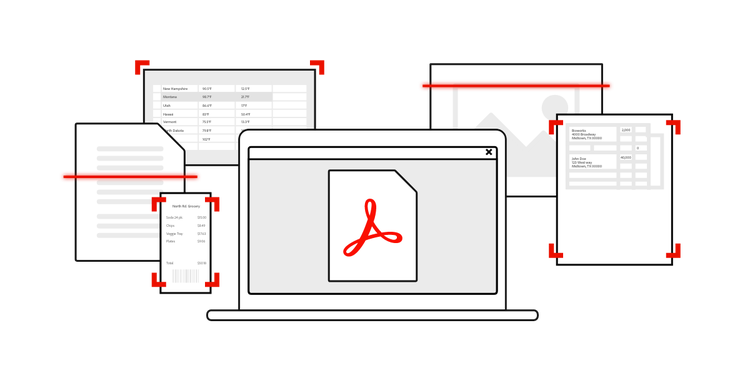
Best OCR software for home and business
If you're wondering what is the best OCR software or what is the best OCR app, here are the top options:
1. Adobe Acrobat Pro
Acrobat Pro provides all the tools you need to streamline workflows and ensure efficiency in document management. It is an industry‑leading OCR with:
- High accuracy
- Layout preservation
- Table recognition
- Multilingual support
- Integration with Adobe Scan
2. OmniPage Ultimate
This software is known for its high accuracy in conversions. OmniPage Ultimate allows you to build custom workflows so your documents will automatically be delivered to the right location in the right format.
3. Abbyy FineReader
Abbyy FineReader gives you the PDF tools you need to transform paper documents into digital ones. This software can recognize text and convert it to PDF, and different Microsoft Office formats as well as other ones. You can compare documents, add annotations, comments, and more. This software can convert a large number of documents in batches and can handle many output formats and 192 different languages.
4. Readiris
Readiris can support many different file formats and add signatures and security protections to your documents, along with comments, watermarks, and annotations.
5. Rossum
This OCR solution was made for scanning invoices for important information to be exported into whichever program you’re using. This software uses AI to scan a document for important information rather than using a template format. This helps because different invoices could be formatted differently to present information in different ways.
Real-world OCR use cases and applications
One of the most popular uses for OCR is print media conversion to machine-readable text documents. Other use cases for OCR include helping visually impaired and blind people access content, automation for data, and listing documents for search engines such as license plates, invoices, passports, and more.
There are multiple OCR software and tools available for different day-to-day personal and professional needs.
- Layout analysis software divides scanned documents into sections that are appropriate for OCR.
- OCR engines identify characters.
- Software development kits that add OCR abilities to other software. Some examples include document imaging management systems, record management solutions, or form processing applications.
- Graphical interfaces on one or more OCR engines.
OCR in business
OCR plays a major role in modern business operations because it eliminates manual data entry, reduces errors, and accelerates workflows that once required hours of administrative labor. When companies digitize paper‑based processes using OCR, they can instantly extract text from scanned documents, convert forms into structured data, and make decades of archived files searchable. This is especially valuable for organizations that handle large volumes of invoices, contracts, receipts, onboarding documents, or compliance records. OCR also supports automation tools, allowing businesses to route information directly into CRMs, ERPs, accounting systems, and analytics platforms without human intervention.
How businesses use OCR:
- Automated data extraction - convert invoices, receipts, forms, and contracts into structured data that can be imported into accounting or workflow systems.
- Searchable document archives - make decades of scanned files instantly searchable, eliminating the need to manually dig through physical folders.
- Faster onboarding and HR workflows - digitize employee forms, IDs, and compliance documents for quick retrieval and verification.
- Improved customer service - agents can instantly search customer records, claims, or service histories instead of manually reviewing paper files.
- Enhanced security and compliance - digital documents reduce the risk of loss, theft, or damage and support audit trails and retention policies.
- Workflow automation - OCR integrates with AI and RPA tools to trigger automated tasks, such as routing documents, validating data, or flagging discrepancies.
OCR technology in education
OCR software serves as a great tool to help students with their studies. Here are a few examples of how it can assist in education:
- Note-taking becomes easier as OCR speaks words out loud to transform the text to speech.
- Changes can be made to the colors or size of the text.
- Words, sentences, and paragraphs can be highlighted.
- Digital bookmarks can be placed so students can easily move around through the text.
OCR is a great tool to help students who have dyslexia. A paper homework sheet can be scanned to be transformed into a digital document. The students can use tools to assist with reading the document.
OCR in healthcare
OCR is widely used in healthcare to digitize patient records, reduce manual data entry, and improve access to critical information. Hospitals and clinics handle large volumes of paper documents, from prescriptions to lab results, and OCR helps convert these into searchable, secure digital files. This makes it easier for clinicians to extract text from scanned documents, retrieve patient histories quickly, and reduce errors caused by handwritten or paper‑based workflows.
How healthcare organizations use OCR:
- Digitizing patient records: Convert charts, lab reports, and intake forms into searchable digital files stored in EHR systems.
- Prescription and medication scanning: Reduce transcription errors by extracting drug names and dosage details from printed or handwritten prescriptions.
- Insurance and billing automation: Speed up claims processing by extracting data from forms, EOBs, and invoices.
- Faster clinical decision‑making: Clinicians can instantly search patient histories instead of reviewing paper files manually.
- Improved accuracy and safety: Digital records reduce the risk of lost documents and misread handwriting.
OCR and machine learning — what’s next?
OCR and machine learning have grown exponentially over the past couple of decades and will only continue to see improvements over the coming years. The next generation of OCR is built using machine learning and artificial intelligence that is not limited to the character-matching capabilities of previous software. Whether it's free OCR PDF tools or premium software powered by optical character recognition, this technology will continue to think and learn more on its own.
Not only will OCR technology continue to perceive scanned text, but it will also find the text’s meaning and make sense of the content. Machine learning may be an idea of the past as deep learning continues to develop and transform OCR technologies. Deep learning technologies are composed of neural networks that imitate human brain functionality to verify that algorithms don’t need to depend on historical patterns to confirm accuracy. Deep learning means the technology can do this on its own and not only see the text but find the meaning behind it.
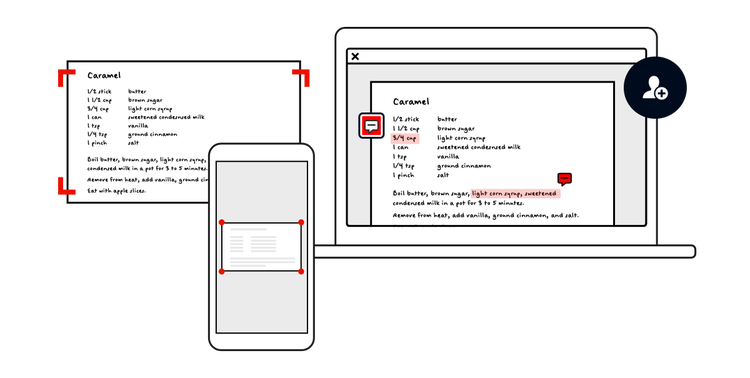
How OCR helps streamline processes and increases efficiency.
Manual labor, time, and cost can be decreased through OCR software and technologies. Converting stagnant documents to digital, smart, searchable documents can help companies provide a better experience for their customers and employees by making information easier to find. By integrating OCR technologies into your business model, you can:
- Transform handwritten documents into editable digital documents.
- Scan forms that were filled out by hand to automate reviews, verifications, analysis, and editing. Time can be saved on the manual processing of documents and data entry.
- Look for important documents by quickly searching a phrase in the database — and there’s no need to manually go through physical files.
- Secure and centralize data as digital documents have a lower chance of being lost or stolen.
- Obtain the most accurate and up-to-date information.
Through OCR technology, ease and accessibility increase and businesses can serve their client bases better — while taking the pressure off employees.
Keep exploring
title
What is OCR and why is OCR software important?
cardImageAltText
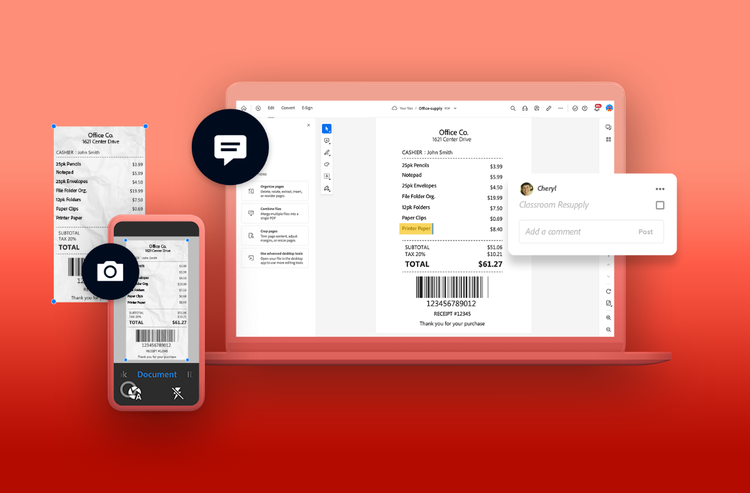
A phone scans a picture of a receipt using optical character recognition and turns it into a PDF file you can open on your laptop.
cardImage
primaryTag
caas:content-type/article
Tags
caas:content-type/article,caas:topic/convert-pdf,caas:topic/digital-transformation,caas:business-unit/document-cloud,caas:products/acrobat,caas:topic/ocr-pdf

