https://main--cc--adobecom.hlx.page/creativecloud/img/icons/3d-assets.svg | 3D Assets
Sep. 18, 2019
Breathtaking Realtime Renders with Substance 3D Assets and UE4
With 8 years experience in the automotive industry, Fisher Dai explores Substance 3D Assets and Unreal Engine.
Porsche 911 Revolution
Everything starts with a tiny idea. At the beginning of 2018, I wanted to explore the extreme quality that Unreal Engine can achieve without being limited by commercial projects, so I spent half a year working on the Porsche 911 Revolution project in my spare time.
I decided to call it Revolution because I was struck by the strength of Unreal Engine after completing this project. For me, it almost subverts the entire CGI production process that I am familiar with. For the first time, I was able to throw away all sorts of technical details, such as GI noise, anti-aliasing parameters, multi-channel compositing, etc.
This is a great improvement for my creative mood. In this project, I didn’t even do any post-processing! This kind of intuitiveness, as well as the freedom of creation, is revolutionary to me, so I gave it the name Revolution.
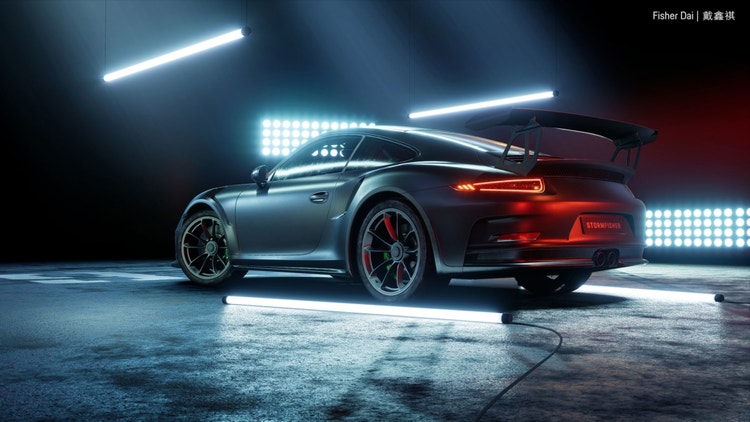
The project was a great success. Epic Games invited me to demonstrate the project at China Joy. Also, at the opening of Unreal Open Day, Tim Sweeney introduced the project himself.
The following is the recording when the project is running in real-time (with a GTX1080 graphics card):
This is also my first time using the Substance tools. It started from one of my friends, Hartmut Noerenberg, an awesome photographer. He was studying Substance Painter in his spare time. I found it was interesting, so I wanted to try it out.
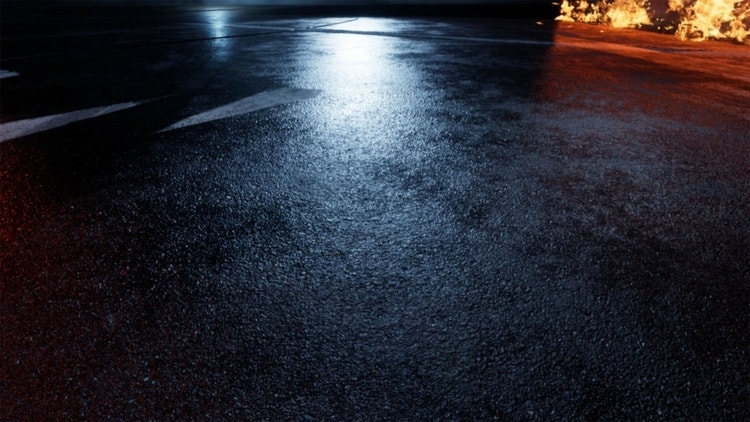
At that time, the vehicle material was almost completely finished, so I used Substance Source and Substance Designer to make the ground. I am very satisfied with the final result. Here are a few close-ups of the ground:
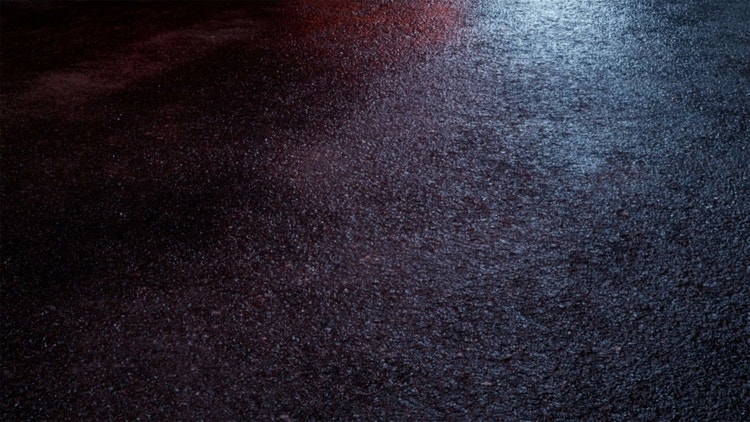
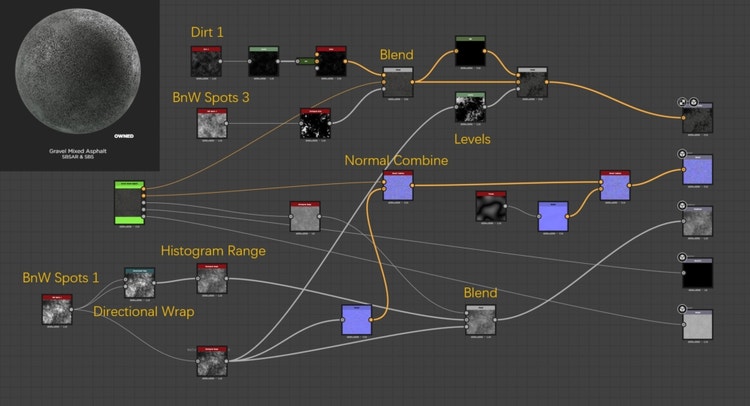
Below are the basic materials for Substance Source, and the changes I made with Substance Designer. I marked the important nodes.
The key nodes are as follows:
Dirt, BnW spots: I really like Substance Designer’s noise generation tools, which are better than real noise textures, and the tilling is better.
Normal Combine: Although it is a very simple node, I really like this feature. Because before this, I used Photoshop. Compared to the manual operation of Photoshop, this node is much more simple and efficient!
Histogram Range, Levels: This is mainly for the later .sbsar, to adjust the mask blending amount, which is equivalent to using the curve layer for alpha channel in Photoshop.
Porsche 911 Rev2
By the end of 2018, real-time ray tracing technology (DXR/RTX) became popular. Epic Games and Porsche made a 911 DEMO using real-time ray tracing technology together. I was very interested in it, so I was waiting for the official version from Unreal. After the release(4.22), I did a practice. So here is the Porsche 911 Rev2, the second version of Revolution.
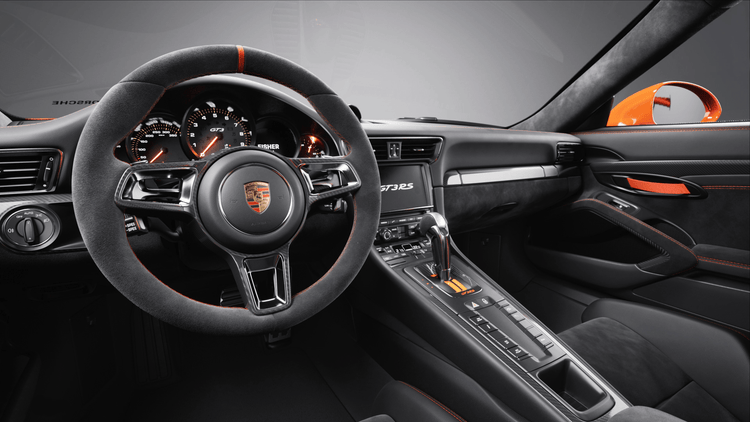
Since the last version only finished the exterior, this time the goal is to do the interior.
Since this time the production goal is to explore the difference between DXR ray tracing and traditional offline renderer ray tracing, and the level of realism the DXR can achieve, Rev2 is very very neutral compared to the previous version: this time The goal is to simulate a most standard photo studio without any Eye Candy.
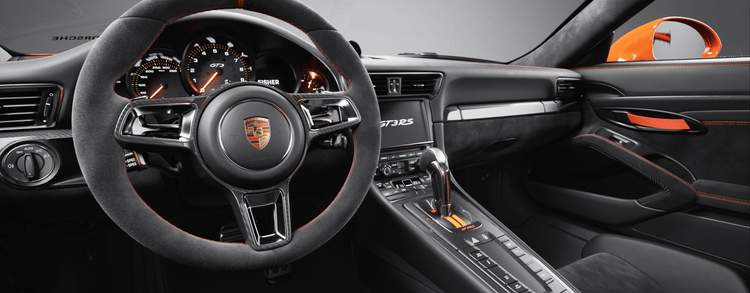
Here are the pictures from Rev2:
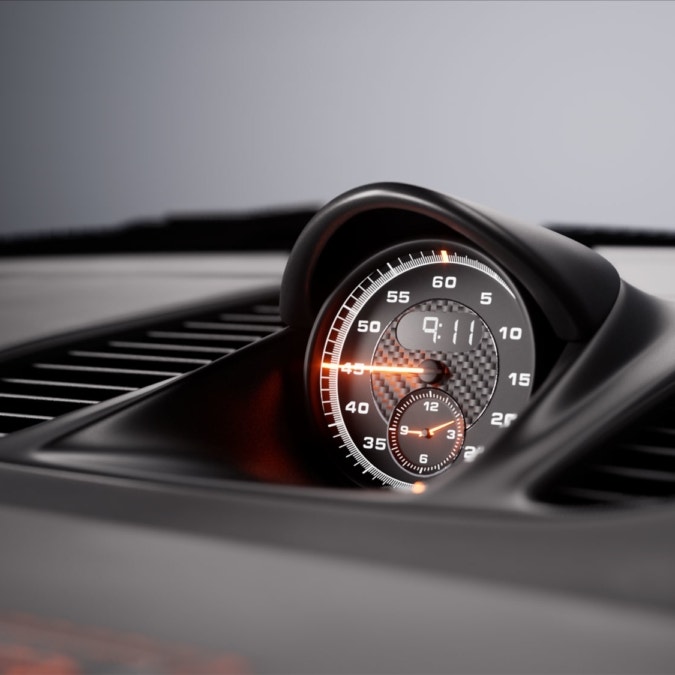
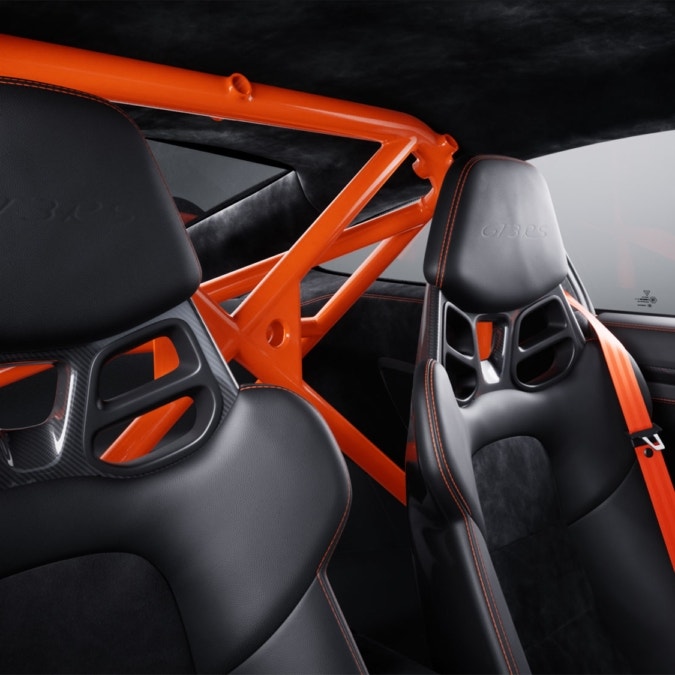
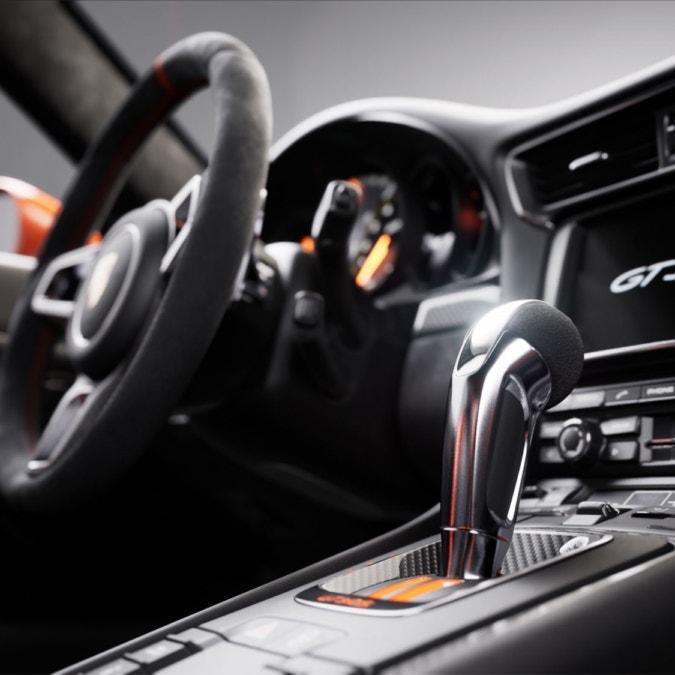
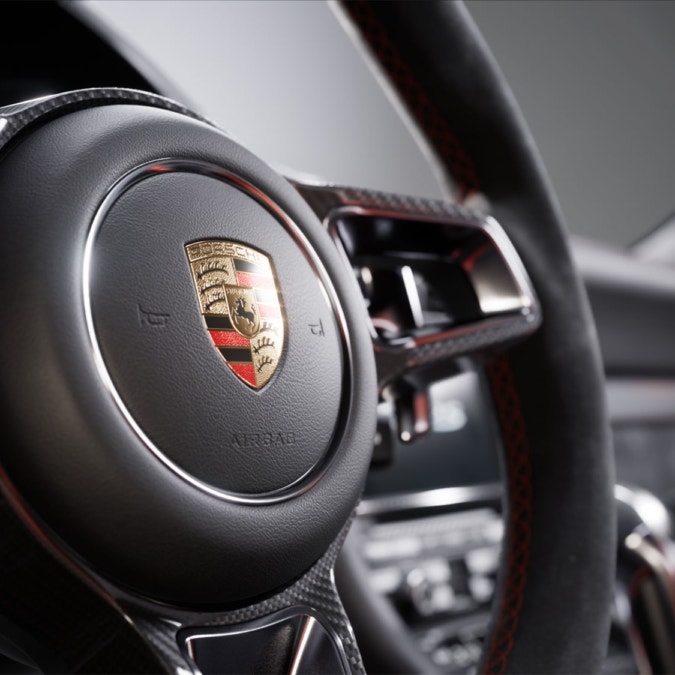
This is also my first large-scale use of the Substance toolset. Since I have been familiar with Substance in previous projects, almost all of the materials were done with Substance this time.
Some of them are directly from the Substance Source library, some are modified. I must say that Substance Source is so great for production visualization that I can’t live without it after the project is done.
Below I will make a demo, which is a little trick to add extra details to the interior leather by mixing two Substance Source templates and an existing texture.
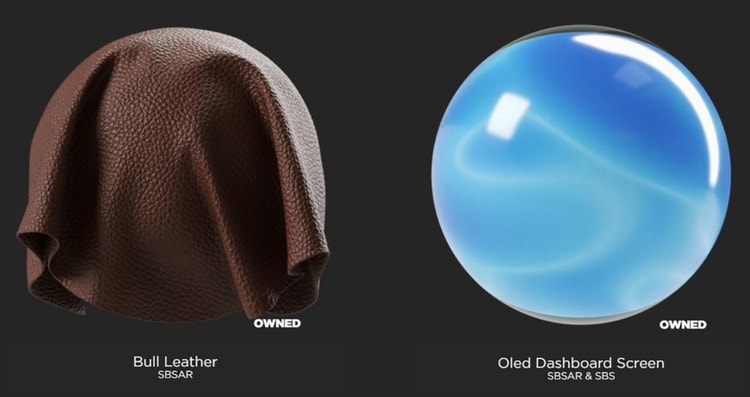
Bull Leather is a standard template that I have always liked. It is very suitable for simulating new seats.
The following picture shows the result of using it directly in the scene:
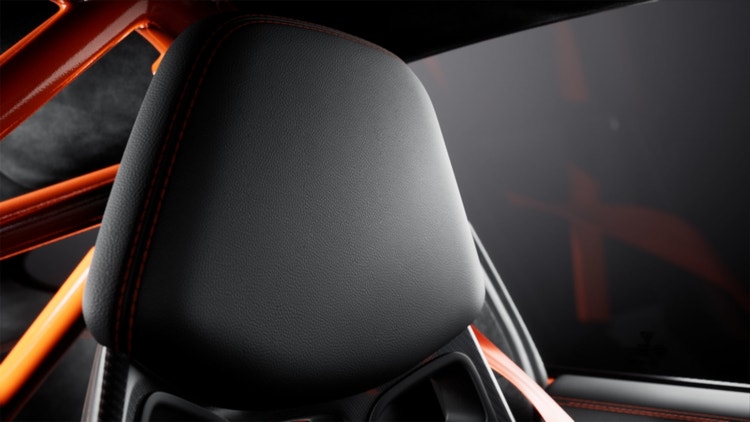
This look is totally enough for automotive visualization; after all, a brand new car is always the best.
But in this project, I wanted to do some interesting details, to make the seats more like what we see in our daily life, with little wrinkles and oil, just like the next picture:
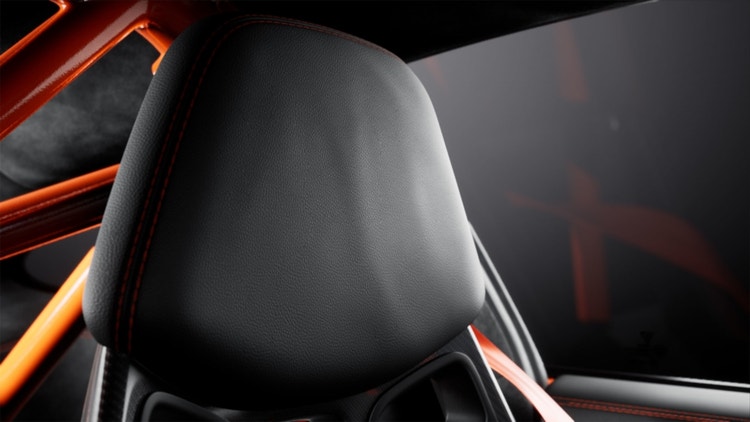
In addition, Substance is really convenient for making these small details. Previously, I had to do a day with Photoshop, in Substance, it’s just one hour!
In order to achieve this look, I first imported Bull Leather’s .sbsar package into Unreal Engine, then made the following adjustments based on the material generated by Substance.
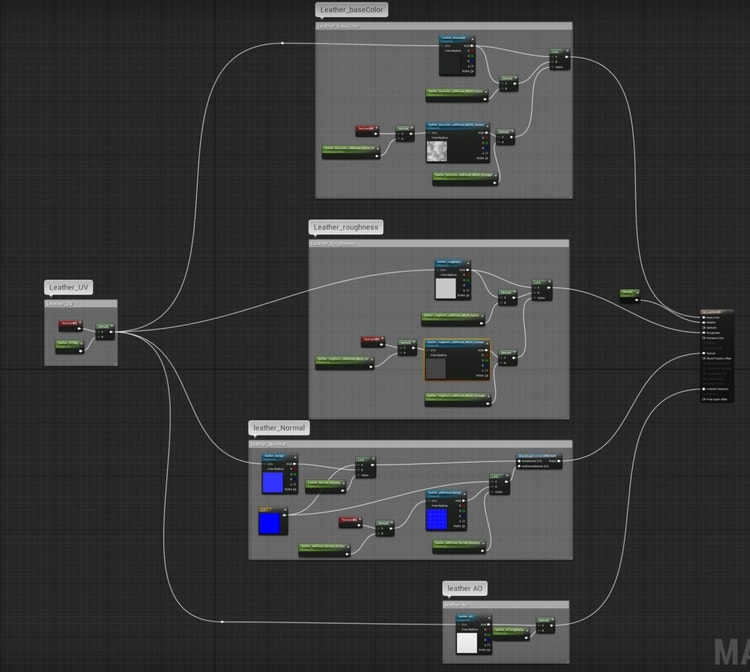
Important blocks, like Leather_roughness and Leather_Normal are as follows; all important nodes are marked:
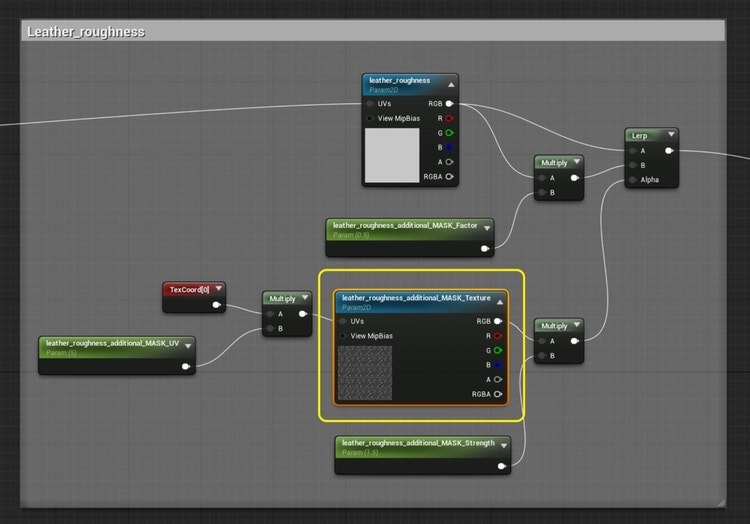
This is an additional texture node that interferes with the roughness of the cortex to simulate the oil stains that appear in everyday life and to avoid an appearance of perfectly uniform smoothness (a common problem with CG images).
The texture of this node comes from the Oled Dashboard Screen preset I just mentioned.
The texture template’s Roughness texture perfectly simulates the fingerprint effect. So I used it on the center console as well as on the seat leather, as shown below.
This is a more interesting node whose function is to add extra wrinkles to Bull Leather. I got a great texture, T_Alcantara_Cloth_N, from the vehicle template released by Unreal Engine (AutomotiveMaterials), which is the normal map from a sample of Alcantara material.
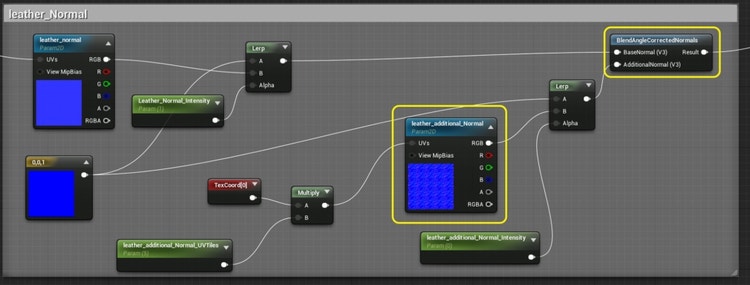
I used the BlendAngleCorrectedNormals node to blend it with the original normal of Bull Leather as an extra normal to simulate the folds of the seat, and then got the two Leather New/Default comparisons you saw above.
The effect of this pleat is not strong, but it adds a lot of eye-catching details to the subtleties and is very simple to use. Here is the texture:

The same operation can also be achieved with Substance Designer; which method depends more on your habits. However, if you want to consider the final frame rate of runtime, it is best to use Substance Designer to convert the entire material to a texture set.
For me, the biggest benefit of Substance Source is to provide a complete, industrial-level material library. Before that, when I wanted to make a material, I usually had two ways:
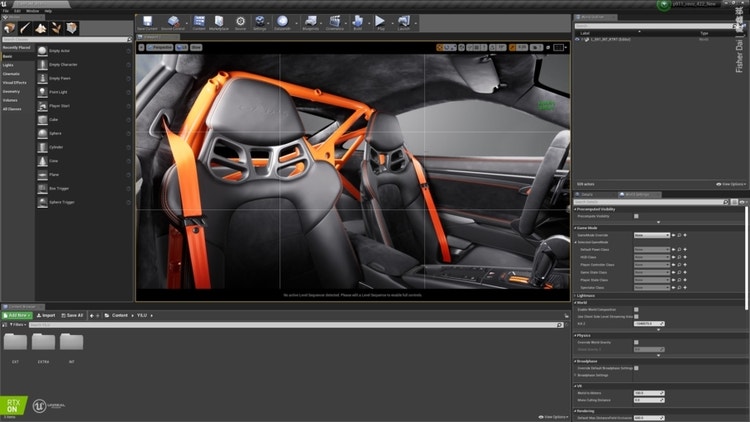
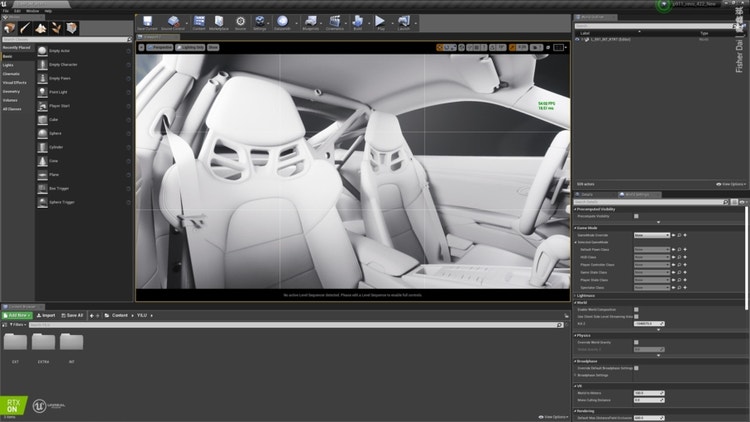
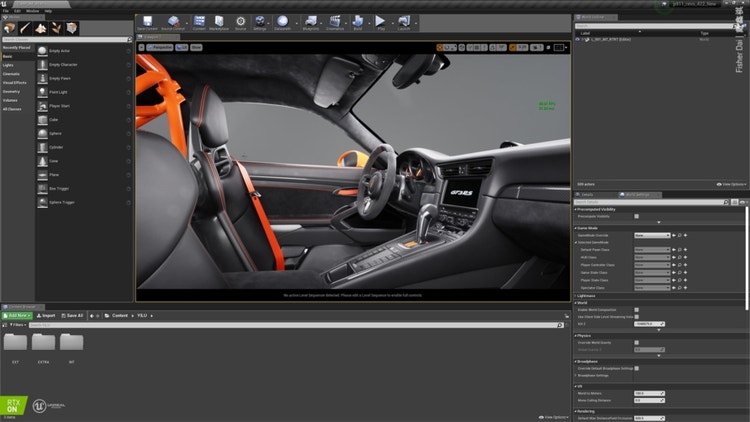
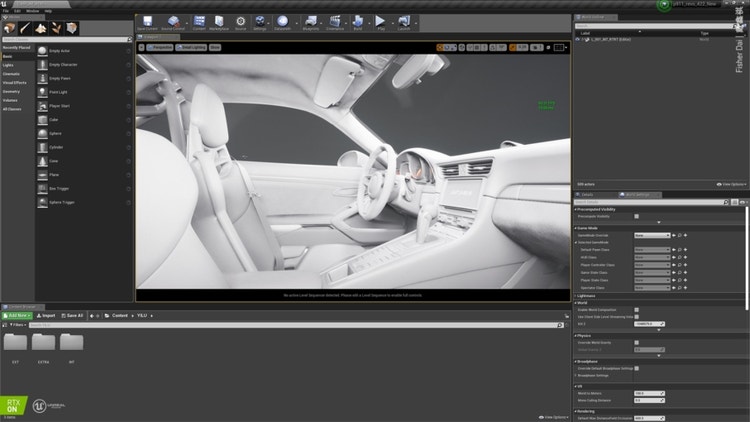
Substance Source has freed my time. I can download rich resources directly from the ready-made material library and directly check the specific material’s look in Unreal Engine. Also I can try different presets through the presets of the .sbsar file.
Below are some of the Substance Source materials I use, and which I recommend to you:
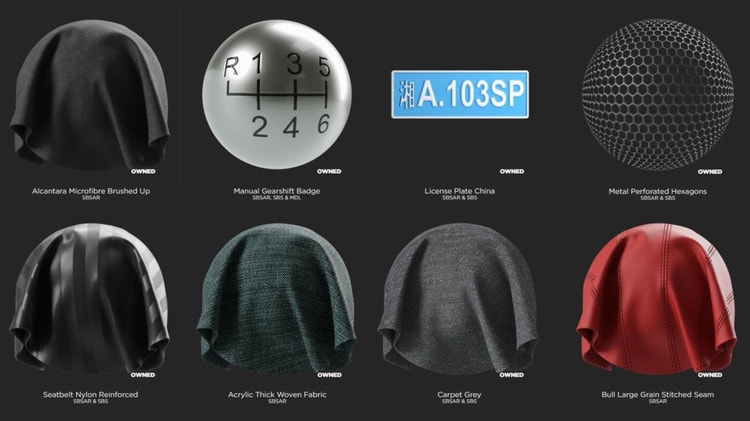
Substance Source also represents a benchmark for me — that is, I assume that the source material is correct. If I feel wrong after importing it into Unreal Engine, then I adjust my lighting and post-processing to make it look good. Although this might not be physically correct, the logic has saved me a lot of brain power, so that I don’t have to figure out: is the material wrong or the lighting?
In short, I have been using traditional CGI production methods for many years. These two spare-time projects have brought me directly into the ocean of game technology and showed me another vast world. I believe that this type of technology will spread rapidly, profoundly and revolutionize the entire CGI industry.
About the car model
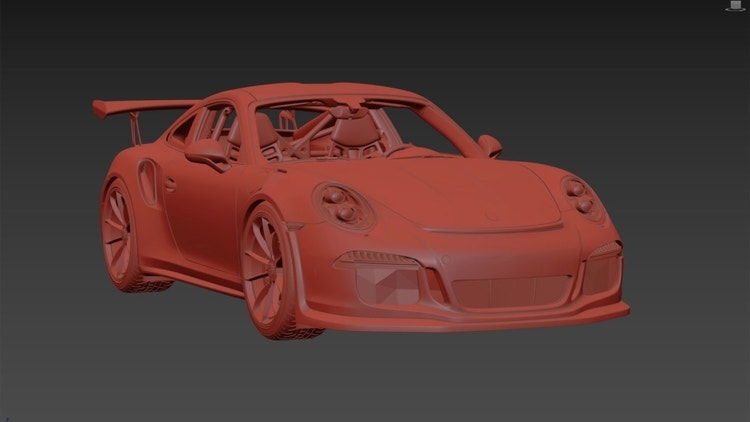
This exquisite Porsche model is made by my friend Fang Xiang, using Polygon in his spare time, including complete interior and exterior components; in addition, almost all the meters and button maps in interior are also created with his hand. He is a crazy talented guy.
His Behance: https://www.behance.net/M_ylkg
Interior map:
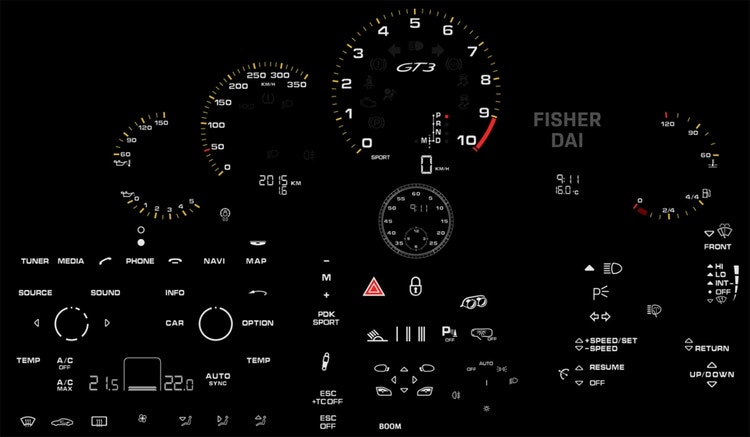
Made with Illustrator
Model Screenshot:
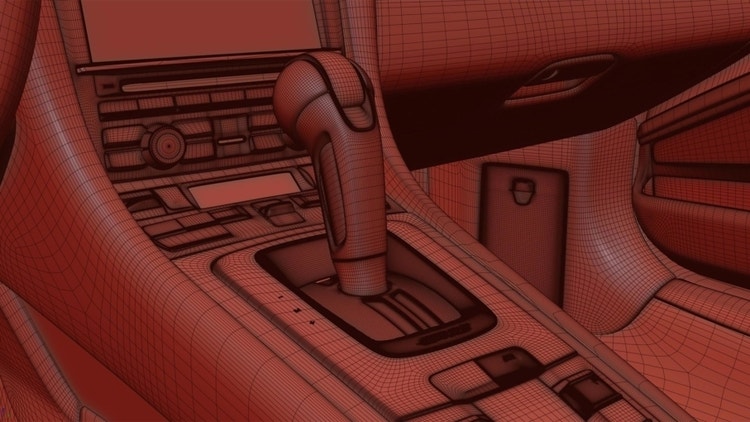
Model Screenshot:
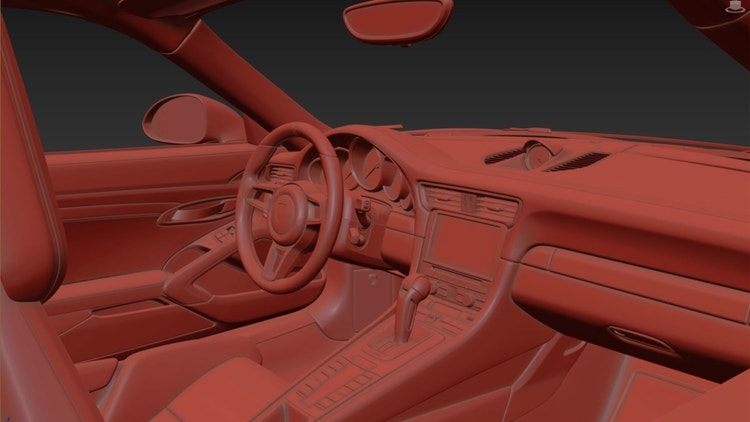
Model Screenshot:
All images courtesy of Fisher Dai and Fang Xiang.