PDF and document essentials
Plans that work for you.
Choose your plan:
Acrobat Standard
Standard PDF toolset
£14.99/moincl. VAT. Fee applies of half your remaining annual commitment if you cancel after 14 days.
Edit and convert documents with trusted PDF tools.
Fee applies of half your remaining annual commitment if you cancel after 14 days.

- Create, edit, convert, export, and organize PDFs
- Collect e-signatures and track responses
- Password-protect PDFs
- Create, fill, sign, and send forms
Acrobat Pro
Full PDF toolset
£19.97/moincl. VAT. Fee applies of half your remaining annual commitment if you cancel after 14 days.
Create, edit, and sign PDFs with secure document and e-signature workflows.
Fee applies of half your remaining annual commitment if you cancel after 14 days.
- Create, edit, convert, export, compare, and organize PDFs
- Collect e-signatures and track responses
- Password-protect and redact PDFs
- Create, fill, sign, and send forms
- Create web forms, turn scans into editable PDFs, and access 70+ features
Acrobat Studio
All-in-one solution
£24.98/moincl. VAT. Fee applies of half your remaining annual commitment if you cancel after 14 days.
Do it all with the AI-powered PDF and design solution for document workflows. Includes everything in Acrobat Pro, plus AI Assistant.
Fee applies of half your remaining annual commitment if you cancel after 14 days.

- Get all the PDF tools in Acrobat Pro

- Ask AI to edit, convert, or compress PDFs
- Get AI summaries, insights, and answers
- Organize, share, and collaborate with PDF Spaces

- Create flyers, social content, and presentations from documents
Filters
Sort
Popularity
Alphabetically
coll-no-results-text
Categories
REFINE YOUR RESULTS
Close
Special Offers – opens in a new window
filter by category
RESOURCES
1 result in
results in
coll-result-mobile-text
results in
1 result in
results for
1 result in
results in
Your search for returned no results
Your search for returned no results
View more
coll-all-filters-text
coll-filters-category-text
coll-filters-applied-text
coll-filters-results-text
coll-filters-reset-text
countdown-timer-text
Discover what's included
License|Licenses
Compare plans
primary feature
primary feature
primary feature
primary feature
primary feature
primary feature
primary feature
primary feature
primary feature
primary feature
primary feature
primary feature
primary feature
primary feature
primary feature
primary feature
primary feature
primary feature
primary feature
primary feature
primary feature
primary feature
primary feature
primary feature
primary feature
primary feature
primary feature
primary feature
primary feature
primary feature
primary feature
primary feature
primary feature
primary feature
primary feature
primary feature
primary feature
primary feature
primary feature
Compare plans
Standard PDF toolset
{{acrobat-standard}}
-
mas-field: ACOM-DC/Compare Chart Column/Individual/com/Acrobat → Product price
{{annual-paid-monthly-plan-cap-geo-ip}}
-
Full PDF toolset
{{acrobat-pro}}
-
mas-field: ACOM-DC/Compare Chart Column/Individual/com/Acrobat Pro Subs CC → Product price
{{annual-paid-monthly-plan-cap-geo-ip}}
-
All-in-one solution
{{ARCH}}
-
mas-field: ACOM-DC/Compare Chart Column/Individual/com/Acrobat Studio → Product price
{{annual-paid-monthly-plan-cap-geo-ip}}
-
mas-field: ACOM-DC/ Compare Chart Column/Individual/com/Acrobat Studio → ctas[Free trial - segmentation - modal]
Choose your plan:
- Annual, billed monthly
- Annual, prepaid
Choose your plan:
- {{annual-paid-monthly}}
- Annual, prepaid
Acrobat perks
What’s included with paid Acrobat plans.
Access anywhere
Use Acrobat wherever you are — on desktop, mobile or in your web browser.
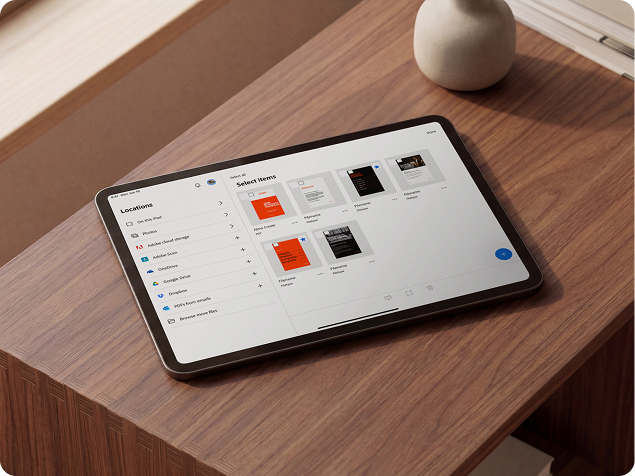
Storage
Your Adobe membership comes with 100 GB of cloud storage that you can upgrade any time.

Tutorials
Learn the basics or refine your skills with tutorials designed to inspire.

Frequently Asked Questions
What is Adobe Acrobat?
Acrobat is a productivity and collaboration platform that brings together powerful PDF tools, AI features, content creation and seamless sharing to help you to get your best work done. With an Acrobat desktop subscription, you get access to Acrobat desktop software, Acrobat online tools, the Acrobat Reader mobile app and the Adobe Scan app — all so you can work more securely and efficiently from almost anywhere, on any device.
What’s the difference between Acrobat Standard, Acrobat Pro and Acrobat Studio?
Acrobat Standard includes basic PDF features, allowing you to:
- Edit and organise PDFs.
- Convert documents to and from PDF.
- Fill in forms, sign documents and request e-signatures.
- Password-protect files.
Acrobat Pro includes everything in Acrobat Standard, plus enhanced PDF tools and e-signature capabilities. With these advanced features, you can:
- Turn scanned documents into editable, searchable PDFs.
- Compare PDFs to review differences.
- Redact sensitive information from PDFs.
- Brand your agreements by adding a logo and customised URL.
- Create web forms and reusable e-sign templates.
- Receive and track multiple e-signatures by sending in bulk.
Acrobat Studio includes everything in Acrobat Pro, plus PDF Spaces, AI Assistant for Acrobat and Adobe Express Premium. Additional features include:
- Chat with your documents and get fast answers.
- Summarise documents with one click.
- Ask questions using voice prompts on your mobile device.
- Unlock insights across PDFs, Microsoft 365 files and web links with PDF Spaces.
- Easily remix docs into presentations with AI, create content from over 500,000 professional templates and generate customised images — all powered by Adobe Express.
- Use AI-powered PDF Actions to complete top tasks in no time.
- Share a PDF Space with a prebuilt or personalised AI Assistant.
You can see how the Acrobat offerings compare.
What’s included in my Acrobat desktop subscription?
Your subscription to Acrobat includes desktop software, online access and mobile apps, letting you effortlessly sync files across computers and devices.
- Acrobat desktop software: Use Acrobat on your desktop, with tools to edit, convert, protect and sign documents. You can also integrate Acrobat with other productivity tools.
- Acrobat online: Use PDF and e-signature tools in any web browser. Our prebuilt integrations for Microsoft OneDrive, Google Drive and more make it easy to store and share files online. You can even send documents for e-signature and track responses in real time.
- Acrobat Reader mobile app: The world’s most trusted PDF reader and editor with more than 635 million installs. View, share, annotate, add comments and sign documents - all in one app.
- Acrobat Scan mobile app: Turn your mobile device into a powerful scanner that recognises text automatically (OCR) and allows you to create, save and organise your paper documents as digital files.
How does a subscription work?
When you subscribe to Acrobat Studio, Acrobat Pro or Acrobat Standard, you pay a monthly or annual fee based on the plan you choose. Regular updates will ensure that you have the latest features available in Acrobat. You will not need to upgrade your product as long as your subscription is active.
Is there a perpetual version of Acrobat available?
No. Adobe discontinued selling perpetual versions of Acrobat after Acrobat 2020. However, if you would like a non-subscription version of Acrobat, Acrobat Pro 2024 desktop software is a one-time, upfront purchase that provides three years of access to Acrobat desktop. It includes quarterly security updates but does not include Acrobat feature enhancements or access to Acrobat online services via your web browser and mobile devices.
What are the minimum system requirements to run Acrobat?
See the Acrobat system requirements page for information.
In what languages is Acrobat available?
See the Acrobat system requirements page for information.
What’s the best way for my business to purchase Acrobat subscriptions?
Adobe offers plans for businesses of all sizes. For small businesses, Acrobat Teams subscriptions make it easy to purchase and manage multiple licences through a centralised admin console. For larger organisations with more complex deployment and administrative needs, volume licensing options are available. Request a contact from Adobe’s sales team or contact an Adobe Authorized Reseller.
To learn more, visit the Acrobat for business page.
What makes Acrobat a great collaboration tool?
Acrobat gives you seamless and highly secure sharing, real-time commenting and PDF tools that make collaborating on documents easier than ever. You can create knowledge hubs in PDF Spaces where the entire team can add files and work together to build strong work. Customised AI agents come in handy to help you to guide AI Assistant to provide the direction and output you need to push your project forward.
What’s the best way to integrate document workflows with cloud storage?
The best way to integrate document workflows with cloud storage is by using Acrobat’s built-in support for popular cloud services. Acrobat works seamlessly with:
- Acrobat Document Cloud: Access your files from anywhere, send links for review and sync changes across devices.
- Third-party cloud storage: Connect to OneDrive, Google Drive, Dropbox, Box and more directly within Acrobat.
Users can open and save files from cloud storage without leaving Acrobat - no need to download or upload manually. Real-time collaboration is enabled by sharing cloud-stored PDFs with others for commenting and review. Files can be organised and stored securely using version history and permission controls supported by your cloud provider.
How can Acrobat automate my PDF tasks?
Acrobat helps automate your PDF workflows by streamlining repetitive tasks and reducing manual effort through built-in tools and integrations. Key automation features include:
- Action Wizard (in Acrobat Pro): Create and run customised sequences of tasks, like OCR, redaction, watermarking and file conversion on multiple PDFs at once.
- Batch processing: Apply the same edits, optimisations or security settings across multiple documents automatically.
- Cloud-based workflows: Use Acrobat online and Adobe Document Cloud to send, sign and track documents from anywhere with automated notifications and reminders.
- Integrations with Microsoft 365 and other apps: Automate PDF creation, editing and signing directly within tools you already use.
- AI-powered features: Auto-tagging for accessibility, content recognition and smart form field detection to reduce set-up time.
How do I streamline my document review process with Acrobat?
Acrobat makes it easy to manage and automate document review and collaboration, reducing the need for back-and-forth emails and manual edits. With Acrobat, you can:
- Share PDFs for review via a secure link, no attachments needed.
- Collect comments in one place, in real time, from multiple reviewers.
- Use automatic version tracking to keep everyone on the same page.
- Receive notifications when reviewers add feedback or complete their review.
- Work seamlessly with Microsoft Teams and Outlook to manage reviews within your existing workflow.
- Use AI Assistant to quickly review content and contracts, compare document versions, generate summaries, uncover insights and key data and more.
Questions about business plans?
Contact us for more information about plans and pricing for businesses of all sizes.