How to convert DNG to JPG.
Digital Negative (DNG) and JPG/JPEG (Joint Photographic Experts Group) are both types of digital image files. If you enjoy photo editing or like to share your snaps, you may encounter these file types.
Because these file types each have their pros, cons, and uses, you may want to convert between them – especially if you’re looking to include them in a PDF. Get ready for a snapshot of how they work with this Adobe guide on converting DNG to JPG with Acrobat.
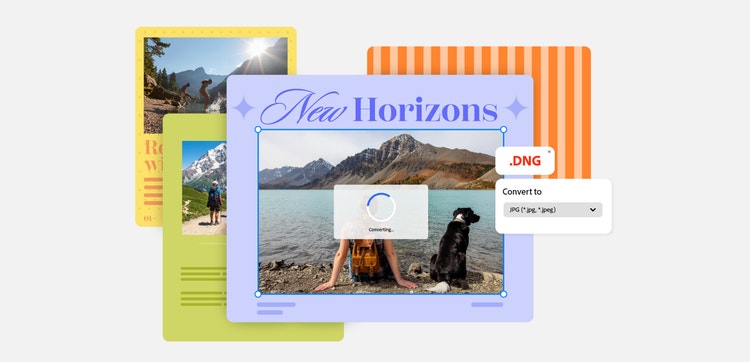
What are digital negative (DNG) files?
DNG files are a type of raw file format” used in digital photography, designed to unify RAW images. RAW files hold the uncompressed, unprocessed, high-quality image data. Before DNG, manufacturers developed and used their own technologies to capture RAW images. This meant that if a photographer wanted to edit high-quality photos, their file may have been incompatible with photo editing software.
In 2004, Adobe launched the DNG format to encourage a standardised file type. Now, major tech companies such as Apple, Google, and Samsung support DNG.
How to open a DNG file.
To open a DNG file, you need a photo viewing application. Microsoft Photos, Apple Photos, and Apple Previews all work fine, so you can access DNG photos on either Windows or Mac.
On mobile, it’s a bit trickier, and you may need to use a DNG Extractor App or photo editing software such as Adobe Lightroom or Snapseed.
Why convert a DNG to JPG?
There are a lot of reasons you might want to convert a high-quality, lossless image file, such as a DNG, into a JPG. Some of these include:
- Reducing file sizes. DNG (as well as other RAW files) take up a lot of storage space. JPGs are compressed, which saves on storage and speeds up transfers.
- Quicker performance. As JPG files are smaller, they load faster on websites, social media and applications, which is better for user experience.
- Compatibility and sharing. The JPG format is universal, meaning that any device or application can open it. By converting from DNG to JPG, you can ensure anyone can access your image without specialised software.
It’s also worth noting that, when a DNG image is edited and converted to a JPG, changes are locked in. Essentially, you’ll have less options to work with when editing. That makes JPG ideal for sharing, but you may want to wait until you’re done editing before you convert your DNG file into a JPG.
Tips on how to convert a DNG to JPG.
Don’t let your snaps give you storage headaches. Share your images without the wait times when you convert a DNG file to JPG.
Here are a few simple steps to convert your DNG files to JPG online with Adobe Acrobat:
- Convert your DNG file into PDF format using an online DNG to PDF converter tool.
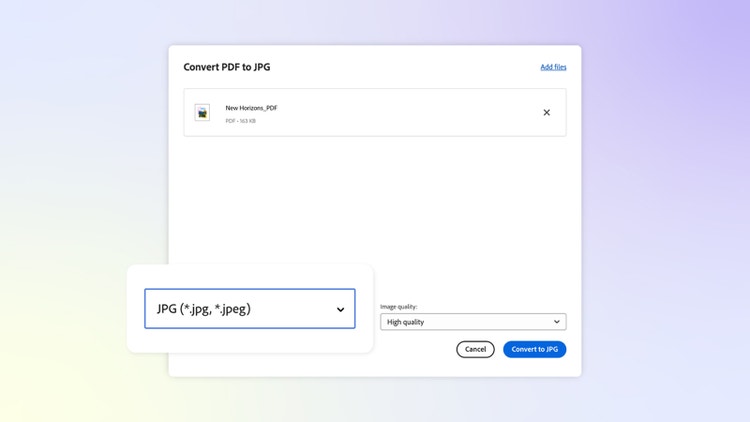
- Next, convert your PDF file to JPG using the Adobe Acrobat online PDF to JPG converter.
- Once you’re done, download your new JPG file or sign in to share it to collaborators.
Want to try things the other way? Convert your JPGs into PDFs and go from there, with the JPG to PDF converter tool.
Work smarter with Adobe Acrobat.
Whether you’re working with images and documents, on your own or as part of a team, Adobe Acrobat’s suite of online tools has you covered. Convert popular formats to PDF, secure your documents, request signatures, and merge files all in one place.
FAQs.
Is DNG better than JPG?
DNG is a higher-quality format than a JPG, so it probably has the edge terms of image quality and editing. However, JPGs are much smaller in file size, making them better for sharing, uploading, or hosting on websites.
Is DNG a raw photo?
Yes, DNG is a RAW file format. It was designed to be a universal standard for uncompressed, unprocessed RAW photo data, to offer greater compatibility. While it contains raw data, it’s easier to use in different editing software, due to its standardised nature.
What are the disadvantages of DNG?
DNG is a RAW file type, meaning it is uncompressed and unprocessed, resulting in large file sizes. This makes it difficult to share a DNG, to host it on a website in a way that doesn’t impact user experience, and to store them efficiently. Additionally, not every image viewer on every device can load a DNG image, either.
More useful resources.
Useful PDF tools.
Sign up to Adobe Acrobat today and edit your files – whether you’re at the desk or on the go – with Adobe Acrobat online.