How to convert EPUB to PDF.
PDFs offer fixed layouts, perfect for precise documents and printing. EPUBs are reflowable, adapting text for comfortable e-reading on various devices. Learn how to convert EPUB to PDF for printing or preserving fixed formatting with this handy guide from Adobe Acrobat.
Explore Acrobat’s host of tools that can support PDFs and convert them to a variety of other formats.
Understanding EPUB and PDF files.
EPUB and PDF files are both useful in their own ways, but have different features. This means it can often be useful to know how to convert EPUB into PDF, and vice versa.
EPUB files explained.
EPUB stands for Electronic Publication and is an open e-book standard. Unlike traditional fixed-layout documents, EPUB files are designed to be "reflowable". This means the text, images, and other content automatically adjust and optimise themselves to fit the screen size of whatever device you're using – be it an e-reader, tablet, or smartphone.
This adaptability is EPUB's key advantage. Readers can customise their experience by changing font sizes, styles, and line spacing without distorting the layout, making for a much more comfortable and accessible reading experience, especially on smaller screens. EPUBs are ideal for long-form text, like novels or textbooks, and can also support interactive elements such as embedded multimedia and hyperlinks. They are the preferred format for most dedicated e-readers due to their superior readability and flexibility.
PDF files explained.
PDF stands for Portable Document Format, and was originally developed by Adobe. The primary purpose of a PDF is to present documents in a fixed-layout format. This means that, once a document is saved as a PDF, its appearance – including text, fonts, images, and overall layout – will remain the same, regardless of the software, hardware, or operating system used to view it.
This consistency is a huge benefit. PDFs are widely used for documents where precise formatting is critical, such as legal contracts, academic papers, company reports, and brochures. They are also ideal for printing, ensuring that what you see on screen is exactly what you get on paper.
PDFs can also incorporate security features like password protection and digital signatures, making them suitable for official and sensitive information. Their universal compatibility means they can be opened and viewed on virtually any device, making them a standard for document sharing.
Why convert an EPUB to a PDF?
While EPUBs excel at providing a flexible and customisable reading experience on e-readers, there are several reasons why you might choose to convert an EPUB file into a PDF. This conversion often stems from a need for a fixed, unalterable presentation of the content.
Some of the main reasons why you might want to convert an EPUB to a PDF are:
- Reliable printing: When you convert an EPUB to a PDF, you know that the document's layout, fonts, and images will be preserved exactly as you intended on paper. This helps avoid any reflow issues or unexpected formatting changes that can occur when printing directly from an EPUB viewer.
- Preserving fixed layout and design: If the original EPUB contains complex layouts, specific graphic elements, or a design that is integral to its message (e.g., a children's book with fixed illustrations, a magazine-style e-book), converting it to PDF locks that design in place. This guarantees that every viewer sees the document exactly as the creator intended, no matter what their screen size or reader settings.
- Universal sharing and archiving: PDFs are universally recognised and can be opened on virtually any computer or device without needing specialised e-reading software. This makes them ideal for sharing documents with a broad audience, ensuring everyone has access.
- Digital signatures: PDFs can easily be secured and authenticated by adding digital signatures.
Key steps to convert an EPUB to a PDF.
With the right tools, it’s simple to convert an EPUB to PDF. Once converted, you can edit, share and upload your file wherever you need to.
- Find a reputable EPUB to PDF online converter tool.
- Drag and drop the EPUB file or browse for it within your files.
- Adjust the page settings if this facility is available.
- Ensure PDF is selected as the file conversion option and hit the convert button.
- Edit, download or share your converted PDF file.
Online EPUB to PDF converters are typically easy to use, with no software installation required. Many also offer basic services for free. Be aware that there may be limitations on file size, and, for sensitive documents, there could be privacy concerns relating to uploading files onto online servers.
Convert from EPUB to PDF with Adobe Acrobat.
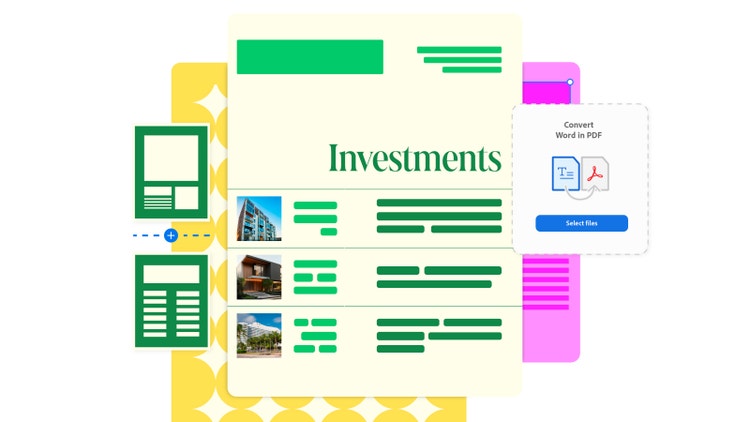
Adobe Acrobat does not currently have tools that will directly convert EPUB to PDF. However, you can access free tools to help you along the way.
- Convert the EPUB file to another file type, such as a Word document, using an online converter tool.
- You can then convert that Word document to PDF with Adobe’s free online tools.
- Once converted, you can edit, download or share the new PDF file.
FAQs.
Should I download books in EPUB or PDF?
If you’re downloading a book to read, EPUB is often the best format – it lets you change the settings on your chosen device, so you can alter things like font size or style to suit your preferences. The responsive design means you can access the content from multiple devices your way. PDFs are the preferred option if you want to make sure you see the content exactly as the writer intended.
What are the disadvantages of PDFs and EPUB files?
The disadvantages of PDFs include not being easily adaptable to different devices and displays, the complexity of the coding, and the difficulty in converting to a web-friendly format. The main disadvantage of EPUB files is the necessity of knowing at least the basics of the appropriate coding language.
Why can’t I convert a file to PDF?
Common reasons why a file cannot be converted to PDF include:
- Overlarge file size
- Outdated software
- Password protection
- Poor internet or server connection.
Useful PDF tools.
Sign up for Adobe Acrobat and start converting files from one format to another with ease.