Should a CV Be in PDF or Word?
A CV is a document that highlights your skills, education and key achievements when applying for a job. A well-formatted CV enhances readability and creates a strong first impression, which could increase your chances of an interview.
You’ll often have the option to send a CV as a PDF or Word document. Read on to learn whether to upload your CV as a PDF or a Microsoft Word document.
Key takeaways.
- If you’re unsure whether to share your CV as a PDF or Word document, check the job application or the recruiter’s instructions.
- If no preference is stated, remember that PDF documents maintain formatting and security better than Word docs.
- Before submitting your CV, it’s a good idea to check how it reads across devices and consider its compatibility with applicant tracking systems (ATS).
What format should a CV be in?
CV is short for Curriculum Vitae. A Latin phrase, which can be translated to ‘the course of my life’. A CV is a document that summarises your key skills, achievements and experiences. It shows employers why you’re a good fit for the role.
Job applicants tend to have two main options when formatting a CV:
Alternatively, you might be asked to type up your experience into an applicant tracking system (ATS).
What is the PDF format?
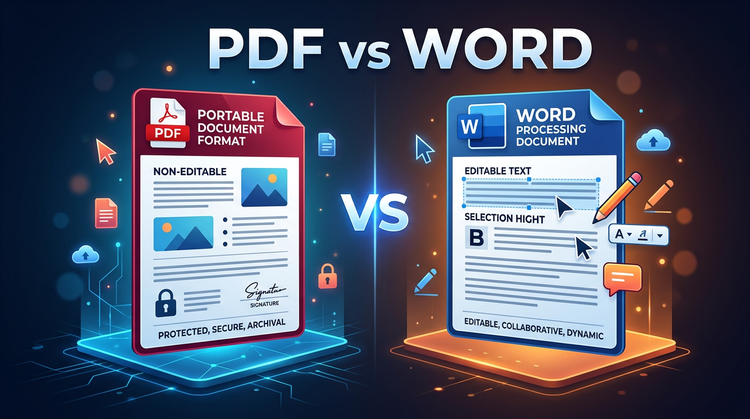
PDF is short for Portable Document Format. It’s a file format designed to make presenting and exchanging documents easier. The PDF format was created by Adobe and is used all over the world, from classrooms to meeting rooms.
One of the key features of the PDF format is its versatility. The PDF format can be used by anyone, regardless of software, hardware, or operating system.
PDFs also retain their formatting across a wider range of devices and are easy to secure and prevent editing, using tools such as Acrobat Password-Protect PDF.
What is the Word format?
A Word document is a digital file created by Microsoft Word. It’s primarily designed for writing and editing text and features a range of formatting options, allowing users to change fonts, text sizes and more. Users can also embed images and add tables and links into their documents.
From business to marketing, Word documents are widely used across a range of disciplines, thanks to their ease of editing and ability to track changes from multiple editors. However, unlike PDFs, which maintain their formatting across different devices, the content formatting of a Word document may change depending on the program used to open it.
Is it better to send a CV as a PDF or Word file?
Wondering if it’s better to send a CV as a PDF or Word file? Let’s explore some of the pros and cons of each format.
PDF pros and cons.
Pros.
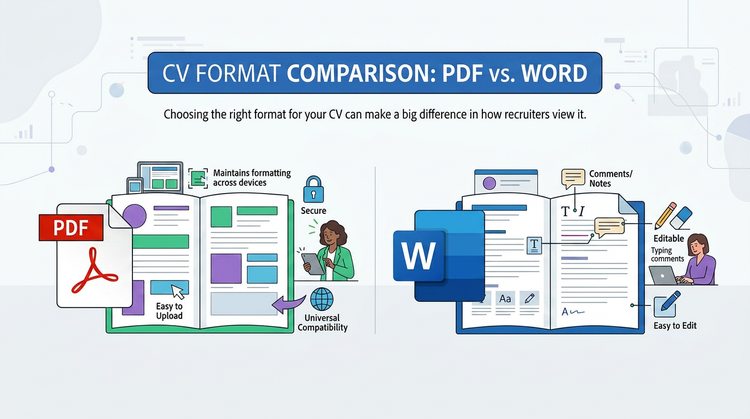
- Maintains the same formatting across different devices and programs.
- Static and can’t be easily altered, unlike Word documents.
- It offers universal compatibility.
- Secure, which is important for documents like CVs.
- Can be compressed without affecting the quality of the document.
- Easy to upload.
Cons.
- Could take up more space than a Word document.
- May not always be the preferred format for recruiters. It’s best to check first.
- Depending on corporate tools and policies, recruiters may find it harder to leave comments or notes on the file directly (though you can annotate and share PDFs via the Microsoft Edge browser).
- Can be difficult to edit or remove contact information. While there are free PDF editing tools, these tend to offer limited features.
- Can be hard for some recruiters to extract content from your document.
Word document pros and cons.
Pros.
- Easy to use, as professionals are often familiar with Word documents.
- Easy for recruiters to leave comments with features such as ‘Track Changes’.
- Simple documents that can be easier for applicant tracking software to read.
- Recruiters may prefer this format, but it’s best to check first.
- Offers spell-checking and writing tools to help sense-check your CV.
Cons.
- Less secure. PDFs let you secure and encrypt your documents to prevent others from editing without your consent.
- Sections can be edited or deleted by accident when sharing.
- Content formatting may not appear the same as how you saved it, depending on how the document is opened.
- Users may have trouble inserting pictures or aligning text around pictures.
What rules should you consider when choosing PDF or Word for a CV?
Still not sure what CV format is best? Here are some key rules to consider:
- Follow the recruiter’s official instructions. Recruiters often list their preferred format on the job description. If you’re unsure, it can be worth reaching out directly.
- Use one format or the other. If you’re submitting more than one page or attaching a cover letter to support your application, stick to one format for consistency.
- Think about how your CV will be opened. Will your CV be opened on a hiring manager’s computer or by an automated applicant tracking system?
- Research the company’s ATS. This can help you format your CV accordingly, which could give you an advantage over other applicants.
- Test your CV yourself. Open your CV across different devices or email your CV to yourself. This can help you spot any formatting issues before sending it off to recruiters.
How to convert a Word CV to a PDF.
If you prefer to create and edit your CV in Word, you could always convert it to a PDF before you send it to the recruiter.
Sending your CV as a PDF can give you peace of mind that your document is secure. Formatting your CV as a PDF also means you know exactly what your resume will look like when opened by recruiters.
There are two main ways of converting a Word doc CV to a PDF:
Save the Microsoft Document as a PDF in Word.
- Open your finished CV doc in Microsoft Word.
- Click ‘File’, ‘Save As’.
- Open the drop-down box, then click ‘PDF’.
- Save your PDF file.
Use the Adobe Acrobat PDF converter tool.
- Open the Acrobat Word to PDF converter.
- Upload or drag your Word Doc into the drop zone.
- Wait for Acrobat to convert your file.
- Save your new PDF file.
FAQs.
Is it easier to send a CV as a PDF or a Word document?
PDFs offer secure formatting that stays the same no matter which device they’re opened on. This can make it easier to send a CV, as you know exactly how it will look when opened. Word documents, on the other hand, tend to be easier to manipulate and can change and become less readable depending on where the document is opened.
PDFs also offer security features such as password protection and locking, which can help keep your CV secure.
How do I make a PDF CV?
There are lots of free online tools you can use to make a PDF CV. This includes the Adobe Express Free CV maker. You can then edit your PDF as you please. If you’re creating your CV in Word, you could convert it to a PDF with the free PDF Converter.
How do I reduce the size of my CV PDF?
The Acrobat Compress PDF tool makes it easy to reduce PDF file sizes without impacting quality. Drag or upload your CV to the interface, then select a compression level and compress. Adobe will then automatically reduce the file size. All that’s left to do is download your compressed PDF.
More resources.
- How to Write on a PDF
- Cover Letter PDF Templates
- What is a Cover Letter?
- How to Insert PDF into Word
Useful PDF tools.
Sign up to Adobe Acrobat online and work smarter with powerful PDF tools.