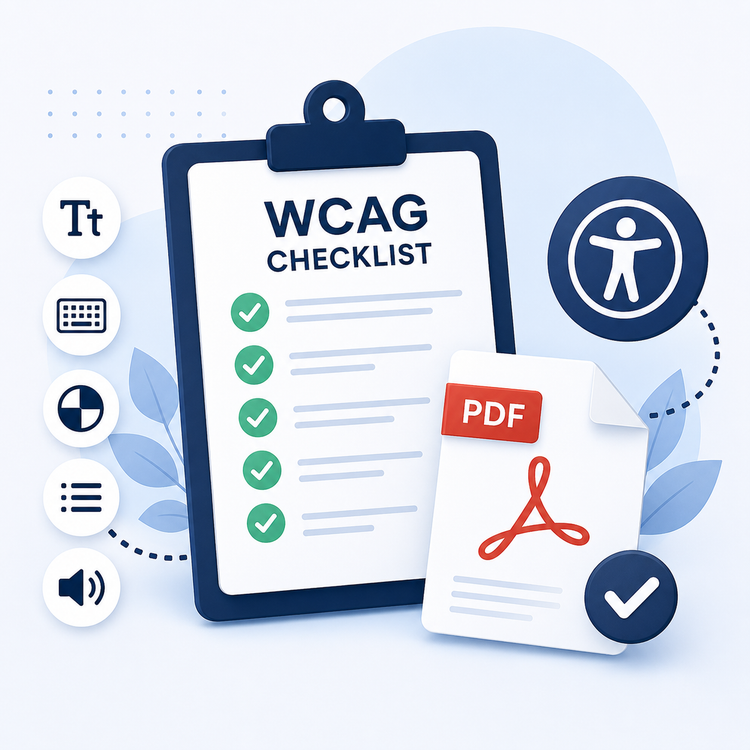
WCAG Checklist for a PDF.
Web Content Accessibility Guidelines (WCAG) are in place to make sure the content you create and publish is accessible to everyone. If you’re making a PDF – whether it’s for an internal resource at work or to be published online – it’s a good idea to understand how to make it as suitable as possible for people with disabilities.
PDFs themselves are not naturally responsive like web pages are, so following the WCAGs is vital when making accessible content.
Key takeaways.
- Web Content Accessibility Guidelines (WCAG) help make sure that all digital content, including PDFs, is accessible to people with disabilities.
- For a universal user experience, accessible PDFs need to be Perceivable, Operable, Understandable, and Robust.
- Following WCAG 2.2 is a legal requirement in the UK, to enhance user experience and avoid disputes. Making a WCAG checklist for your PDFs can help you follow these essential guidelines.
What is WCAG?
Web Content Accessibility Guidelines (WCAG) are globally recognised recommendations made to ensure online content is accessible and suitable for people with disabilities. They were developed by the World Wide Web Consortium (W3C), initially for online web content. However, WCAG apply to all digital content – including PDFs.
In the UK, all services – including any digital content – must meet government accessibility requirements. These requirements include following WCAG 2.2 to ensure content is created with the following impairments in mind:
- Visual. E.g. blind, partially blind and colour-blind people.
- Auditory. E.g. people who are deaf or hard of hearing.
- Mobility. E.g. people who find it difficult to use a keyboard or mouse.
- Cognitive. E.g. people who have learning difficulties, dyslexia or autism.
WCAG 2.2 checklist for PDFs.
WCAG 2.2 is the latest version of the WCAG web content accessibility guidelines that service providers and businesses are encouraged to follow. The guidelines themselves are reviewed and updated regularly, but follow the same core principles for accessibility when creating and publishing services and related content.
Below, we explore the key points to meet in our WCAG 2.2 checklist, to help you create accessible PDFs.
Principle 1: Perceivable.
You need to make sure your content is usable and recognisable to people. Your readers need to be able to understand your content using the senses that are available to them. Keep in mind that WCAG is about making content accessible to everyone, rather than just considering a ‘list’ of disabilities or impairments.
A few ways to make your PDF perceivable regarding WCAG could be:
- Use a simple layout that isn’t too wordy or crowded.
- Stick to shorter sentences and paragraphs.
- Use blocks, bullet points and icons to break up copy.
- Provide captions for videos.
- Avoid contrasting colours or using colours to denote meaning.
Principle 2: Operable.
People need to be able to find and use your content, regardless of how they’re accessing it – for example, via desktop or mobile. You want to ensure users can find and navigate your content and determine where they are. Some key ways to make your PDF operable include:
- Provide ‘skip to’ or jump links to help people navigate the document.
- Ensure headings and subheadings are descriptive.
- Make sure anchor texts for links are descriptive – so people know what they lead to.
- Make sure lines of copy – and any rich media – aren’t too close together.
In Adobe Acrobat, you can add descriptive alt text to PDFs by heading to ‘Tools’ in the top menu bar, then click ‘Accessibility’, and ‘Add Tags to Document’.
Principle 3: Understandable.
The content you create needs to be readable and understandable to every reader. This includes language and syntax, but also how you explain how your business or services work.
Here are some WCAG guidelines to follow when making your PDF understandable.
- Make sure the copy structure and tone of voice are consistent throughout the document.
- Make it clear what language the copy is written in – and where the reader can find other language alternatives.
- Use icons and graphs to explain more complex ideas and content, but ensure these are simple, accessible, and include anchor text.
Principle 4: Robust.
This final WCAG principle is more relevant to online and web copy, rather than PDFs. However, as a business owner or service provider, it’s still key to keep in mind.
Robust refers to people being able to read and interpret your content, however they may be accessing it. For example, via different user agents and assistive technologies (ATs).
For example, you’ll need to make sure:
- All HTML code is clear and well-formed, so screen readers can parse it properly.
- Buttons, components and links are recognisable by assistive technology.
- Your content is thoroughly tested with a variety of ATs.
What are the benefits of PDF accessibility and WCAG?
All content you create, including PDFs, needs to follow WCAG recommendations, as per government guidance. Besides it being necessary, some of the main benefits of creating WCAG-compliant PDFs include:
- Ensuring all users and customers are supported. Accessibility is about making sure everyone, regardless of impairment or disability, can understand and benefit from your content and services.
- Improving the user experience. The better – and easier – the user experience, the more likely people are to engage with your brand.
- Building your brand. You want to build a brand reputation that is accessible and supportive of all customers. Following WCAG are just minor changes you can make to achieve this.
- Reaching more people. The more accessible your content is, the more people it will reach. Even if it’s an internal PDF for a workplace, you want as many people to read and understand it as possible.
- Avoiding disputes. If you don’t provide the appropriate accessible content, you could face disputes. Whether it’s a web accessibility lawsuit or an internal workplace challenge.
FAQs.
Is WCAG 2.2 a legal requirement in the UK?
Yes, WCAG 2.2 is required to meet the current legal accessibility requirements for all digital content in the UK. These accessibility requirements are set by the government, and all businesses are expected to comply, as per the Equality Act 2010.
When will WCAG 3.0 be released?
At the time of writing, there is no current official release date for WCAG 3.0. Current expectations are that the updated guidelines will be released in 2028, with the government currently working on the initial draft. It’s a good idea to keep up to date with any accessibility requirement changes in the meantime.
What happens if you don’t follow WCAG?
If you don’t follow WCAG in the UK, you could face legal action under the Equality Act 2010. This could incur fines, remedial work and, in turn, reputational damage. With this in mind, it’s always a good idea to be aware of how your business can adapt to WCAG, by making easy, accessible changes to your PDFs and wider content.
More resources.
- How to Highlight in a PDF
- How to Embed Fonts in a PDF
- How to Repair a Damaged or Corrupted PDF
- How to read a PDF aloud with Adobe.
Useful PDF tools.
Ready to start creating accessible PDFs? Sign up for Adobe Acrobat to explore a wide range of tools to help you build the best content for your customers.