What is HTML5? How to convert a PDF to HTML.
HTML5 is the newest Hypertext Markup Language (HTML). It’s the standard language used in webpage structures and defines how webpage content is displayed. It’s also easy to convert other file formats, like PDF, into an HTML format.
This guide will cover the key features of HTML5, when it was created, and how it differs from previous versions.

HTML5 explained.
HTML5 is the latest version of HTML code. It’s key to the construction of webpages, as it defines how website content is displayed. This update includes new attributes that improve the previous HTML version, as well as new technologies to facilitate more powerful and complex websites or applications.
The new HTML is able to embed audio and video without plugins, offers new form controls including date and email input, and allows web storage to store data offline. It also introduced application programming interfaces (APIs). These help with web storage, determining geolocations, facilitate drag and drop capabilities, and more.
Issued as a W3C web standard in 2014, HTML5 is much faster and more responsive than previous versions. The current HTML5 is also known as HTML Living Standard. It introduced semantic elements that define the meaning behind each component, to aid designers and developers when creating a web page.
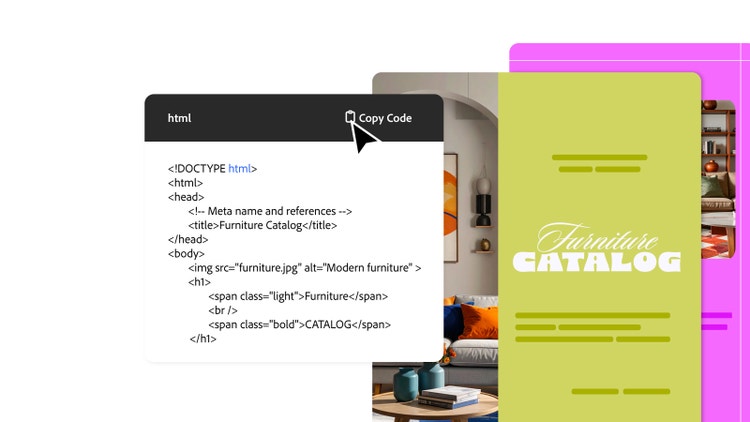
Understanding HTML vs HTML5.
HTML4 was created in 1997 by the W3C HTML Working Group. Some live web pages today were built with HTML4, but it has its limitations. Its main downfall was requiring add-ons if developers or designers need to add certain content or features to their site. These add-ons required users to install browser plugins. Some users are also unable to access certain content or features on an iPhone or iPad.
HTML5 was introduced to remove the need for these add-ons and support high-definition animations and videos. This means HTML5 is fast, more responsive and more capable than previous versions – from drag and drop capabilities to determining geolocations.
What are the key features of HTML5?
Semantic elements, or semantic HTML, are HTML tags that define the purpose of the content they contain. They describe the role of the content within the webpage, which helps to make the code more understandable for search engines and developers.
Here are some of the common elements that were introduced with the HTML5:
- <header>. This provides the introductory content for the page. It usually contains the page heading and can also include navigational tools. It can hold the <h1> title, a list of content for the page, or even an image. Each heading on the page requires header tags like <h1> to <h6>.
- <nav>. This section highlights a part of the page that links to other sections on the same page or others. It’s most commonly used in a contents list, like the one at the top of this page. It can also be used for a website menu or index.
- <article>. The article element defines a piece of standalone content. This could be something like a blog post or an interactive widget.
- <section>. This is used like an article element but can be used for content that doesn’t relate to other content on the page. Think of a website homepage – this often contains different standalone sections for different topics.
Why is HTML5 important?
HTML5 improves website speed, responsiveness, and functionality. This makes users more likely to use and engage with the website for longer, leading to increased potential conversions. Other benefits include:
- Better accessibility. HTML5 elements better support screen readers, used by visually impaired users.
- Compatible across different browsers. HTML5 is a universal standard and is supported by all modern browsers, so it’s easier for web designers to make web applications that can be accessed and used across different platforms.
- Facilitates different screen sizes. HTML5 makes it easier to produce responsive designs that can be accessed on different devices, including smartphones and tablets.
- Creates more articulate code. HTML5 supports more articulate code. Improved semantic elements enhance rich schema markup, which helps Google display rich results, including information like price and ratings.
- Search engine optimisation. Semantic elements highlight intent, which Google values in its search criteria. Webpages with a clean, organised HTML code are more likely to rank higher in Google search results.
How to convert a PDF to HTML.
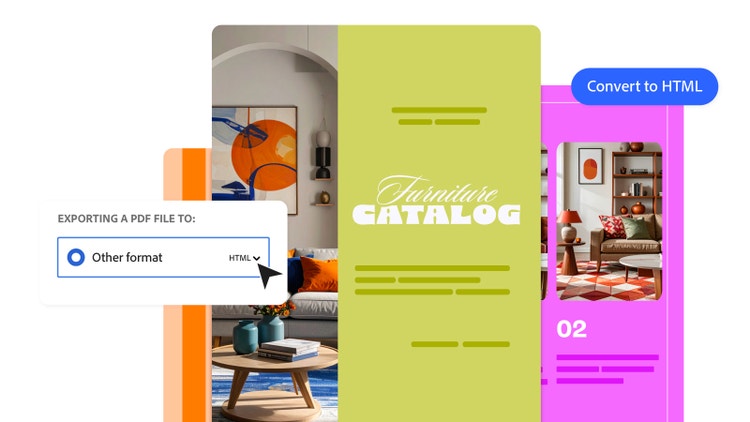
It’s simple and easy to convert a PDF to HTML. Here’s a step-by-step to follow to convert your PDF pages to web pages:
- Open your file in an online PDF editor.
- Click Create & Edit, located on the right-side toolbar.
- Select Export PDF.
- Choose HTML Web Page. If you then choose Single HTML page, it’ll create one page. If you choose Multiple HTML pages, it will produce several pages, depending on the length of your PDF.
- Click Export and then choose where you’d like to save your new page.
Once the HTML file is created, you can export it to a website builder to create your custom web page.
FAQs.
Do I have to install HTML5?
No, you don’t have to install HTML5. This is because HTML is the code that websites are written in – HTML5 is just the latest version of HTML code. This means it’s part of your browser by default.
When was HTML created?
HTML was created in the late 1990s by the W3C HTML Working Group. It was developed to make the web more accessible and appealing. It offered enhanced visuals and functionality compared to the previous version.
What does HTML5 stand for?
HTML stands for Hypertext Markup Language. HTML5 is the newest version, issued as a W3C Recommendation in 2014, and offers additional elements that improve functionality, responsiveness and accessibility. It’s also known as HTML Living Standard.
More useful resources.
Useful PDF tools.
Unlock the best of Adobe Acrobat online tools, whether you need to convert a PDF to a Word document, swap a JPEG to PDF, edit a PDF or more.