How to create captivating green background ideas for your creative projects.
Bring your projects to life with stunning green backgrounds!
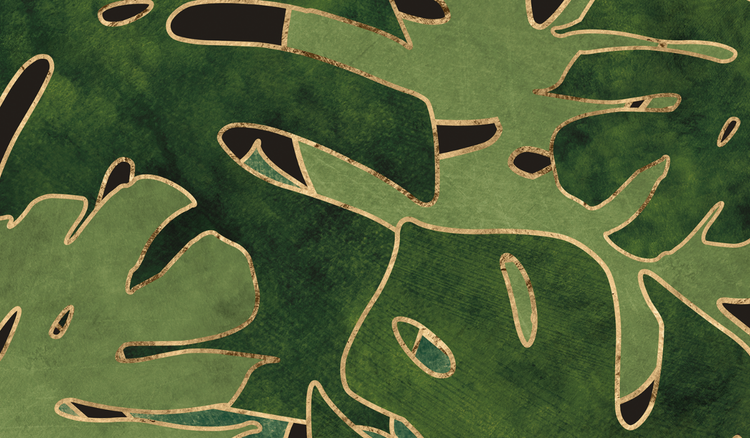




Green aesthetic backgrounds bring a sense of freshness, balance, and natural beauty to creative projects. Whether you're designing social content, presentations, invitations, or branding materials, green-inspired visuals can create a calming and visually appealing look. Explore and customise green aesthetic designs with Adobe Express to elevate your next project.
Why green backgrounds are the perfect choice for your creative projects.
Green backgrounds offer a versatile foundation for various design projects. Whether you're looking to convey tranquillity, energy, or sophistication, the colour green has the flexibility to enhance any creative vision. Green is associated with nature, growth, and harmony, making it ideal for projects focused on calmness, vitality, or renewal. Using Adobe Express, you can easily create stunning designs featuring green backgrounds that make your work stand out while maintaining a fresh, professional feel. Whether you’re designing a website, social media post, or marketing material, green backgrounds can elevate your creative projects.
Creative ways to use a green background in your designs.
Green backgrounds can be applied in countless creative ways to enhance your designs. For example, you could use soft, gradient green tones for backgrounds in digital art or create bold, geometric patterns for posters or event invitations. Tropical or botanical-themed green backgrounds work well for eco-friendly branding, while minimalist green backgrounds bring a fresh, clean aesthetic to your presentations or websites. Whether used subtly or as the main feature, a green background brings versatility and vibrancy to any creative project.
recipe
Choosing the perfect shades for a green background.
The shade of green you choose can set the mood for your entire project. Lighter shades like mint or pastel green can evoke feelings of peace and relaxation, while dark shades like forest green or emerald add depth and sophistication. Vibrant shades like lime or neon green give off energy and excitement, perfect for modern, bold designs. To create the right atmosphere in your project, it’s important to match your green background to the theme and tone you want to convey. Use Adobe Express' background customisation tools to easily adjust and perfect your green backdrop.
recipe
Best practices for combining colours with a green background.
Pairing colours with a green background requires thoughtful consideration to ensure balance and harmony. Neutral tones like white, beige, or grey create a calm, subtle contrast that works well for minimalist designs. Bright, playful colours like yellow, coral, or pink can bring vibrancy and life when paired with lighter greens. For a bold contrast, deep red or violet can complement darker greens like emerald or olive. Experiment with various colour combinations using Adobe Express's Colour integration to achieve the perfect balance for your design, ensuring that your green backdrop remains the focal point.
recipe
Tips for adding a cute green aesthetic background to your projects.
For a cute green aesthetic, focus on softer shades like mint or sage and pair them with playful elements like pastel accents, floral patterns, or polka dots. Incorporating whimsical illustrations or line drawings in white or light grey can create a charming and inviting design. This aesthetic is perfect for social media graphics, invitations, or digital wallpapers aimed at a youthful or light-hearted audience. The right mix of cute, green elements will help your project stand out while staying trendy and fun.
recipe
How to design stunning sage green backgrounds with Adobe Express.
Designing captivating sage green backgrounds is easy with Adobe Express, thanks to its customisable templates and intuitive tools. Whether you want a minimal, solid background or a more textured look, Adobe Express allows you to craft the perfect design. Here are a few creative ways to get started:

Add textures and patterns.
Add textures and patterns.
Incorporate illustrations and overlays.
Typography and text styling.
If your design involves text, Adobe Express allows you to customise fonts, sizes, and colours to harmonise with your sage green background. Use contrasting text colours like white or gold to ensure legibility while maintaining a polished look. Experiment with different font styles to match the tone of your project, whether it’s modern, elegant, or playful.
These tips will help you create stunning, professional-quality sage green backgrounds using Adobe Express, whether you’re an experienced designer or just starting out.
Adobe Express makes it simple.
Adobe Express offers a wide range of tools and templates to help you design the perfect green backgrounds for any creative project. Whether you're looking for a minimalistic solid green background or a more intricate design with textures and illustrations, Adobe Express gives you the flexibility to customise your design effortlessly. With a user-friendly interface, even beginners can create professional-quality designs. Bring your vision to life with Adobe Express and elevate your projects with stunning green backgrounds.