Your guide to Instagram image sizes.
Welcome to your one-stop-shop for Instagram image sizes, along with professionally designed pre-sized templates.
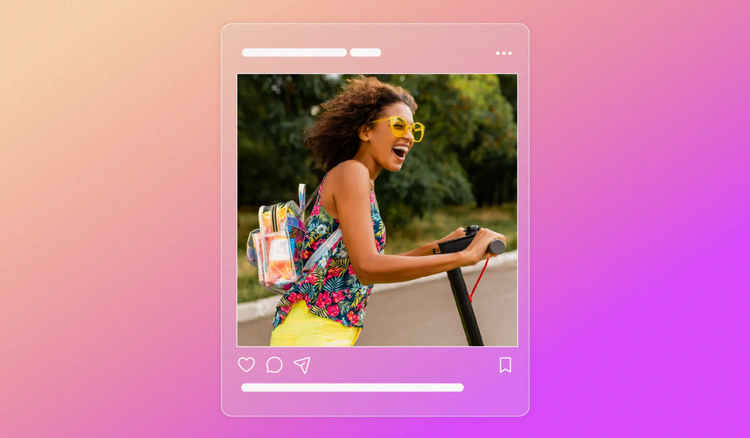




Instagram is a highly visual platform where presentation matters. Understanding the right image dimensions can help your photos, Stories, Reels, and posts appear exactly as intended, creating a more professional and engaging experience for your audience.
Create perfectly sized Instagram posts, Stories, Reels, and social content with Adobe Express.
Instagram post size.
- Instagram posts can be square, landscape, or vertical. All images will be cropped to a square in the feed.
- The ideal size for square posts is 1080px by 1080px at a 1:1 aspect ratio.
- For landscape posts, use an image that is 1080px by 566px, with an aspect ratio of 1.91:1.
- Vertical images should be sized at 1080px by 1350px with a 4:5 aspect ratio.
Keeping track of the header sizing requirements can be a bit overwhelming. Adobe Express comes loaded with professionally designed templates. Find a design that resonates with your Instagram page’s vibe or branding, and then remix it to perfection. If you need to resize your image, select the resize tool, choose from pre-made Instagram sizes, and watch as Adobe Express automatically re-formats your design.
recipe
Instagram video post size.
- You can upload videos that are the same size as the image posts found above, anywhere between a 1.91:1 to 4:5 aspect ratio.
- The ideal horizontal video size is a 16:9 aspect ratio because that is the format your smartphone records when turned sideways, so your video will appear most naturally when kept at its original size.
- Make sure your videos are no larger than 4 GB.
- Video posts can be up to 60 seconds long.
recipe
Instagram stories sizes.
- While images can be manually cropped and sized to fit a story, the recommended size is going full screen with a content sized at 1080px by 1920px (a 9:16 aspect ratio).
- This applies to both photos and videos.
- Images will display for five seconds, and videos will display in 15-second increments. You can record a video for a full minute divided into four 15-second parts, but you will have to start recording again after a minute.
Instagram stories are an incredible tool for connecting with your audiences. Post stories to your page or your brand’s page to start a conversation. Promote your stories as an ad to connect with new communities. Add hashtags, locations, user tags, or live sticker campaigns to make your story appear to even more viewers. With Adobe Express, you can create stunning images, animated images, and videos that can all be showcased in your stories.
recipe
Reels video sizes.
- Reels videos are shared in your feed and can be found on your profile grid under their respective tabs.
- Instagram encourages videos that display full screen so opt for a video that is sized at 1080px by 1920px for a 9:16 aspect ratio.
- While that aspect ratio applies to vertical videos, landscape videos can also be uploaded with the same dimensions. They will appear landscape normally, but they will enter full screen to be viewed while holding your smartphone sideways when you press the expand button.
- In your feed, these videos will appear at a 4:5 aspect ratio.
- In your Instagram grid, these videos will appear with a 1:1 aspect ratio. Under the Reels tab, video thumbnails will display as a 9:16 ratio.
- Create your next Reel cover photo with Adobe Express. Choose a still from the video, apply graphics to it, or search for a template that matches your video's theme and customize it to perfection. With Adobe Express, you can enter custom canvas sizes to make the exact size necessary for your cover photo.

recipe
Guide to Instagram image sizes.


Let Adobe Express be your Instagram sizing expert.
Instagram serves as an excellent place to connect with friends, family, followers, and new audiences through compelling image-based and video-based content. When you serve your viewers with fresh, engaging content, it inspires them to like, comment, follow, and share your posts. Give your posts the opportunity to shine by sizing them to the suggested formats. Let Adobe Express be your guide to resizing and adjusting any custom content to meet said sizes. Adobe Express makes the creative process fun and easy with templates, an intuitive interface, and the ability to share and download with ease so you can focus more on the design.