Easy animation drawing techniques to inspire your creations.
Summary/Overview
Animation transforms still images into captivating motion. This powerful art form is the backbone of everything from blockbuster films to immersive video games.
It gained momentum in the early 20th century thanks to trailblazers like Walt Disney and Winsor McCay, who brought characters to life through painstaking hand-drawn animation. Since then, animation has evolved dramatically expanding into computer-generated imagery (CGI), stop-motion, and digital 2D and 3D formats.
Want to see how animation can elevate your brand storytelling? Let’s dive into the process with Adobe Express.
What is animation drawing?
Animation drawing is the process of creating the illusion of movement by displaying a series of static images—each one slightly different from the last—in rapid succession. This frame-by-frame technique gives life to characters and scenes, allowing artists to express motion, emotion, and storytelling through sequential visuals.
A classic example is hand-drawn animation, where each frame is illustrated by hand on paper before being photographed or scanned—turning drawing into animation. While digital tools are now widely used, the foundational principles of drawing to animation remain the same.
Examples of animation drawing.
Collection ID
(To pull in manually curated templates if needed)
Orientation
(Horizontal/Vertical)
Width
(Full, Std, sixcols)
Limit
(number of templates to load each pagination. Min. 5)
Sort
Most Viewed
Rare & Original
Newest to Oldest
Oldest to Newest
Premium
(true, false, all) true or false will limit to premium only or free only.
Six animation drawing techniques.
You don’t need to be a master artist to start with animation drawing—just a few simple techniques can make a big difference. These easy animations drawing methods will help you add motion, emotion, and clarity to your drawings, one step at a time.
1. Gesture drawing.
Gesture drawing catches the form and pose of a subject in just a few lines. It’s a quick way to capture a character’s movement or proportions. Gesture drawing is great for understanding the way the body moves and is connected, helping animators accurately recreate human motion.
2. Focus on key poses.
Key poses represent the main frames in an animation sequence used to describe movement and emotion. These ‘key poses’ act as reference points for animators to create the frames in-between. The key poses are typically the start, peak, and end of an action. This approach lets animators create clear, accurate and emotive animations by focusing on crucial moments of movement.
3. Simplify your sketches into shapes.
Turning your drawings into simple geometric shapes, such as squares, triangles, and circles helps to provide a quick reference for turning your drawings into animation. You may find it easier animate sequences by having a foundation to work from. You can then go in and add the detail once the movements are planned out.
4. Use Onion Skinning.
Onion skinning is a technique that lets animators see the previous and next frames as transparent layers beneath and above the current drawing. This helps visualize the movement between frames, allowing for smoother, more consistent animation. It provides a helpful overview of how each frame connects within the sequence.
5. Practice Timing and Spacing.
Timing refers to the number of frames a movement takes—fewer frames make the action faster, more frames slow it down. Spacing is about how those frames are distributed: evenly spaced frames create smooth motion, while varied spacing can show acceleration or impact. In essence, timing sets the rhythm, while spacing shapes the motion. Getting both right helps your animations feel more natural and expressive.
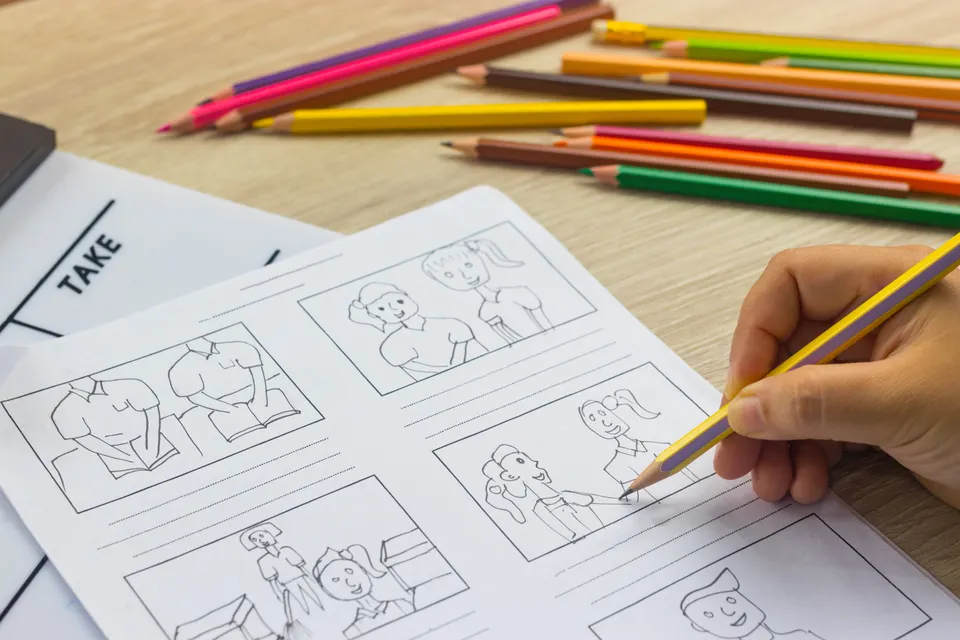
6. Work with Thumbnails First.
Thumbnails are small, rough sketches that capture key actions or compositions in a scene. They’re a quick, low-effort way to test ideas before committing to detailed frames. Thumbnails help with planning, pacing, and visual storytelling, making it easier to spot what works early on. Want to save time and effort later in the process? Start with thumbnails.
How to animate your drawings.
Once you’ve mastered the art of drawing, you can bring the magic to life through animation. There’s a variety of techniques you can use to do this effectively. Some suggestions are:
- Frame by frame animation. This traditional technique involves drawing each frame individually to show subtle or complex movements. It’s ideal for expressive scenes with detailed motion, such as character acting or fluid, organic movement. Use it when precision and nuance are key.
- Tweening (in-betweens): ‘ Tweening’ involves creating the major poses (keyframes) and filling in the frames between them. It’s especially helpful in digital animation tools and great for smoother transitions with less effort. Use tweening when you want to save time while maintaining fluidity—perfect for motion graphics or moderate movement.
- Looping: Looping allows you to repeat a sequence of frames, such as a walking cycle or blinking eyes. This technique is great for background characters, idle animations, or subtle, continuous actions. It keeps your animations efficient and visually engaging without requiring constant redrawing.
- Motion Paths: With motion paths, you animate drawings by guiding them along a set trajectory. This method works well for moving objects like bouncing balls, vehicles, or flying elements. It’s commonly used in digital animation tools and can bring clarity and control to directional movement.
- Add sounds and effects: Animation isn’t just about visuals—sound and effects can greatly enhance storytelling and immersion. Use background music, dialogue, sound effects, and visual enhancements like glows, blurs, or particle effects to elevate your final piece and capture audience attention.
Keen to have a go yourself? Create your own animations with Adobe Express.
Editable hand-drawn animation ideas.
Collection ID
(To pull in manually curated templates if needed)
Orientation
(Horizontal/Vertical)
Width
(Full, Std, sixcols)
Limit
(number of templates to load each pagination. Min. 5)
Sort
Most Viewed
Rare & Original
Newest to Oldest
Oldest to Newest
Premium
(true, false, all) true or false will limit to premium only or free only.
How to improve your animation drawing skills.
Like any skill, improving your animation art requires time, patience, and consistent practice. Having a positive, can-do attitude and a commitment to continuous improvement will make the journey easier. Whether you’re just starting out or already an established sketcher, using the right techniques can truly make a difference. Here are five tips to help you level up your animation skills:
- Draw every day: Mastery is forged through repetition, draw little and often as a habit. Even if it’s only for a short period each day, it all adds up to a lot if you’re doing it often.
- Study real-life motion: Observe people, objects, animals, and other subjects closely to gain a deep understanding of how movement works. Try recording yourself on video and slowing down your actions. This can help you focus on the finer details at your own pace.
- Break things down in simple form: Simplify characters and objects into shapes, this makes it easier to animate without getting bogged down in details. You can always add those bits in after you’ve done the animation.
- Fail forward: Embrace mistakes by seeing oversights as opportunities to learn. Treat your animation ideas as a way to experiment. A process of trial and error will let you keep what works and get rid of what doesn’t. This can really boost your development.
- Get feedback and continue learning: Asking for peers to review your work can offer constructive criticism. It adds a level of objectivity as sometimes others can see what we cannot. Try sharing some of your work on social media and following animators you find inspiring.
Useful things to know.
What’s the easiest animation drawing style?
One of the easiest drawing styles is stick figure animations because it uses basic shapes and minimalist design. It’s great for practicing the fundamentals like timing and spacing, without being daunted by elaborate character designs.
What is the hardest animation technique?
3D animation can be the most challenging animation technique due to the complexity and technical knowledge often required. It takes knowledge of specialist 3D animation software, with the know-how of applying artistic techniques to create life-like movements.
How many drawings do you need for one minute of animation?
It takes around 1,440 frames with 24 frames per second for one minute of animation. It’s the most popularly used frame rate for high-quality animations. It allows for seamless and smooth-looking motion.