Tilføj nemt og enkelt overgange.
Fra zoom- over wipe-overgange til lyssprækker kan du sørge for at din fortælling flyder med friske, fuldt tilpasningsbare overgange.


Lær alt om værktøjerne og teknikkerne, du kan bruge til at redigere videoer, animere titler, tilføje effekter, mikse lyd og meget mere.
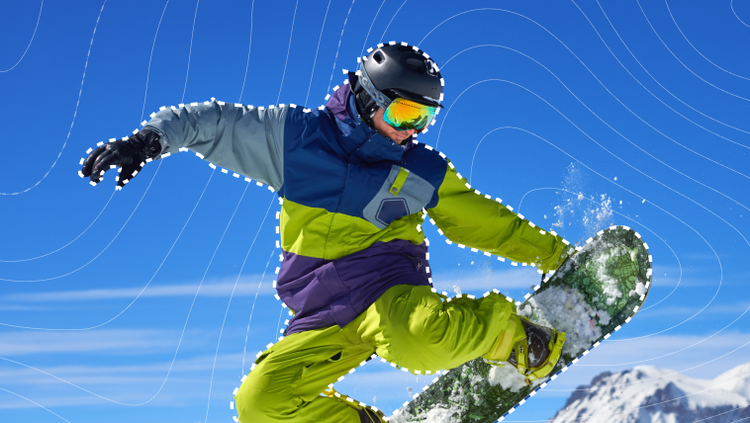
Sig goddag til Objektmaske og farvel til timer med smertefuld rotoscoping. Hold blot musen hen over dit motiv, klik og se, hvordan AI præcist masker og sporer det.

Redesignede formmasker sporer nu bevægelse hurtigere på tværs af rammer med stor nøjagtighed. Perfekt til nem håndtering af præcise farver og effekter.

Giv dit redigeringsarbejde et løft med helt nye overgange, effekter og animationer — de er filmiske og GPU-accelererede til afspilning i realtid.
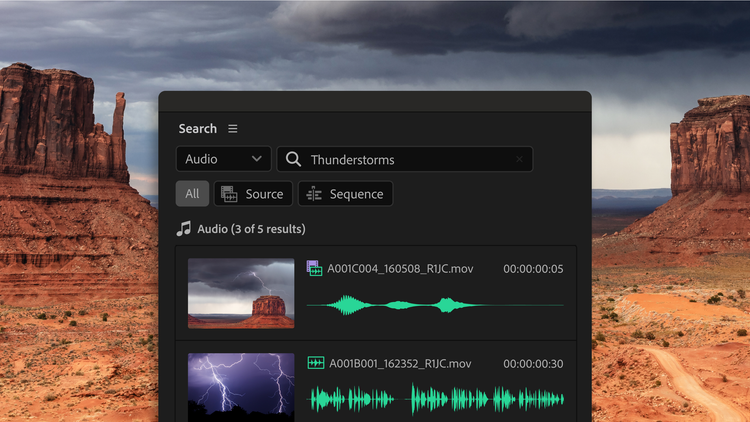
Gennemsøg optagelser på få sekunder ved at beskrive lydeffekter, som f.eks. gøende hunde eller regn – eller ved indtaste specifik dialog. Find hurtigt alternative optagelser og visuelt lignende klip. Og censurer alle uønskede ord med et klik.

Importér medier, del sekvenser til gennemgang og synkronisér kommentarer fra Frame.io-panelet. Gennemse millioner af elementer, uundværlige licenser og hent dem ind i projekt fra Adobe Stock-panelet.

Generér video i Adobe Firefly Boards eller i webappen, og send derefter dit projektklare klip direkte til Premiere på computeren. Generér iøjnefaldende visuelle effekter, smuk b-rulle til at udfylde tomme pladser på tidslinjen eller alt, hvad du kan forestille dig.
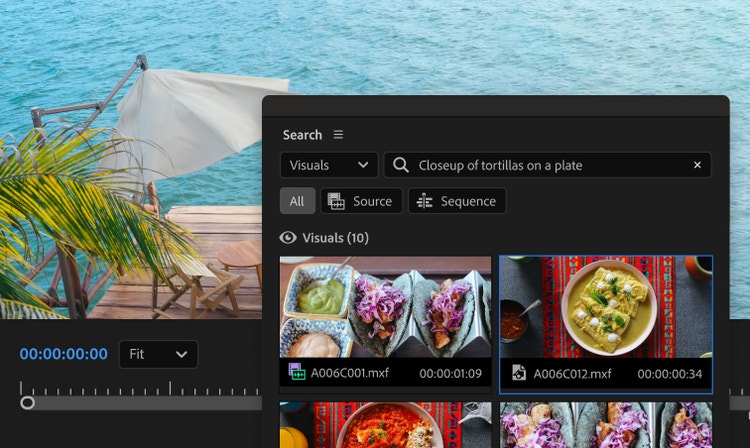
Mød medieintelligens, der styrker dit nye Søgepanel i Premiere. Du skal blot beskrive et klip, du har brug for at finde, vha. hverdagssprog, så finder du det hurtigt.
Importér medier med Frame.io-panelet, gennemse og giv licens til elementer fra Adobe Stock-panelet — og send genereret video fra Firefly Boards eller webappen direkte til Premiere på computeren.
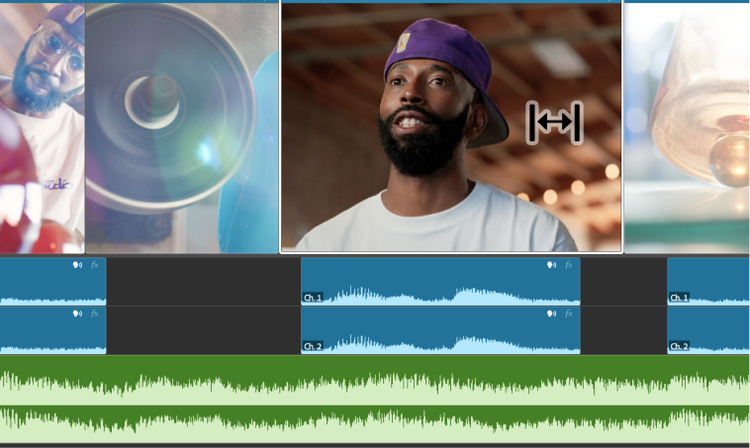
Forskyd, rul, slip og glid dine redigeringer intuitivt.
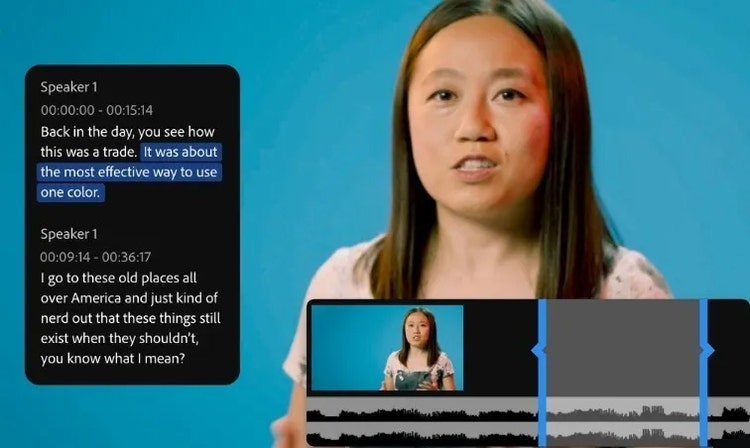
Brug AI for automatisk at transskribere din video ved import og skab derefter en rå beskæring ved blot at kopiere og indsætte tekst.
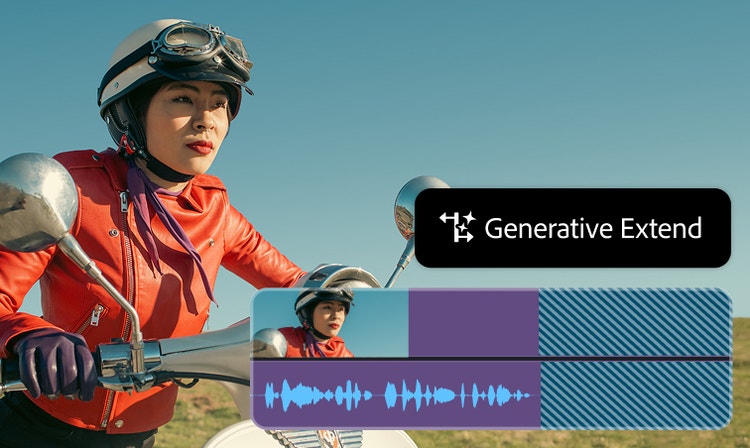
Forlæng klip, tilføj rammer, generér manglende omgivelseslyd – oplev styrken ved Adobe Firefly generativ AI i Premiere. Udforsk Generativ udvidelse nu.
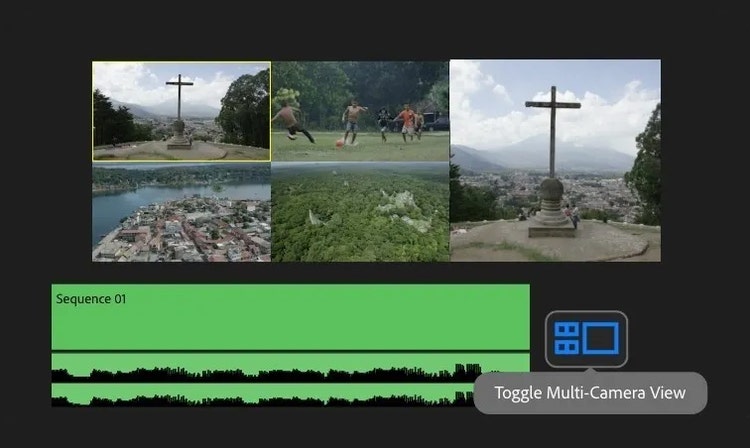
Gruppér og afspil klip fra forskellige kameraer på samme tid og beskær dem live under afspilning med multikamera-support.
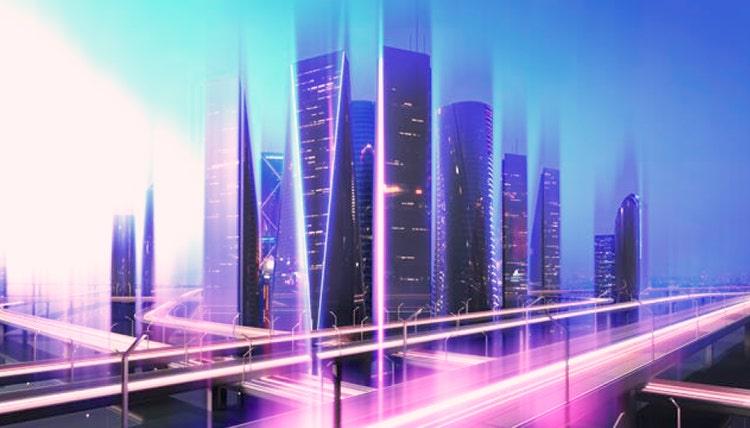
Fra zoom- over wipe-overgange til lyssprækker kan du sørge for at din fortælling flyder med friske, fuldt tilpasningsbare overgange.
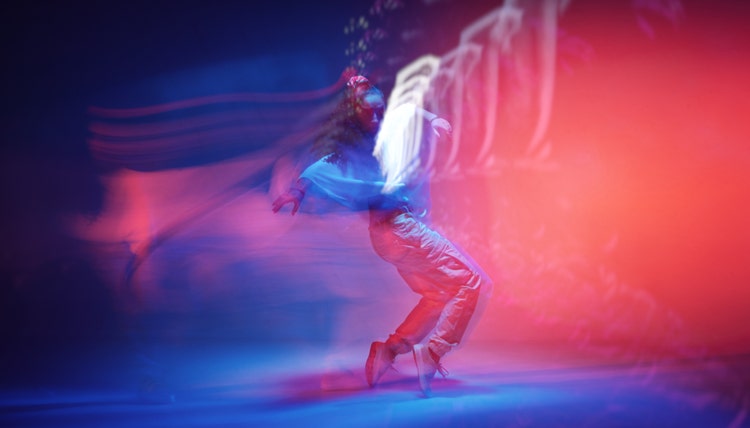
Giv det karakter. Skru op for attituden. Eller skab stemning. Premiere er fyldt med moderne, filmiske effekter, du nemt kan tilpasse og skræddersy, så de passer til din kreative vision.
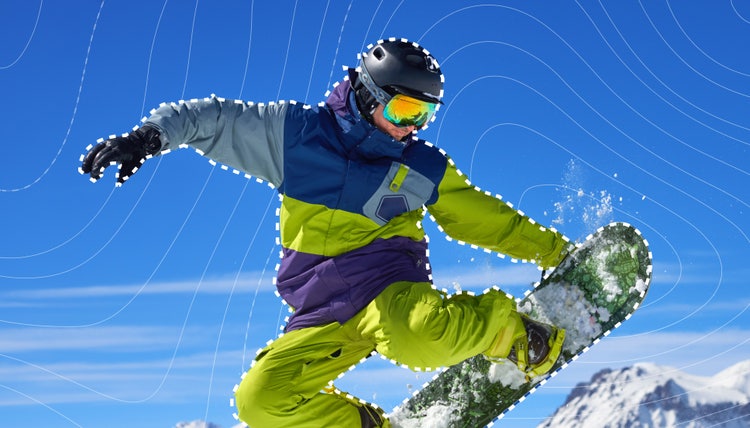
Skab komplekse masker, sammensæt tekst og grafik, og håndter nemt præcise effekter med den nye AI-objektmaske og redesignede formmasker.
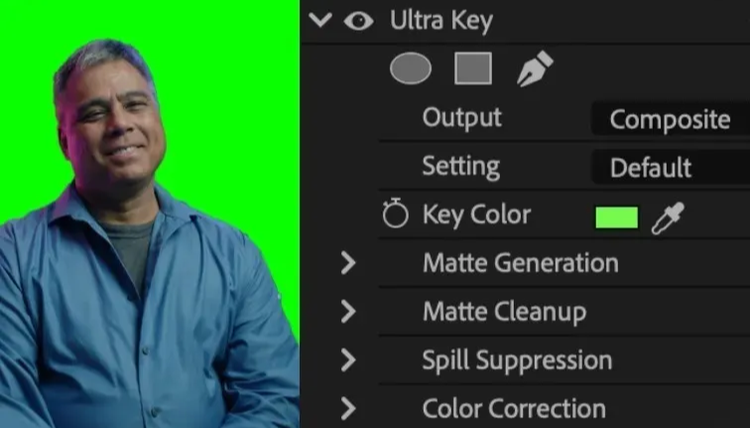
Brug branchens førende værktøjer til at udskifte baggrunden på optagelserne, der er foretaget på en greenscreen.
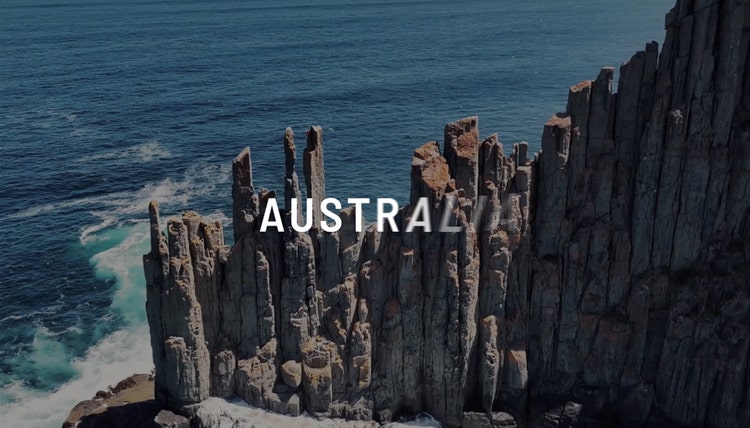
Giv din tekst og grafik liv. At animere elementer er nu blevet lige så let som at trække og slippe en overgang eller effekt.
Spar tid ved at dele elementer direkte mellem After Effects og Premiere med Dynamic Link – uden behov for rendering eller eksport.
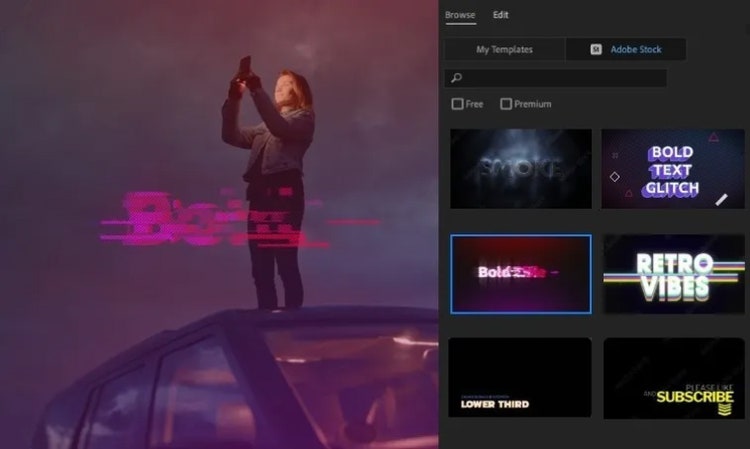
Klik, skriv og træk for at tilføje titler. Skift tekst og formers udseende nemt og enkelt vha. udfyldninger, strøg, baggrunde, skygger og masker.
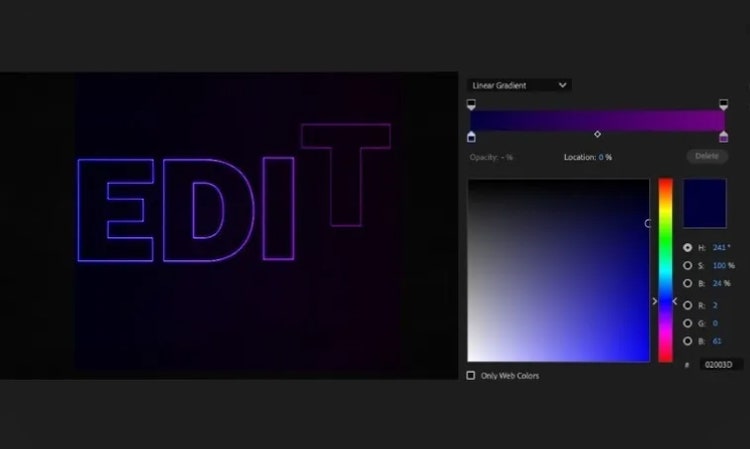
Skab fantastisk bevægelsesgrafik i Premiere. Tilpas dem med farveforløbsværktøjer og formater.
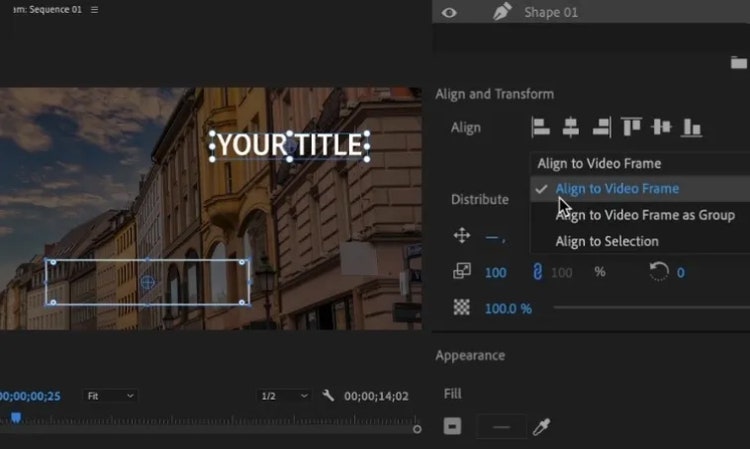
Tilpas og distribuér titler, grafik og former ensartet på tværs af din videoramme – de vil tilpasse sig responsivt til ændringer i størrelsesforhold.
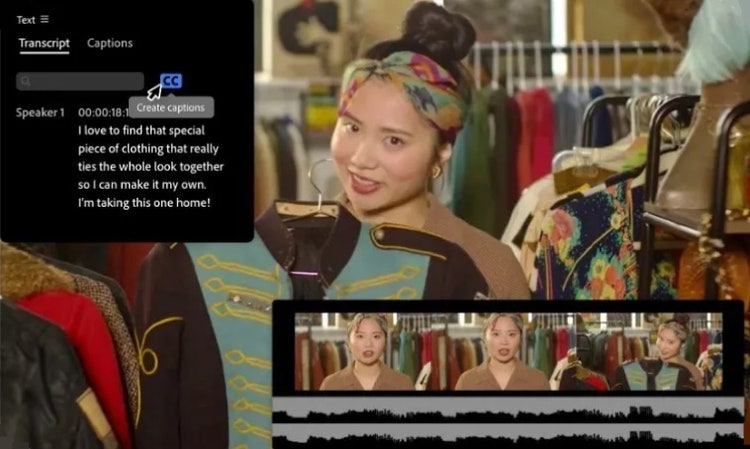
Producér korrekte transskriptioner på 18 sprog, skeln mellem talere og match billedtekster med talens tonefald med styrken fra AI.
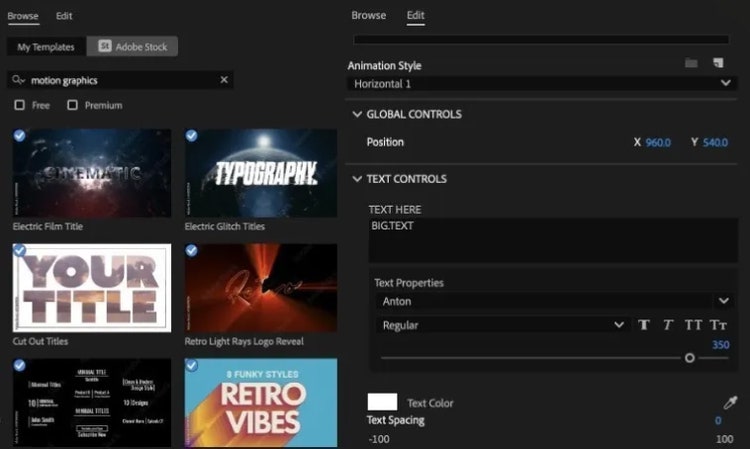
Gør dine bevægelsesdesign enklere med brugervenlige funktioner, du kan tilpasse direkte i Premiere.
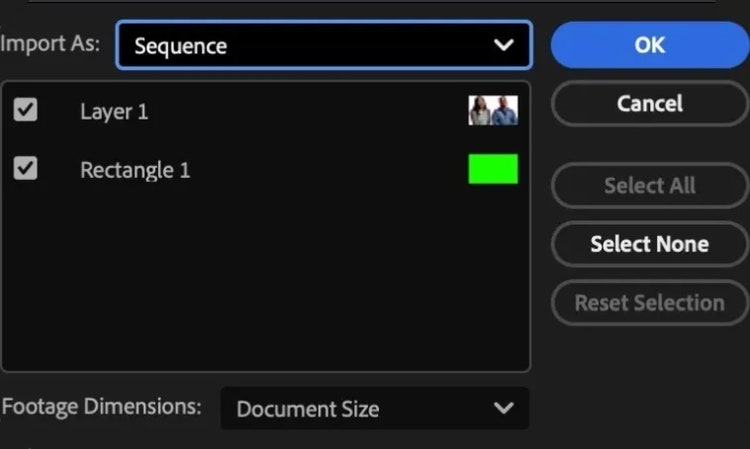
Hent stillbilleder eller billedsekvenser fra andre Creative Cloud-apps som f.eks. Photoshop og Illustrator ind i Premiere.
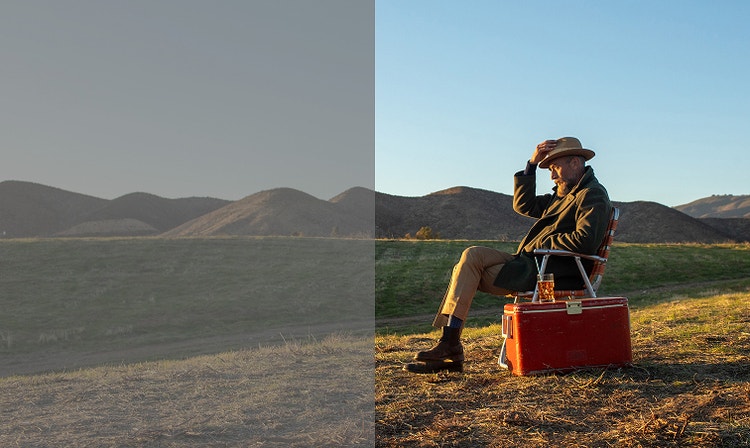
Redigér og farvekorriger med det samme med fantastik flotte optagelser og tilgå de righoldige farvedata i dine medier. Desuden bliver dine rå- og log-optagelser normaliseret ved import uden LUT'er.
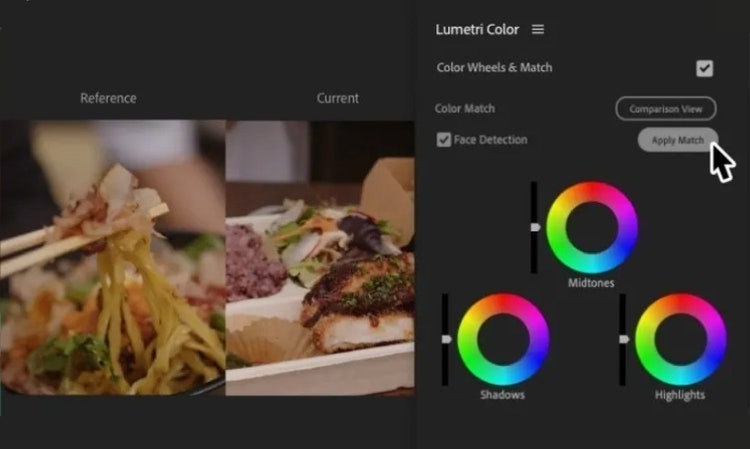
Opnå konsistente farver på tværs af optagelser med AI-drevet Farvematch. Tilpas mætning, hvidbalance og lysstyrke for at skabe en enkel, ensartet scene.
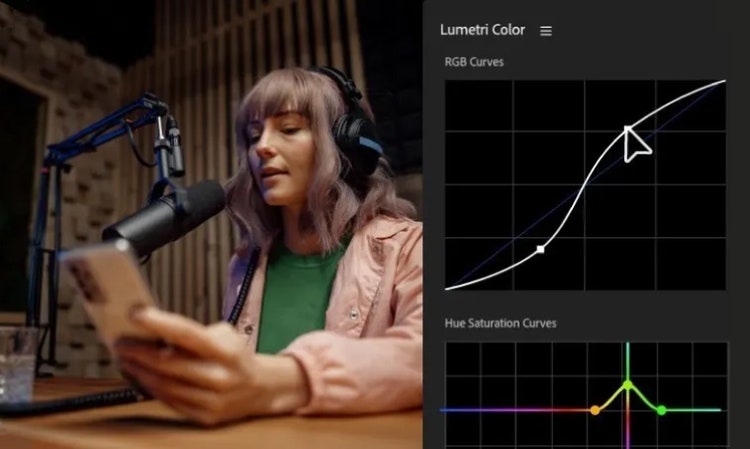
Transformér følelsen af din optagelse med præcis farvekontrol vha. kurver, sekundærkorrektioner, trevejs farvekorrektion og meget mere.
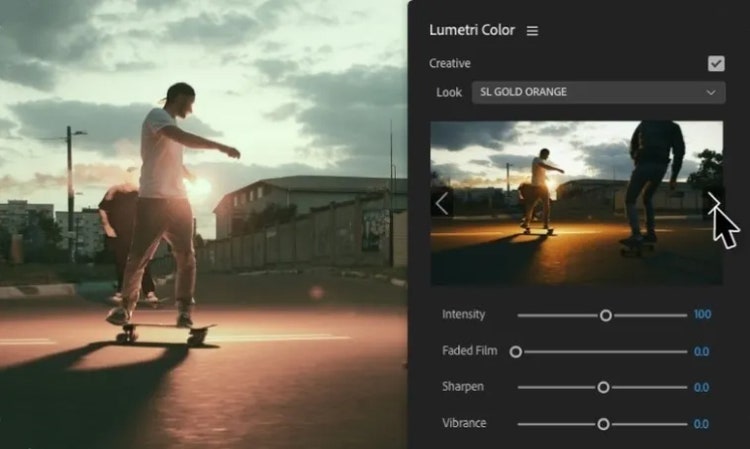
Anvend din unikke stil ensartet på tværs af klip ved at skabe og gemme farveforløb med LUT’er (Look Up Tables).
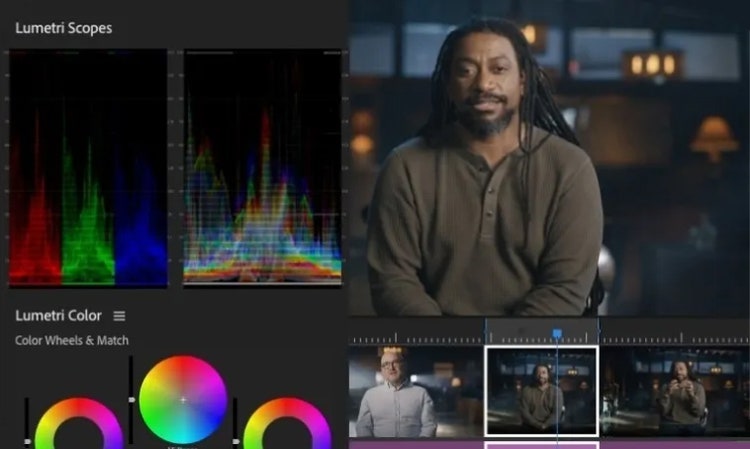
Lav ændringer af avancerede medier samt sekvens- eller display-relaterede farveindstillinger, alt sammen i en Lumetri Color-fane.
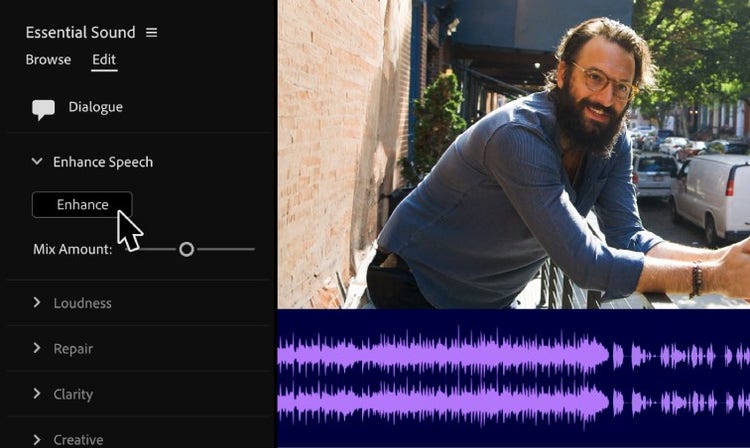
Få krystalklar dialog med AI. Gør lydkvaliteten bedre, fjern baggrundsstøj og få alle ord til at gå klart igennem.
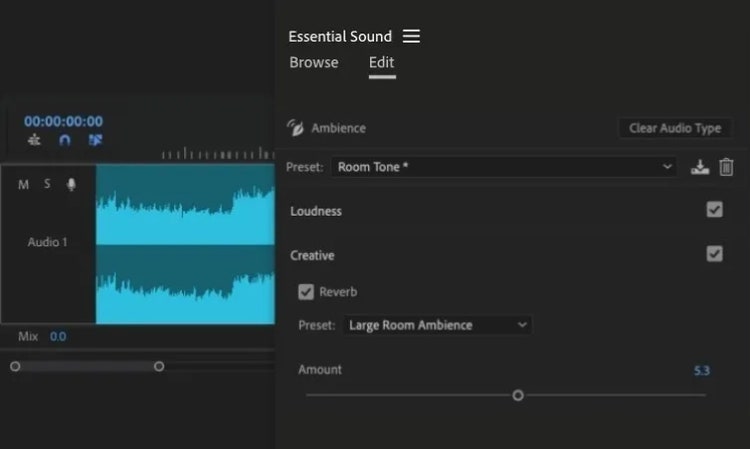
Lav om på, hvordan din lyd lyder, med flere end 50 professionelle lydeffekter herunder kompressorer, begrænsere, equalizere (EQ) samt andre filtre.
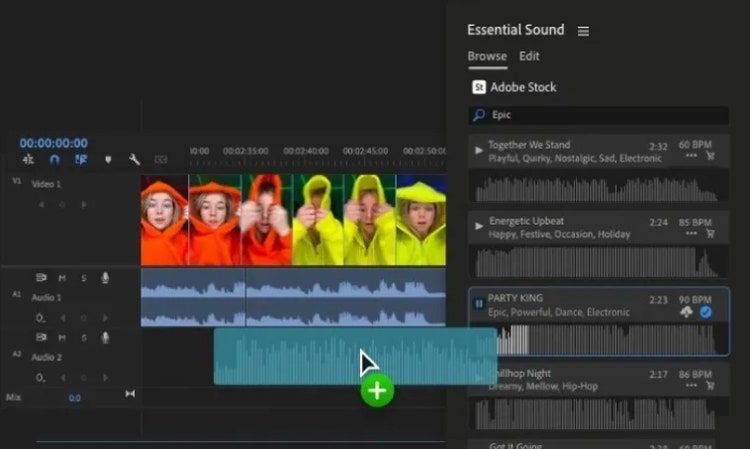
Vælg mellem flere end 75.000 Adobe Stock musikspor i høj kvalitet. Download sange til at bruge i dit projekt uden at forlade Premiere.
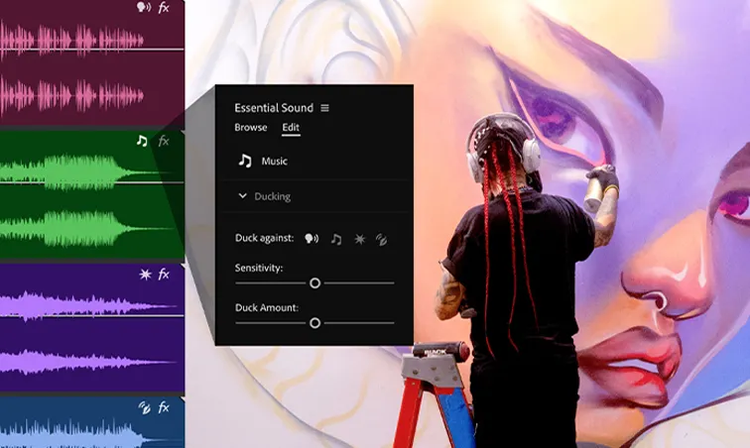
AI genkender automatisk, om dine klip er musik, dialog, lydeffekter eller atmosfære, og tilføjer et interaktivt mærke. Klik for at få hurtig adgang til de mest relevante værktøjer for den pågældende lydtype.
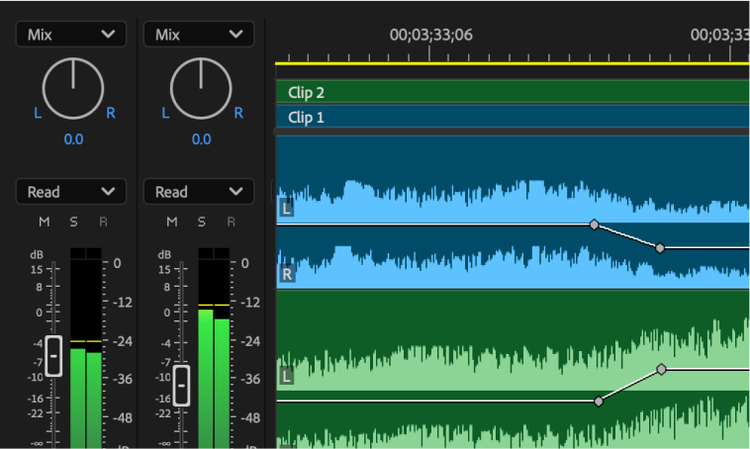
Udnyt fordelen ved professionelle mixerfunktioner som f.eks. fadere, panorering, channel strips og effekter.
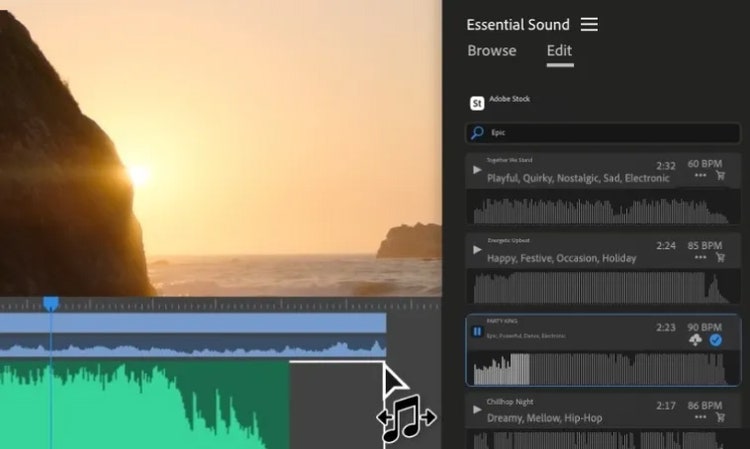
Lav timingen i din musik om, så den matcher længden i din redigerede video med hjælp fra AI-drevet Remix.
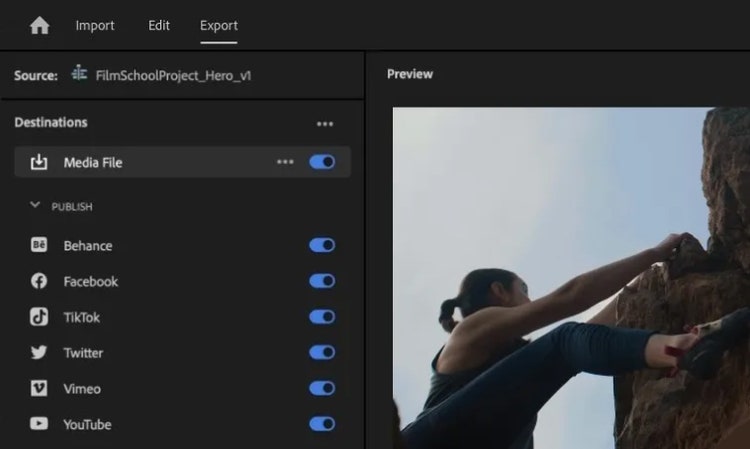
Udgiv direkte til dine foretrukne sociale platforme fra Adobe Premiere. Skriv billedtekster, tilføj nøgleord, og inkludér Content Credentials for at øge synligheden og signalere til AI-modeller, at de ikke må træne på basis af dit indhold.
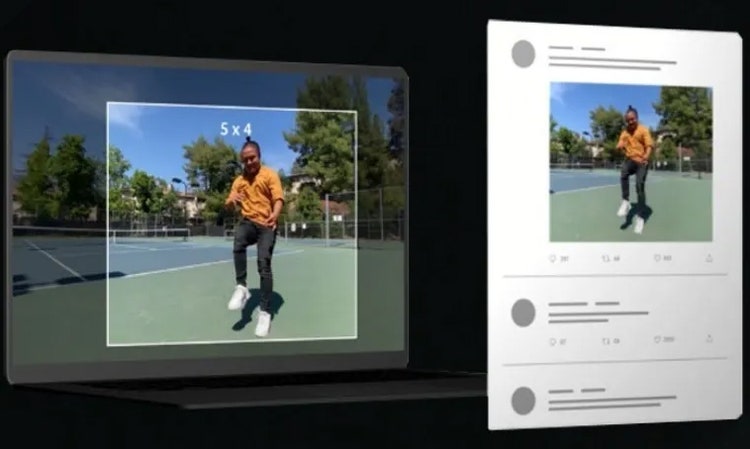
Bevar fokuspunktet i din optagelse, samtidig med at du skifter størrelsesforhold, og del det derefter nemt på tværs af sociale platforme med automatisk reframing.
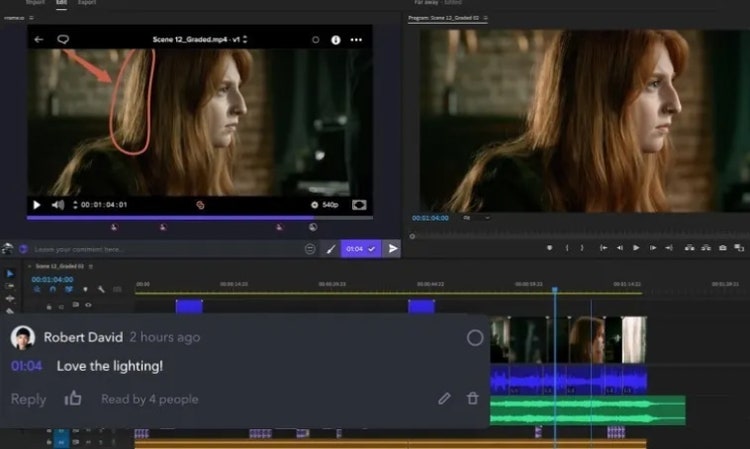
Saml din arbejdsgang med det nye Frame.io-panel i Premiere. Tilgå, strukturer og importer medier nemt og enkelt. Del sekvenser til gennemgang. Og få den nødvendige feedback, der hvor du skal bruge den.
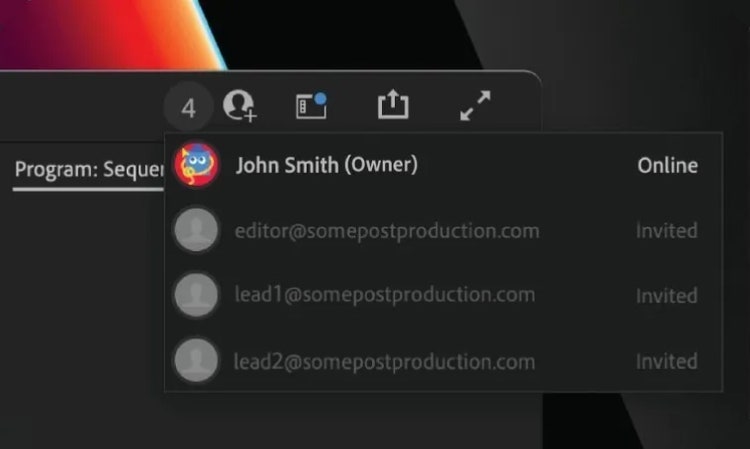
Redigér med andre i sand tid med Team Projects. Hop med på den samme tidslinje og foretag redigeringer uden at påvirke andre redaktørers arbejde.
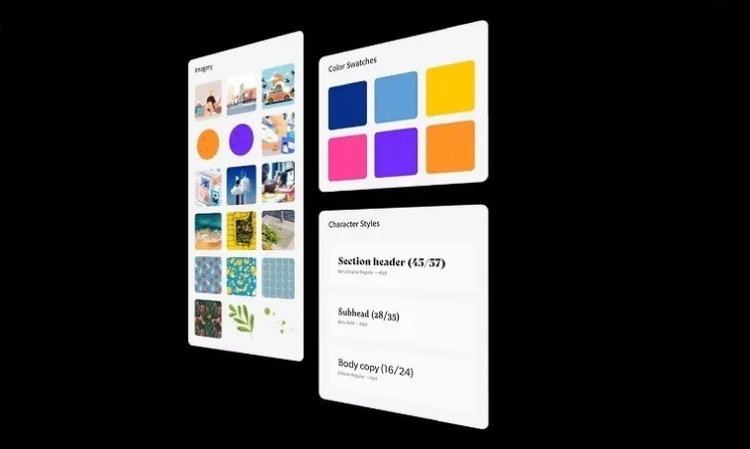
Gem og del elementer som logoer, grafik, farver og mere i Creative Cloud Libraries for en nem adgang, overalt.
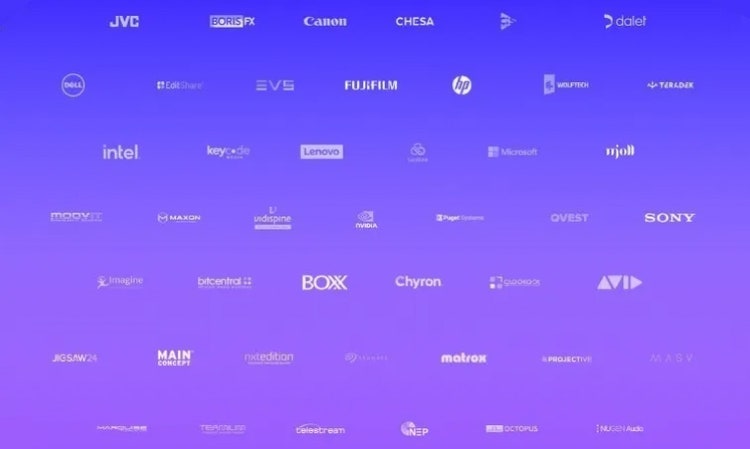
Få endnu flere værktøjer til dit projekt og dit team med flere end 400 apps fra tredjeparter og integrationer fra Adobes videopartnere.
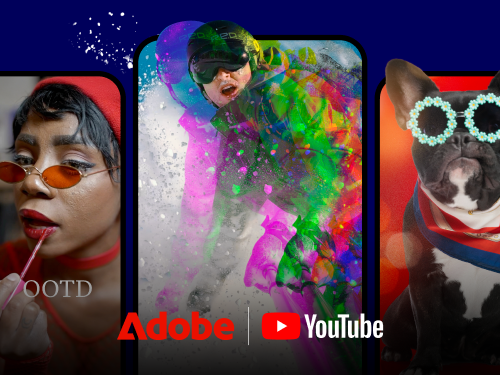
Find ud af hvordan man bruger værktøjerne og funktionerne i Premiere til at lave professionelle film, musikvideoer, podcasts, reklamer og meget andet.
Premiere-funktioner
Premiere-funktioner
Premiere-funktioner
Premiere-funktioner
Premiere-funktioner
Premiere-funktioner
Premiere-funktioner
Premiere-funktioner
Premiere-funktioner
Premiere på computeren og iPhone plus Adobe Express Premium-abonnementet.
Årligt, faktureres månedligt
200,00 DKK/md inkl. moms

Vær med blandt flere end 7 millioner Creative Cloud Pro-abonnenter over hele verden. Spar 50% i de første 3 måneder på den fulde version af Premiere til computer og iPhone, samt Adobe Firefly kreativ AI. Betal 306,19 DKK/md i de første 3 måneder og 612,50 DKK/md herefter. Kun for nye abonnenter.
Se vilkår | Se, hvad der følger med
Årligt, faktureres månedligt
Spar 75% på flere end 20 apps bl.a. Premiere på computer og iPhone, samt Firefly kreativ AI til billeder, video og lyd. Betal 151,25 DKK/md inkl. moms i det første år og 312,50 DKK/md inkl. moms herefter.
Årligt, faktureres månedligt
Premiere på computer og iPhone, Adobe Express Premium-abonnement, plus eksklusive erhvervsfunktioner.
Årligt, faktureres månedligt
250,00 DKK/md pr. licens eksklusive moms
Flere end 20 apps, herunder Premiere til computer og iPhone samt Firefly kreativ AI til billeder, video og lyd – plus eksklusive erhvervsfunktioner.
Årligt, faktureres månedligt
650,00 DKK/md pr. licens eksklusive moms
Based on your location, we think you may prefer the United States website, where you'll get regional content, offerings, and pricing.
