Introduction and meet Dave Clayton
[Dave Clayton]: Have you ever been supplied with an Illustrator file that you need to edit, but would much rather work on it in Adobe InDesign?
And did you know you can open Illustrator artwork directly in InDesign and keep everything editable as you design your layout?
I'm Dave Clayton, and I'm going to show you how easy that is with this brand-new feature in Adobe InDesign.
Before we begin, we've been able to work on PDFs in InDesign for a while,
Open an Illustrator file in InDesign
but now we can open and edit a native Illustrator file right inside InDesign.
Before we jump in, there's one important thing to check.
For this to work, the original Illustrator file must have been saved with Create PDF Compatible File enabled.
Let's take a look at our project.
To open an Illustrator file in InDesign, we're simply going to go to File, Open, select our Illustrator file, and click Open.
And there we go.
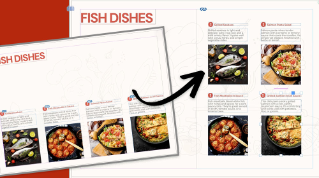
The file opens directly inside InDesign as an editable document.
Edit and restyle your design
Now let's take a quick look around our converted file.
It's not an exact conversion, but it's a pretty good start.
You'll notice that all the text has come in as individual text frames.
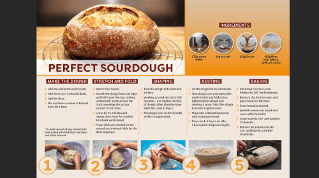
The image is placed as an image layer, and in most cases like this, we even have fully editable vector graphics.
So, for example, I can select this vector element here and I can easily change the color just like I would with any native InDesign or Illustrator object.
This means we're not working with flattened artwork - we can still make real design changes.
Now let's make a few more quick edits.
I'll start by clicking in this first text frame.
Continue building and export
And now we can just edit here like any normal InDesign text.
So let's just change the word Fun to Big, and we can also move some of these elements around as we normally would.
Using some Paragraph Styles I created previously, let's apply them to change the type on our poster, and then using our pre-made brand swatches in our Swatches panel, we'll update some of the colors to restyle it as well.
So, we're ready.
Instead of rebuilding this design, we're just refining it, which is much faster.
And because we're in InDesign, we can continue building on this layout.
We can also add some extra elements to our design without even needing to go back to Illustrator.
Everything now lives and works right here in InDesign.
And once we're done, we can save this as an InDesign document and export it for print or digital, just like we normally would.
This new feature is a huge time saver, especially when you're working with multiple Illustrator files or PDFs and need to convert to an InDesign file and continue to make edits without rebuilding everything from scratch.
There's more to explore, but for now, that's the new Illustrator to InDesign workflow in Adobe InDesign - another great way to speed up your design process.
Again, my name's Dave Clayton, and thanks for watching.