Acrobat
How to convert PNG files to PDF – a guide.
Learn how to convert PNG to PDF in just minutes with Adobe Acrobat — all without compromising image quality.


Acrobat
Learn how to convert PNG to PDF in just minutes with Adobe Acrobat — all without compromising image quality.
Published by Adobe Acrobat Australia on 17 June 2025
How to easily change your PNG image file into a PDF, with a quick online upload solution.
Sometimes you need to share an image such as a graph with colleagues or clients for a report or sales pitch. However, it can be all-too easy to worry about the quality of the picture diminishing, or becoming distorted, when viewed across different devices.
An image that displays correctly on someone’s smartphone might not look so good on another person’s desktop computer, and vice versa. But converting an image file into a PDF can ensure your images will display correctly, whatever the screen size.
If you want to know how to turn your PNG files into printable, portable PDFs, look no further than our dedicated guide. This article will talk you through the compatible file sizes, full conversion process, and how your documents may benefit from converting to PDF.
Changing a file from PNG to PDF is easy when you know how. It allows you to increase the accessibility of your documents, whether you’re working from home or in the office. Follow the process below to make the most of our PNG to PDF converter.
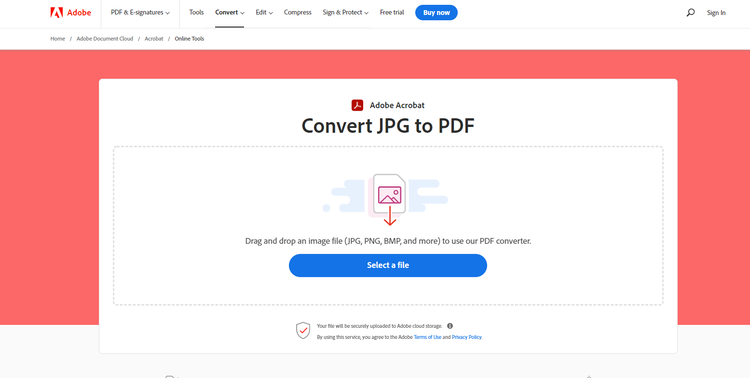
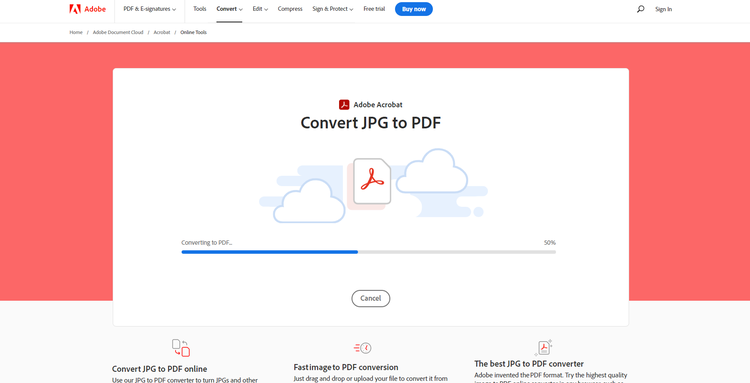
As mentioned, you can use the online tool to upload a variety of image types to convert to a PDF, including:
When your file is ready, you can either download your compressed image file to the device you’re on, or sign into Adobe for a variety of other sharing options.
With your newly converted file to hand, you can now share your PDF with colleagues, customers, and clients, safe in the knowledge that viewers will see your images exactly as you intended.
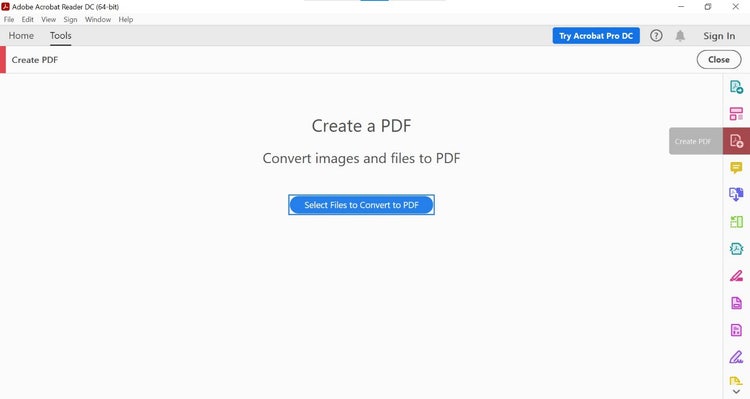
With Acrobat Pro, it’s easy to convert PNG files into PDF format. Follow these simple steps:
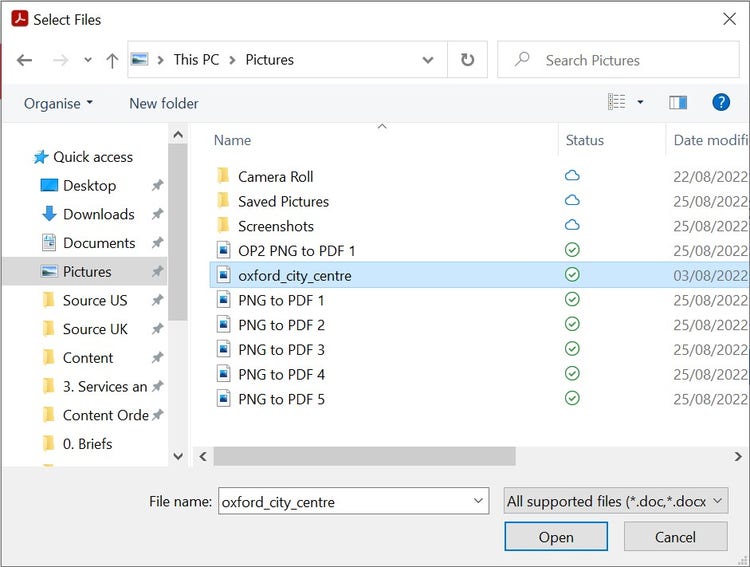
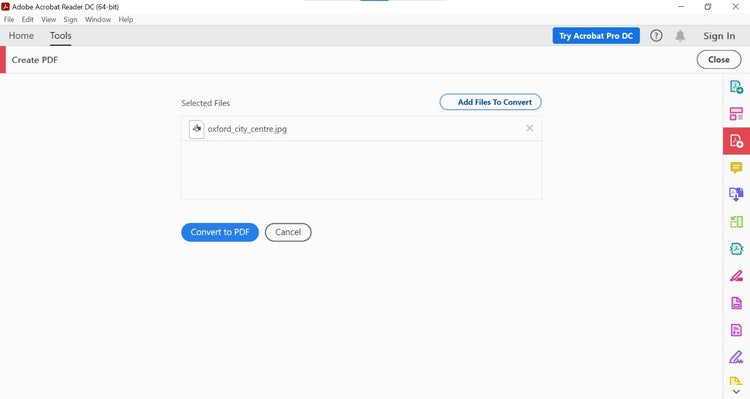
PDF file sizes are typically smaller than image files. This makes them a helpful solution when faced with file size limits for a batch upload, or space constraints for multiple images on one device.
A PDF makes the most sense if you’re planning to make a document for public consumption, like a flyer or chart. Its smaller file size means you won’t be paying more than you need to for online storage.
The benefits of changing a PNG file to PDF aren’t limited to digital sharing, either. That’s because you’ll find that turning an image into a PDF file is also a good option when printing, as it ensures your hard copies retain the quality of their on-screen equivalents.
When your PDF is good to go, we have a selection of tools to get it ready to send and use. If your document contains a selection of high-res images, our Compress PDF tool can keep file sizes down and ensure your document can be sent.
Changed your mind about how you want pages to be displayed in your document? Reorder PDF pages using our online tool.
Find out what others are asking about converting image files.

