Acrobat
How to edit PDFs on a Mac.
Editing PDFs on a Mac is easy with Adobe Acrobat. Discover how to add, delete, and modify content, and mark up documents for easy collaboration.
Published by Adobe Acrobat Australia on 17 June 2025
Whether it’s for personal, business, or school-related documents, there’s an easy way to edit PDFs on a Mac and share them with your team.
In today’s increasingly paperless, digital world, the ability to edit documents on the go is more important than ever. Whether you’re updating brochures or refining contracts, making text, page, or image adjustments on any device—including your Mac—is essential.
With Adobe Acrobat, editing PDFs on your Mac is simple. You can easily update your files to add, delete, or modify content. Plus, the user-friendly commenting tools allow you to mark up your documents for easier collaboration.

How to edit PDFs on a Mac with online tools.
To edit a PDF on your Mac using Adobe Acrobat online tools, follow these simple steps:
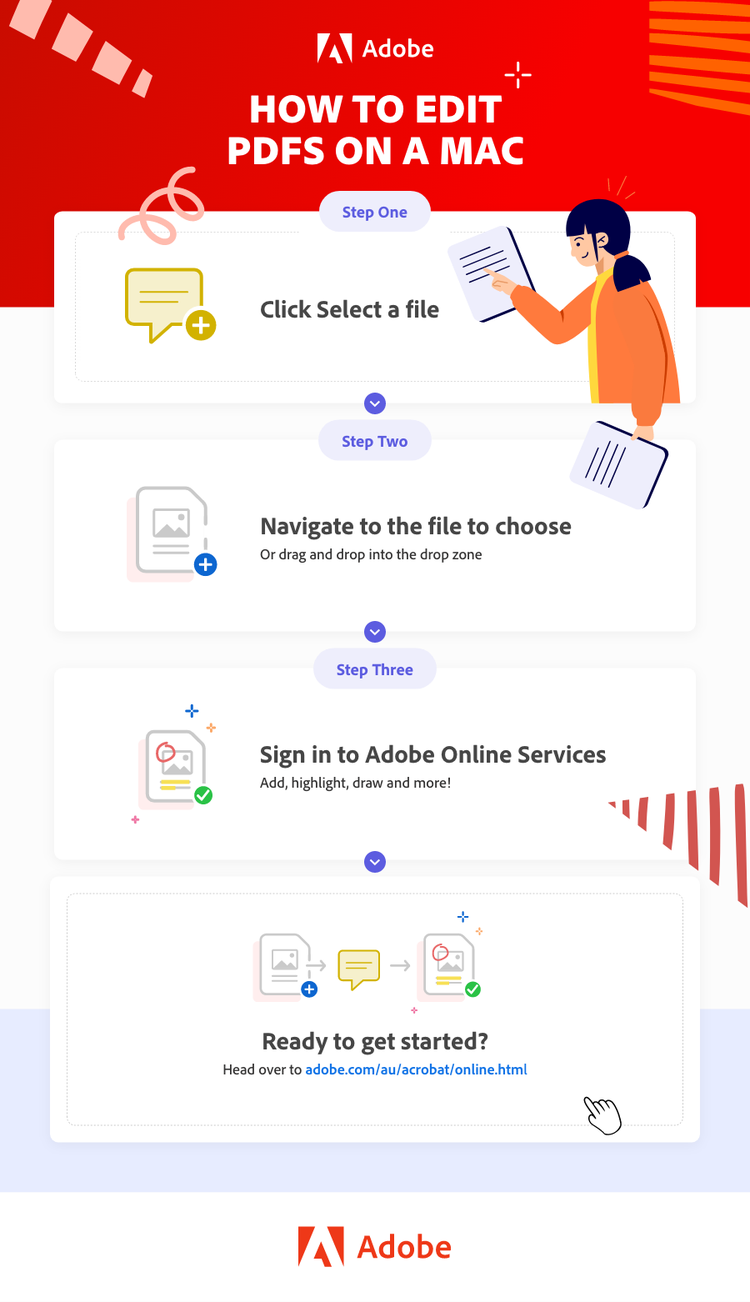
- Open your web browser and go to the Adobe Acrobat online PDF editor.
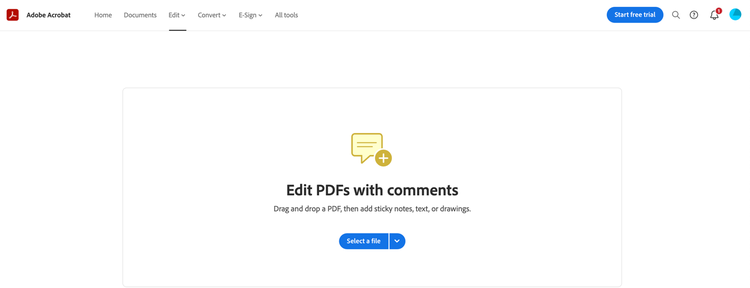
- Click Select a file.
- Navigate to the file you want to edit, or drag and drop it into the drop zone.
- Once the file uploads, sign in to access tools for adding text, highlighting, drawing, and more.
- Go to the Share menu to share the document with others via email or a link.
What kind of edits can I make?
Adobe Acrobat online services offer an array of easy-to-use tools for editing PDFs. You can highlight, underline, strikethrough, or add text, and even draw directly on the document. Plus, you can use sticky notes to track changes, and edit, delete, or reply to comments for easy collaboration.
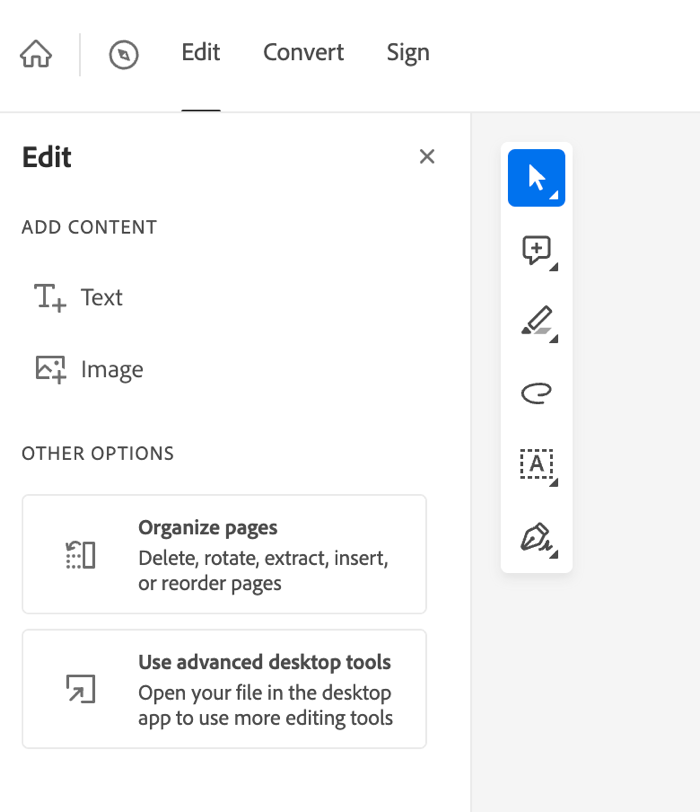
Sometimes, you may need to edit PDFs at the structural level. Perhaps a client has asked to rearrange pages or merge multiple PDF files. The online editor lets you organise your pages by rotating, reordering, deleting, extracting, or inserting them as needed.
From the same interface, you can also compress your file or convert it into a different format, such as Microsoft Word (in case you want to translate it, for example), PowerPoint, Excel or JPEG.
How to edit PDFs on a Mac with Adobe Acrobat.
With Adobe Acrobat, you have everything you need to effortlessly manage your PDFs in one app, wherever you work. Here’s how to edit a PDF on Mac using Adobe Acrobat:
- Open Adobe Acrobat on your Mac.
- Click File and select Open to upload the PDF you want to edit.
- Use the Edit PDF tool from the right-hand pane to make changes to text, images, and pages.
- To save your edits, click File and choose Save or Save As to keep a copy of your updated document.
The benefits of editing PDFs on a Mac.
Editing PDFs on your Mac not only saves you time but also simplifies your workflow. By embracing digital tools, you can enjoy a range of benefits that enhance productivity and reduce clutter:
- Cut down on paper waste. Avoid unnecessary printing and multiple copies of documents. There is no need to print out forms – filling out and signing forms is a breeze if you add text directly to your PDF.
- Easy to share. Edit and mark up projects with multiple stakeholders, and share with everyone at the click of a button, cutting out the need for multiple versions of the same document.
- Efficient collaboration. Adobe Acrobat online tools allow you to keep all comments and markups within a document for streamlined communication — and you can assign specific tasks to others to keep everyone on track.
Frequently asked questions.
If you want a wider range of features to choose from, investing in Adobe Acrobat Pro gives you complete control over PDF documents. You can create PDF forms and files, use the edit PDF functions to modify the formatting, and make room for signatures, all with intuitive tools.
Take a moment to explore everything you can do with Adobe Acrobat Pro today.
More resources