Photography
Side hustle ideas for Australian creatives.
Discover how to use Adobe Photoshop to launch your freelance side hustle. Learn tips for designing logos, social media graphics, and more to grow your business.
In Australia’s booming freelance economy, creatives have the opportunity to turn their skills into profitable ventures. The demand for high-quality design services is growing, with small businesses, e-commerce stores, and digital marketers willing to pay for professional visuals. In fact, Australian freelancers in creative fields can earn anywhere from $150 to over $1,000 per project for tasks like logo design, social media graphics, and photo editing.
If you’re looking to break into freelancing, Adobe Photoshop is your ultimate tool. Its advanced features, like Generative Fill, Neural Filters, and customisable workspaces, allow you to create polished, professional designs that clients love. In this guide, we’ll explore Photoshop’s unique value proposition for freelancers and show you how to use it to tap into Australia’s growing demand for creative services.
Why Photoshop is perfect for freelance side hustles.
Adobe Photoshop is a powerful, industry-standard tool that caters to a wide range of creative needs. Here’s why it’s the top choice for freelancers:
- Versatility: Photoshop supports an array of creative services, from branding design to photo editing and web mockups.
- Advanced features: Tools like Generative Fill and Neural Filters simplify complex tasks, saving you time and effort.
- Professional results: Photoshop’s advanced tools, like layer control, Smart Objects for non-destructive editing, and AI-powered features like Generative Fill, ensure precision and high-quality output. From flawless product retouching in e-commerce to enhanced real estate visuals and standout marketing assets, Photoshop’s ecosystem empowers you to deliver professional-grade results across industries.
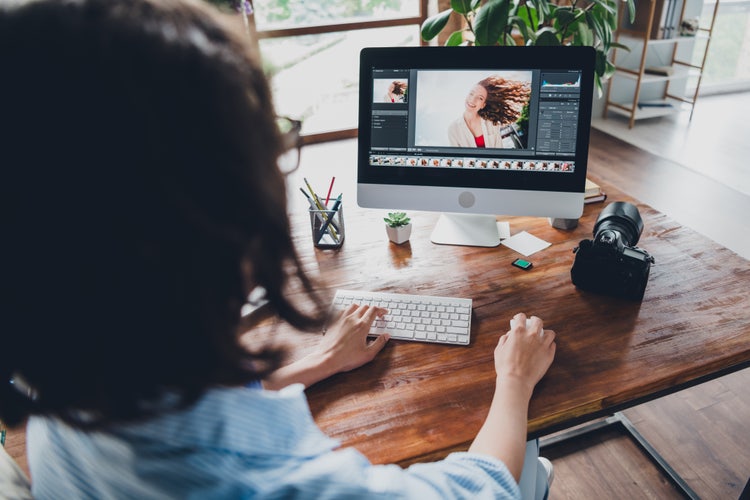
Earning potential and market opportunities in Australia.
The Australian design industry generates over$5 billion annually, with demand growing for freelancers in:
- Small businesses: Logos, branding, and packaging designs.
- E-commerce: Product photos, social media content, and ads.
- Real estate: Enhanced property visuals and staging.
- Hospitality: Promotional materials for restaurants, cafes, and events.
Potential earnings:
- Logo design: $150–$500 per project.
- Social media graphics: $250–$1,000 per package.
- Web design mockups: $1,000–$5,000 depending on complexity.
Top freelance gigs you can do with Photoshop.
Here are some in-demand services Australian creatives can offer using Photoshop:
Social media graphics.
Create eye-catching visuals for Instagram, Facebook, and TikTok. Use Photoshop to design posts, stories, and ad banners that align with a brand's aesthetic.
Web design mockups.
Design high-quality mockups for websites and mobile apps. Smart Objects, Layer Styles, artboards, typography tools, and grids and guides let you present polished concepts to clients.
Photo editing and retouching.
Enhance portraits, restore old photos, or create composites. Use Neural Filters to easily apply complex edits quickly, such as changing facial expressions or adjusting skin tone. Photoshop’s Actions automate repetitive tasks, ensuring consistency.
Ebook and print book covers.
Design compelling covers for both digital and print books. Photoshop’s text and shape tools make it easy to experiment with typography, layout and color modes (CMYK and RGB), ensuring your covers stand out on any shelf—digital or physical.
Infographics.
Use variables and data sets in Photoshop to create infographics that tell powerful stories. Ideal for content marketing or educational projects.
Custom illustrations.
Use Photoshop’s drawing and painting tools to create bespoke illustrations. Whether it’s for books, websites, or marketing materials, custom illustrations can set your client’s brand apart from the competition.
Product packaging.
Create packaging designs, labels, and mockups. Use Generative AI to visualise your concepts on products with lifelike accuracy.
Email templates.
Create custom email templates for marketing campaigns. Design professional-looking headers, buttons, and other elements that align with the client’s branding.
Historical photo colourisation.
Leverage Photoshop’s Neural Filters to colourise black-and-white historical photos with just a click. This service is in high demand and can make for a fascinating and rewarding niche.
Tattoo design mockups.
Help clients visualise tattoo designs on their skin before they commit. Use Photoshop to create mockups by overlaying tattoo designs onto photos of your clients, giving them a realistic preview.
Food photography enhancement.
Enhance food photography by digitally arranging ingredients and adjusting colours to make dishes look more appetising. This is a valuable service for restaurants and food bloggers.
Real estate enhancements.
Use Photoshop’s advanced editing tools to stage rooms, improve landscaping, and enhance skies for real estate photography. AI-powered features like Generative Fill can help create stunning visuals that appeal to potential buyers.
Addressing common objections.
Cost vs ROI.
Photoshop’s Creative Cloud subscription starts at $14.29 AUD/month. One project, such as a logo design or photo editing gig, can easily cover this cost.
Time investment.
Learning Photoshop is manageable with the right approach. Platforms like Adobe Tutorials, Skillshare, and YouTube channels like PiXimperfect offer beginner-friendly courses to help you get started.
Balancing with full-time work
Start small with micro-gigs during evenings or weekends. As your client base grows, transition into freelancing full-time.
Client acquisition strategies.
Securing clients is often the hardest part of starting a side hustle. Here’s how to build momentum:
- Tap into your network: Offer your services to friends, family, and local businesses.
- Leverage freelance platforms: Use Fiverr, Upwork, or Australian-specific sites like Freelancing.com.au to find gigs.
- Build an online presence: Showcase your work on Behance and Adobe Portfolio.
- Social media marketing: Share your designs on platforms like Instagram and LinkedIn to attract leads organically.
- Offer discounts or promotions: Provide special rates for first-time clients to build testimonials and grow your reputation.
Why Photoshop over other tools?
While platforms like Canva are user-friendly, Photoshop is unmatched in versatility and precision:
- Advanced features: Neural Filters, Generative Fill, and Layer Styles provide capabilities that other tools lack.
- Professional standard: Photoshop is recognised worldwide, ensuring credibility with clients.
- Scalability: From quick edits to complex branding projects, Photoshop handles it all.
How to set up your freelance projects in Photoshop.
Getting organised is essential for efficiency. Here are some tips:
- Use layers and artboards: Structure your projects with layers to keep elements organised.
- Create templates: Design reusable templates for tasks like social media graphics or email banners.
- Save presets: Develop custom colour and text presets to ensure consistency across client projects.
Building your freelance portfolio.
Your portfolio is your most valuable marketing tool. Here's how to make it stand out:
- Project variety: Include diverse projects like web mockups, branding, and photo retouching.
- Consistency: Use Adobe Express or Behance to create a cohesive and professional online portfolio.
- Personal branding: Add a logo, consistent colour scheme, and signature typography to reflect your style.
Tip: Share your portfolio on LinkedIn and freelancing platforms to maximise visibility.
Final tips for launching your freelance side hustle.
- Start small: Focus on a niche like social media graphics or photo editing to build your confidence.
- Refine your skills: Dedicate time to improving your craft through courses and practice.
- Build relationships: Prioritise client satisfaction to earn referrals and repeat business.
- Stay consistent: Keep your portfolio and online profiles updated to attract new opportunities.
Photoshop—Your partner in building a successful side hustle in Australia.
Photoshop empowers Australian creatives to transform their talents into thriving side hustles. Its tools allow you to offer diverse services, produce professional-quality work, and stand out in a competitive market.
Whether you’re starting with small projects or scaling your freelancing business, Photoshop equips you with everything you need to succeed. Download it today and take the first step toward building a rewarding creative side hustle.