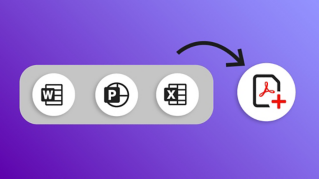
Saiba como usar a ferramenta Organizar páginas no Adobe Acrobat para criar um PDF menor e mais conciso.
Introdução
[Sarah John]: Imagine isto: você recebeu um PDF enorme, cheio de gráficos, com mais de 100 páginas.
Tudo muito interessante, mas algumas páginas têm informações importantes para o trabalho, daquelas que precisa consultar sempre.
Por causa do tamanho, o arquivo demora para abrir e trava quando você tenta rolar.
Você precisa lidar com esse arquivo gigante e pesado que atrasa o trabalho e faz você querer jogar o computador pela janela.
Concentrar-se no que é mais importante
Sou Sarah e tenho boas notícias: a ferramenta Organizar páginas permite extrair páginas importantes para um arquivo separado e facilita muito a vida.
No menu Todas as ferramentas, selecione Organizar páginas e abra o arquivo em questão.
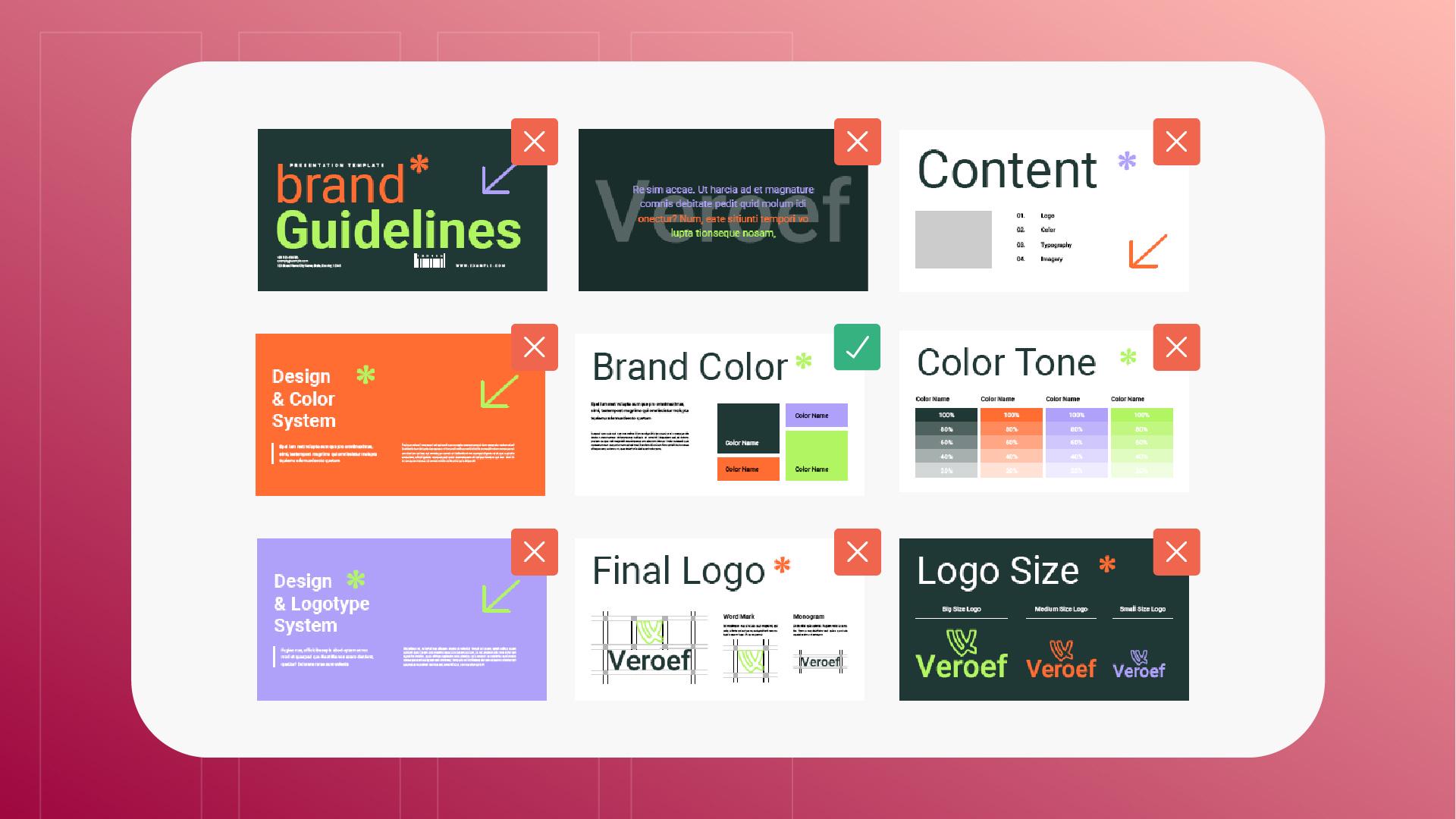
Neste exemplo, uso o documento Diretrizes de marca.
Adoro a história que conta sobre a marca e os detalhes por que tomamos cada decisão de design.
Já para o trabalho diário,
Selecionar e extrair páginas específicas
só preciso da página com a paleta de cores atualizada.
Seleciono essa página e clico no botão Extrair páginas na barra lateral.
Neste menu, tenho a opção de excluir a página do arquivo original após a extração, o que não é necessário neste caso, e de extrair a página selecionada para um novo arquivo.
Marco essa opção e clico em Extrair.
O Acrobat indica onde será armazenado o novo arquivo.
Selecione o local e clique em OK para ter um arquivo novo.
Sempre que precisar consultar os códigos hexadecimais atualizados da marca, abra o novo PDF, menor, leve e muito mais prático, e siga com o trabalho sem interrupções.
Aviso: os ativos do Stock fornecidos são apenas para fins de prática.Veja os termos .
O que você aprenderá
Concentrar-se no que é mais importante
Use a ferramenta Organizar páginas para separar as páginas essenciais de documentos longos. Crie um arquivo menor, rápido de abrir e fácil de consultar.
Selecionar e extrair páginas específicas
Escolha as páginas necessárias e clique em Extrair páginas na barra lateral. Salve o novo PDF menor.
You can control how Adobe websites use cookies and similar technologies by making choices below. But note that if you disable cookies and similar technologies entirely, Adobe websites may not function properly.
Cookies are small text files stored by your web browser when you use websites. There are also other technologies that can be used for similar purposes like HTML5 Local Storage and local shared objects, web beacons, and embedded scripts. These technologies help us do things like remembering you and your preferences when you return to our sites, measure how you use the website, conduct market research, and gather information about the ads you see and interact with.
You can make choices in the menu below about what cookies and other technologies you want us to use on Adobe sites when you visit them from this browser. You can always change those choices later by clicking on the Cookie Preferences link at the bottom of the page.
If enabled:
We can improve your experience by tailoring the site and the content to things we think might be of interest
We can better keep track of your preferences — like what language you prefer to use
We will better understand your likely interests so we can provide you more relevant Adobe ads and content on non-Adobe websites and in non-Adobe apps
It will help us improve the performance of our website and those of our partners who use the Adobe Experience Cloud
If disabled:
We won’t be able to remember you from session to session so the experience may not be tailored to your interests
You’ll still have access to the content of the site but certain features that depend on cookies may not function
You’ll still see ads, they just may not be as relevant to you
General information
You can control how Adobe websites use cookies and similar technologies by making choices below. But note that if you disable cookies and similar technologies entirely, Adobe websites may not function properly.
Cookies are small text files stored by your web browser when you use websites. There are also other technologies that can be used for similar purposes like HTML5 Local Storage, web beacons, and embedded scripts. These technologies help us do things like remembering you and your preferences when you return to our sites, measure how you use the website, conduct market research, and gather information about the ads you see and interact with.
You can make choices in the menu below about what cookies and other technologies you want us to use on Adobe sites when you visit them from this browser. You can always change those choices later by clicking on the Cookie Preferences link at the bottom of the page.
If enabled:
We can improve your experience by tailoring the site and the content to things we think might be of interest
We can better keep track of your preferences — like what language you prefer to use
We will better understand your likely interests so we can provide you more relevant Adobe ads and content on non-Adobe websites and in non-Adobe apps
It will help us improve the performance of our website and those of our partners who use the Adobe Experience Cloud
If disabled:
We won’t be able to remember you from session to session so the experience may not be tailored to your interests
We’ll still count your use of our site and services
You’ll still have access to the content of the site but certain features that depend on cookies may not function
You’ll still see ads, they just may not be as relevant to you
Operate the site and core servicesOperate site and measure engagement
Always active
These cookies are required, and they are used to enable the site and related services core functionality. Without them the site could not operate, so they cannot be disabled.
These cookies enable the site and related services’ core functionality and collect statistics about user engagement, such as counting active use to help us understand trends. These cookies cannot be disabled.
Measure performance
These cookies are used to analyze site usage to measure and improve performance. Without them Adobe cannot know what content is most valued and how often unique visitors return to the site, making it hard to improve information we offer to you.
These cookies are used to analyze site usage to measure and improve performance. Without them Adobe cannot know what content is most valued, making it hard to improve information we offer to you.
Extend functionality
These cookies are used to enhance the functionality of Adobe sites such as remembering your settings and preferences to deliver a personalized experience; for example, your username, your repeated visits, preferred language, your country, or any other saved preference.
Personalize advertising
These cookies are used to enable Adobe and our partners to serve ads more relevant to your interests. Without them you will still see ads, but they might not be as relevant to you.
Personalize advertising
These cookies are used to enable Adobe and our partners to serve ads more relevant to your interests. Without them you will still see ads, but they might not be as relevant to you.