Como criar padronagens no Illustrator, por Luísa Fantinel
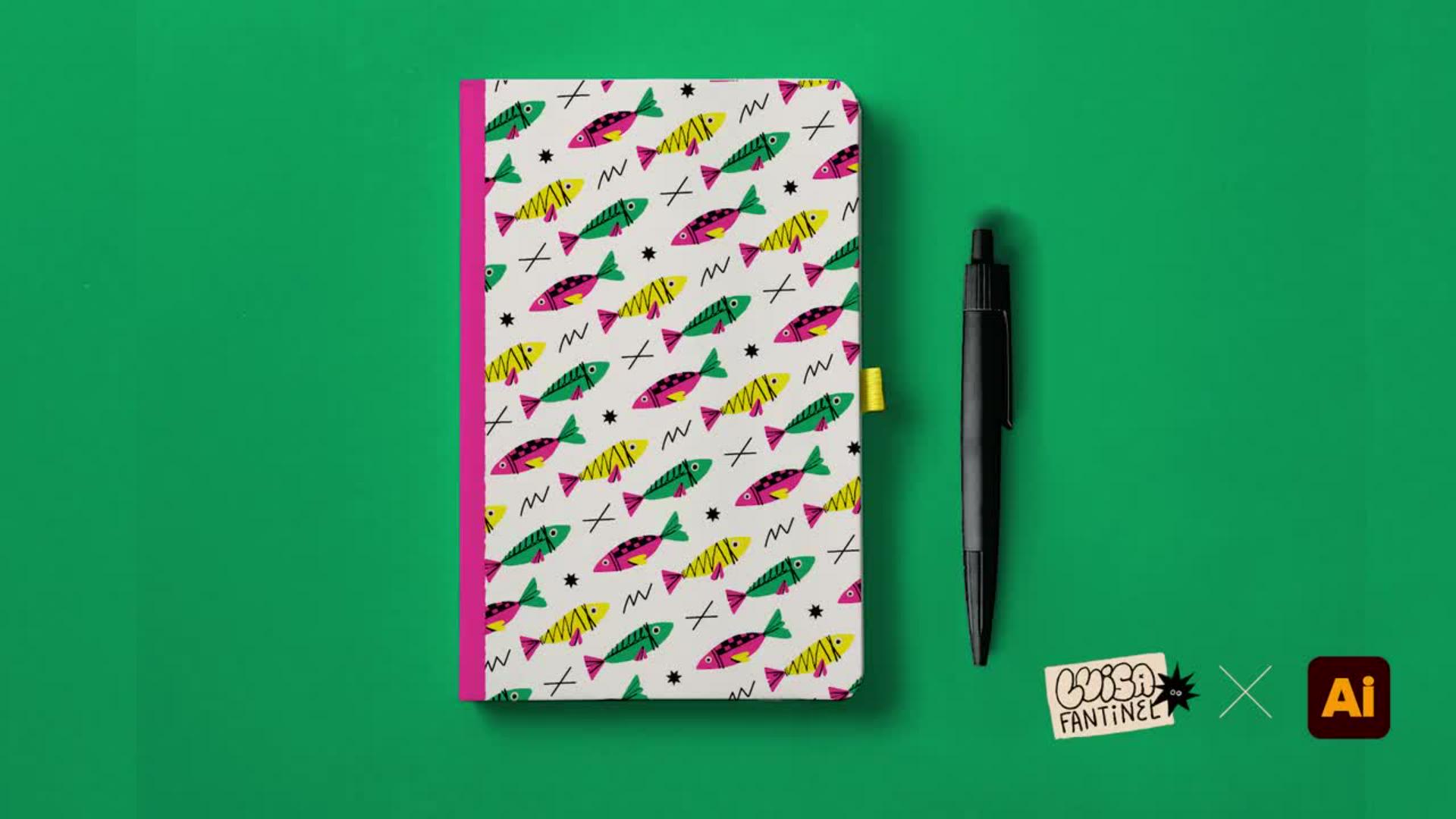
Padronagens podem ter diversas aplicações diferentes. Neste tutorial, Luísa Fantinel mostra como criá-las através do Adobe Illustrator, além de editar, adicionar elementos e aplicar em um mockup.
Exibir tutorial em Illustrator
Acompanhar no aplicativo
Viver experiências novas me mantém com o espírito motivado para fazer arte.
E recentemente eu fiz mergulho com cilindro e eu nadei com vários peixinhos.
Oiê!
Eu me chamo Luísa Fantinel, sou ilustradora e designer e o meu trabalho é muito inspirado em bons momentos da vida.
E foi inspirado nesse momento de mergulho que hoje eu trago um tutorial de como fazer uma padronagem.
Pode ser usada como estampa em diversos produtos.
A gente vai começar com três peixinhos e vamos transformá-los em muitos peixinhos.
Vamos aprender a utilizar uma ferramenta muito prática para criar o nosso padrão e ilustração.
Experimentar as diferentes opções, criar novos elementos para preencher o espaço branco, aplicar em um mockup de produto e por fim brincar com o tamanho e direção da nossa estampa.
E aí ter dificuldade para escolher qual você mais gosta.
Com essa ferramenta você pode criar diversas coleções de estampas com muitos ou poucos elementos.
Então bora mergulhar nesse tutorial?
Do que você vai precisar
Praticar no aplicativo
Veja como você vai aprender a criar padronagens neste tutorial:
Criando uma padronagem
Preencher os espaços com mais elementos
Inserindo sua padronagem em um mockup
Aplique a padronagem de diferentes formas
Luísa Fantinel é uma designer e artista inspiradora. Não poderia ser diferente, ela se inspira em suas experiências e bons momentos da vida para criar suas ilustrações. Já em seu quarto tutorial em parceria com a Adobe, Luísa traz para dentro do Illustrator sua recente experiência de mergulho com cilindro em Porto de Galinhas (PE), onde relata que nadou com muitos peixinhos.
Iniciando a partir de três elementos, ou melhor, três peixes fofinhos, Luísa mostra o passo a passo de como criar uma padronagem linda e vibrante. Além de apresentar a ferramenta, a artista ensina truques que facilitam seu manejo e que são complementados com outras ferramentas e recursos do programa. Para finalizar, você vai aprender como aplicar a padronagem em um estiloso caderno tipo moleskine, assim você pode criar suas próprias artes, criar produtos e colocá-los à venda.
E você? O que lhe inspira?
Clique no botão azul na parte de cima da página para abrir o tutorial e começar agora mesmo.
Ah! Lembre-se sempre de estar com seu Adobe Illustrator atualizado.
Sobre a autora
Luísa Fantinel é ilustradora e designer. Seu trabalho é influenciado pela forma como ama viver a vida: celebrando momentos prazerosos com traços expressivos e cores vibrantes, sejam eles entusiasmantes e cheios de movimento ou calmos e tranquilos. Ao lado de sua avó, artista plástica, cresceu entre pinceladas, e o toque manual permanece presente em seu trabalho por meio de texturas e irregularidades charmosas.
Curiosa por natureza, atua em projetos com múltiplos formatos, passando por capas de livros, campanhas publicitárias, murais, editorial, produtos e design de marcas.
Estudou design no Canadá e fez pós-graduação em Neurociência & Marketing, onde aprofundou seu interesse em como emoção, percepção e comportamento se conectam à comunicação visual. Fora do horário de trabalho, Luísa é dançarina e no momento está apaixonada por surf.
You can control how Adobe websites use cookies and similar technologies by making choices below. But note that if you disable cookies and similar technologies entirely, Adobe websites may not function properly.
Cookies are small text files stored by your web browser when you use websites. There are also other technologies that can be used for similar purposes like HTML5 Local Storage and local shared objects, web beacons, and embedded scripts. These technologies help us do things like remembering you and your preferences when you return to our sites, measure how you use the website, conduct market research, and gather information about the ads you see and interact with.
You can make choices in the menu below about what cookies and other technologies you want us to use on Adobe sites when you visit them from this browser. You can always change those choices later by clicking on the Cookie Preferences link at the bottom of the page.
If enabled:
We can improve your experience by tailoring the site and the content to things we think might be of interest
We can better keep track of your preferences — like what language you prefer to use
We will better understand your likely interests so we can provide you more relevant Adobe ads and content on non-Adobe websites and in non-Adobe apps
It will help us improve the performance of our website and those of our partners who use the Adobe Experience Cloud
If disabled:
We won’t be able to remember you from session to session so the experience may not be tailored to your interests
You’ll still have access to the content of the site but certain features that depend on cookies may not function
You’ll still see ads, they just may not be as relevant to you
General information
You can control how Adobe websites use cookies and similar technologies by making choices below. But note that if you disable cookies and similar technologies entirely, Adobe websites may not function properly.
Cookies are small text files stored by your web browser when you use websites. There are also other technologies that can be used for similar purposes like HTML5 Local Storage, web beacons, and embedded scripts. These technologies help us do things like remembering you and your preferences when you return to our sites, measure how you use the website, conduct market research, and gather information about the ads you see and interact with.
You can make choices in the menu below about what cookies and other technologies you want us to use on Adobe sites when you visit them from this browser. You can always change those choices later by clicking on the Cookie Preferences link at the bottom of the page.
If enabled:
We can improve your experience by tailoring the site and the content to things we think might be of interest
We can better keep track of your preferences — like what language you prefer to use
We will better understand your likely interests so we can provide you more relevant Adobe ads and content on non-Adobe websites and in non-Adobe apps
It will help us improve the performance of our website and those of our partners who use the Adobe Experience Cloud
If disabled:
We won’t be able to remember you from session to session so the experience may not be tailored to your interests
We’ll still count your use of our site and services
You’ll still have access to the content of the site but certain features that depend on cookies may not function
You’ll still see ads, they just may not be as relevant to you
Operate the site and core servicesOperate site and measure engagement
Always active
These cookies are required, and they are used to enable the site and related services core functionality. Without them the site could not operate, so they cannot be disabled.
These cookies enable the site and related services’ core functionality and collect statistics about user engagement, such as counting active use to help us understand trends. These cookies cannot be disabled.
Measure performance
These cookies are used to analyze site usage to measure and improve performance. Without them Adobe cannot know what content is most valued and how often unique visitors return to the site, making it hard to improve information we offer to you.
These cookies are used to analyze site usage to measure and improve performance. Without them Adobe cannot know what content is most valued, making it hard to improve information we offer to you.
Extend functionality
These cookies are used to enhance the functionality of Adobe sites such as remembering your settings and preferences to deliver a personalized experience; for example, your username, your repeated visits, preferred language, your country, or any other saved preference.
Personalize advertising
These cookies are used to enable Adobe and our partners to serve ads more relevant to your interests. Without them you will still see ads, but they might not be as relevant to you.
Personalize advertising
These cookies are used to enable Adobe and our partners to serve ads more relevant to your interests. Without them you will still see ads, but they might not be as relevant to you.