Schneller arbeiten mit dem Bedienfeld „Eigenschaften“.
Im Bedienfeld „Eigenschaften“ des Arbeitsbereichs „Grundfunktionen“ findest du häufig verwendete Funktionen und Steuerungen, sodass du schneller mit Adobe Illustrator arbeiten kannst.

Benötigte Materialien
In der Anwendung üben
Hinweis: Für diese Funktion benötigst du die neueste Version von Illustrator.
Der Arbeitsbereich „Grundfunktionen“.
Wähle am oberen Bildschirmrand den Arbeitsbereich „Grundfunktionen“ aus. In diesem schlanken, aufgeräumten Arbeitsbereich findest du rasch die richtigen Befehle.
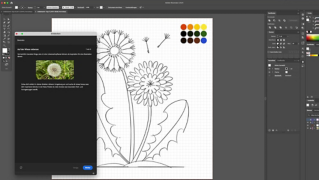
Auf der Werkzeugleiste links befinden sich alle verfügbaren Werkzeuge. Auf der Zeichenfläche in der Mitte erstellst du deine Grafik. Rechts sind drei Bedienfelder verankert: „Eigenschaften“, „Ebenen“ und „Bibliotheken“. Diese drei zentralen Bedienfelder enthalten die Steuerungen und Funktionen, die du am häufigsten einsetzen wirst.
Das Bedienfeld „Eigenschaften“.
Mit den kontextabhängigen Einstellungen im Bedienfeld „Eigenschaften“ änderst du das Erscheinungsbild von Grafiken und Textobjekten. Das Bedienfeld ist in Kategorien gegliedert, z. B. „Transformieren“ oder „Aussehen“. Je nachdem, welches bzw. ob ein Objekt ausgewählt ist, ist das Bedienfeld anders aufgebaut.
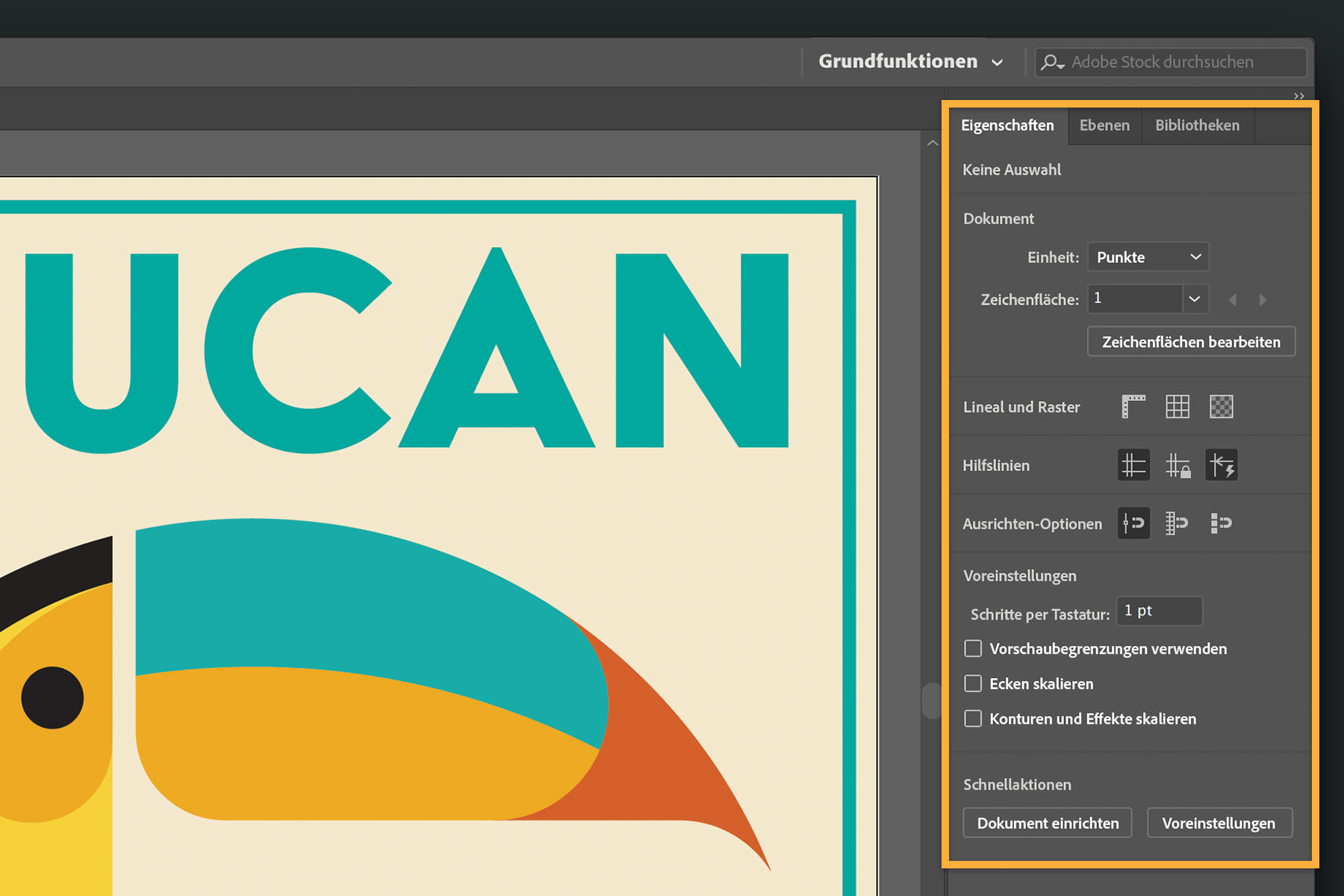
Wenn kein Objekt ausgewählt und das Auswahl-Werkzeug aktiv ist, kannst du das Dokument einrichten und globale Einstellungen festlegen. Ändere die Einheiten. Bearbeite Zeichenflächen. Füge Raster hinzu. Oder richte häufig verwendete Werkzeugoptionen ein. Unter den Schnellaktionen findest du Optionen wie „Dokument einrichten“ oder „Voreinstellungen“.
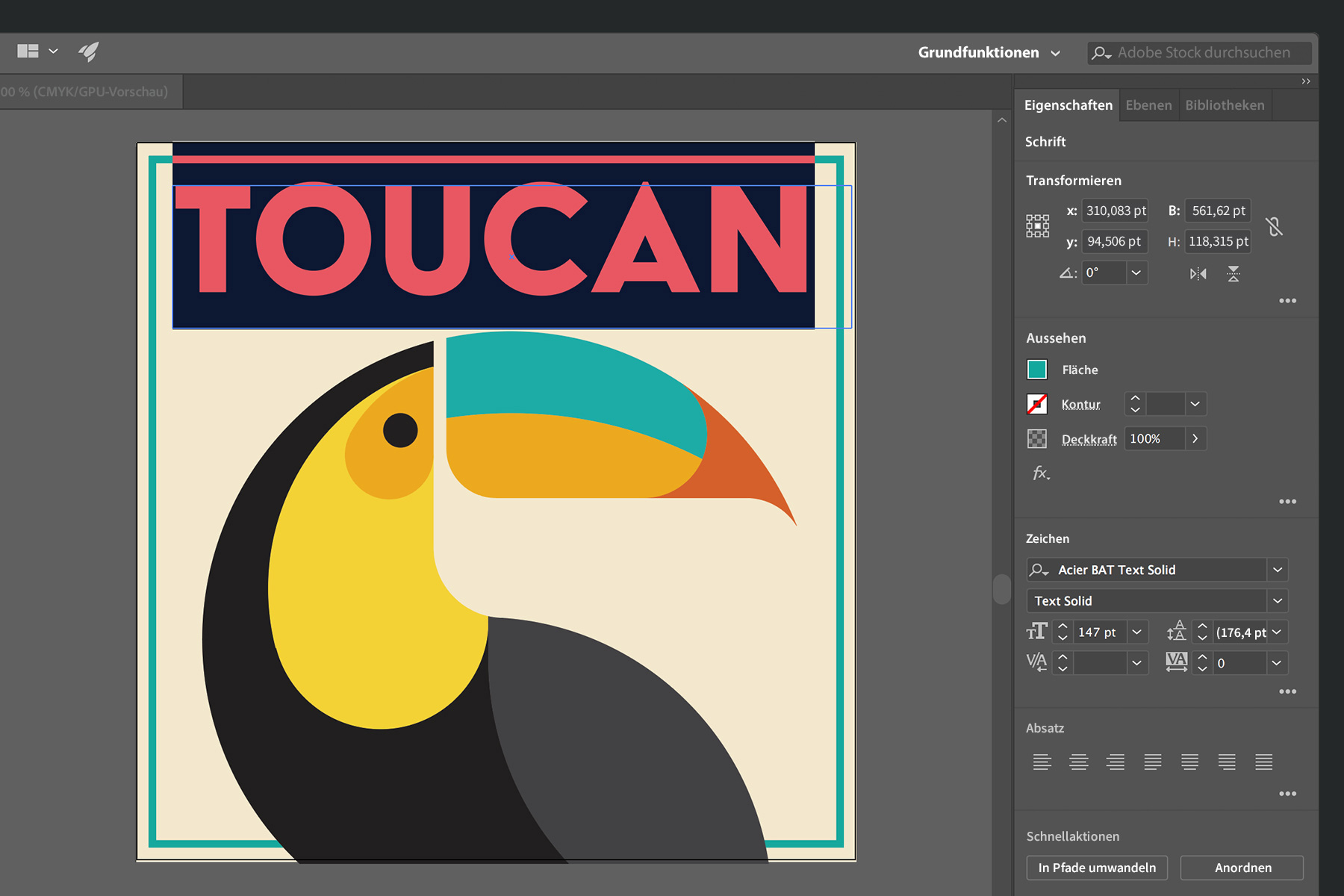
Bei ausgewähltem Text kannst du die Schrift, den Schnitt und andere Textattribute ändern und dann das Textobjekt komplett transformieren, indem du Größe, Seitenverhältnis, Drehwinkel usw. anpasst. Lege die Farbe für den Text fest. Ändere die Deckkraft (mache ihn transparenter). Wende andere Effekte an. Klicke auf „In Pfade umwandeln“, um den Text in eine Form zu verwandeln, die du kreativ bearbeiten kannst.
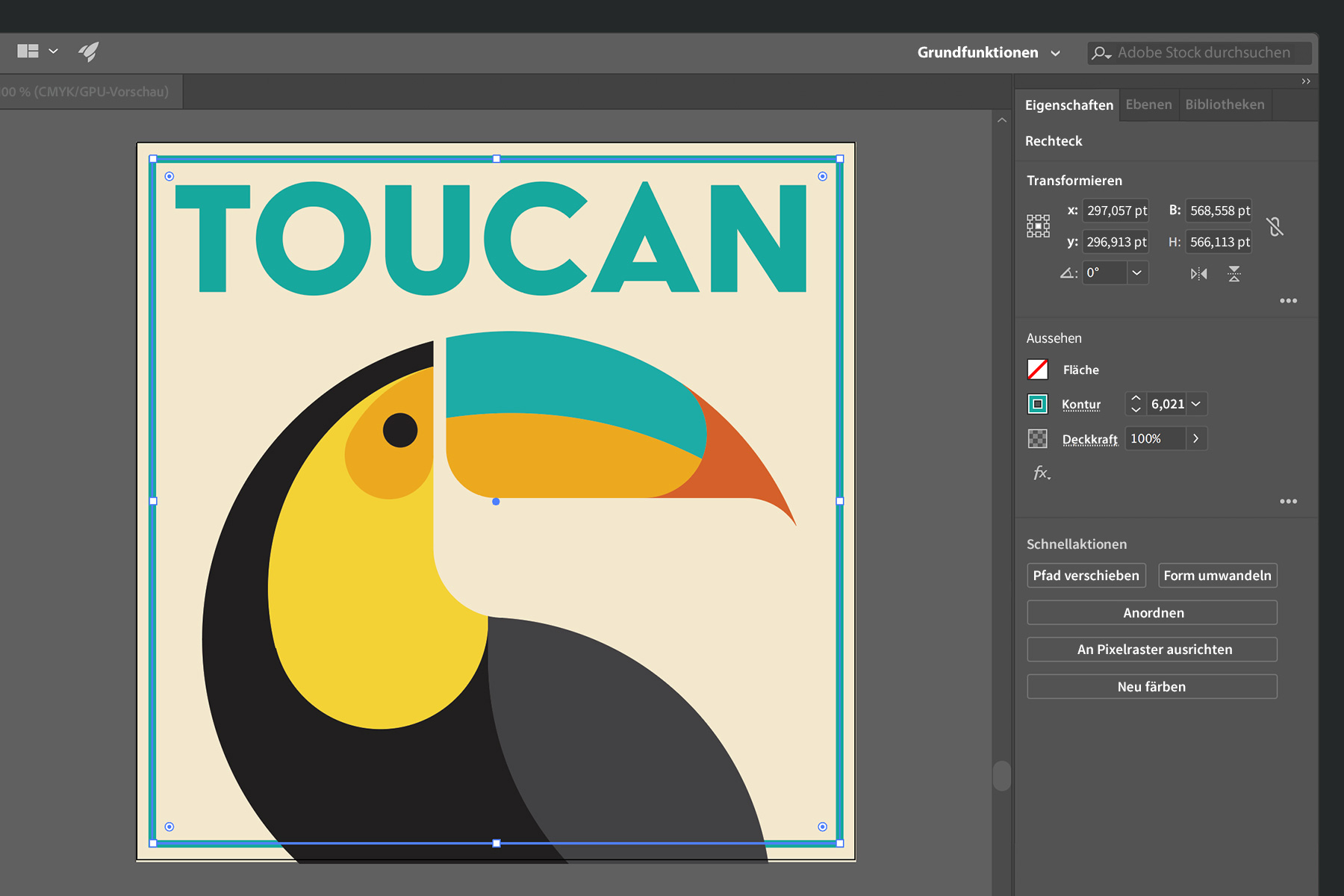
Sobald ein Objekt ausgewählt wird, z. B. ein Rechteck, siehst du die relevanten Optionen, etwa zum Transformieren (Skalieren, Drehen usw.), zum Ändern des Aussehens (Fläche oder Kontur) oder zum Hinzufügen eines Schlagschattens. Die Art des ausgewählten Objekts wird am oberen Rand des Bedienfelds „Eigenschaften“ angezeigt.
Innerhalb der Abschnitte kannst du auf weitere Optionen zugreifen. Wenn du z. B. auf „Kontur“ klickst, kannst du eine gestrichelte Linie als Kontur einfügen, das Aussehen der Ecken verändern oder Pfeilspitzen hinzufügen.
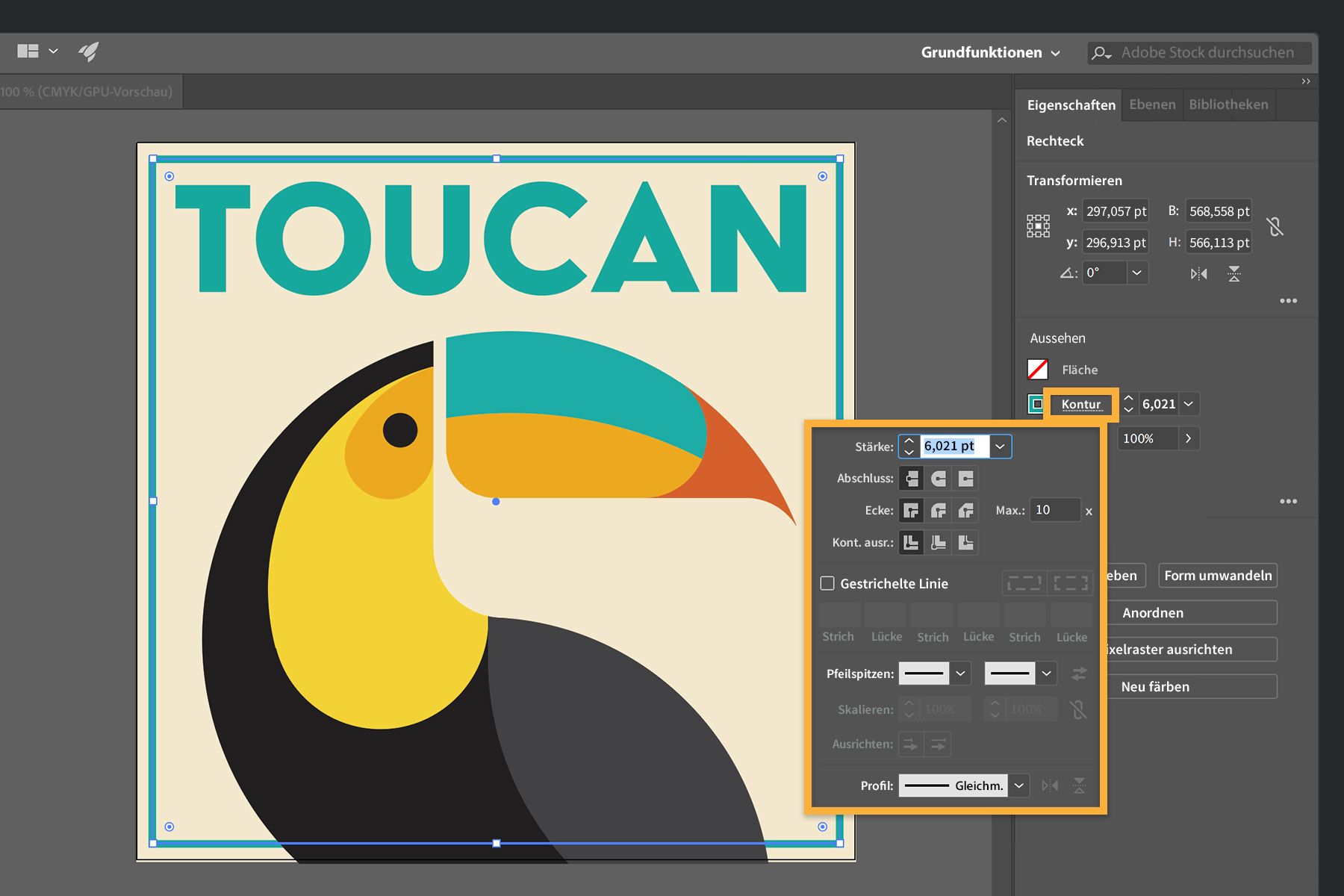
Klicke auf die Schaltfläche „Weitere Optionen“ (…), um auf erweiterte Funktionen oder Bedienfelder mit weiteren Einstellungen zuzugreifen.

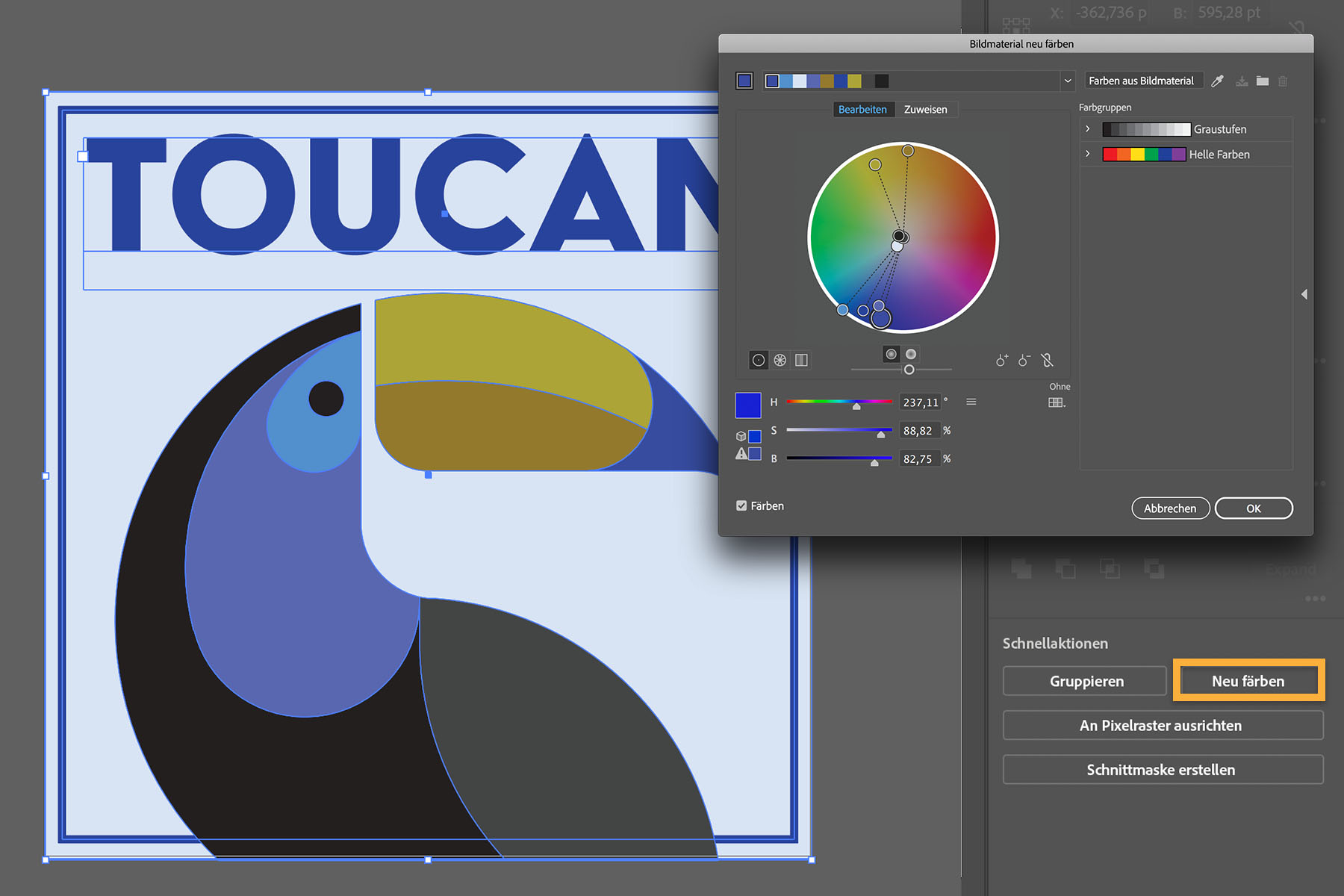
Unter „Schnellaktionen“ werden häufig verwendete Aktionen angezeigt. Wenn beispielsweise mehrere Objekte ausgewählt sind, stehen die Schaltflächen „Gruppieren“ und „Neu färben“ zur Auswahl. Mit den Pathfinder-Funktionen kannst du eine Form aus sich überschneidenden Objekten erstellen oder die ausgewählten Objekte verschieden ausrichten.
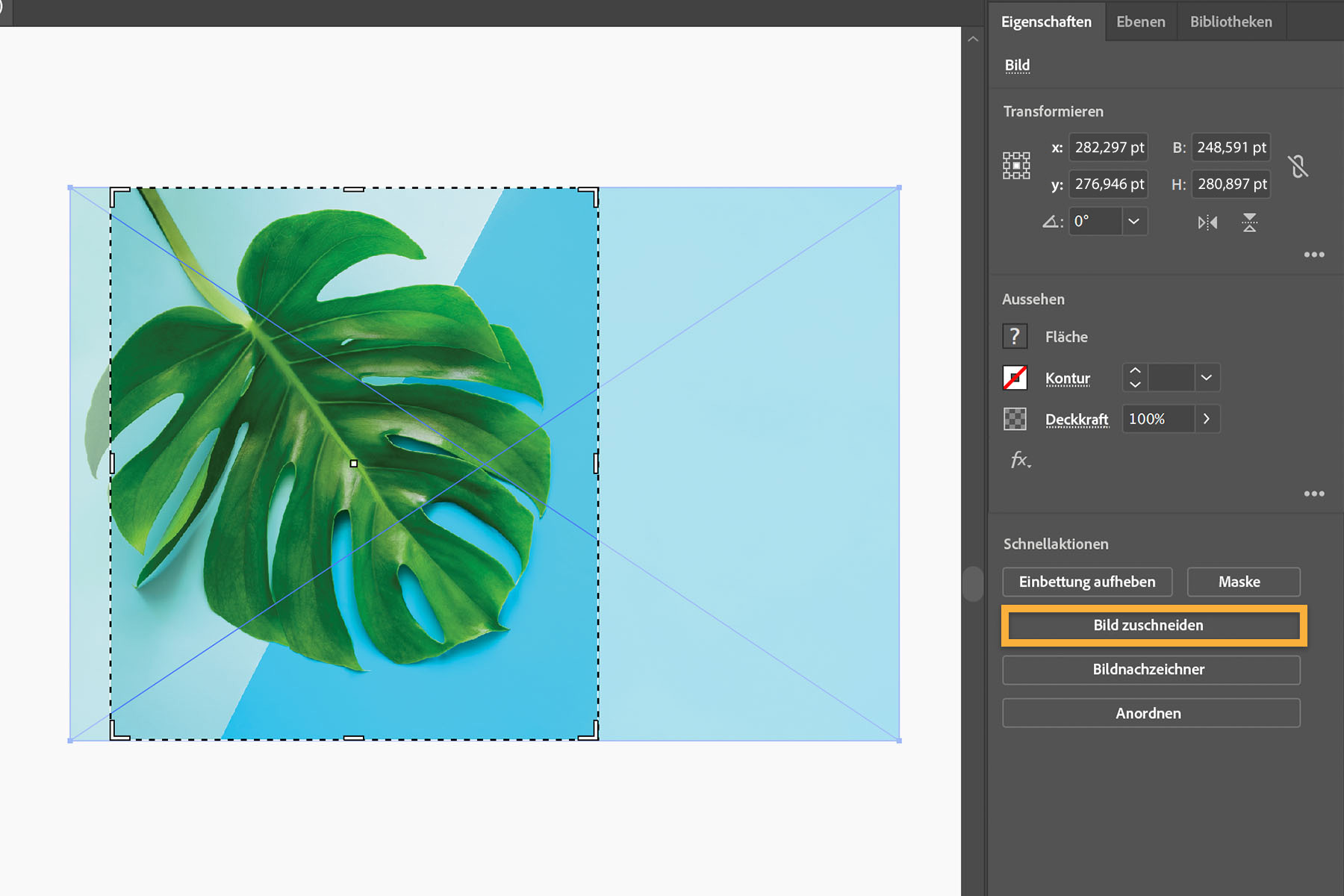
Wenn du ein Bild platzierst, werden Schnellaktionen zum Transformieren angezeigt, z. B. zum Zuschneiden oder Einfärben. Mit „Bildnachzeichner“ kannst du das Bild in eine Vektorgrafik umwandeln.
Probiere die Optionen im Bedienfeld „Eigenschaften“ gleich bei einem eigenen Projekt aus. Du wirst sehen, wie angenehm es sich arbeiten lässt, wenn häufig verwendete Funktionen, Optionen und Aufgaben direkt griffbereit sind.Weitere Informationen zum Bedienfeld „Eigenschaften“

4. April 2018
Probiere diese Tutorials mit Illustrator aus
Illustrationen und andere Grafiken mit Vektoren erstellen
You can control how Adobe websites use cookies and similar technologies by making choices below. But note that if you disable cookies and similar technologies entirely, Adobe websites may not function properly.
Cookies are small text files stored by your web browser when you use websites. There are also other technologies that can be used for similar purposes like HTML5 Local Storage and local shared objects, web beacons, and embedded scripts. These technologies help us do things like remembering you and your preferences when you return to our sites, measure how you use the website, conduct market research, and gather information about the ads you see and interact with.
You can make choices in the menu below about what cookies and other technologies you want us to use on Adobe sites when you visit them from this browser. You can always change those choices later by clicking on the Cookie Preferences link at the bottom of the page.
If enabled:
We can improve your experience by tailoring the site and the content to things we think might be of interest
We can better keep track of your preferences — like what language you prefer to use
We will better understand your likely interests so we can provide you more relevant Adobe ads and content on non-Adobe websites and in non-Adobe apps
It will help us improve the performance of our website and those of our partners who use the Adobe Experience Cloud
If disabled:
We won’t be able to remember you from session to session so the experience may not be tailored to your interests
You’ll still have access to the content of the site but certain features that depend on cookies may not function
You’ll still see ads, they just may not be as relevant to you
General information
You can control how Adobe websites use cookies and similar technologies by making choices below. But note that if you disable cookies and similar technologies entirely, Adobe websites may not function properly.
Cookies are small text files stored by your web browser when you use websites. There are also other technologies that can be used for similar purposes like HTML5 Local Storage, web beacons, and embedded scripts. These technologies help us do things like remembering you and your preferences when you return to our sites, measure how you use the website, conduct market research, and gather information about the ads you see and interact with.
You can make choices in the menu below about what cookies and other technologies you want us to use on Adobe sites when you visit them from this browser. You can always change those choices later by clicking on the Cookie Preferences link at the bottom of the page.
If enabled:
We can improve your experience by tailoring the site and the content to things we think might be of interest
We can better keep track of your preferences — like what language you prefer to use
We will better understand your likely interests so we can provide you more relevant Adobe ads and content on non-Adobe websites and in non-Adobe apps
It will help us improve the performance of our website and those of our partners who use the Adobe Experience Cloud
If disabled:
We won’t be able to remember you from session to session so the experience may not be tailored to your interests
We’ll still count your use of our site and services
You’ll still have access to the content of the site but certain features that depend on cookies may not function
You’ll still see ads, they just may not be as relevant to you
Operate the site and core servicesOperate site and measure engagement
Always active
These cookies are required, and they are used to enable the site and related services core functionality. Without them the site could not operate, so they cannot be disabled.
These cookies enable the site and related services’ core functionality and collect statistics about user engagement, such as counting active use to help us understand trends. These cookies cannot be disabled.
Measure performance
These cookies are used to analyze site usage to measure and improve performance. Without them Adobe cannot know what content is most valued and how often unique visitors return to the site, making it hard to improve information we offer to you.
These cookies are used to analyze site usage to measure and improve performance. Without them Adobe cannot know what content is most valued, making it hard to improve information we offer to you.
Extend functionality
These cookies are used to enhance the functionality of Adobe sites such as remembering your settings and preferences to deliver a personalized experience; for example, your username, your repeated visits, preferred language, your country, or any other saved preference.
Personalize advertising
These cookies are used to enable Adobe and our partners to serve ads more relevant to your interests. Without them you will still see ads, but they might not be as relevant to you.
Personalize advertising
These cookies are used to enable Adobe and our partners to serve ads more relevant to your interests. Without them you will still see ads, but they might not be as relevant to you.